Enterprise: RTL: Submenu opens wrong way
Describe the bug
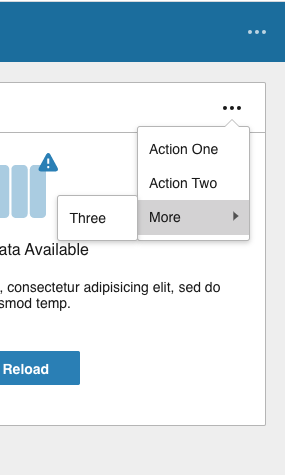
When testing Homepages in RTL i noticed a couple of issues. And I could reproduce them when running IDS localhost in RTL. First minor issue is that submenus opens the wrong way. This could be reproduced in the toolbar in http://localhost:4000/?colors=800000&locale=ar-SA
To Reproduce
Steps to reproduce the behavior:
- Go to http://localhost:4000/?colors=800000&locale=ar-SA
- Scroll down to the toolbar
- Click on '....' and open the submenu
- Submenu is not opened in the arrow direction.
Expected behavior
Submenu should be opened to the left in the direction that the submenu arrow points
Version
- ids-enterprise: 4.14.0
Screenshots
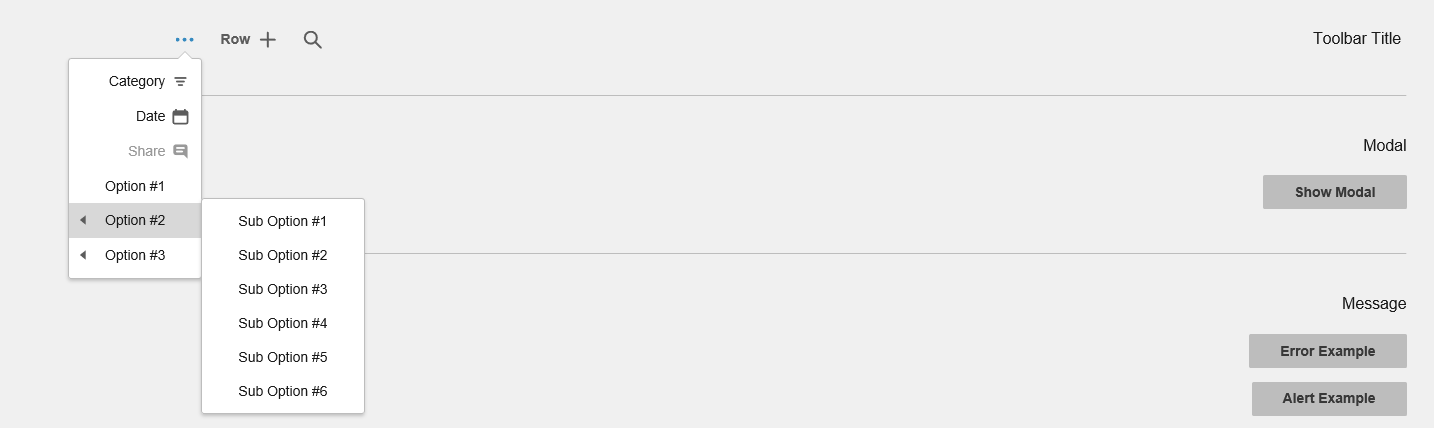
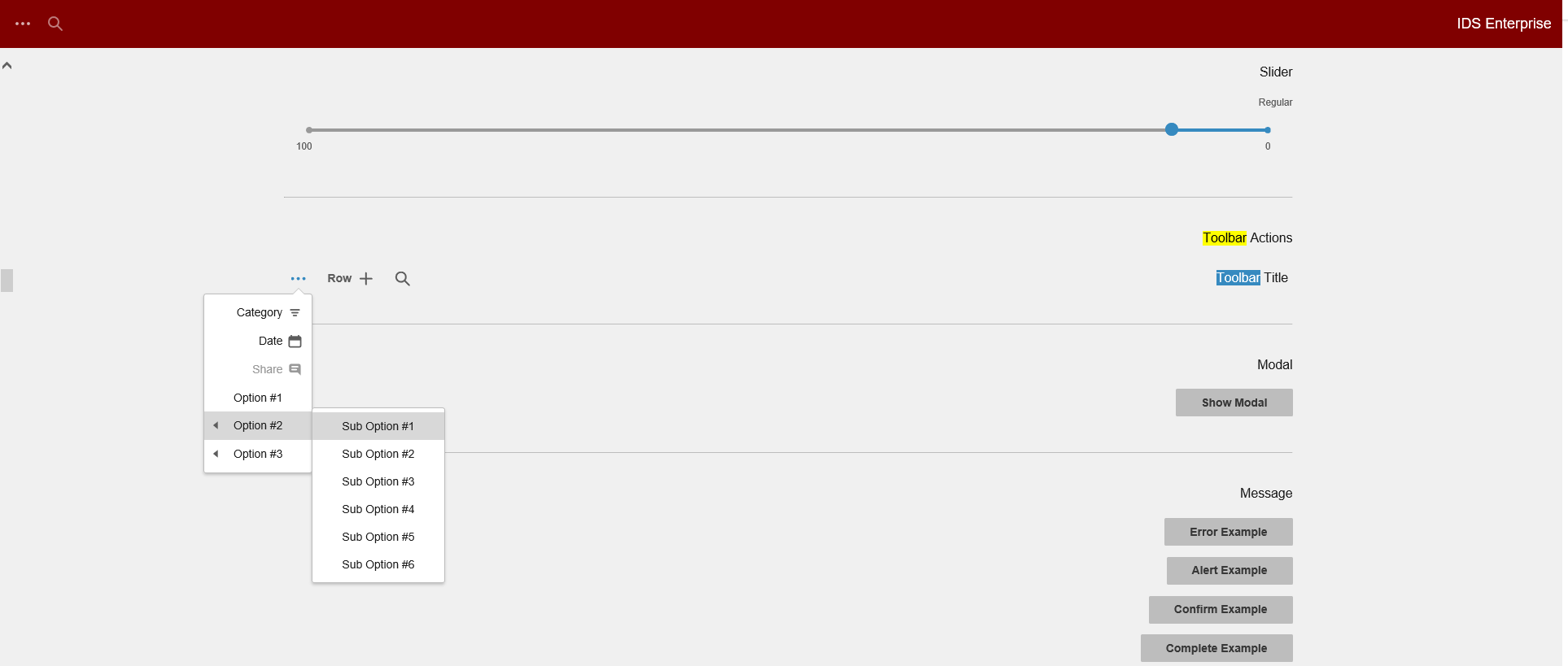
Platform
- OS Version: Windows 10
- Browser Name IE11
- Browser Version 11.253.17763.0
 SofiK
SofiK
All 11 comments
There wouldnt be enough room on the left to open? Do you mean to move the arrows to the other side on the right?
 tmcconechy
on 22 Jan 2019
tmcconechy
on 22 Jan 2019
Sorry, I cut the image a little, there is more room to the left and in LTR mode it opens to the right with the same space available. , I'll add a new image :)
SofiK
on 22 Jan 2019
And sorry for spamming you with RTL issues today!
SofiK
on 22 Jan 2019
This can also be reproduced on a page like http://localhost:4000/components/popupmenu/test-widgets-empty-submenu.html?locale=ar-SA
tmcconechy
on 22 Jan 2019
Status: No time yet but will add to the next sprint
tmcconechy
on 11 Feb 2020
Looks as if we may have fixed this issue sometime in the last year. I'm no longer able to reproduce. Here are some testing steps:
- Make the browser window as wide as you can, hopefully leaving plenty of space in the gutters on the left/right of the window.
- Click the more actions button on the Toolbar to open the menu
- Hover the submenu. When it opens, it should open on the left side, where the arrows are pointing.
- Close the popupmenu by clicking out. Shrink the window so there is no space in the gutters, and the toolbar edge is close to the browser viewport.
- Click the more actions button on the Toolbar to open the menu
- Hover the submenu. When it opens, it may shift to the right side, opposite where the arrows are pointing (this is expected behavior).
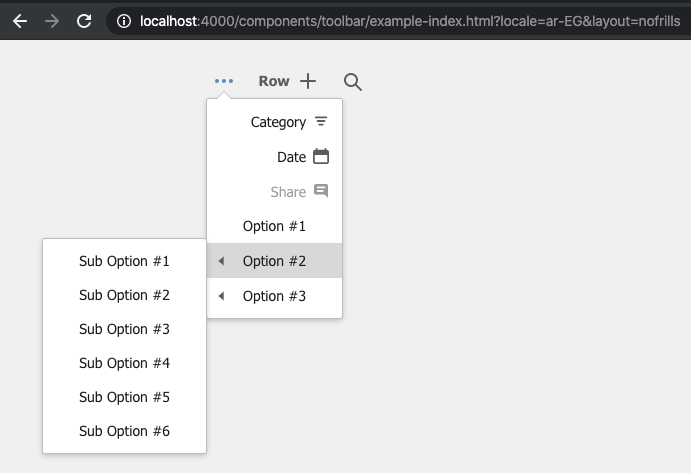
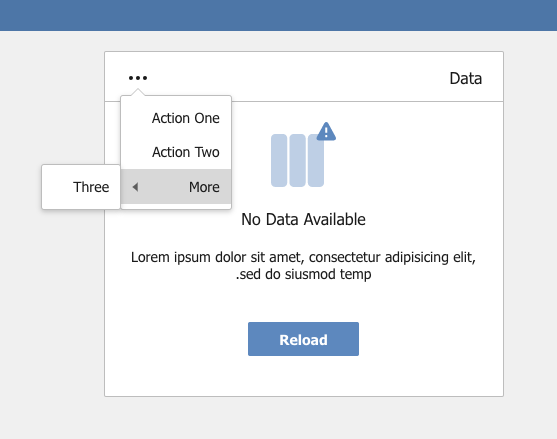
- Click the More Actions Button in the Homepages widget
- Hover the submenu. When it opens, it should open on the left side as expected.
 EdwardCoyle
on 23 Mar 2020
EdwardCoyle
on 23 Mar 2020
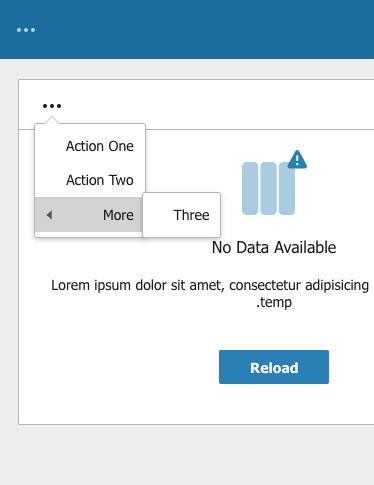
The only thing is the situation where it flows to the other site. However, this is consistent in LTR and RTL as the arrow doesn't change position. Willing to let this one go as it indicates the "expected" place it would open (if there was room)
tmcconechy
on 23 Mar 2020
@tmcconechy I don't think it's worth changing that for now. We'd have to build a system that could pre-detect the menu placement before it happens in order to correctly position the arrow. FWIW I've never seen a context menu system do that anywhere else.
EdwardCoyle
on 23 Mar 2020
Ok i agree. been like that a while. i think originally that i tested this out in OS's and it does behave this way. Lets close and test.
tmcconechy
on 23 Mar 2020
@SofiK per the above comments, you should see this issue resolved if you take a recent IDS version. We're putting this issue through to Q/A to be sure.
EdwardCoyle
on 23 Mar 2020
QA Passed. Will now move to Done. Thanks.
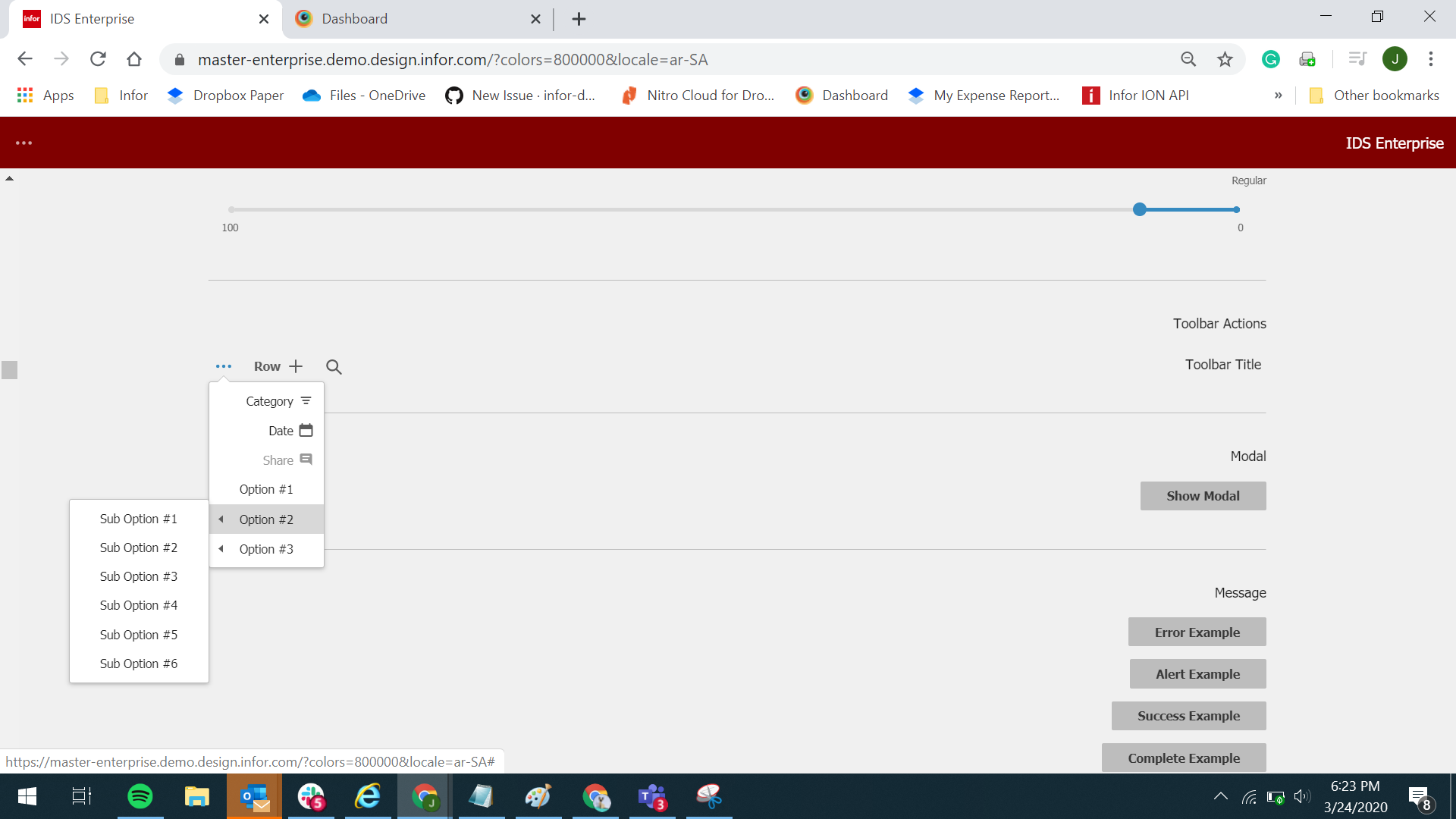
Verified in https://master-enterprise.demo.design.infor.com/?colors=800000&locale=ar-SA
 janahintal
on 24 Mar 2020
janahintal
on 24 Mar 2020
Related issues
 pwpatton
·
3Comments
pwpatton
·
3Comments
 jbrcna
·
3Comments
jbrcna
·
3Comments
 sanx72
·
3Comments
jbrcna
·
3Comments
sanx72
·
3Comments
jbrcna
·
3Comments
 CindyMercadoReyes
·
3Comments
CindyMercadoReyes
·
3Comments