Enterprise: Datagrid: Readonly fields are hard to read in the high contrast theme
Describe the bug
Read-only fields are harder to read in the high contrast theme
To Reproduce
Steps to reproduce the behavior:
- Go to 'http://master-enterprise.demo.design.infor.com/components/datagrid/example-editable.html'
- Change the theme to high-contrast
Expected behavior
A user has asked if it is possible to lighten the read only fields.
Screenshots
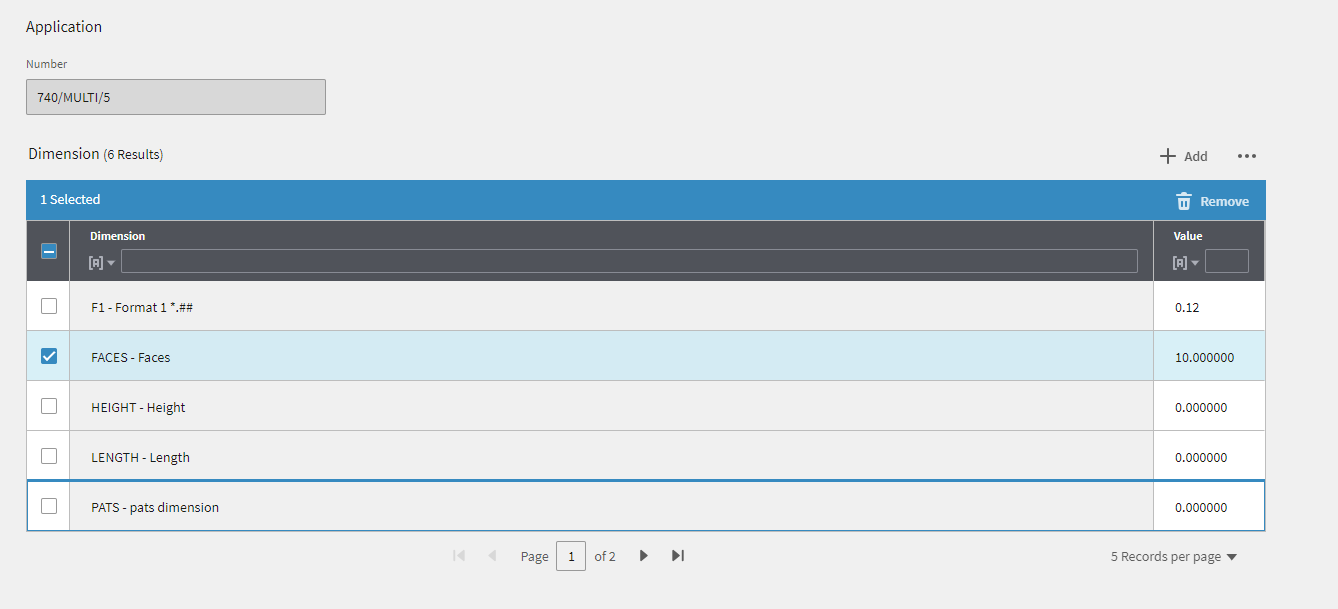
Comment from a user regarding the read-only field. "The background colour in grids is really dark where the value is non-maintainable once saved. The colour is fine when it's just individual fields like the Application Number but really doesn't look good in a 'block' like the grid."
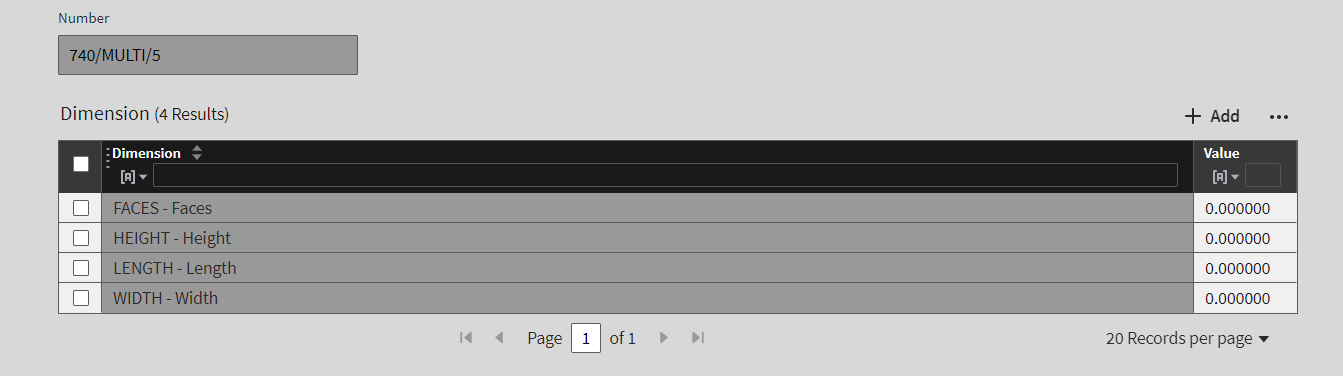
When the form is in the light theme the read-only datagrid field, is a lighter shade compared to the field that is also read-only.
 marknolaninfor
All 4 comments
@kayiuho Could you please take a look at this and comment with what you would suggest we do, so that the assigned dev can implement?
 clepore
on 19 Nov 2018
clepore
on 19 Nov 2018
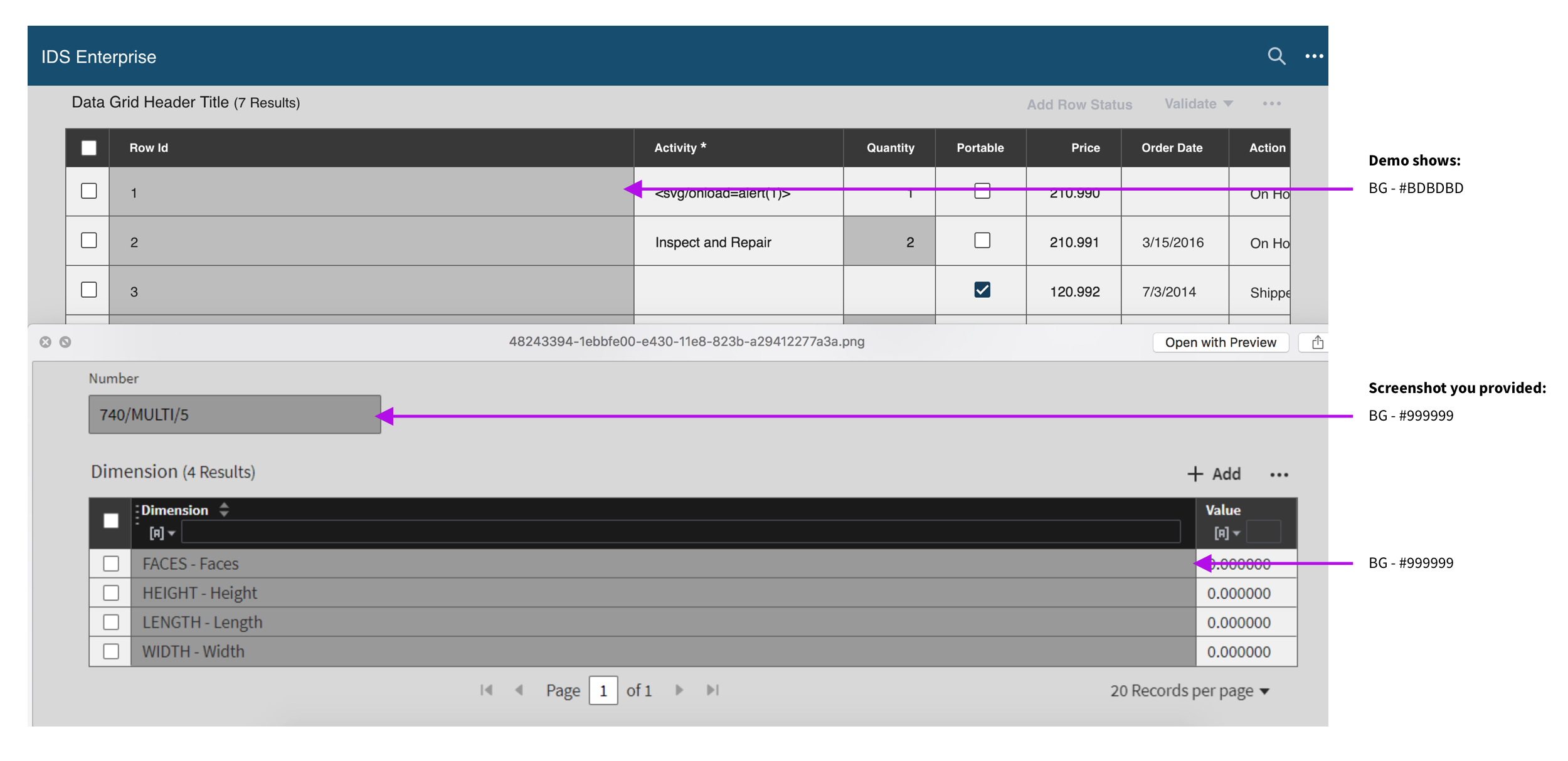
I noticed that there's a difference between the screenshot and the EP demo. In the screenshot, read-only state BG is implemented with #999999. In the EP demo, .datagrid td.is-readonly (in High Contrast) is #BDBDBD.
 kayiuho
on 20 Nov 2018
kayiuho
on 20 Nov 2018
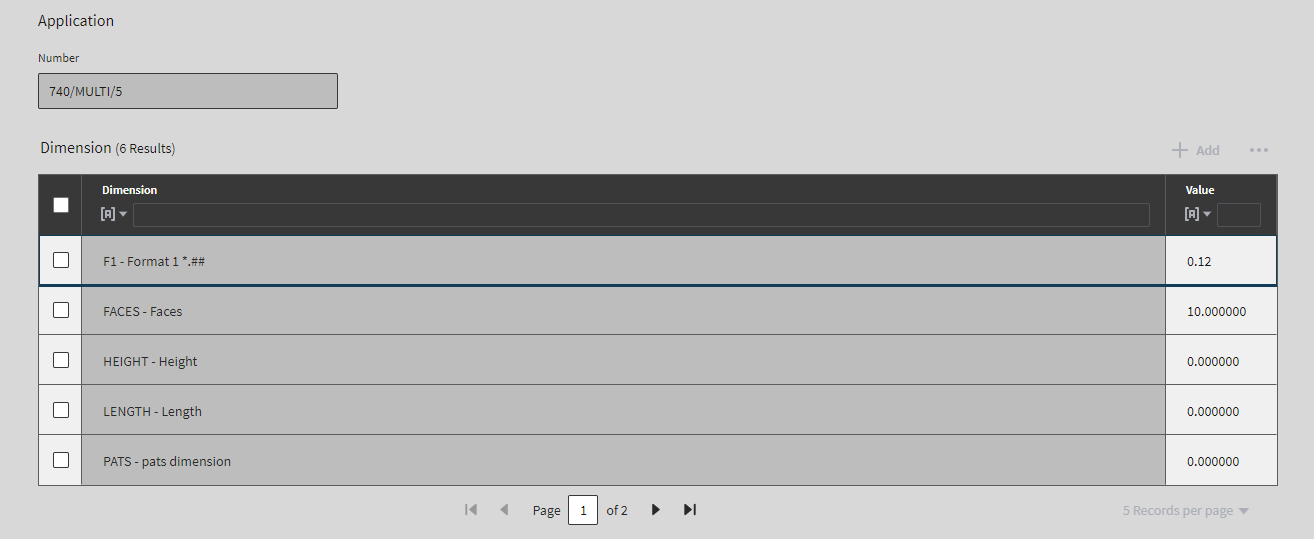
I can confirm that with the current version the BG color is #BDBDBD. No action required as it has been corrected.
marknolaninfor
on 20 Nov 2018
This issue is now resolved.
 CindyMercadoReyes
on 10 Dec 2018
CindyMercadoReyes
on 10 Dec 2018
Related issues
 brianjuan
·
3Comments
brianjuan
·
3Comments
 janahintal
·
3Comments
janahintal
·
3Comments
 jbrcna
·
3Comments
jbrcna
·
3Comments
jbrcna
·
3Comments
jbrcna
·
3Comments
 SasiPalanati
·
3Comments
SasiPalanati
·
3Comments