Ems-esp: Is it possible to override the current room temperature of the thermostat in any way?
Question
I suspect that the temperature sensor in my thermostat (moduline 100) is reporting incorrect temperatures or is at least lagging behind, because it is mounted on a thick wall. Is it possible to use a different temperature in the moduline 100? I already read that it is not possible to set that value with the ems gateway in a normal setup. But is there maybe somehting more i can do? Maybe by altering the hardware of the thermostat? Maybe by spoofing a different thermostat? Can i make the thermostat use the dallas sensors?
Thanks in advance
 jorritsmit
All 12 comments
Afair this thermostat has only a internal sensor, but that can be calibrated in menu. There is no connection for a external sensor.
I see this options:
- change the position of the thermostat
- mount a thermal insulating plate between wall and thermostat.
- open the thermostat, desolder the sensor and insert a cable between sensor end thermostat.
- Check if calibration is possible via ems.
in terminal typewatch on 17to see the messages from thermostat, than change the calibration value in the thermostat menu. Check the messages (or post them here) for the value that has changed. Try to change the value with a write to ems. If this works you can read the thermostat temperature and the temperature of a external sensor and send the difference as calibration value to the thermostat. Than the thermostat will follow the external sensing. Also if we know the command we can add it to ems-esp as direct readable/writable parameter.
 MichaelDvP
on 16 Oct 2020
MichaelDvP
on 16 Oct 2020
A vaguely related problem. I don't have a Thermostat. My underfloor heating system actually has a thermostat in every room, each of these communicates (by Zigbee type technology I think) to a "hub" that controls the manifold valves and pump and sends a "demand for heat" 240V signal to the boiler. With autodiscovery I now have a Thermostat with an error:
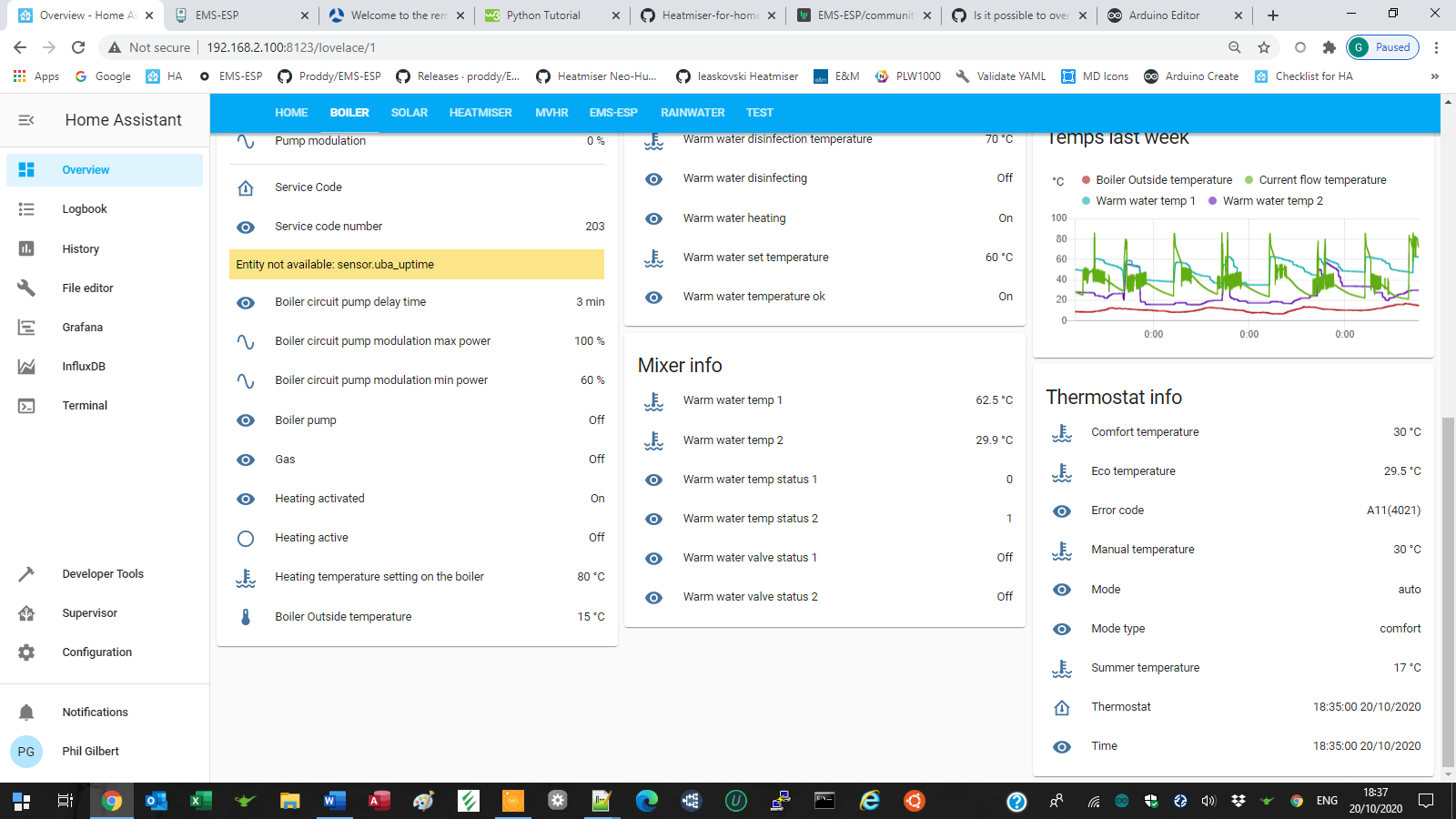
Which is reported in the Log as:
Could not parse temperature from
18:38:23 – MQTT (ERROR) - message first occurred at 19 October 2020, 9:29:42 and shows up 23851 times
I assume this is the error A11 4021 but as I don't know what Thermostat HA thinks I should have, I am at a loss to know ehre to start to clear this.
 PhillyGilly
on 20 Oct 2020
PhillyGilly
on 20 Oct 2020
I'm seeing errors too so its probably something on my side which I need to look into. I'll report back.
BTW to get more verbose error messages in the HA logs create a logger.yaml and add for example
default: warn
logs:
  homeassistant.components.mqtt: info
# homeassistant.components.mqtt: debug
Also, (you're going to hate me for this) I changed the names of all the HA sensors that EMS-ESP generated. I now prefix the device type, for example sensor.gas is now sensor.boiler_gas. This has to be done to avoid conflicts. It means you'll need to re-add the device into your lovelace dashboard and perhaps change your alias/favourite names when going to 2.1.0b9. sorry!
 proddy
on 20 Oct 2020
proddy
on 20 Oct 2020
I had many MQTT errors to in HA, most from the Thermostat messages. It was because of all the old entities still in HA after all my botched attempts of getting HA Discovery working correctly with EMS-ESP. I solved it by deleting all the topics under ems-esp/ and homeassistant/ using MQTTExplorer and then restart Home Assistant. Error free now in the logs. Maybe that will help?
proddy
on 20 Oct 2020
I'm seeing errors too so its probably something on my side which I need to look into. I'll report back.
BTW to get more verbose error messages in the HA logs create a
logger.yamland add for exampledefault: warn logs: homeassistant.components.mqtt: info # homeassistant.components.mqtt: debugAlso, (you're going to hate me for this) I changed the names of all the HA sensors that EMS-ESP generated. I now prefix the device type, for example
sensor.gasis nowsensor.boiler_gas. This has to be done to avoid conflicts. It means you'll need to re-add the device into your lovelace dashboard and perhaps change your alias/favourite names when going to 2.1.0b9. sorry!
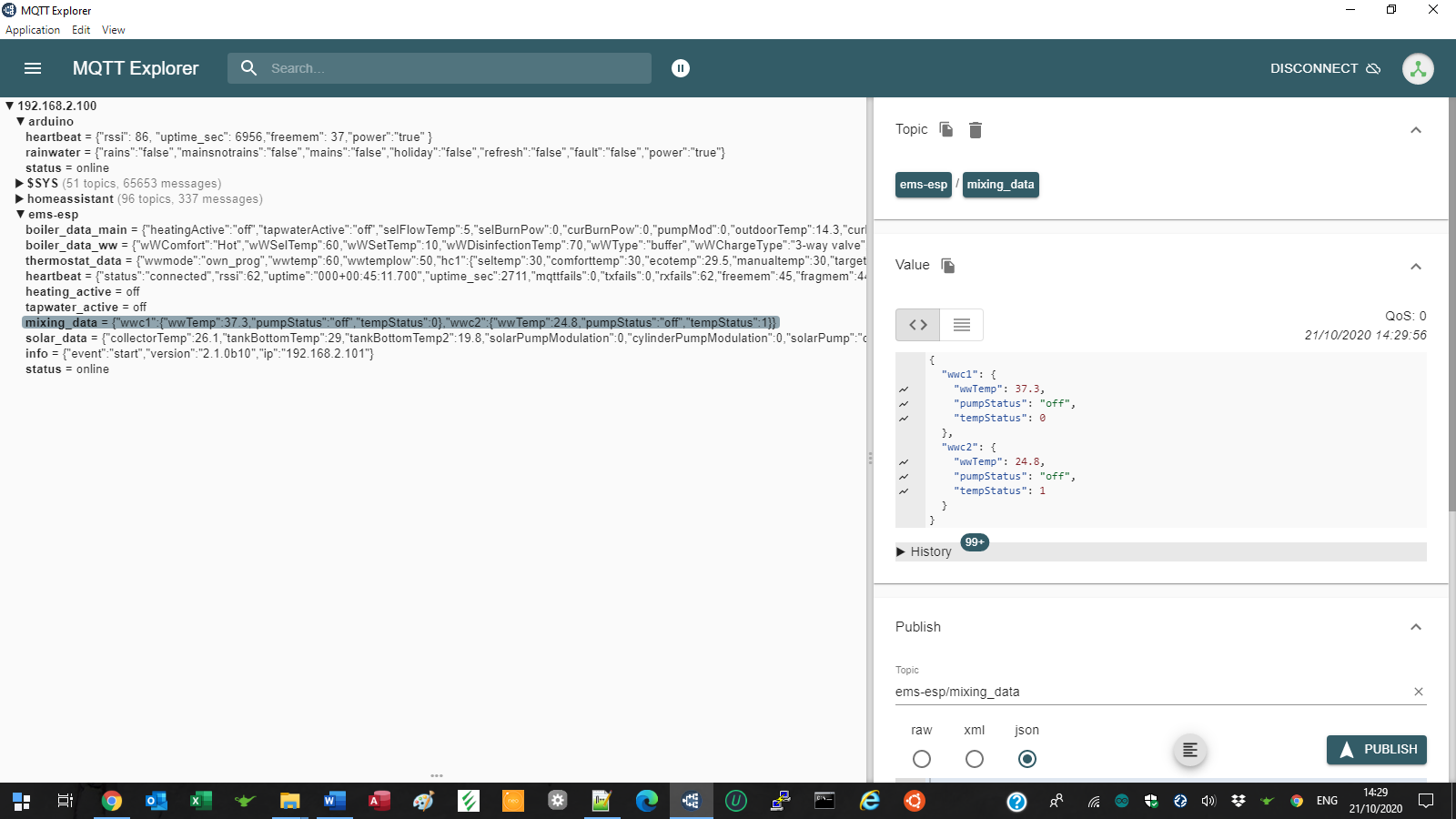
I think "hate" is too strong, but in release 2.1.0b10 I have some new problems with the Mixer and I'm wondering if @MichaelDvP code is missing:
It's all good in MQTT Explorer
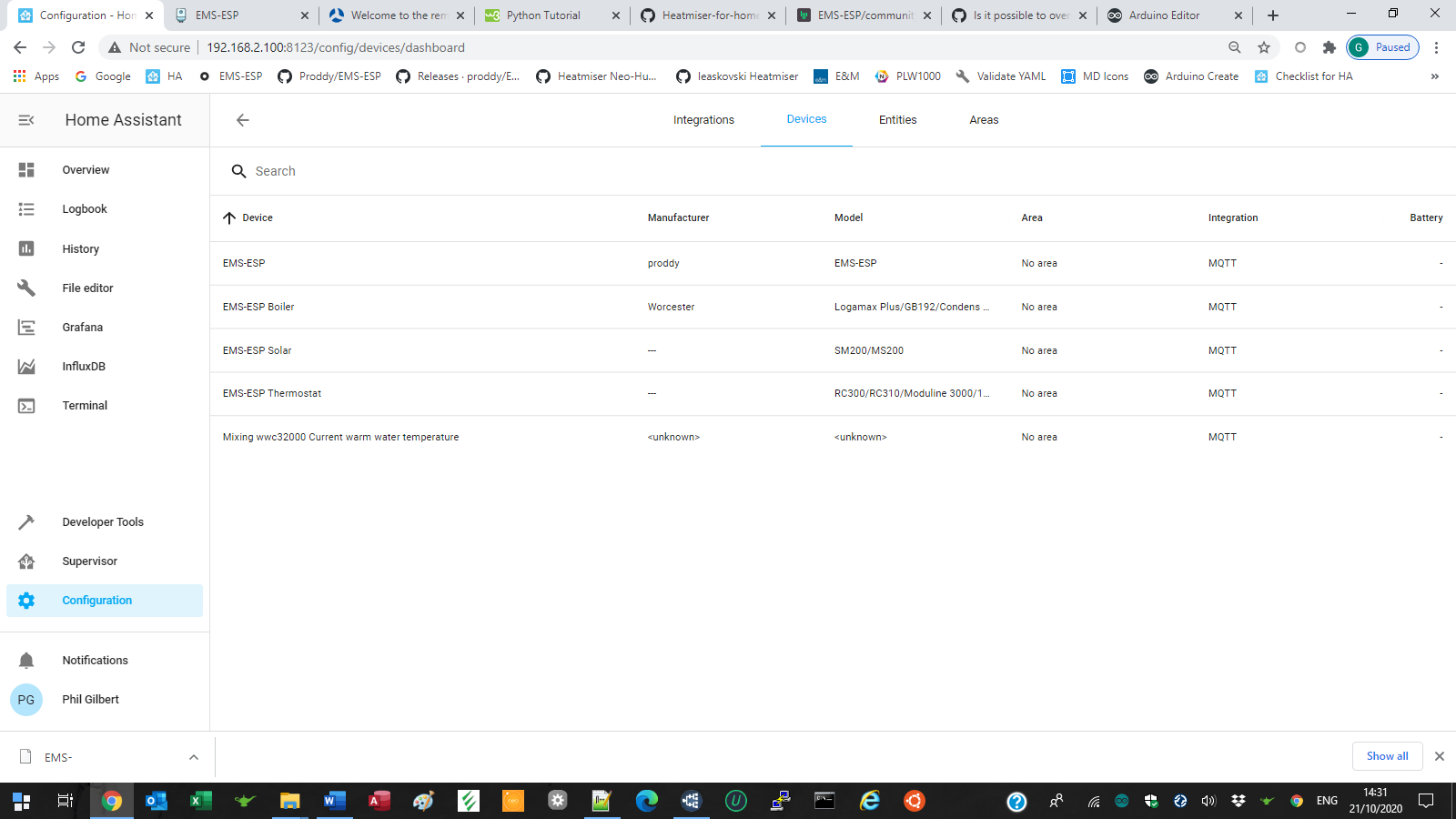
But some entities had weird friendly names based on the long entity name
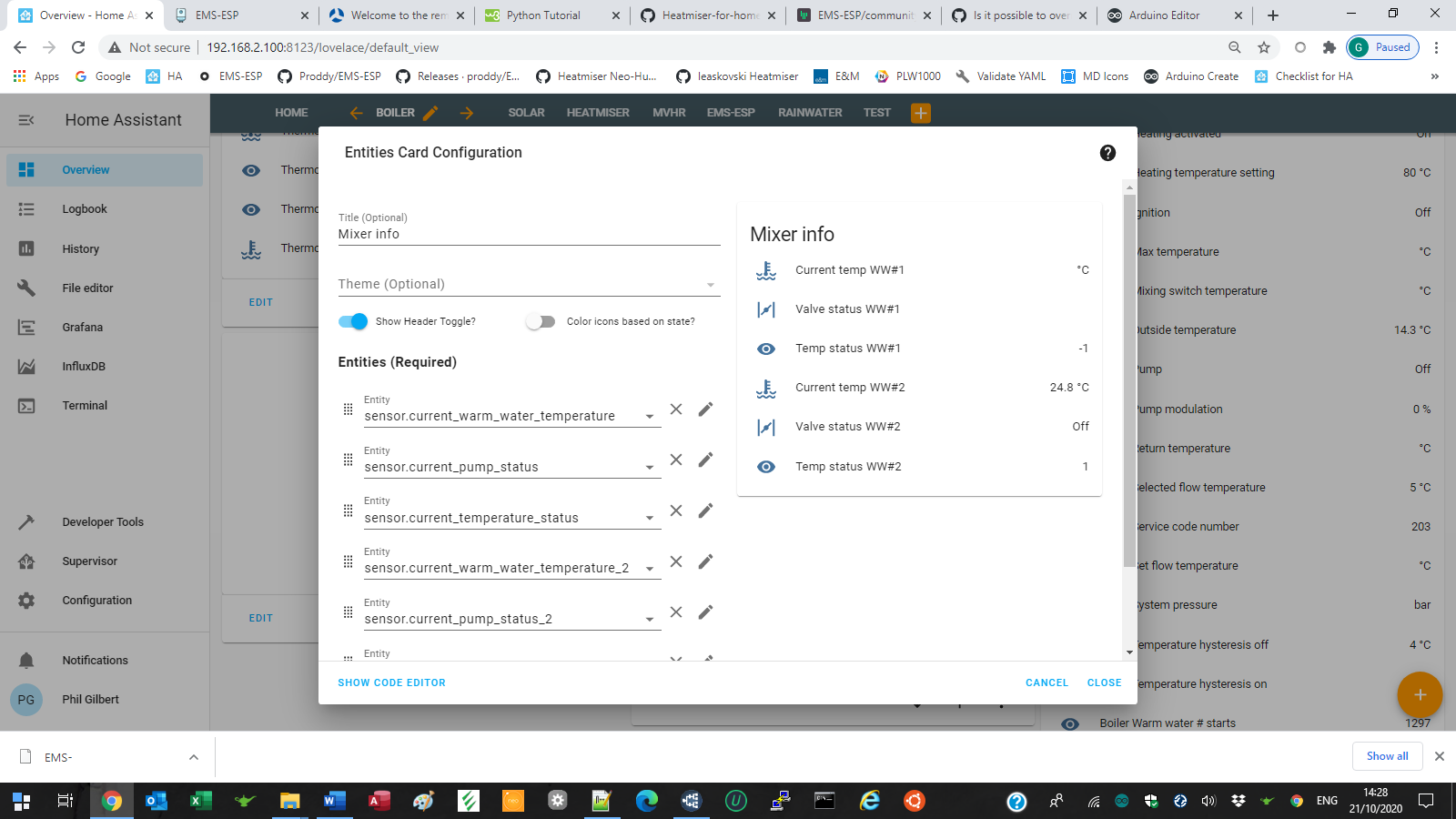
and wwc1 data is missing
PhillyGilly
on 21 Oct 2020
mixing is next on my list to fine-tune for HA. Michael doesn't have HA so I said I'll finish it.
proddy
on 21 Oct 2020
The Solar is working very well thanks.
PhillyGilly
on 21 Oct 2020
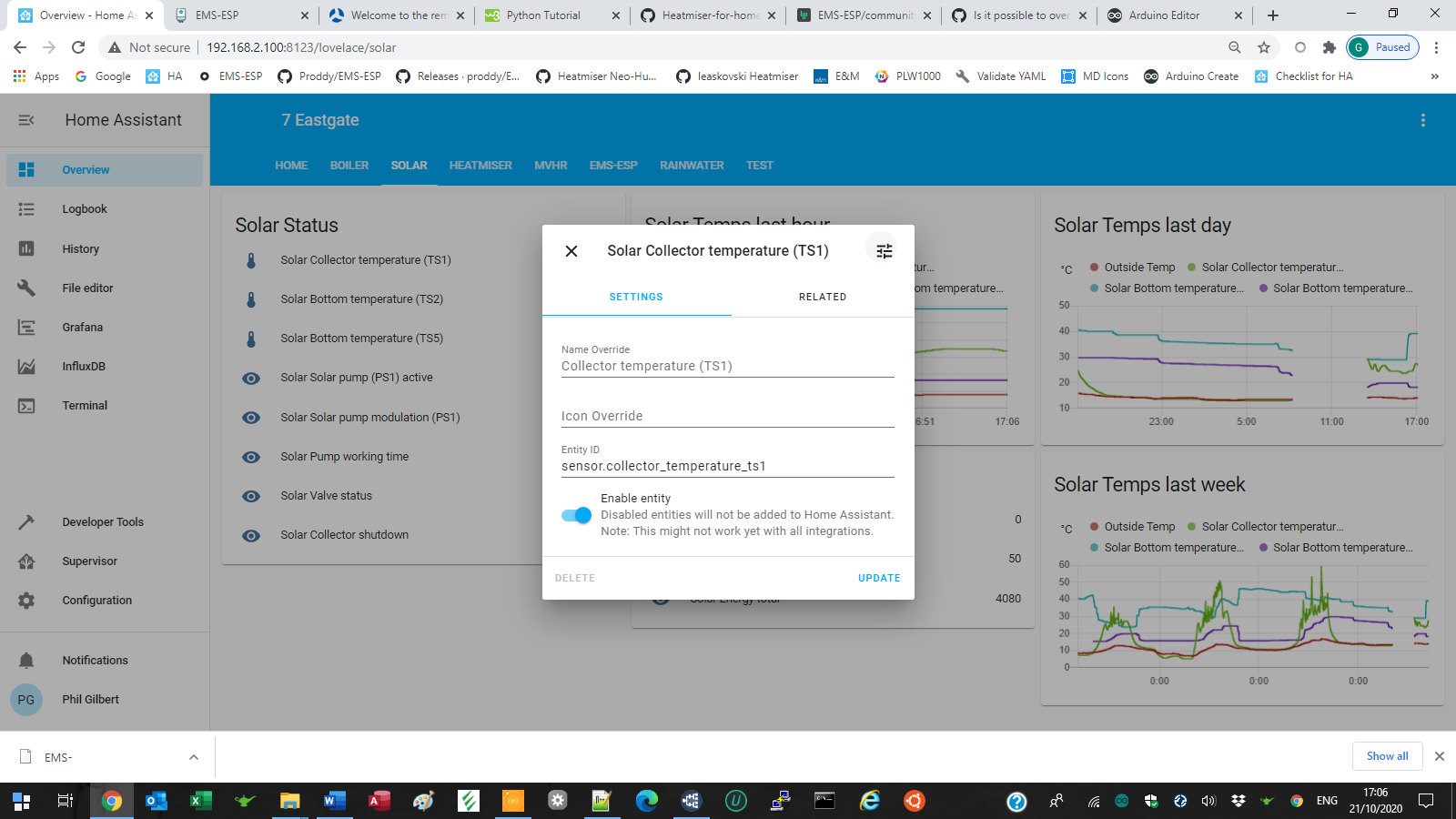
Although as an afterthought you could prefix all the entities with solar to be consistent e.g.
PhillyGilly
on 21 Oct 2020
@PhillyGilly in b9 or b10 (i forget now) all HA sensors are prefixed with the device, so boiler_, solar_
proddy
on 21 Oct 2020
@PhillyGilly in b9 or b10 (i forget now) all HA sensors are prefixed with the device, so boiler_, solar_
Ah, that explains the phenomenally long prefix on the mixer entities.
PhillyGilly
on 21 Oct 2020
solar and mixing done. @jorritsmit what do you want to do with this issue? See https://github.com/proddy/EMS-ESP/issues/558#issuecomment-710013110
proddy
on 26 Oct 2020
Oh for me this issue was already closed by the mentioned comment. I just left it open for the other discussion
jorritsmit
on 26 Oct 2020
Related issues
 mtvw
·
13Comments
mtvw
·
13Comments
 TimoFriedri
·
6Comments
TimoFriedri
·
6Comments
 realthk
·
16Comments
MichaelDvP
·
23Comments
realthk
·
16Comments
MichaelDvP
·
23Comments
 Oderik
·
10Comments
Oderik
·
10Comments