Elfinder: How to set default preferences
I want to change the default preference for which file types can be created.
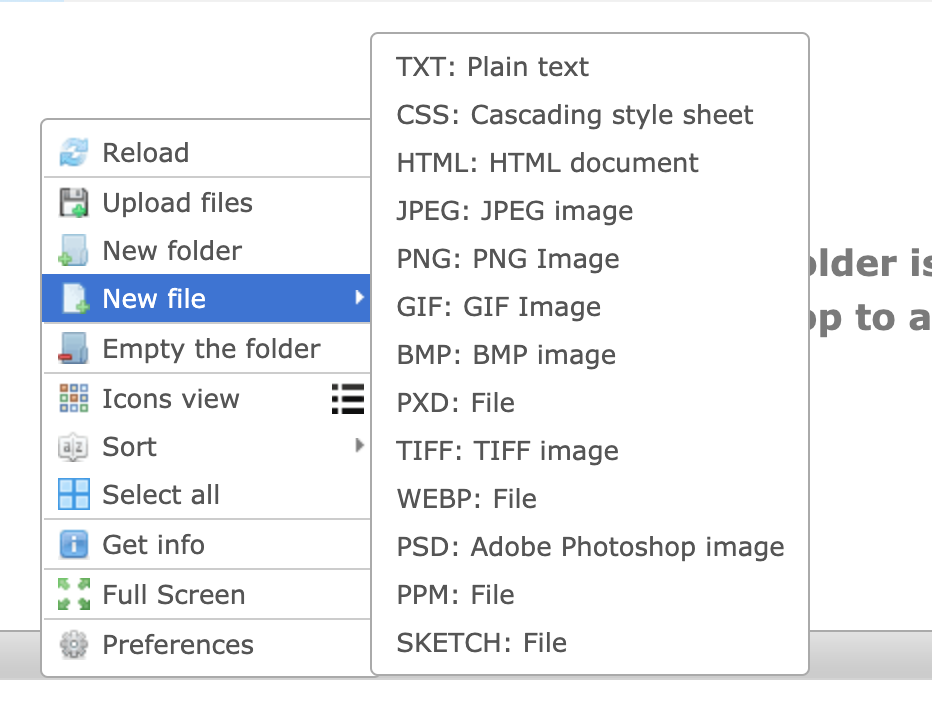
I've searched everywhere in the documentation, but I can't find any information about how to set default preferences. I know the user can change this setting in the Preferences dialog, but I want to set the default values. Is there a way to do that?
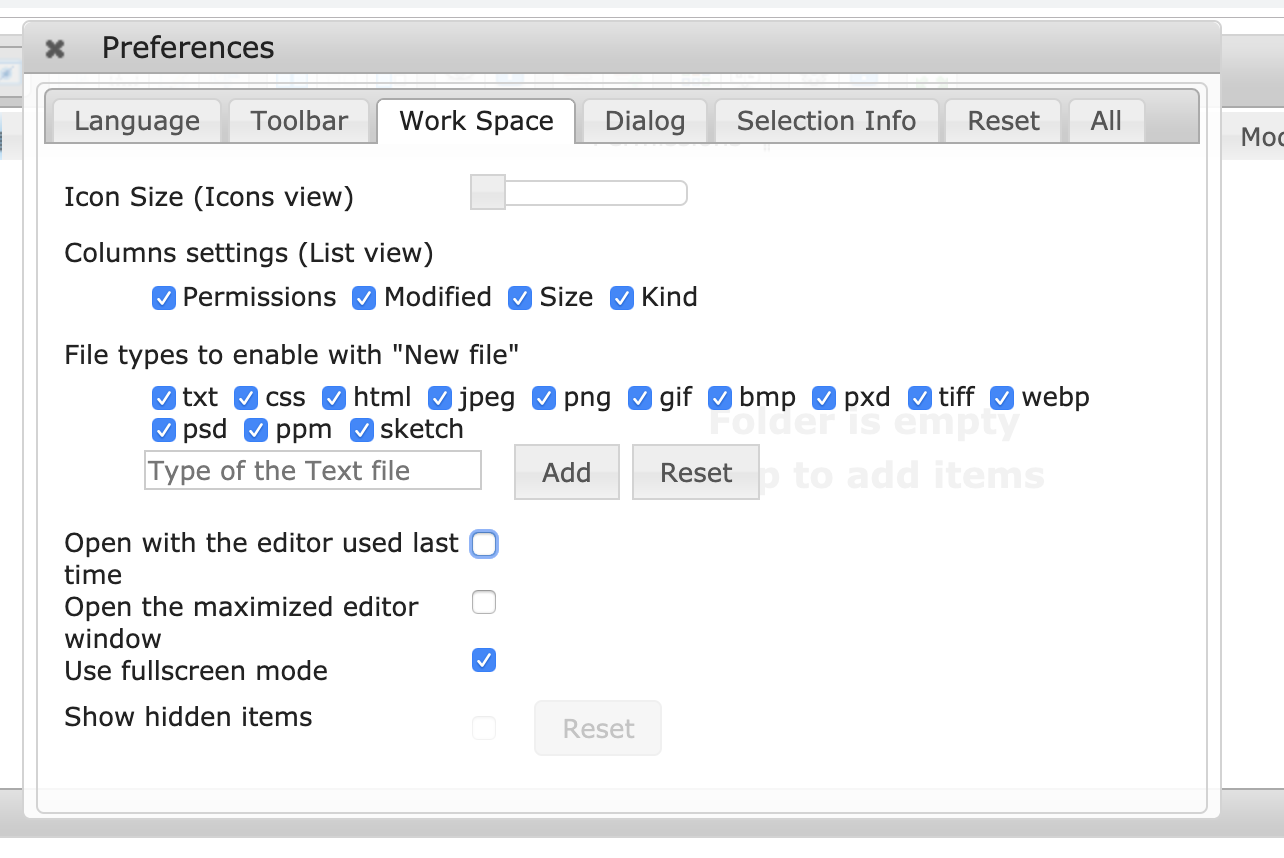
 zengenuity
All 5 comments
@zengenuity The text file can be set with "commandsOptions.edit.makeTextMimes". There are no setting items for other file types. Do you want to make new option to set the default selection state?
 nao-pon
on 19 Sep 2019
nao-pon
on 19 Sep 2019
Thank you! That's mostly what I'm looking for. My goal was to add PHP file as an option under the New File button and context menu, and using commandsOptions.edit.makeTextMimes allows me to do that.
The only remaining question is whether there is a setting to remove the image type files from the new file list. makeTextMimes setting only allows me to customize the text ones. Is there another setting for image types?

zengenuity
on 19 Sep 2019
@zengenuity By disabling the editor that can create a new image, it will disappear from the menu. There is no setting to turn off as default in preferences, so I plan to add it.
To change the editor to load, load your own editors.js instead of js/extras/editors.default.js.
nao-pon
on 20 Sep 2019
@zengenuity I added an option commandsOptions.edit.mkfileHideMimes. (bc20fc74c5e0ce70a8bb9aa1d1b7ee77b48963eb)
You can try this option with the nightly build.
Thanks! 👍
nao-pon
on 20 Sep 2019
I just tested it, and it worked.
Adding:
mkfileHideMimes: ['image/x-sketch', 'image/x-adobe-dng', 'image/x-portable-pixmap', 'image/vnd.adobe.photoshop', 'image/x-pixlr-data', 'image/webp', 'image/x-ms-bmp']`
to commandOptions.edit hid all the listed formats from the New File dialog.
Thanks!
zengenuity
on 20 Sep 2019
Related issues
 yinmingming
·
3Comments
yinmingming
·
3Comments
 aktolu
·
3Comments
aktolu
·
3Comments
 camgullo
·
3Comments
camgullo
·
3Comments
 CodeLyokoXtEAM
·
3Comments
CodeLyokoXtEAM
·
3Comments
 nicorac
·
4Comments
nicorac
·
4Comments
Most helpful comment
I just tested it, and it worked.
Adding:
to
commandOptions.edithid all the listed formats from the New File dialog.Thanks!