Elfinder: audio/mpeg(.mp3) & video/mpeg(.mpeg/.mpg)
.elfinder-cwd-icon-audio-mpeg:after,
.elfinder-cwd-icon-audio-mpeg          { background: url('../img/items/mp3-audio-icon-big.ico') no-repeat; }

.elfinder-cwd-icon-video-mpeg:after,
.elfinder-cwd-icon-video-mpeg { background: url('../img/items/MPEG-video-icon-big.ico') no-repeat; }
this code doesn't work & only available for both .elfinder-cwd-icon-mpeg
question
 CodeLyokoXtEAM
All 4 comments
@CodeLyokoXtEAM The icon has classes elfinder-cwd-icon-[type] and elfinder-cwd-icon-[sub type]. so video/mpeg has elfinder-cwd-icon-video and elfinder-cwd-icon-mpeg.
 nao-pon
on 19 Aug 2017
nao-pon
on 19 Aug 2017
if use 'elfinder-cwd-icon-video' all video including .avi .mp4 .wma .etc icon are same.
But I have different icon for each files.
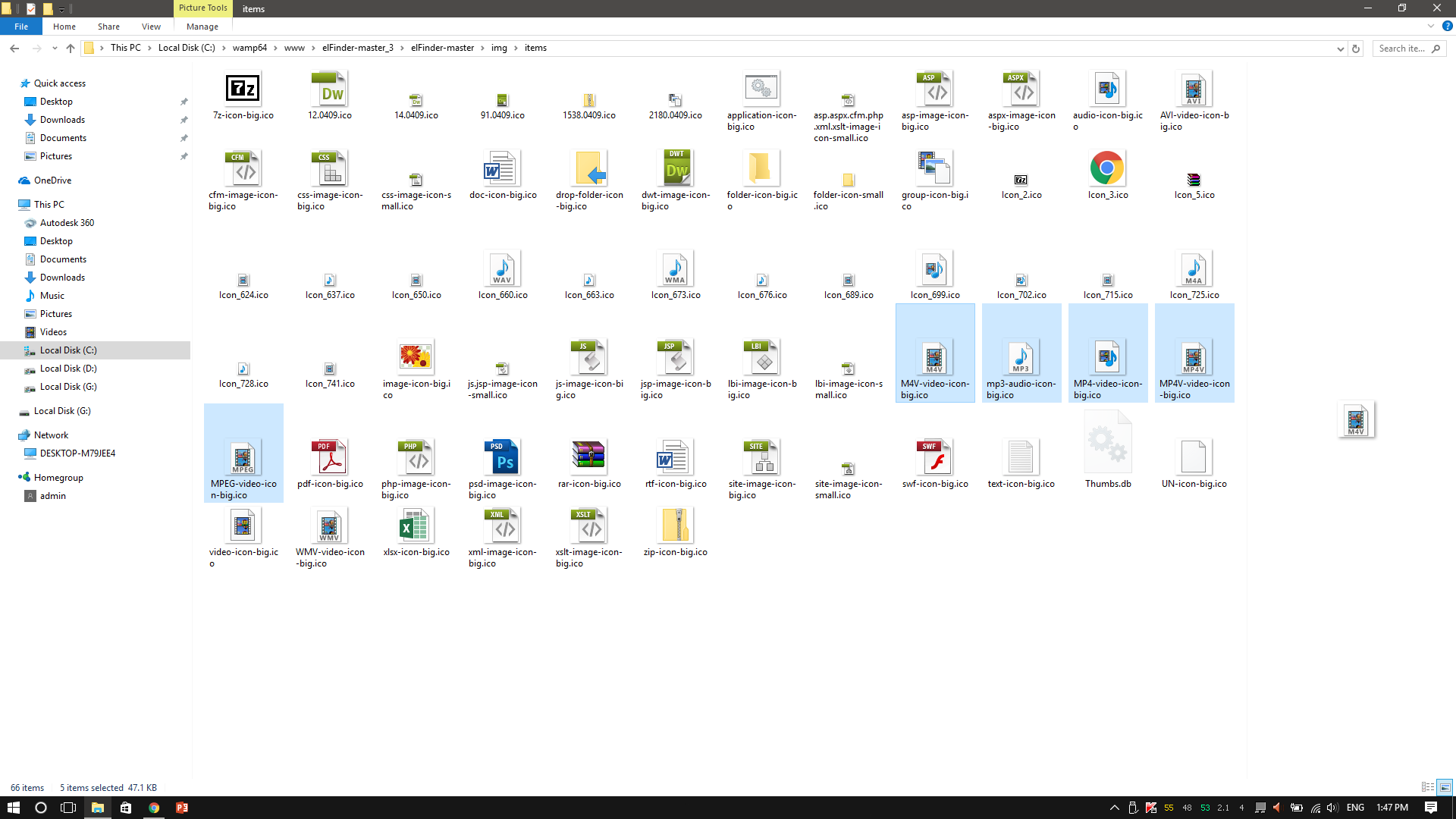
if use 'elfinder-cwd-icon-mpeg' .mp3 file is gone to mpeg icon
So How I can change without mixing .mp3 & .mpeg & other audio/video icons?
CodeLyokoXtEAM
on 19 Aug 2017
Please learn to control to priority of CSS. :-)
e.g.
.elfinder-cwd-icon-audio.elfinder-cwd-icon-mpeg:after,
.elfinder-cwd-icon-audio.elfinder-cwd-icon-mpeg          { background: url('../img/items/mp3-audio-icon-big.ico') no-repeat; }

.elfinder-cwd-icon-video.elfinder-cwd-icon-mpeg:after,
.elfinder-cwd-icon-video.elfinder-cwd-icon-mpeg { background: url('../img/items/MPEG-video-icon-big.ico') no-repeat; }
🎉1
Thanks. Got it. :+1:
CodeLyokoXtEAM
on 19 Aug 2017
🎉1
Was this page helpful?
0 / 5 - 0 ratings
Related issues
 yinmingming
·
3Comments
yinmingming
·
3Comments
 nicorac
·
4Comments
nicorac
·
4Comments
 donShakespeare
·
4Comments
donShakespeare
·
4Comments
 Jeffery4000
·
4Comments
Jeffery4000
·
4Comments
 ethaizone
·
3Comments
ethaizone
·
3Comments