Element: [Bug Report] Text wrap cuts words in half in popover
Element UI version
2.0.8
OS/Browsers version
macOS High Sierra / Chrome 62
Vue version
2.5.9
Reproduction Link
https://jsfiddle.net/mmx38qxw/110/
Steps to reproduce
When the popover opens text content is wrapped mid-word.
What is Expected?
Line breaks should not occur mid-word.
What is actually happening?
Breaking mid-word.
 macu
macu
All 7 comments
Fixed in https://github.com/ElemeFE/element/pull/8859/commits/adc315ff1d7540d0368b2075678de2a91f913c75
 Leopoldthecoder
on 17 Dec 2017
Leopoldthecoder
on 17 Dec 2017
This behavior also happens in table cell because of css class .el-table .cell has property word-break: break-all; so please apply the same fix for it
 duyhung85
on 1 Mar 2018
duyhung85
on 1 Mar 2018
I have installed 2.14.1 and this issue still exist.
File popover.scss from this commit is not fixed.It still have word-break:break-all line
 franj0
on 9 Dec 2020
franj0
on 9 Dec 2020
@franj0 I take it since Element is from China there are different rule conventions there about text wrapping. Unsure.
It's a simple fix with your own CSS overrides. I add word-break: normal; in an app-wide stylesheet for every class I need to fix, including .el-dialog__body, .el-checkbox__label, etc.
macu
on 9 Dec 2020
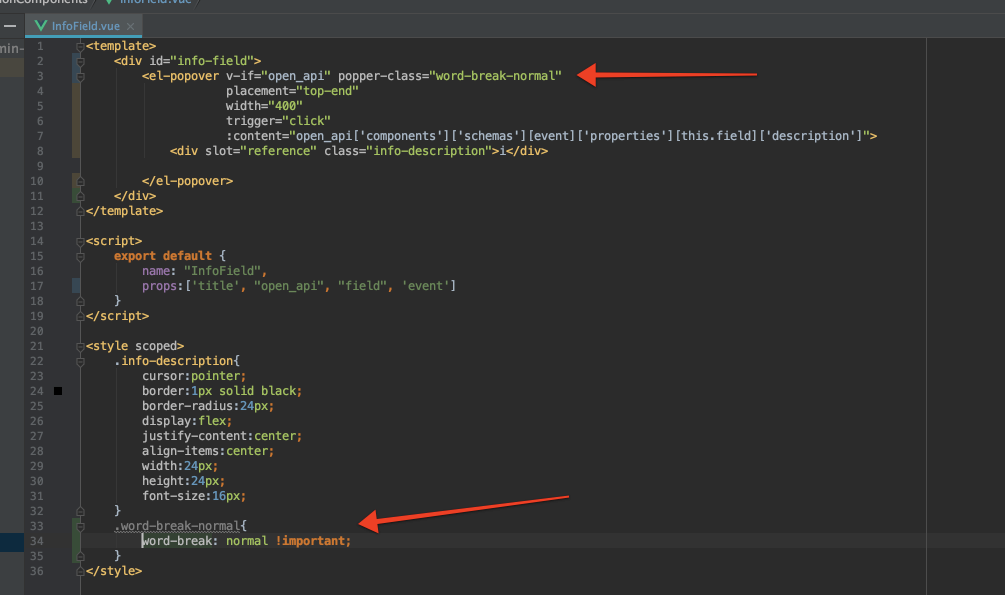
Popover component accept popper-class as attribute but does not apply any css rule from that class.
I tried override it in many ways, but nothing help me.
As you can see on 2nd image, my custom class does not exist in dev tools list of css clases, so weird :S
anyway tnx for try

franj0
on 9 Dec 2020
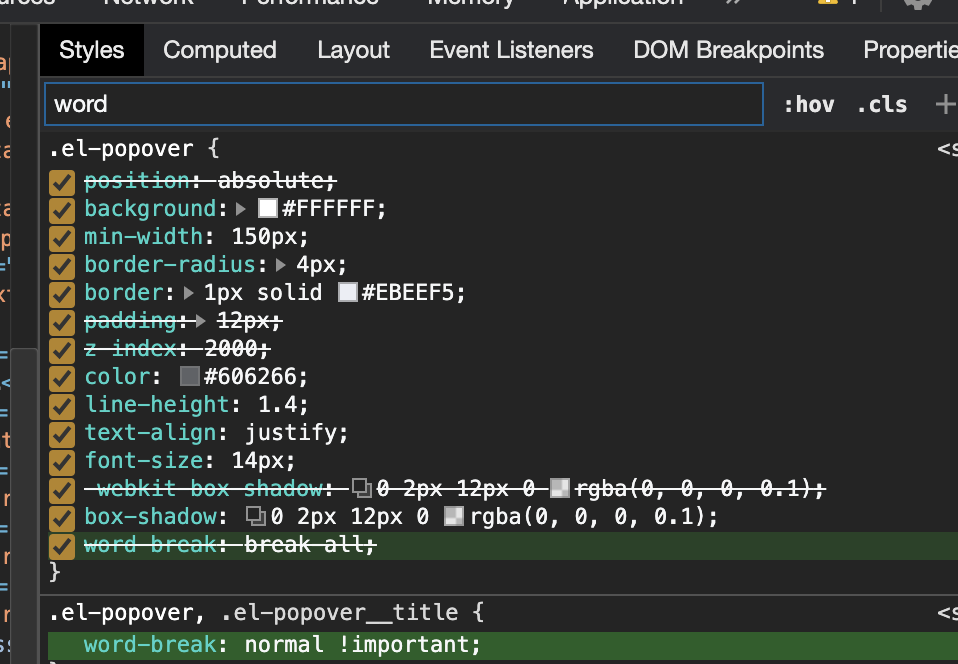
@franj0 adding this rule to my custom stylesheet (included in the page after the Element stylesheet) works for me:
.el-popover, .el-popover__title {
    word-break: normal;
}
@macu Finally, thank you very much. It does not accept it from custom component, but from root App level style accept it
franj0
on 9 Dec 2020
Related issues
 FranzSkuffka
·
3Comments
FranzSkuffka
·
3Comments
 yorululu
·
3Comments
yorululu
·
3Comments
 Zhao-github
·
3Comments
Zhao-github
·
3Comments
 fscardua
·
3Comments
fscardua
·
3Comments
 makunsusu
·
3Comments
makunsusu
·
3Comments
Most helpful comment
This behavior also happens in table cell because of css class .el-table .cell has property word-break: break-all; so please apply the same fix for it