Element-web: Jitsi Widget parsing error if room name contains special characters
Description
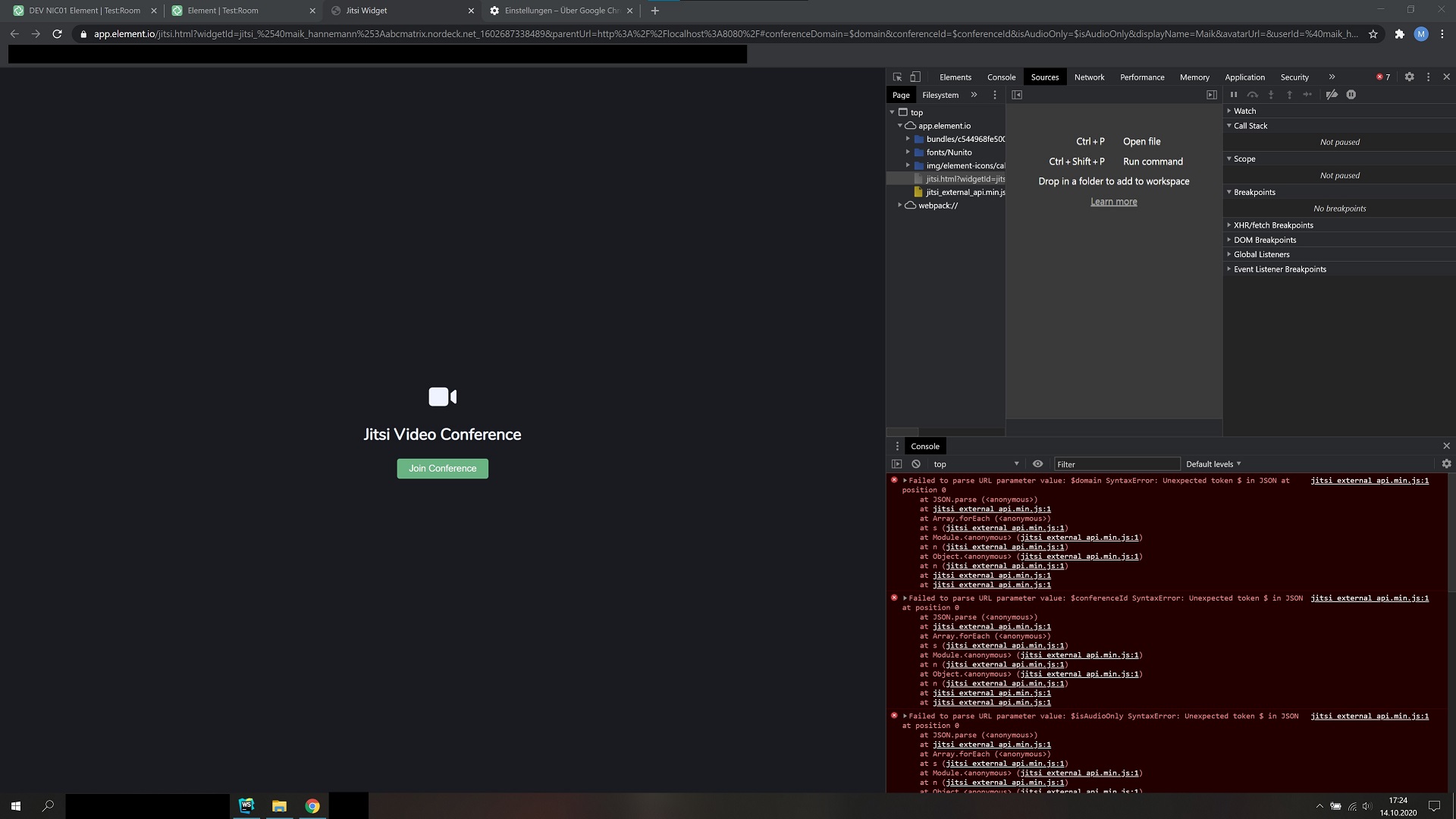
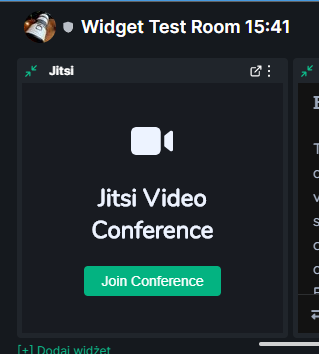
The Jitsi Widget loads indefinitely, when the room name contains certain characters.
I haven't looked too deeply into it, but found ":" and "%".
My rooms need to have a time (16:23) in the title and it has always been a valid char. But now Jitsi won't start in rooms with a colon in the name.
Steps to reproduce
- Create room with a colon in the room name, like "Test:Room"
- Add Jitsi Widget to that room
- Open Jitsi Widget
- Jitsi is now stuck at the loading animation, because it has a parsing error

Failed to parse URL parameter value: jitsi.riot.im SyntaxError: Unexpected token j in JSON at position 0
    at JSON.parse (<anonymous>)
    at jitsi_external_api.min.js:1
    at Array.forEach (<anonymous>)
    at s (jitsi_external_api.min.js:1)
    at Module.<anonymous> (jitsi_external_api.min.js:1)
    at n (jitsi_external_api.min.js:1)
    at Object.<anonymous> (jitsi_external_api.min.js:1)
    at n (jitsi_external_api.min.js:1)
    at jitsi_external_api.min.js:1
    at jitsi_external_api.min.js:1
This is the Jitsi URL the widget created.
https://jitsi.riot.im/ZcoZzTBLlYZASJIHuJabcmatrixnordecknetedvgot7sahf
And the URL that I get when I click on the "Popout Widget" button:
https://app.element.io/jitsi.html?widgetId=jitsi_%2540maik_hannemann%253Aabcmatrix.nordeck.net_1602687338489&parentUrl=http%3A%2F%2Flocalhost%3A8080%2F#conferenceDomain=$domain&conferenceId=$conferenceId&isAudioOnly=$isAudioOnly&displayName=Maik&avatarUrl=&userId=%40maik_hannemann%3Aabcmatrix.nordeck.net&roomId=!ZcoZzTBLlYZASJIHuJ%3Aabcmatrix.nordeck.net
I get the same error in the popped out widget.
Version information
- Browser: Chrome v85/v86
- OS: Windows
- Element Version: 1.7.3-rc.1
 MaHa-Nordeck
All 9 comments
I did some research in the Jitsi Meet code and found the issue in the Jitsi External API. I created an issue there: https://github.com/jitsi/jitsi-meet/issues/7900
 skolmer
on 14 Oct 2020
skolmer
on 14 Oct 2020
Those errors can be ignored, your widget stuck loading issue was fixed at some point between 1.7.3-rc.1 and 1.7.9
 t3chguy
on 14 Oct 2020
t3chguy
on 14 Oct 2020
t3chguy
on 14 Oct 2020
@t3chguy To reproduce the issue you can use this url and remove the colons from the roomName in the url to get it working: https://jitsi.riot.im/MeetingRaum1-14.10.2020-19:20#jitsi_meet_external_api_id=0&interfaceConfig.SHOW_JITSI_WATERMARK=false&interfaceConfig.SHOW_WATERMARK_FOR_GUESTS=false&interfaceConfig.MAIN_TOOLBAR_BUTTONS=%5B%5D&interfaceConfig.VIDEO_LAYOUT_FIT=%22height%22
I already provided a PR to Jitsi Meet that will update the external API to replace any unsupported characters in room names when creating urls: https://github.com/jitsi/jitsi-meet/pull/7902
So there is not much to do on your side except of updating the jitsi library when this PR gets merged.
skolmer
on 14 Oct 2020
@MaHa-Nordeck I think you've hit some general badness with the release rather than any specific issue. I think what you're seeing would have been fixed in https://github.com/matrix-org/matrix-react-sdk/pull/5315
@skolmer the issue you're describing is entirely different and unrelated to Element.
 turt2live
on 14 Oct 2020
turt2live
on 14 Oct 2020
@turt2live There might be some misunderstanding here. The conclusion by @MaHa-Nordeck that "Failed to parse URL parameter value" is related to the issue described by him might be wrong but the issue still exists.
Usage of JitsiMeetExternalApi in the Element code: https://github.com/vector-im/element-web/blob/develop/src/vector/jitsi/index.ts#L209
Constructor of JitsiMeetExternalApi where generateURL is used: https://github.com/jitsi/jitsi-meet/blob/master/modules/API/external/external_api.js#L275
More details can be found in the issue provided to jitsi: https://github.com/jitsi/jitsi-meet/issues/7900
A pull request to fix this is pending: https://github.com/jitsi/jitsi-meet/pull/7902
The steps provided by him to reproduce the issue are correct and it can be easily reproduced. Except of the last step, that might be a side effect by the popout issue described in #15443. It does not get stuck in a loading state but in a gray Jitsi 404 page because the room name in the generated url contains characters that Jitsi does not support.
It would be nice if you could keep this issue open until the fix is released by Jitsi. The bug is not in the element code but the Jitsi lib needs an updated after the PR is merged. If this is the wrong repository to track this let's move it to the right repo. Thanks!
skolmer
on 14 Oct 2020
The steps provided by him to reproduce the issue are correct and it can be easily reproduced.
No, it can't. Element doesn't (currently) generate a conference name that is based on the room name and explicitly uses safe characters to avoid this exact problem. If the conference name has special characters in it, it was not generated by Element.
turt2live
on 14 Oct 2020
You are right, it is our meeting feature that allows custom names. Sorry for the confusion. Where would be the right place to ensure that JitsiMeetExternalApi get's updated when it is ready?
skolmer
on 14 Oct 2020
We'd track it internally as part of our software upgrade processes. The external API is pulled from our Jitsi instance at compile-time.
turt2live
on 14 Oct 2020
Related issues
 niedzielski
·
3Comments
niedzielski
·
3Comments
 n-o-o-b
·
3Comments
turt2live
·
3Comments
turt2live
·
3Comments
n-o-o-b
·
3Comments
turt2live
·
3Comments
turt2live
·
3Comments
 lampholder
·
3Comments
lampholder
·
3Comments