Element-web: Failed interactive verification - Riot Web says other client cancelled
Description
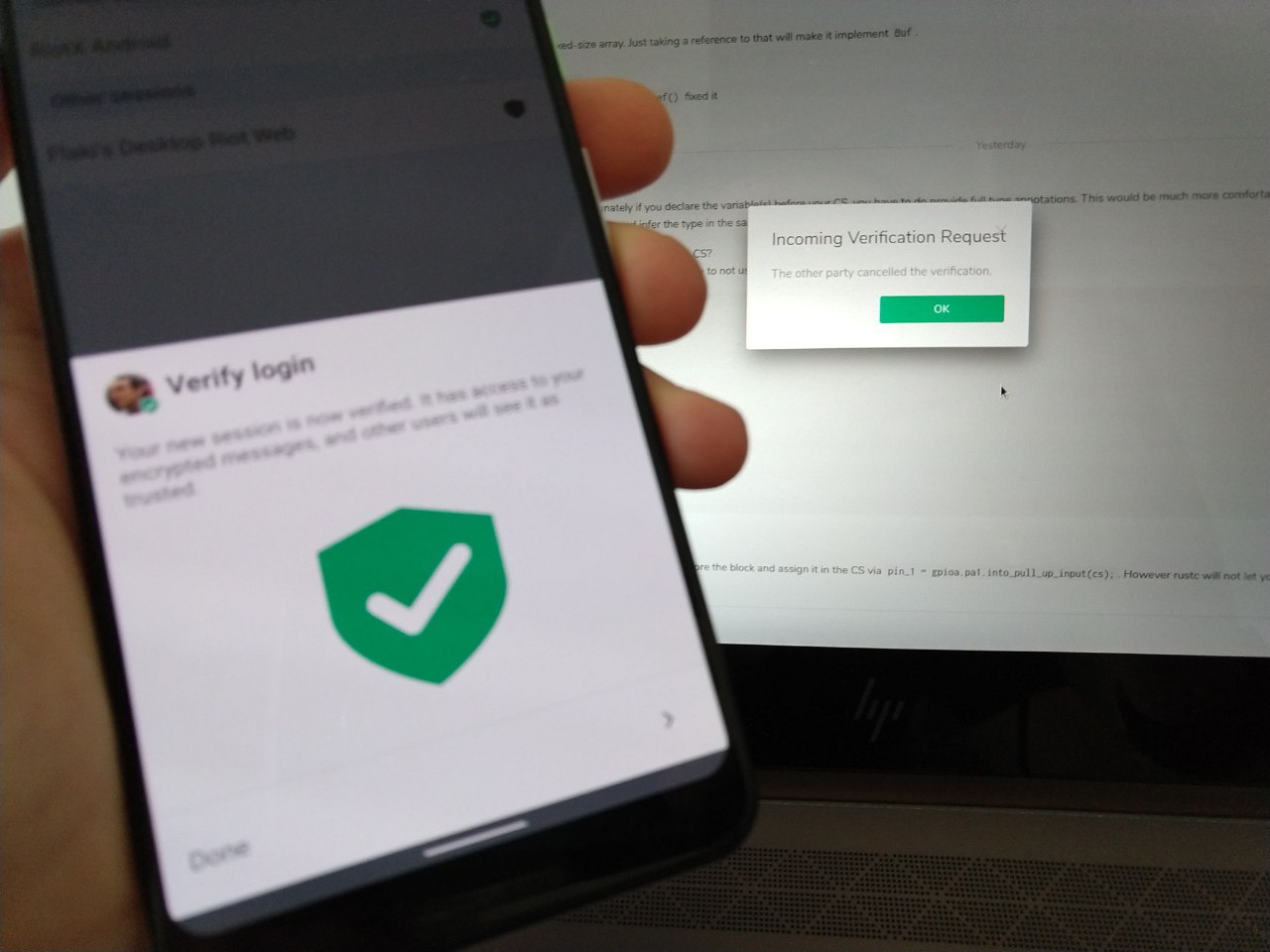
So I'm on modular self-host. I have the latest RiotX. My RiotX is verified. I'm trying to interactively verify my desktop (Riot Web). I click "They match" on desktop. Click "They match" on RiotX. RiotX tells me I successfully verified, but my desktop tells me the other client cancelled the verification.
On Desktop if I try to verify manually with recovery keys, it asks for my account password, when I input my account password it just drops me to the same window asking for my password.
In the console there's an error telling me
Error restoring backup Error: "Secret storage creation canceled"
Steps to reproduce
- On a modular small host
- Log in to account via latest RiotX
- Verify RiotX via backup passphrase
- Log into browser Riot Web on the host
- Riot Web pops up a notification to verify the session
- Click verify, client tells you to verify using RiotX
- On RiotX go to Security & Privacy -> Active Sessions -> Other sessions, tap Desktop Web session
- Tap "Interactively Verify"...
- On Riot Web, notification arrives, confirm that emojis match, click "They Match" on Riot Web
- Tap "They Match" on RiotX
- RiotX reports that the session has been successfully verified, but the browser reports that the other device cancelled verification
- Riot Web is still not verified
- Try to do manual verification
- "Upgrade your encryption" window shown, account password requested
- After entering password, same window shown and requests password again
- Riot Web still not verified
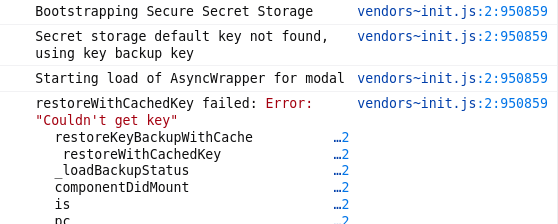
- Console error:
Logs being sent: yes
Version information
- Platform: Web & RiotX
For the web app:
- Browser: Firefox Nightly 77.0a1 (2020-05-01) (64-bit)
- OS: Arch Linux
- URL: modular small host
RiotX 0.19.0 [40019002]
 flaki
flaki
All 4 comments
This still fails.
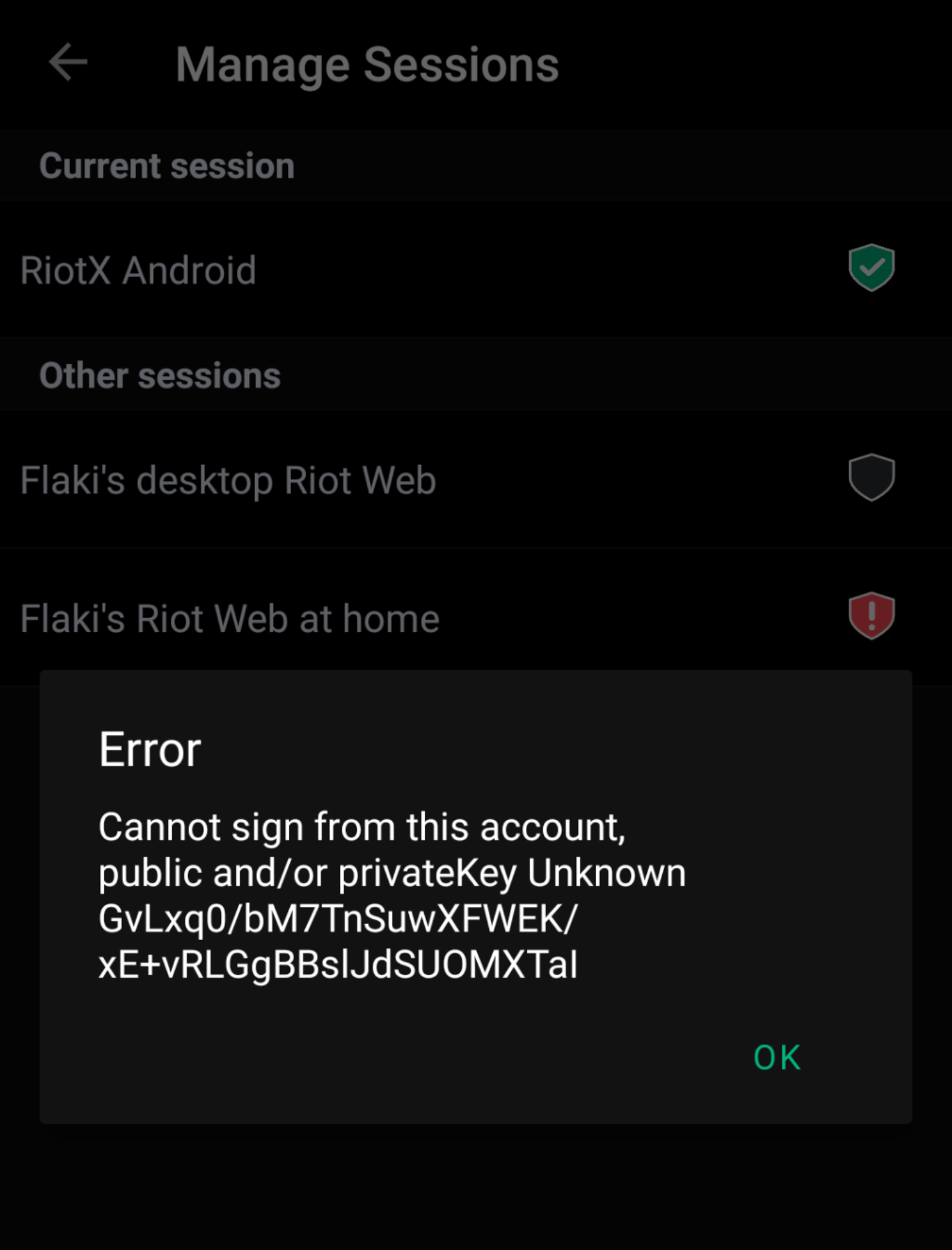
Interactively verifying from RiotX with emojis fails as above described. Interactive verification "via text" fails with the error message that "private keys are not known".
When I try to fix this on Riot Web side, I tell it to "bootstrap cross-signing and secret storage" I can't get past the password request modal. The console shows an error:
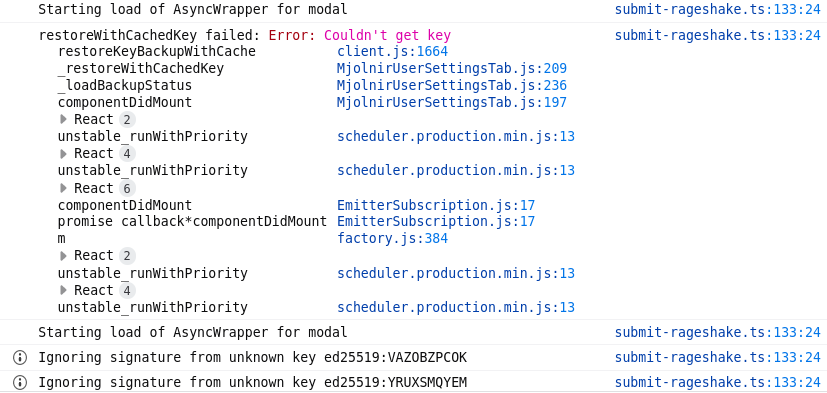
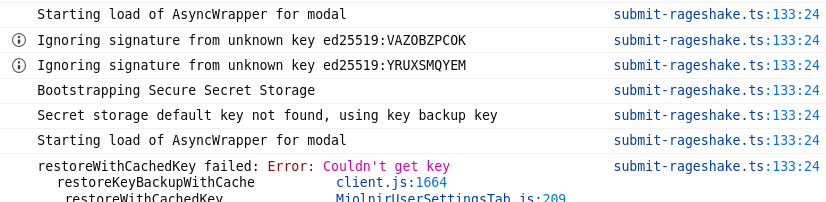
When trying to Restore from backup (even though keys are currently reportedly being backed up), the UI gets stuck in the same place after password verification but the error messages in the console this time also include "Bootstrapping Secure Secret Storage / Secret storage default key not found, using key backup key"
flaki
on 21 May 2020
So from this discussion it turns out the above was caused by two unrelated issues:
- My RiotX was "read-only verified" only, the _"missing private keys"_ message was referring to the fact that this client cannot be used to verify other clients. This is mostly an UX issue I believe. This meant the only way for me to set up cross-signing and verify my Riot Web account is to use a recovery passphrase.
- I couldn't previously use my recovery passphrase to verify Riot Web directly, because of the UI bug described above.
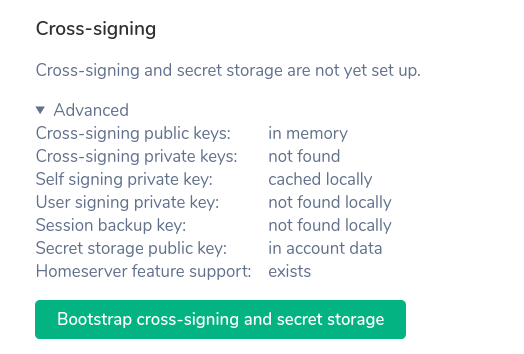
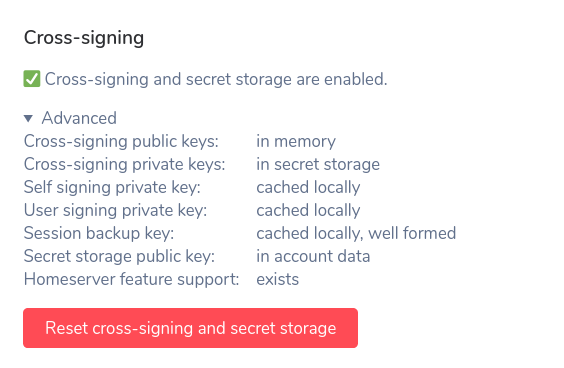
Good news is, not sure when exactly but the above glitch in Riot Web seem to have been fixed, as today I managed to verify using the UI:
| Before | After |
| ------------- |-------------|
|  |
|  |
|
Thanks for the fix and @tulir for the debugging help!
I will be closing this issue for now but recommend following up on the opaque "privateKey Unknown" error message in RiotX separately and not allowing users to attempt verification from devices that actually can't perform the verification to avoid further confusion.
flaki
on 9 Jul 2020
Sorry for the pain and trouble you experienced here, but I am glad a solution is found. @flaki, to be clear so we can advise other who might see a similar thing, you were able to resolve this via the bootstrap button in the latest version on web?
 jryans
on 9 Jul 2020
jryans
on 9 Jul 2020
@jryans correct. I'm on Modular-hosted riot-web version: v1.6.7. The previous bootstrapping bug seems to be gone† and I managed to bootstrap the storage and verify from just the key backup alone.
† I did run into a minor glitch when I had to enter my passphrase twice here: after first time the window requesting the passphrase reappeared with the input field empty but on second entry it worked. This could be caused by any number of things including that it did actually work the first time and the modal re-appearing was a simple UI glitch.*
flaki
on 9 Jul 2020
Related issues
 nvbln
·
3Comments
nvbln
·
3Comments
 ara4n
·
3Comments
ara4n
·
3Comments
 lampholder
·
3Comments
ara4n
·
3Comments
lampholder
·
3Comments
ara4n
·
3Comments
 turt2live
·
3Comments
turt2live
·
3Comments
Most helpful comment
This still fails.

Interactively verifying from RiotX with emojis fails as above described. Interactive verification "via text" fails with the error message that "private keys are not known".
When I try to fix this on Riot Web side, I tell it to "bootstrap cross-signing and secret storage" I can't get past the password request modal. The console shows an error:

When trying to Restore from backup (even though keys are currently reportedly being backed up), the UI gets stuck in the same place after password verification but the error messages in the console this time also include "Bootstrapping Secure Secret Storage / Secret storage default key not found, using key backup key"
