Element-web: PWA taskbar is white - not the same as the rest of the theme
Description
The taskbar at the top of a PWA installed app is white. Chrome is in dark mode, the theme inside the web app is dark.
Steps to reproduce
- use dark mode on your OS
- go to chrome and install the PWA using the + in the url bar while visting riot
- you'll get the white task bar
Describe how what happens differs from what you expected.
Should have the same bar colour as the rest of the app - for example like twitter's PWA


Version information
- Platform: web but installed
For the web app:
- Browser: Chrome 84.0.4129.0
- OS: macOS
- URL: riot.nimblea.pe - 1.6 docker image
 danjenkins
All 17 comments
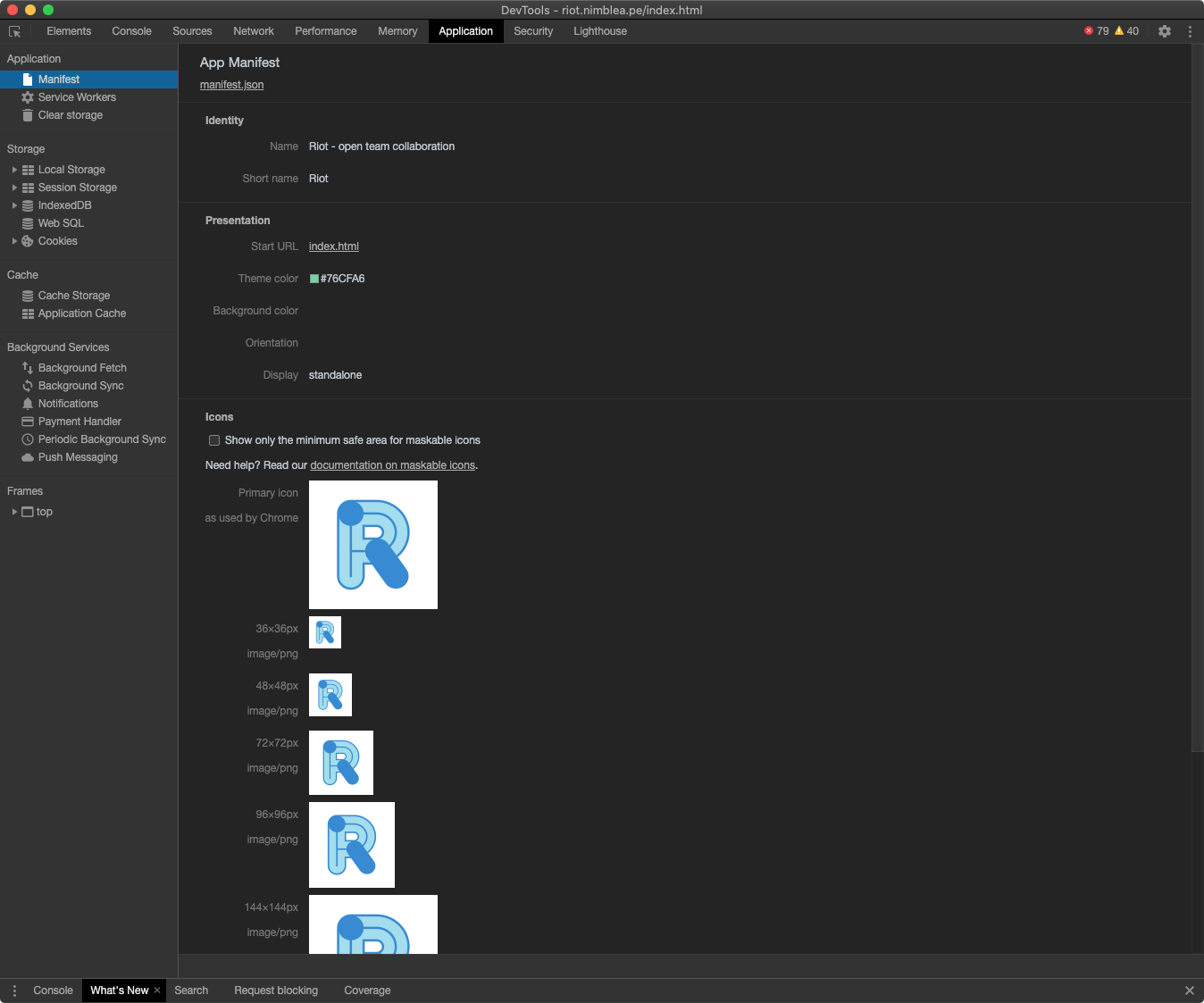
The manifest.json is a fixed static file and cannot be varied based on your theme. The only way would be to add an alpha channel to the PNGs. Twitter, due to featuring server-side rendering can probably serve a different manifest.json dynamically to people depending on server side scripting. Riot runs entirely in browser and there is no riot-specific server side scripting.
 t3chguy
on 6 May 2020
t3chguy
on 6 May 2020
There's definitely a way to do it "the proper way", I just can't remember how right now. It's not really a "in line with your theme", more of a "in line with the mode you've selected in your OS". I'll ask my Google chrome friends what the "proper" way is
danjenkins
on 6 May 2020
Twitter's manifest file loads with a background colour and theme colour of white. https://twitter.com/manifest.json

danjenkins
on 6 May 2020
The difference as you show is the transparency around the circular logo, no?
t3chguy
on 6 May 2020
in this issue im not talking about the logo transparency - just the colour of the taskbar at the top of the window - theres another issue for the logo transparency @t3chguy #13535
danjenkins
on 6 May 2020
o-o I'm not sure how I completely got this backwards
t3chguy
on 6 May 2020
Looks like this is controlled by <meta name="theme-color" content="#15202B"> in twitter's HTML
t3chguy
on 6 May 2020
no worries ! Yup thats the one! Just changed it in riot and it changes the bar :) So looks like something riot would have to set on load with JS? How does riot currently decide which theme to use? Is it using the media query?
danjenkins
on 6 May 2020
It enables/disables style tags.
view-source:https://riot.im/app/index.html
<link rel="stylesheet" disabled="disabled" title="Light" href="bundles/9f769ac7a648e2ec9507/theme-light.css">
<link rel="stylesheet" disabled="disabled" title="Dark" href="bundles/9f769ac7a648e2ec9507/theme-dark.css">
<link rel="stylesheet" disabled="disabled" title="Light-custom" href="bundles/9f769ac7a648e2ec9507/theme-light-custom.css">
<link rel="stylesheet" disabled="disabled" title="Dark-custom" href="bundles/9f769ac7a648e2ec9507/theme-dark-custom.css">
so the same JS could change the value of the meta tag?
danjenkins
on 6 May 2020
Oh you mean how does the automatic dark theme work?
        this._preferDark = global.matchMedia("(prefers-color-scheme: dark)");
        this._preferLight = global.matchMedia("(prefers-color-scheme: light)");
So yes the same JS could change the value of the meta tag, it'd have to read the colour from that css by checking the background colour of some consistent element on the page after the css takes effect.
t3chguy
on 6 May 2020
Cool - sounds easy enough, I guess it should check the background-color of the body element so it looks the same as the background. I'll see if I can do it when i get 5 minutes :)
danjenkins
on 6 May 2020
To save you some time, would probably be around https://github.com/matrix-org/matrix-react-sdk/blob/76e04fbdfae00b8f29a29442ac1f1511a7cb6f7f/src/theme.js#L246
t3chguy
on 6 May 2020
@t3chguy done :) seems like the theme check doesnt work properly until you're logged in - because my mac is in dark mode but until I logged in, the console messages claimed that there was an explicitly set light mode. so that might need raised as a separate issue. Once I logged in it sorted itself out.
danjenkins
on 6 May 2020
That could be https://github.com/matrix-org/matrix-react-sdk/blob/cb9362456ff814f8c5f42bd49853d4b86ff11713/src/settings/controllers/ThemeController.js#L27 which inhibits theme checking and forces light during login
t3chguy
on 6 May 2020
Ah it does look like it doesnt it @t3chguy - just doesn't feel right now.... should i make another issue for it? such a small issue not worth it?
danjenkins
on 6 May 2020
Related issues
 n-o-o-b
·
3Comments
n-o-o-b
·
3Comments
 grahamperrin
·
3Comments
grahamperrin
·
3Comments
 nvbln
·
3Comments
t3chguy
·
3Comments
nvbln
·
3Comments
t3chguy
·
3Comments
 turt2live
·
3Comments
turt2live
·
3Comments