Element-web: Unable to fetch keys to Upgrade Encryption
Description
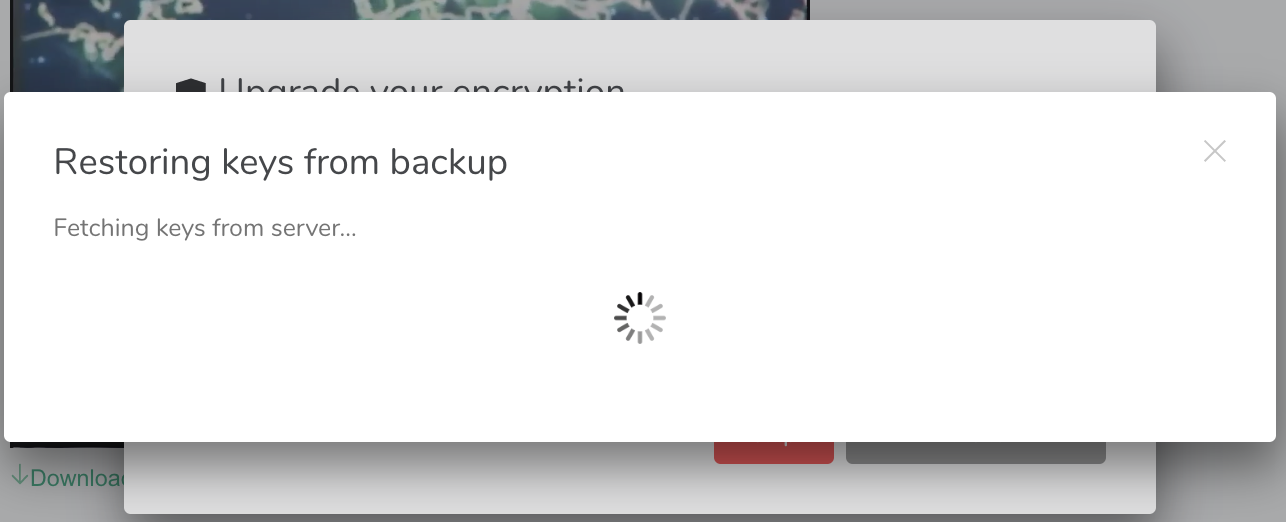
When trying to Upgrade Encryption in macOS Desktop Nightly, getting stuck on "Fetching Keys from Server." It never fetches the keys.
Steps to reproduce
- Click prompt to "Connect this session to Key Backup"
- Input account password
- Click next
- Wait
Describe how what happens differs from what you expected.
Log: Will be sending after filing this.
Version information
- Platform: Desktop
For the desktop app:
- OS: macOS
- Version: 2020050201
Should also note this was happening on the Riot Web staging platform as well.
 ghost
ghost
All 25 comments
I will also add that, as you can see in the screenshot, the popup behind the "Restoring keys from backup" is the "Upgrade your encryption" pop-up. It seems when I enter my password, two things happen simultaneously:
1) The "Restoring keys..." popup comes up, sits there, does nothing.
2) The "Upgrade your encryption" popup refreshes and is again asking for my password. If I enter it again, the cycle continues.
ghost
on 2 May 2020
thanks for the rageshake. we'll investigate...
 ara4n
on 3 May 2020
ara4n
on 3 May 2020
@ara4n I was able to resolve by deleting backup keys, signing out, signing back in, and setting back up. This worked for me on macOS desktop, and several devices on iOS beta. I may try on RiotX debug too in a moment, here.
ghost
on 3 May 2020
Hi @LewisDodgson, thank you for your report. I'm a bit confused as to how this can happen, so I've got a few follow-up questions:
- When you say you were "able to resolve by deleting backup keys", do you mean clearing the
m.megolm_backup.v1account data? - It looks like something failed while upgrading encryption before, as either
m.secret_storage.default_keyor the therein linked key must be missing in your account data judging from the code paths. Are there any details you can provide on the history of this account? How long has it existed? Have you acted upon the "Upgrade encryption" notification you get? What was the outcome if so? - When clicking "Connect this session to Key Backup", is this from the yellow banner you get in the room? Or are you triggering this from the settings dialog?
- If you are still able to reproduce, could you perhaps provide a screen recording video (e.g. using Quicktime player) of reproducing the problem. I'm having some problems imagining how you're hitting this exactly.
- what synapse version are you using?
 bwindels
on 4 May 2020
bwindels
on 4 May 2020
The same for me. I did a fresh install of my notebook. I guess, I have no older sessions active. my Riot is newest version 1.6.0.
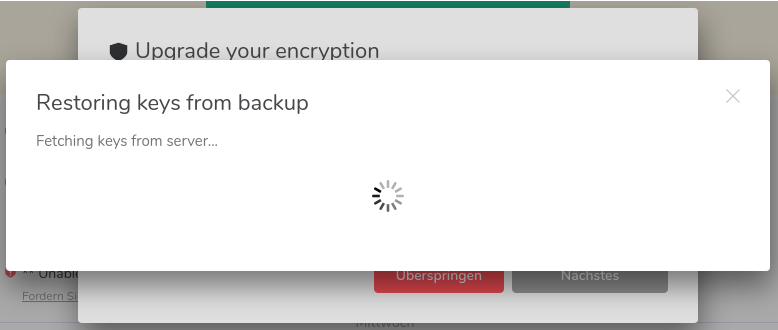
There is also another popup "Sitzung verifizieren" (verify session) in the upper left. If I choose this I can ether "Use recovery passphrase or key" which gives the exact same window as above or I can skip.
So, no way out of here. :-)
 datenbrei
on 12 May 2020
datenbrei
on 12 May 2020
BTW, in the message "Upgrading your encryption" I'm asked:
"Enter your account password to confirm the upgrade"
This means my normal login password for my matrix account, right? So, if I fill in this, the same screen comes up again (as if the password would be wrong), but it does not say why (what is bad).
Additional info: My Homeserver is: https://feneas.org, I think we use LDAP-Integration. I can login there without problems.
datenbrei
on 12 May 2020
Additional info: My Homeserver is: https://feneas.org, I think we use LDAP-Integration. I can login there without problems.
Feneas server doesn't use ldap (yet!), just to add to this report :)
 jaywink
on 13 May 2020
jaywink
on 13 May 2020
@datenbrei Can you please submit your debug logs from the "help & about" page in the settings?
bwindels
on 13 May 2020
I'm encountering this issue, would additional logs be helpful?
 alexjg
on 13 May 2020
alexjg
on 13 May 2020
For me the web client (both production and development) sends request:
POST /_matrix/client/unstable/keys/device_signing/upload
Host: matrix-client.matrix.org
Content-Type: application/json

{}
That returns:
HTTP/2 401 Unauthorized
Content-Type: application/json

{
  "session": "XXXXXXXXXXXXXXXXXXXXXXXX",
  "flows": [
    {"stages": ["m.login.password"]}
  ],
  "params": {}
}
 mordae
on 13 May 2020
mordae
on 13 May 2020
I've sent logs to #13664 but closed it as it is clearly a duplicate. I'm also stuck in this loop.
 rioux602
on 14 May 2020
rioux602
on 14 May 2020
Upgrade my desktop client to 1.6.0 (and RiotX to 1.9.0) and am now unable to connect any old or new session to my backup key.
Even tried current Dev Version, problem persists.
 FlorianFranzen
on 15 May 2020
FlorianFranzen
on 15 May 2020
Seeing this as well on a local account fwiw, investigating...
bwindels
on 27 May 2020
So I can reproduce this both on setting up encryption after login and restoring key backup from the settings when the m.secret_storage.default_key account data is set to {}. It is caused by a second invocation of CreateSecretStorageDialog in this flow (for login, I imagine restore key backup looks similar): SetupEncryptionBody > use passphrase > accessSecretStorage > CreateSecretStorageDialog > detects key backup > RestoreKeyBackupDialog > try bootstrapping 4S > CreateSecretStorageDialog
the second CreateSecretStorageDialog updates the already existing one, but it stays underneath the RestoreKeyBackupDialog, which stays spinning until the CreateSecretStorageDialog finishes, which is never.
bwindels
on 2 Jun 2020
m.secret_storage.default_key account data might be {} because I broke it on purpose through the devtools while testing, but we still need to not have an infinite spinner if this does happen.
bwindels
on 2 Jun 2020
I'm not sure how to fix this ... we could check if the key backup key is present in 4S account data in _onMigrateFormSubmit ... but what do we do when it is? A forced full new bootstrap? If we just wanted to restore key backup, we're not expecting our cross-signing keys to get blown away ...
bwindels
on 2 Jun 2020
It seems unlikely this is caused by missing 4S account data. The order of upload in the bootstrap code is:
- 4S key
- change default 4S key
- the migrated key backup private key
I don't see a path how the backup key could be set but not the 4S key or default key.
I suspect the original report might have first failed to restore from cache after hitting the error fixed at https://github.com/matrix-org/matrix-js-sdk/pull/1398/commits/8f62703bf288cefeafc8b5fa3de65eb1e7cc020e (it would throw because key was already an Uint8Array and abort the attempt to restore from cache), and sub-sequentially hit a double bootstrap fixed in https://github.com/matrix-org/matrix-react-sdk/pull/4701 ... so there is a chance this is fixed now.
bwindels
on 5 Jun 2020
I can confirm that I was having this problem, and I was finally able to open riot web , restore the keys and verify sessions.
 fbodr
on 5 Jun 2020
fbodr
on 5 Jun 2020
I can confirm that I was having this problem, and I was finally able to open riot web , restore the keys and verify sessions.
Interesting. What version is that?
bwindels
on 5 Jun 2020
It seems unlikely this is caused by missing 4S account data. The order of upload in the bootstrap code is:
I suspect the original report might have first failed to restore from cache after hitting the error fixed at matrix-org/matrix-js-sdk@8f62703 (it would throw because key was already an Uint8Array and abort the attempt to restore from cache), and sub-sequentially hit a double bootstrap fixed in matrix-org/matrix-react-sdk#4701 ... so there is a chance this is fixed now.
Actually, https://github.com/matrix-org/matrix-react-sdk/pull/4701 would only mitigate if you do have a problem with your 4S account data. :thinking:
bwindels
on 5 Jun 2020
If I recall properly (but don't quote me on that), I was get the 'upgrade keys' prompt on riot web since the self session verification was made available. And since them, I was stuck in this look asking for a password. Because of it, I was not able to retrieve my backup keys and open my encrypted chats.
I just logged into riot web now after I saw your comment, and it finally got out of the loop and it is working properly.
I don't know how can I check the version that is currently running at https://riot.im/app
fbodr
on 5 Jun 2020
Thanks! It's in the settings, it should be 1.6.3 that was just released.
bwindels
on 5 Jun 2020
Will close this, as it is likely fixed, I don't have further ideas what the cause could be if not the above. If it is still a problem, we can open another issue.
bwindels
on 5 Jun 2020
riot-web version: 1.6.4
olm version: 3.1.3
fbodr
on 5 Jun 2020
I'm new to element. After the first sign in then it show notification 'encryption upgrade available' and to add 'security key'. What should i use as security key? Is it the key that given when sign up to account?
 temporallyaccount
on 24 Sep 2020
temporallyaccount
on 24 Sep 2020
Related issues
 turt2live
·
3Comments
turt2live
·
3Comments
 MurzNN
·
3Comments
MurzNN
·
3Comments
 nvbln
·
3Comments
nvbln
·
3Comments
 richvdh
·
3Comments
ara4n
·
3Comments
richvdh
·
3Comments
ara4n
·
3Comments
Most helpful comment
Upgrade my desktop client to 1.6.0 (and RiotX to 1.9.0) and am now unable to connect any old or new session to my backup key.
Even tried current Dev Version, problem persists.