Electron-vue: Use Tray and method
Hello
First of all forgive me for my bad English.
Then, thank you for this project very powerful and simple to use.
I post here to find out if the idea I have in mind is possible or not.
I would like to know, if, from an "item" of the menu, I can call a method present in a "component".
Thank you in advance and thank you again
 leknoppix
All 5 comments
Hey @leknoppix
This is totally possible using a vue event bus. Here's what I was I able to accomplish...
src/renderer/bus.js
import Vue from 'vue'

export default new Vue()
src/renderer/tray.js
import bus from './bus'
import { remote } from 'electron'

 /**
  * I copied a font-awesome png to my clipboard for this example
  * https://raw.githubusercontent.com/encharm/Font-Awesome-SVG-PNG/master/black/png/16/gear.png
  *
  * You would probably want to use custom icons and place them in `static/`
  * and then use `__static` to get a path to them.
  * https://simulatedgreg.gitbooks.io/electron-vue/content/en/using-static-assets.html#use-case-within-js-with-fspath-and-static
  */
const tray = new remote.Tray(remote.clipboard.readImage())
const menu = remote.Menu.buildFromTemplate([
  {
    label: 'ping',
    click () {
      // Send event to Vue
      bus.$emit('ping')
    }
  }
])

tray.setToolTip('hello world')
tray.setContextMenu(menu)
SomeComponent.vue
import bus from '@/bus'

/* ... */
  mounted () {
    bus.$on('ping', () => {
      // event logic
      console.log('pong')
    })
  }
/* ... */
Hope this helps 😄
 SimulatedGREG
on 10 Jun 2017
SimulatedGREG
on 10 Jun 2017
I have try this method, but it don't work. I haven't message error.
I will continue my project, my first vuejs/electron project: https://framagit.org/leknoppix/MonPlayerRadio
leknoppix
on 10 Jun 2017
@leknoppix
https://gitlab.com/simulatedgreg/monplayerradio/commit/bc1f77e2684d87a7328bf3d7f884ffa7dbb68928
SimulatedGREG
on 11 Jun 2017
Thank you very much, it works!
I have one last question, can we modify the "label" of the 'tray' on the fly, I wait there, according to a value in the component
leknoppix
on 11 Jun 2017
@leknoppix
There currently isn't much support for changing the MenuItems dynamically, since Chromium has limited support for this functionality.
Currently there is no support for overriding the menu delegate on user's side, but we may support it in future.
Related: https://github.com/electron/electron/issues/528
The only work around currently is to clear out the Menu completely and recreate it. This is also how Visual Studio Code accomplishes this with Open Recent....
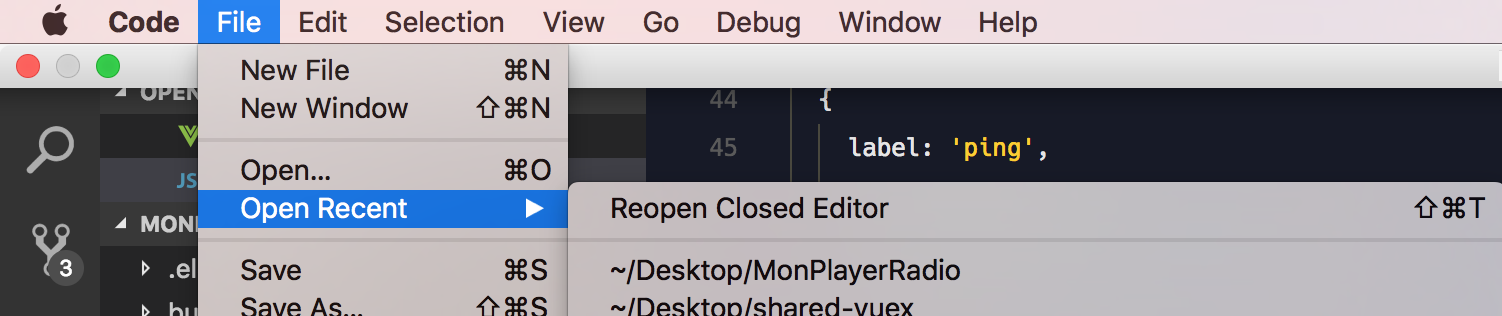
It might be nicer during development to create the Menu and Tray within the renderer process, like I previously first posted, so you have better access in your Vue components. Hope this all helps 😄 , closing.
SimulatedGREG
on 11 Jun 2017
Related issues
 Oriol-GG
·
3Comments
Oriol-GG
·
3Comments
 oscar-g
·
3Comments
oscar-g
·
3Comments
 simdax
·
3Comments
simdax
·
3Comments
 xiaomizhou66
·
3Comments
xiaomizhou66
·
3Comments
 webrtcn
·
3Comments
webrtcn
·
3Comments
Most helpful comment
Hey @leknoppix
This is totally possible using a
vueevent bus. Here's what I was I able to accomplish...src/renderer/bus.js
src/renderer/tray.js
SomeComponent.vue
Hope this helps 😄