Electron-react-boilerplate: After merged 0.18.0 and run 'yarn dev',the app not start.
Prerequisites
- [x] Using yarn
- [x] Using node 10.x
- [x] Using an up-to-date
masterbranch - [x] Using latest version of devtools. See wiki for howto update
- [ ] Link to stacktrace in a Gist (for bugs)
- [x] For issue in production release, devtools output of
DEBUG_PROD=true yarn build && yarn start - [x] Tried solutions mentioned in #400
Expected Behavior
Step 1: 0.17.x is ok, merged 0.18.0
Step 2:
rm -rf node_modules &&
yarn cache clean &&
yarn &&
yarn electron-rebuild &&
yarn dev
Step 3:
expect app start.
Current Behavior
windows 10
but nothing happend.
run 'yarn package' is ok.
λ yarn dev
`yarn run v1.19.1
$ cross-env START_HOT=1 node -r @babel/register ./internals/scripts/CheckPortInUse.js && cross-env START_HOT=1 yarn start-renderer-dev
$ cross-env NODE_ENV=development webpack-dev-server --config configs/webpack.config.renderer.dev.babel.js
Starting Main Process...
[email protected] start-main-dev D:\WorkSpace\HCCN_Projects\sapp-deployment-tools
cross-env HOT=1 NODE_ENV=development electron -r @babel/register ./app/main.dev.js
libpng warning: iCCP: cHRM chunk does not match sRGB`
Your Environment
- Node version : v10.16.3
- Version or Branch used : master
- Operating System and version : Windows 10 1909 18963.476
- Link to your project : master, no code change
 nEdAy
nEdAy
All 41 comments
yarn 1.19.1
nEdAy
on 25 Nov 2019
electron-builder version=22.1.0 os=10.0.18363
nEdAy
on 25 Nov 2019
Be careful with this new version, there is a rollback with the two package.json structure.
If you have native libs that need to be recompiled you have to declare them in the app/package.json.
check this documentation : https://www.electron.build/tutorials/two-package-structure
 clementAC
on 25 Nov 2019
clementAC
on 25 Nov 2019
But why can't start the app using only the template?
I have n’t changed anything, just do
rm -rf node_modules &&
yarn cache clean &&
yarn &&
yarn electron-rebuild &&
yarn dev
But after that, nothing happened and the app didn't open automatically.
nEdAy
on 26 Nov 2019
I tested tag v0.17.1 and can open the app normally after the above steps
nEdAy
on 26 Nov 2019
with 'v0.18.0' npm run 'start' is ok.
"start": "cross-env NODE_ENV=production electron ./app/main.prod.js",
but I need development env.
nEdAy
on 26 Nov 2019
I can't reproduce this on windows latest master, fresh clone, cleared cache.
 amilajack
on 28 Nov 2019
amilajack
on 28 Nov 2019
ok, please wait for me to try again.
nEdAy
on 29 Nov 2019
rm -rf node_modules &&
yarn cache clean &&
yarn &&
yarn electron-rebuild &&
yarn dev
nothing happened,app not open auto.
nEdAy
on 29 Nov 2019
It's not working for me either. I also made sure to clear my electron cache in C:\Users\{user}\AppData\Roaming, cleared everything that was electron related (since i've previously had problems with it). Then i cloned, ran yarn and then yarn dev, nothing comes up.
 diddiman-zz
on 2 Dec 2019
diddiman-zz
on 2 Dec 2019
yes, I also cleaned C: \ Users \ {user} \ AppData \ Roaming.
nEdAy
on 2 Dec 2019
amilajack
on 2 Dec 2019
λ set UPGRADE_EXTENSIONS=1 && yarn run dev
yarn run v1.19.2
$ cross-env START_HOT=1 node -r @babel/register ./internals/scripts/CheckPortInUse.js && cross-env START_HOT=1 yarn start-renderer-dev
$ cross-env NODE_ENV=development webpack-dev-server --config configs/webpack.config.renderer.dev.babel.js
Starting Main Process...[email protected] start-main-dev D:\WorkSpace\HCCN_Projects\sapp-deployment-tools
cross-env START_HOT=1 NODE_ENV=development electron -r @babel/register ./app/main.dev.jslibpng warning: iCCP: cHRM chunk does not match sRGB
No change, still can't open the window
nEdAy
on 2 Dec 2019
have this problem too
 PR0F1L3R1
on 3 Dec 2019
PR0F1L3R1
on 3 Dec 2019
I am having the same issues, I cleared my cache in roaming, cloned the repo into a new project, ran yarn dev and only a white screen will show. Yarn start is working however.
 ispita
on 5 Dec 2019
ispita
on 5 Dec 2019
I don't even see the white form.
This issue has troubled my development.
nEdAy
on 6 Dec 2019
Can you try building with DEBUG_PROD and see if there are any console errors in prod
amilajack
on 6 Dec 2019
I have the same issue. I init a new project by clone this repo and run yarn. When I use yarn dev, this is my error.
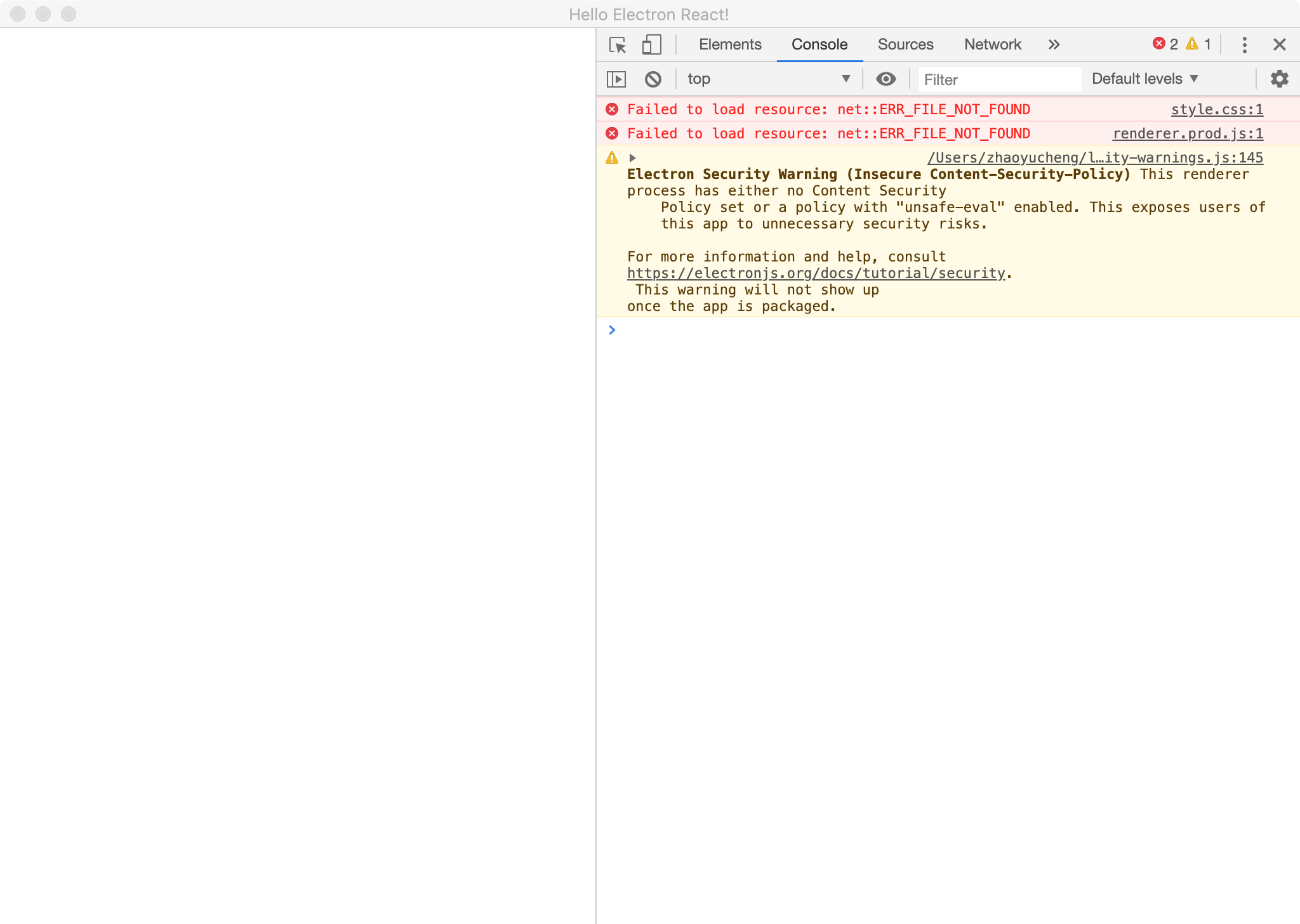
 Crazycheng
on 6 Dec 2019
Crazycheng
on 6 Dec 2019
- yarn
- yarn build
- yarn dev
and everything will work
 AntonGarasko
on 6 Dec 2019
AntonGarasko
on 6 Dec 2019
1. yarn
2. yarn build
3. yarn dev
   and everything will work
Just tried, it's not working :/
diddiman-zz
on 6 Dec 2019
- yarn
- yarn build
- yarn dev
and everything will work
I was hopeful, but I don't even get an app window with a white app frame.
 sleeperninja
on 6 Dec 2019
sleeperninja
on 6 Dec 2019
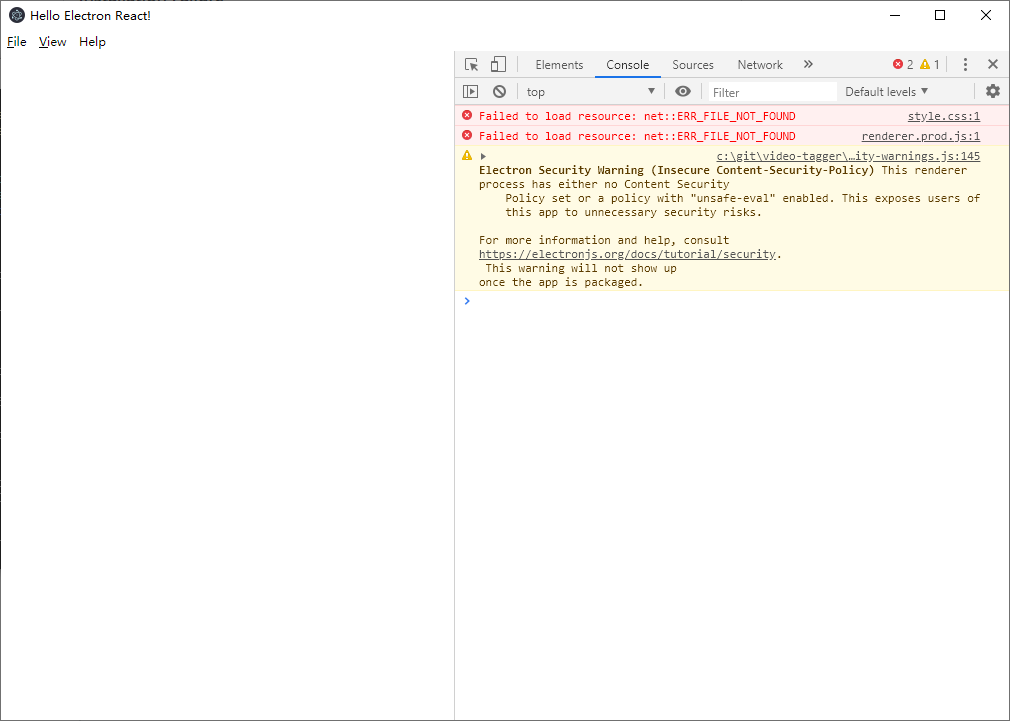
Same for me, it doesn't work. I'll try an older version
 comcaptain
on 7 Dec 2019
comcaptain
on 7 Dec 2019
I am getting the same issue
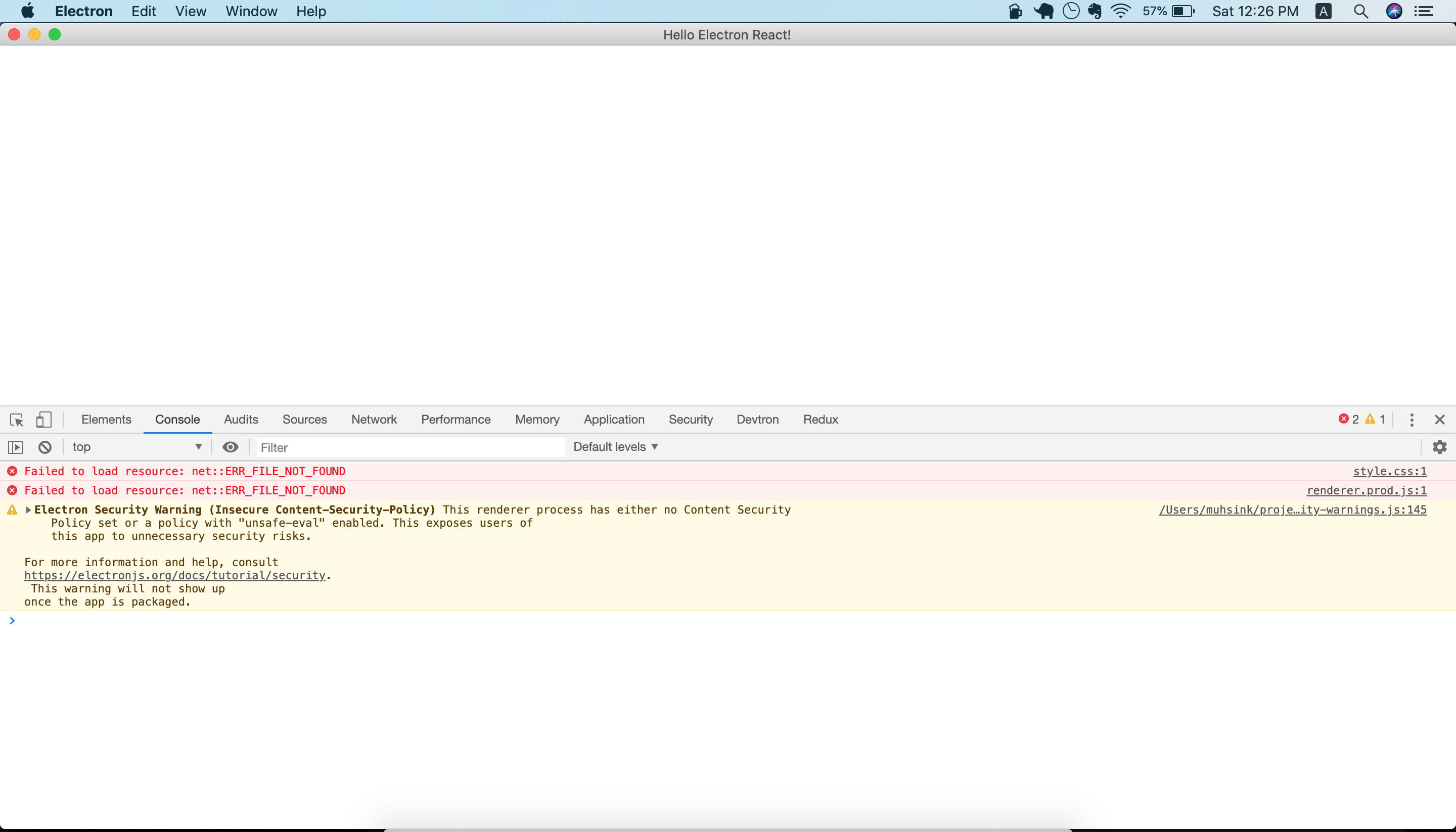
 muhsin-k
on 7 Dec 2019
muhsin-k
on 7 Dec 2019
I solved the issue by running the following command.
UPGRADE_EXTENSIONS=1 yarn run dev
muhsin-k
on 7 Dec 2019
Upgrade extensions is not working either. I'm not even getting a blank page, so that might be why the upgrade extensions is not working
diddiman-zz
on 8 Dec 2019
My OS is Windows 10. I'm not even getting a blank page.
run 'set UPGRADE_EXTENSIONS=1 && yarn run dev', not working
nEdAy
on 10 Dec 2019
Try #2341 possible solution. It's helped me work correctly.
 spd789562
on 11 Dec 2019
spd789562
on 11 Dec 2019
Try #2341 possible solution. It's helped me work correctly.
This worked for me. Running yarn build like @AntonGarasko recommended helped, but live-reloading didn't work still and was fixed by #2341 for me.
 jakeols
on 11 Dec 2019
jakeols
on 11 Dec 2019
Try #2341 possible solution. It's helped me work correctly.
Hmm, still can't even get the blank electron app, sounds like this could solve possible issues when the blank pages is appearing though
diddiman-zz
on 12 Dec 2019
There was no problem at all in Ubuntu. but have this problem in Windows10.
I tried all of the answers above but it didn't work.
and this worked for me. (Windows 10)
// main.dev.js

// Remove the bottom two blocks
if (
  process.env.NODE_ENV === 'development' ||
  process.env.DEBUG_PROD === 'true'
) {
  require('electron-debug')();
}

if (
  process.env.NODE_ENV === 'development' ||
  process.env.DEBUG_PROD === 'true'
) {
  await installExtensions();
}
 hwshim0810
on 13 Dec 2019
hwshim0810
on 13 Dec 2019
- yarn
- yarn build
- yarn dev
and everything will work
this worked for me. (Mac OS)
 ThoughtZer
on 13 Dec 2019
ThoughtZer
on 13 Dec 2019
Same issue here on Windows 10 fresh clone, tried all the suggested solutions non of them working.
When I run _yarn dev_ the window doesn't even open.
 Haradrim
on 13 Dec 2019
Haradrim
on 13 Dec 2019
Same issue occured in Windows 10, but not in Windows 7.
I'd tested single repo for them.
 andywampir
on 13 Dec 2019
andywampir
on 13 Dec 2019
@comcaptain @Crazycheng
Probably i know why you got these errors in console.
In the .html file of your window, change these entries process.env.HOT onto process.env.START_HOT.
It works for me.
andywampir
on 13 Dec 2019
0.18.1 might resolve this issue. Please try running the latest master to test 0.18.1
amilajack
on 13 Dec 2019
0.frech code to v0.18.1
1.cleaned C: \ Users \ {user} \ AppData \ Roaming.
2.rm -rf node_modules && yarn cache clean && yarn && yarn electron-rebuild && yarn dev
show error:
Electron failed to install correctly, please delete node_modules/electron and try installing again
nEdAy
on 16 Dec 2019
This is an issue on electron's side. This project does not handle electron installation.
amilajack
on 17 Dec 2019
I'm on Win10 I tried evertyhing above but nothing worked. The app is not starting with yarn dev and hangs on this command:
> cross-env START_HOT=1 NODE_ENV=development electron -r @babel/register ./app/main.dev.js
 Geddo
on 19 Dec 2019
Geddo
on 19 Dec 2019
Try turning off dark mode in Win10.
 Wilba6582
on 27 Dec 2019
Wilba6582
on 27 Dec 2019
Try turning off dark mode in Win10.
Thanks... It work.. :)))
 f97
on 26 Feb 2020
f97
on 26 Feb 2020
Try turning off dark mode in Win10.
Thanks a lot. IDK why doesn't work on dark mode...
 dalexhd
on 20 May 2020
dalexhd
on 20 May 2020
Related issues
 Slapbox
·
19Comments
Slapbox
·
19Comments
Slapbox
·
19Comments
Slapbox
·
19Comments
 anthonyraymond
·
22Comments
amilajack
·
19Comments
anthonyraymond
·
22Comments
amilajack
·
19Comments
 williamoliveira
·
25Comments
williamoliveira
·
25Comments
Most helpful comment
Try turning off dark mode in Win10.
https://github.com/electron/electron/issues/19468