Electron.net: Customize author/description is still broken
- Version: v8.31.2
- Target: .NET Core 3.1
try to customize author and description as below (as mentioned in #310 )
"executable": "Test",
"splashscreen": {
"imageFile": ""
},
"author": "Test author",
"description": "Test description"
But author is still "Gregor Biswanger" and description is still "Electron-Host for Electron.NET."
 AykutToprak
All 7 comments
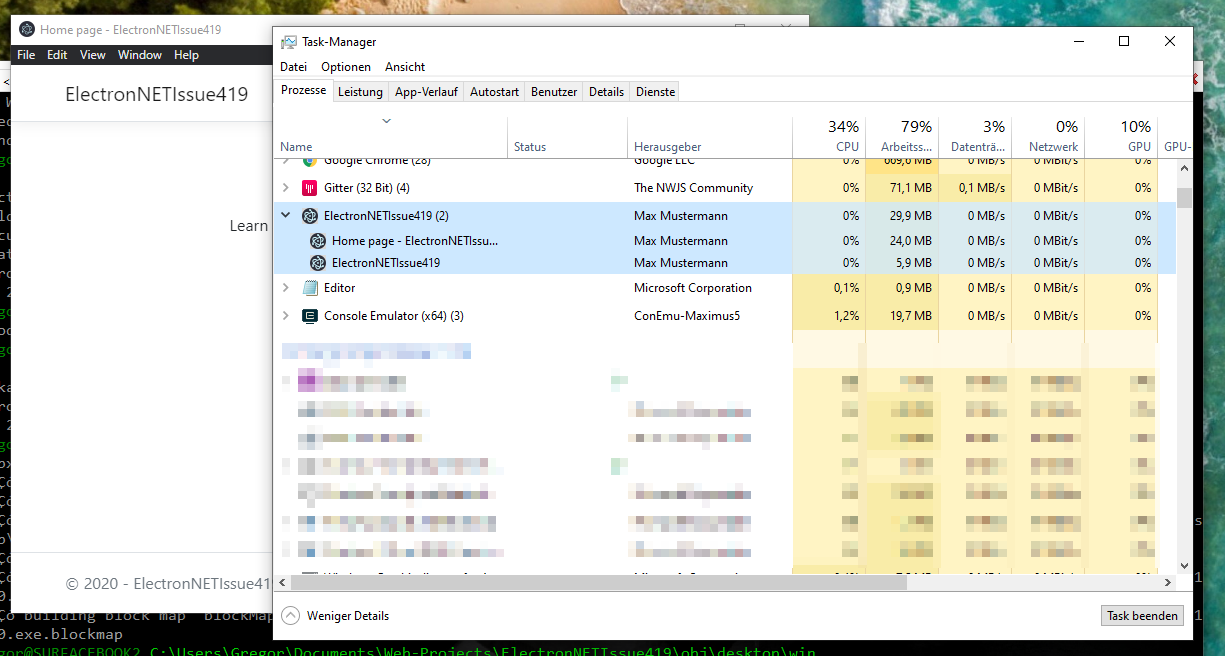
I tested it again and it works for me?!
What operating system do you have and where do you read other information?
{
  "executable": "ElectronNETIssue419",
  "splashscreen": {
    "imageFile": ""
  },
  "name": "ElectronNETIssue419",
  "author": "Max Mustermann",
  "description": "Only a test description.",
  "singleInstance": false,
 ...
 GregorBiswanger
on 29 May 2020
GregorBiswanger
on 29 May 2020
Greg,
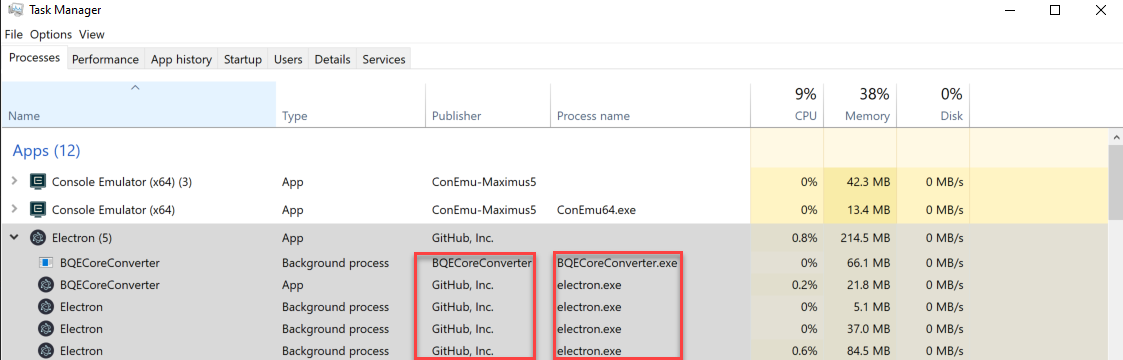
I have the same issue. manifest file has no affect, I am using Windows 10. Also I am using it with Blazor server side.
 MarkBQE
on 29 May 2020
MarkBQE
on 29 May 2020
My operating system is Windows 10. as @MarkBQE said manifest file has no affect. i used custom package.json for work around as electronize build /target win /package-json "./package.json" to solve problem.
AykutToprak
on 29 May 2020
@MarkBQE Is this the build version? Or with electronize start?
Which version of Node.js and Electron.NET do you have?
GregorBiswanger
on 29 May 2020
This is electronize start, in build it works as expected.
Node -6.13.6
.Net Core v3.1.4
Electron.NET 8.31.2
MarkBQE
on 29 May 2020
ahh okay, that explains a lot :) it only works with the finished build version...
Isn't that really relevant during development?!
GregorBiswanger
on 29 May 2020
I realized that it works in build after I posted this. I am OK with it the way it is as of now. I appreciate you looking into this. Keep up with the good work.
MarkBQE
on 29 May 2020
Related issues
 ThuCommix
·
3Comments
ThuCommix
·
3Comments
 himansu-Bhusan93
·
3Comments
GregorBiswanger
·
4Comments
himansu-Bhusan93
·
3Comments
GregorBiswanger
·
4Comments
 seanmars
·
5Comments
seanmars
·
5Comments
 thnk2wn
·
4Comments
thnk2wn
·
4Comments
Most helpful comment
My operating system is Windows 10. as @MarkBQE said manifest file has no affect. i used custom package.json for work around as
electronize build /target win /package-json "./package.json"to solve problem.