Electron-cash: layout/visual: status bar icons just became huge, so status bar is way too high
Just updated to newest master branch (from about a week ago) and got some huge icons in status bar (see screenshot).
Also some other layout sizes seem to be affected (spacing in menues, for example), but not the icons in tabs, for example.
It looks pretty ugly now, in my eyes
 molecular
All 23 comments
What QT variables do you have in your env? Have you set up any display scaling?
set|grep QT_
 EchterAgo
on 2 Jun 2019
EchterAgo
on 2 Jun 2019
Yes, we are doing some high dpi work; it shouldn't look like that, obviously! It's possible your monitor is sending bad EDID settings to your video card, thus confusing Qt. Can you do me a favor and run it with the following CLI option:
--qt_disable_highdpi
 cculianu
on 2 Jun 2019
cculianu
on 2 Jun 2019
Also, you might want to redact your screenshot more.
EchterAgo
on 2 Jun 2019
@molecular I deleted your screenshot as it didn't appear to be properly redacted. Please feel free to post another one! :)
cculianu
on 2 Jun 2019
@cculianu thanks A LOT for redacting!!! I missed the balance line, damnit. I really have to be more careful. Also thanks @EchterAgo for pointing it out quickly.
--qt_disable_highdpi works around the issue and it looks like before the issue appeared.
I'm setting Xft.dpi: 120 "manuall" in my .Xresources, which is probably different from the monitor dpi.
molecular
on 2 Jun 2019
I'm setting Xft.dpi: 120 "manuall" in my .Xresources
Ah, that is good to know. I'll check what happens in this case.
EchterAgo
on 2 Jun 2019
Could you please post a (properly redacted) screenshot again? Also, I need some more information:
- What desktop environment are you using?
- Are there any environment variables starting with
QT_set? Runset|grep QT_for that. - What are you accomplishing with setting
Xft.dpito a value different than your actual DPI?
EchterAgo
on 2 Jun 2019
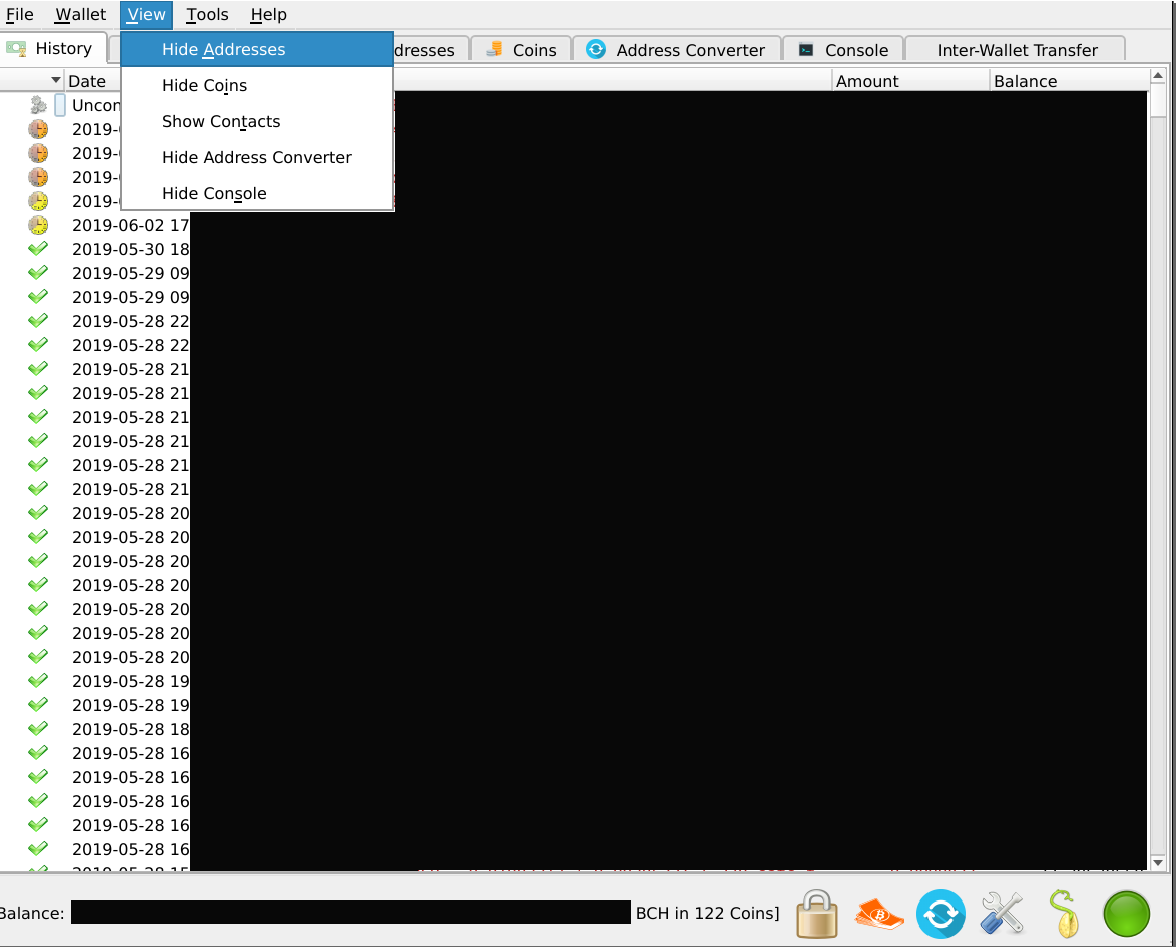
set | grep QT_ returns empty list.
I use notion window manager. I'm not sure how much all the gnome and kde stuff I installed as dependencies for various programs are actually used on my system for managing desktop stuff. As far as I can tell it's just plain X with notion window manager.
I'm setting Xft.dpi lower than actual monitor dpi so various programs render their stuff smaller. I want more screen estate and this was an easy way to do it.
Here's a screenshot with Xft.dpi set to 140 (instead of 120 above):
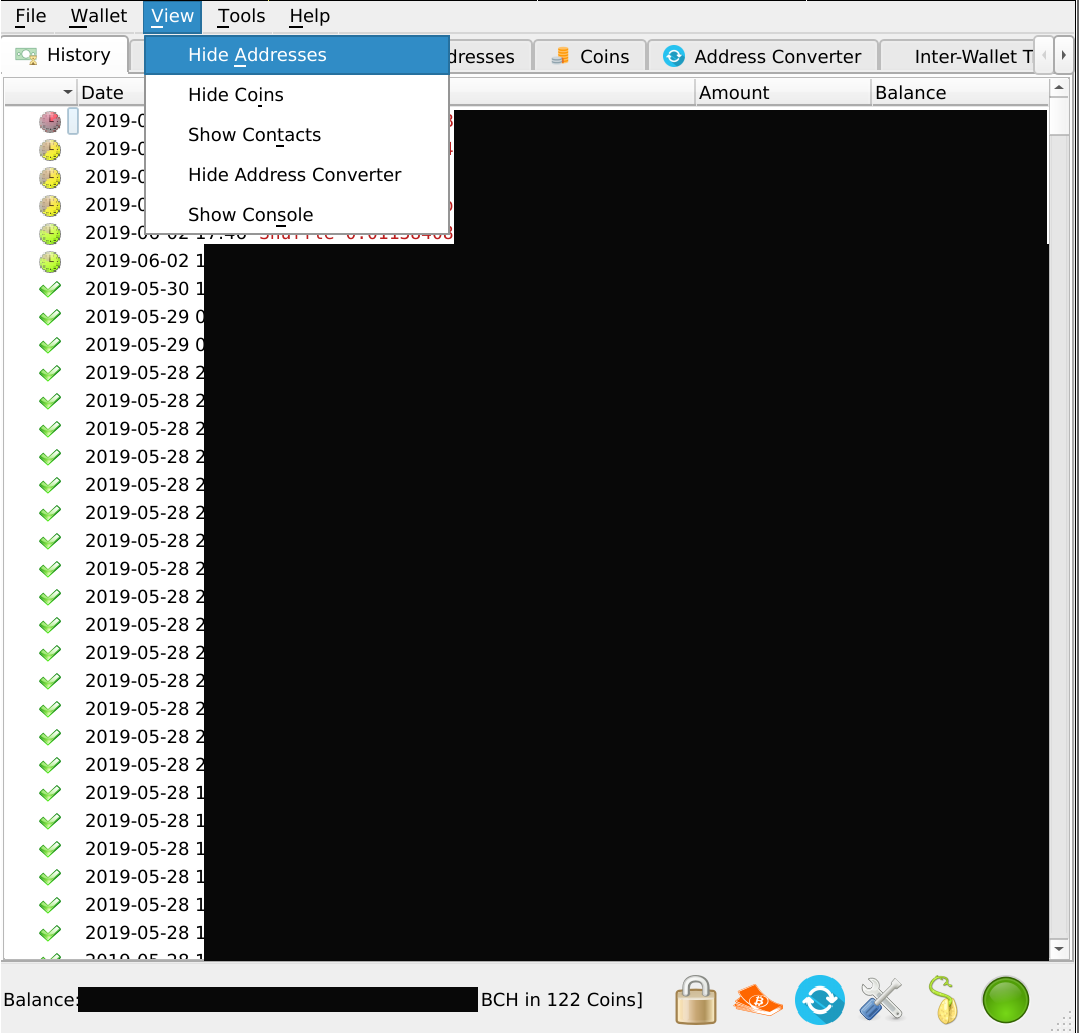
as you can see, everything is slightly bigger. font, spacing, etc. Even the icons in the tabs on top. The status bar icons seems unaffected, though.
btw: do I have to regenerate icons using the pyrcc thingy?
molecular
on 2 Jun 2019
@molecular no, we got rid of that pyrcc thingie and instead commit icons.py directly to the repo. This bloats the repo but we had so many users annoyed that it's worth it.
Hmm.. this really is an @EchterAgo puzzle -- he's probably much better equipped to help you handle this.
That command-line option does bring back the previous highdpi=off setting we had before. You should go ahead and use that until EchterAgo figures this out.
Worst case if he can't, we can make an in-app preference for toggling highdpi for users like you as well.
cculianu
on 2 Jun 2019
I will investigate this further, but it was kind of expected that not all setups would work. If too many people have problems because of it we might want to disable this by default on Linux. It is easy to override this using environment variables. Standardization for this on Linux is sadly a mess, especially without a desktop environment like your setup. I tested this on quite some standard configurations and without scaling it works OK. With scaling it will work in standard configurations on KDE. I'm also testing a workaround to get scaling settings from gnome. But it seems impossible to cover everything. I guess this is a tradeoff between non-standard configurations that break and standard configurations that improve. Ill do more investigation on this tomorrow.
EchterAgo
on 2 Jun 2019
I wouldn't worry about it if I am a seldom case with my weird setup. The majority of people probably run some kde or gnome standard stuff so we're probably talking about quite a special case. Maybe it's not worth the effort.
For myself I can easily live with the --qt_disable_highdpi switch or setting respective env var.
@EchterAgo if you need anything in terms of testing or whatever, don't hesitate, I'm there. Just not the fastest reaction time these days, so please be patient with me.
molecular
on 2 Jun 2019
hm, interesting... setting env var QT_AUTO_SCREEN_SCALE_FACTOR=0 results in the issue disappearing (status bar icons have correct size).
Actually this makes me think it's entirely a problem with my setup: the disparity of screen dpi and xft.dpi seems to be the culprit and clearing QT_AUTO_SCREEN_SCALE_FACTOR seems to have the effect of getting qt5 to ignore the actual screen dpi (which is desired in my case).
I'm closing the issue. Please reopen if you still think it's worth pursuing.
molecular
on 2 Jun 2019
That is what I would expect, it does the same as the command line options.
You likely get similar behavour if you set it to 1 one previous EC
versions.
On Mon, Jun 3, 2019, 01:10 molecular notifications@github.com wrote:
hm, interesting... setting env var QT_AUTO_SCREEN_SCALE_FACTOR=0 results
in the issue disappearing (status bar icons have correct size).—
You are receiving this because you were mentioned.
Reply to this email directly, view it on GitHub
https://github.com/Electron-Cash/Electron-Cash/issues/1417?email_source=notifications&email_token=AAHBE6MC67VP2AS435MSCA3PYQEINA5CNFSM4HSC5M62YY3PNVWWK3TUL52HS4DFVREXG43VMVBW63LNMVXHJKTDN5WW2ZLOORPWSZGODWX27TA#issuecomment-498053068,
or mute the thread
https://github.com/notifications/unsubscribe-auth/AAHBE6KE2A5C3WVBHKWYUDDPYQEINANCNFSM4HSC5M6Q
.
EchterAgo
on 2 Jun 2019
There is good documentation for this on the arch wiki for high dpi:
https://wiki.archlinux.org/index.php/HiDPI#Qt_5
On Mon, Jun 3, 2019, 01:11 Axel Gembe derago@gmail.com wrote:
That is what I would expect, it does the same as the command line options.
You likely get similar behavour if you set it to 1 one previous EC
versions.On Mon, Jun 3, 2019, 01:10 molecular notifications@github.com wrote:
hm, interesting... setting env var QT_AUTO_SCREEN_SCALE_FACTOR=0 results
in the issue disappearing (status bar icons have correct size).—
You are receiving this because you were mentioned.
Reply to this email directly, view it on GitHub
https://github.com/Electron-Cash/Electron-Cash/issues/1417?email_source=notifications&email_token=AAHBE6MC67VP2AS435MSCA3PYQEINA5CNFSM4HSC5M62YY3PNVWWK3TUL52HS4DFVREXG43VMVBW63LNMVXHJKTDN5WW2ZLOORPWSZGODWX27TA#issuecomment-498053068,
or mute the thread
https://github.com/notifications/unsubscribe-auth/AAHBE6KE2A5C3WVBHKWYUDDPYQEINANCNFSM4HSC5M6Q
.
EchterAgo
on 2 Jun 2019
closed because likely an issue with my weird setup (see previous post), please reopen if you have different opinion. Thanks for your help!!
molecular
on 2 Jun 2019
Others have seen this too -- most notably James Cramer (SLP Dev) on his Linux laptop.
We need to figure out what the situation is then possibly make a decision then. I'l ok with disabling HighDPI on Linux by default or offering it as a preference setting, etc. shrugs. Whatever you ultimately recommend @EchterAgo ...
Thanks so much @EchterAgo for all the great insights and research !
cculianu
on 2 Jun 2019
@molecular you might want to try the new version, @cculianu added an info dialog on startup and a setting in the preferences dialog to disable this.
EchterAgo
on 3 Jun 2019
Yes, @molecular -- let me know if the pref option in particular does the trick (so you don't need to remember to do the CLI option). :)
cculianu
on 3 Jun 2019
the pref option works as expected.
thanks!
for some reason the info dialog had a problem: I couldn't click the OK button (using mouse or keyboard). Had to kill ec. Strange, but whatever. Can't reproduce because the dialog doesn't appear any more (one-shot thing, I assume)
molecular
on 4 Jun 2019
Woah really. You can reproduce by editing your config file in ~/.electron-cash/config, delete the line that contains the string: "qt_enable_highdpi" : true (yours may say false).
This will trigger it to show you the warning window again.
Let me know if it keeps happening and/or how to reproduce.
cculianu
on 4 Jun 2019
Can't reproduce, doesn't happen any more. Seems to have been a one-time occurrence. Sometimes strange things happen with modals on my setup... so again: probably my weird setup to blame.
molecular
on 5 Jun 2019
Ok. Eek. If you do see it again and can reproduce it do let us/me know!
cculianu
on 5 Jun 2019
@cculianu Does this issue still need to be pinned?
 mhsmith
on 20 Nov 2020
mhsmith
on 20 Nov 2020
Related issues
 imaginaryusername
·
5Comments
imaginaryusername
·
5Comments
 goodc0re
·
3Comments
molecular
·
6Comments
goodc0re
·
3Comments
molecular
·
6Comments
 KarolTrzeszczkowski
·
4Comments
KarolTrzeszczkowski
·
4Comments
 ProfessorVenkman
·
4Comments
ProfessorVenkman
·
4Comments
Most helpful comment
hm, interesting... setting env var
QT_AUTO_SCREEN_SCALE_FACTOR=0results in the issue disappearing (status bar icons have correct size).Actually this makes me think it's entirely a problem with my setup: the disparity of screen dpi and xft.dpi seems to be the culprit and clearing
QT_AUTO_SCREEN_SCALE_FACTORseems to have the effect of getting qt5 to ignore the actual screen dpi (which is desired in my case).I'm closing the issue. Please reopen if you still think it's worth pursuing.