Electron-builder: Persistently uses default osx icon
- Version: 20.28.3
- Target: platform=darwin arch=x64 electron=2.0.6
Apps built with electron-builder for mac seem to persistently use the osx default icon, dmg background works just fine but also doesn't use correct icon.

I've scoured Google and any kind of help I can try to find including this issue tracker and have been trying solutions for hours
- Do I have it in my
buildfolder, maybe read next item - What does maybe mean?
I'm using Angular which builds to
distso I have to tellelectron-builderto assigndistas thebuildfolder and usebuildas thedistfolder
- How did I do that?
package.json
    "build": {
        "directories": {
            "buildResources": "dist",
            "output": "build"
        },
- Where are my icons in the
buildfolder?
./dist/project-name/assets/icons
- Are they in
icnsformat? Yes - What size is the icns file? 1024x1024
- How am I referencing them in the file?
package.json
    "build": {
        "mac": {
            "icon": "./dist/project-name/assets/icons/icns/web_hi_res_512_1024x1024.icns",
        },
        "dmg": {
            "icon": "./dist/project-name/assets/icons/icns/web_hi_res_512_1024x1024.icns",
        },
- Am I using
files? Yes
package.json
    "build": {
        "files": [
            "./dist/**/*",
            "./main.js"
        ],
- Finally what's the full build section of
package.json?
package.json (Full / uncut)
    "build": {
        "appId": "com.gmail.junehanabi.${name}",
        "productName": "Name",
        "copyright": "Copyright © 2018 June Hanabi",
        "directories": {
            "buildResources": "dist",
            "output": "build"
        },
        "files": [
            "./dist/**/*",
            "./main.js"
        ],
        "mac": {
            "category": "public.app-category.utilities",
            "target": [
                {
                    "target": "dmg",
                    "arch": [
                        "x64"
                    ]
                },
                {
                    "target": "zip",
                    "arch": [
                        "x64"
                    ]
                }
            ],
            "icon": "./dist/project-name/assets/icons/icns/web_hi_res_512_1024x1024.icns",
            "identity": null
        },
        "dmg": {
            "background": "./dist/project-name/assets/splash/DMGSplash.png",
            "icon": "./dist/project-name/assets/icons/icns/web_hi_res_512_1024x1024.icns",
            "title": "${productName}"
        },
        "win": {
            "target": [
                {
                    "target": "nsis",
                    "arch": [
                        "x64",
                        "ia32"
                    ]
                },
                {
                    "target": "portable",
                    "arch": [
                        "x64",
                        "ia32"
                    ]
                }
            ],
            "icon": "./dist/project-name/assets/icons/ico/web_hi_res_512_256x256.ico"
        },
        "nsis": {
            "installerIcon": "./dist/project-name/assets/icons/ico/web_hi_res_512_256x256.ico",
            "uninstallerIcon": "./dist/project-name/assets/icons/ico/web_hi_res_512_256x256.ico",
            "installerHeaderIcon": "./dist/project-name/assets/icons/ico/web_hi_res_512_256x256.ico",
            "deleteAppDataOnUninstall": true
        },
        "linux": {
            "target": [
                {
                    "target": "AppImage",
                    "arch": [
                        "x64",
                        "ia32"
                    ]
                }
            ],
            "icon": "./dist/project-name/assets/icons/png/mipmap-mdpi/ic_launcher.png",
            "synopsis": "Project Synopsis",
            "category": "Utility"
        },
        "appImage": {
            "synopsis": "Project Synopsis",
            "category": "Utility"
        }
    },
 junebug12851
All 10 comments
Found this snippet at bottom when doing DEBUG=electron-builder electron-builder --dir I'm looking through it to see if this is any help or not, at glance it looked like it had trouble finding it but found it.
  • spawning        command=/Users/user/Documents/Projects/Programming/project/node_modules/app-builder-bin/mac/app-builder icon --format icns --root /Users/user/Documents/Projects/Programming/project/dist --root /Users/user/Documents/Projects/Programming/project --out /Users/user/Documents/Projects/Programming/project/build/.icon-icns --input ./dist/project/assets/icons/icns/web_hi_res_512_1024x1024.icns --input icon.icns --input icon.png --input icons
  • path doesn't exist        path=/Users/user/Documents/Projects/Programming/project/dist/dist/project/assets/icons/icns/web_hi_res_512_1024x1024.icns
  • path resolved             outputFormat=icns path=/Users/user/Documents/Projects/Programming/project/dist/project/assets/icons/icns/web_hi_res_512_1024x1024.icns
  • exited          command=app-builder code=0 pid=63888 out={"icons":[{"file":"/Users/user/Documents/Projects/Programming/project/dist/project/assets/icons/icns/web_hi_res_512_1024x1024.icns","size":0}]}
Alright so that didn't work, I re-adjusted the paths after analyzing that message just in case and the warning went away and claimed as resolved the first time around but no luck.
This is the new message I got after re-adjusting the path:
  • spawning        command=/Users/user/Documents/Projects/Programming/project/node_modules/app-builder-bin/mac/app-builder icon --format icns --root /Users/user/Documents/Projects/Programming/project/dist --root /Users/user/Documents/Projects/Programming/project --out /Users/user/Documents/Projects/Programming/project/build/.icon-icns --input ./project/assets/icons/icns/web_hi_res_512_1024x1024.icns --input icon.icns --input icon.png --input icons
  • path resolved             outputFormat=icns path=/Users/user/Documents/Projects/Programming/project/dist/project/assets/icons/icns/web_hi_res_512_1024x1024.icns
  • exited          command=app-builder code=0 pid=65449 out={"icons":[{"file":"/Users/user/Documents/Projects/Programming/project/dist/project/assets/icons/icns/web_hi_res_512_1024x1024.icns","size":0}]}
and I also tried clearing my icon cache with this command to see it was an issue of a cached icon (Using gist from ismyrnow at https://gist.github.com/ismyrnow/e92c6010cda9325b2d8811387a05f224)
sudo rm -rfv /Library/Caches/com.apple.iconservices.store; sudo find /private/var/folders/ \( -name com.apple.dock.iconcache -or -name com.apple.iconservices \) -exec rm -rfv {} \; ; sleep 3;sudo touch /Applications/* ; killall Dock; killall Finder
Still no luck yet
junebug12851
on 29 Aug 2018
I've looked into the actual app folder and noticed the icon was there in the Contents/Resources folder named after the project and sitting alongside a bunch of empty folders. The icon was valid and openable in a separate window.
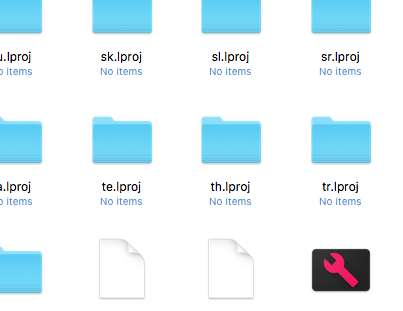
Inside Contents/Info.plist it's listed as
<key>CFBundleIconFile</key>
<string>Project.icns</string>
So not sure if that helps or not but seriously running out of ideas here
I also cleaned the icons cache once again to be sure and even tried copying that icon into dozens of different folders in Contents/Resources to no avail, I even tried to use extraResources for all png, ico, and icns files across the project again to no avail.
junebug12851
on 29 Aug 2018
So, how do you solve it?
 stoneWeb
on 6 Nov 2018
stoneWeb
on 6 Nov 2018
Having the same issue, what was the solution?
 pigd0g
on 13 Feb 2019
pigd0g
on 13 Feb 2019
If you're having the same issue, try creating a 1024x1024.png then using this script to generate your icon:
https://github.com/jamf/icns-Creator/blob/master/icns_creator.sh
pigd0g
on 13 Feb 2019
@pigd0g Thanks! Your script solved my issue on macos. I must have been creating the .icns file incorrectly.
 mcpengelly
on 26 Feb 2019
mcpengelly
on 26 Feb 2019
@pigd0g thanks for ur magic script, it works now! :)
 jihchuan
on 28 May 2019
jihchuan
on 28 May 2019
@junebug12851 @pigd0g Thank you guys for the solution that works.
God I spent 1 day exploring these 3 phrases of the doc.
 defusioner
on 29 Oct 2019
defusioner
on 29 Oct 2019
@pigd0g Thanks for the solution. I was happily building with an icns as directed from https://www.electron.build/icons however once I extended the project for electron-notarize I was generating transparent icons.
 michaelpeterlee
on 16 Jun 2020
michaelpeterlee
on 16 Jun 2020
Related issues
 Jashepp
·
3Comments
Jashepp
·
3Comments
 lbssousa
·
3Comments
lbssousa
·
3Comments
 githubbob42
·
3Comments
githubbob42
·
3Comments
 ccorcos
·
3Comments
ccorcos
·
3Comments
 leo
·
3Comments
leo
·
3Comments
Most helpful comment
If you're having the same issue, try creating a 1024x1024.png then using this script to generate your icon:
https://github.com/jamf/icns-Creator/blob/master/icns_creator.sh