Electron-builder: Cannot find module '***' [Windows]
- Version: 19.16.0
- Target: windows 7 x64
Im building an app on windows. When build success and run app , then got error "Cannot find module "ultron".
If add "ultron" to dependencies, got an other error : "Cannot find module "safe-buffer".
I know issuse 217 but cannot work for me . module.paths is undifined ?
Anyone have ideas..


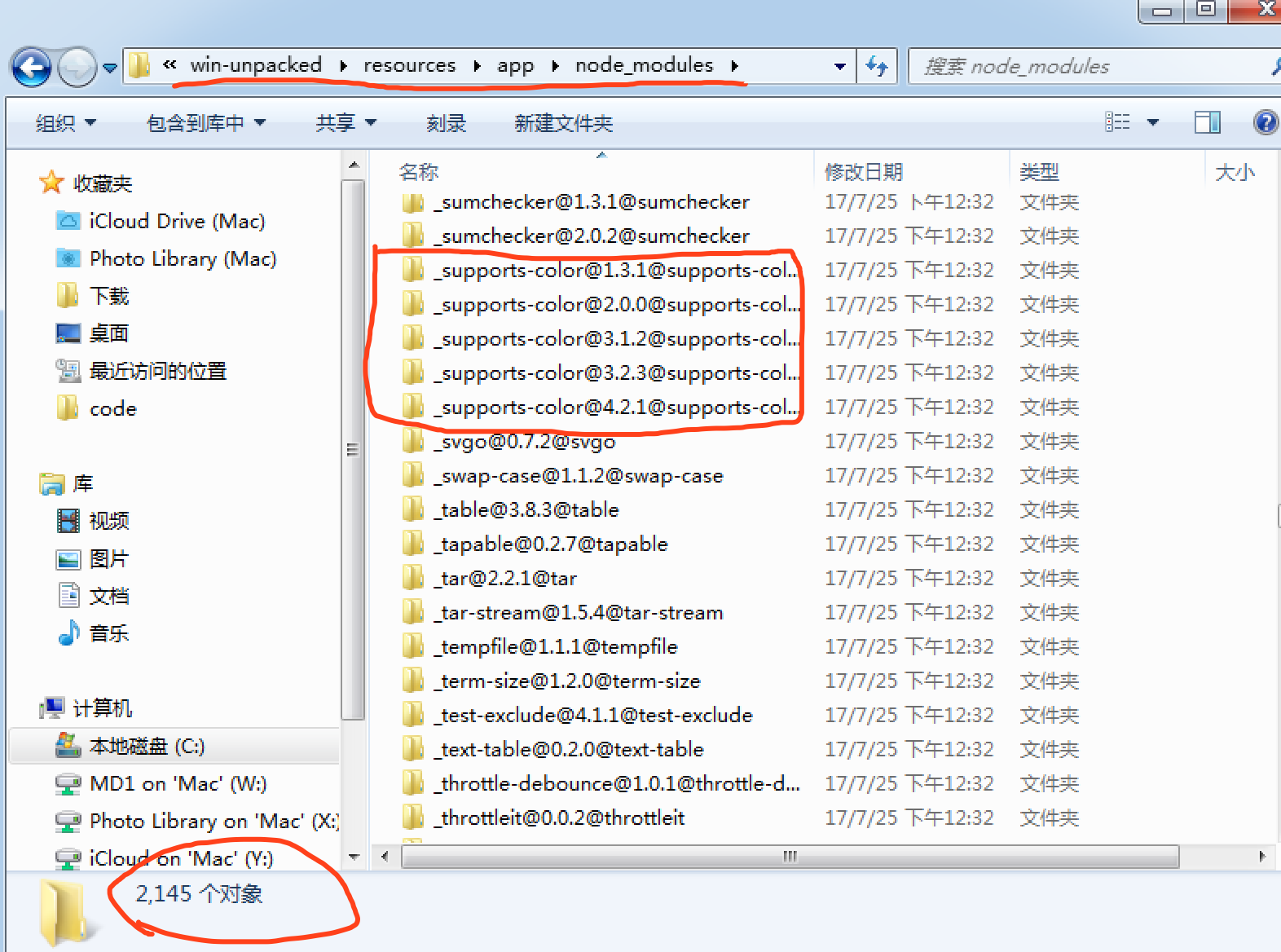
You see, if build on mac, more modules did put in than build on windows in win-unpacked\resources\app\node_modules folder
 cmzz
cmzz
All 13 comments
Config in packages.json
"build": {
    "asar": false,
    "productName": "pigtk-robot",
    "appId": "org.simulatedgreg.electron-vue",
    "directories": {
      "output": "build"
    },
    "files": [
      "dist/electron/**/*"
    ],
    "dmg": {
      "contents": [
        {
          "x": 410,
          "y": 150,
          "type": "link",
          "path": "/Applications"
        },
        {
          "x": 130,
          "y": 150,
          "type": "file"
        }
      ]
    },
    "mac": {
      "icon": "build/icons/icon.icns"
    },
    "win": {
      "icon": "build/icons/icon.ico",
      "publish": [
        "github"
      ],
      "target": "squirrel",
      "certificateFile": "./certs/pigtk-robot.pfx",
      "certificatePassword": "my_password"
    }
...
}
try rebuild,electron-rebuild
 hengkx
on 24 Jul 2017
hengkx
on 24 Jul 2017
@hengkx Not required, electron-builder automatically rebuilds.
 develar
on 24 Jul 2017
develar
on 24 Jul 2017
Please set env DEBUG=electron-builder:* and attach log of the terminal output.
develar
on 24 Jul 2017
@develar Thanks for help.


cmzz
on 24 Jul 2017
@develar Its work fine with version 19.10.0
cmzz
on 24 Jul 2017
@cmzz Could you please provide project to reproduce?
develar
on 24 Jul 2017
@develar Sure
cmzz
on 24 Jul 2017
@develar Above version 19.13.0, Cannot pack all npm module.
19.13.0 => 2100+ object in build\win-unpacked\resources\app\node_modules
19.14.0 => 200 object in build\win-unpacked\resources\app\node_modules
cmzz
on 25 Jul 2017
Do you use npm or yarn? Please remove package-lock.json, yarn.lock and node_modules And install using yarn (not npm) again.
develar
on 25 Jul 2017
As far I see (in my case solution "remove package-lock.json" helps), DO NOT USE F** NPM. Sorry for capslock, but please do not ever use npm and never store package-lock.json (if you use npm by error, remove created package-lock.json after it and use only yarn).
develar
on 25 Jul 2017
Tip: node-notifier not required anymore — latest electron can show notifications from main process.
develar
on 25 Jul 2017
@develar Aha thanks... Its work for me now. FUCK NPM
cmzz
on 25 Jul 2017
Related issues
 Jashepp
·
3Comments
Jashepp
·
3Comments
 AidanNichol
·
3Comments
AidanNichol
·
3Comments
 jhg
·
3Comments
jhg
·
3Comments
 lbssousa
·
3Comments
lbssousa
·
3Comments
 antonycourtney
·
3Comments
antonycourtney
·
3Comments
Most helpful comment
try rebuild,electron-rebuild