Elasticsuite: Fix issue with missing values on swatches attributes filters
Hello,
I have asked a question on this topic before. #2028
I don't know how it reacts in other attribute types, however when I experiment with color attribute (visual swatch), there is no value seems with the Filterable (with results) selection in the Use in Layered Navigation option. When I select it as filterable (no results), the filter appears but it doesn't work. Links are not being able to be clicked.
I've reviewed #1360 pull request.
Related modification
Preconditions
Magento Version : 2.4.1
ElasticSuite Version : 2.10.3 (latest)
Environment : Developer and Production
Steps to reproduce
- Add a visual swatch attribute into filter.
- Set Filterable (with results) selection to Use in Layered Navigation
- Check your available filters.
FIX
I fixed the issue overriding this function in "\Smile\ElasticsuiteSwatches\Block\Navigation\Renderer\Swatches\RenderLayered":
protected function getFilterOption(array $filterItems, Option $swatchOption)
{
    $resultOption = false;
    $filterItem = $this->getFilterItemById($filterItems, $swatchOption->getValue());
    if ($filterItem && $this->isOptionVisible($filterItem)) {
        $resultOption = $this->getOptionViewData($filterItem, $swatchOption);
    }
    return $resultOption;
}
TO
protected function getFilterOption(array $filterItems, Option $swatchOption)
{
    $resultOption = false;
    $filterItem = $this->getFilterItemByLabel($filterItems, $swatchOption->getLabel());
    if ($filterItem && $this->isOptionVisible($filterItem)) {
        $resultOption = $this->getOptionViewData($filterItem, $swatchOption);
    }
    return $resultOption;
}
 berkneis
All 6 comments
Hello @berkneis,
Could you please give more details about the configuration of your particular test case and your attribute, since the "color" attribute is working out-of-the-box? This will help us understand why the problem described by you occurs when the scenario (options, settings) for creating custom attributes differs from the default behavior.
Best regards,
 vahonc
on 4 Jan 2021
vahonc
on 4 Jan 2021
Hello @vahonc ,
Thanks for your answer.
I am using a custom theme.
When I test with luma theme which is preferred in developer environment, problem appears to be same. I am using multilingual store.
$swatchOption->getValue()
When I use as it is shown above, there is no color option appears in the filter. Only the title appears.
For example;

$swatchOption->getLabel()
When I use as it is shown above I don't have any problem. It appears as it is shown in the picture.

All the filter settings are like in the picture.
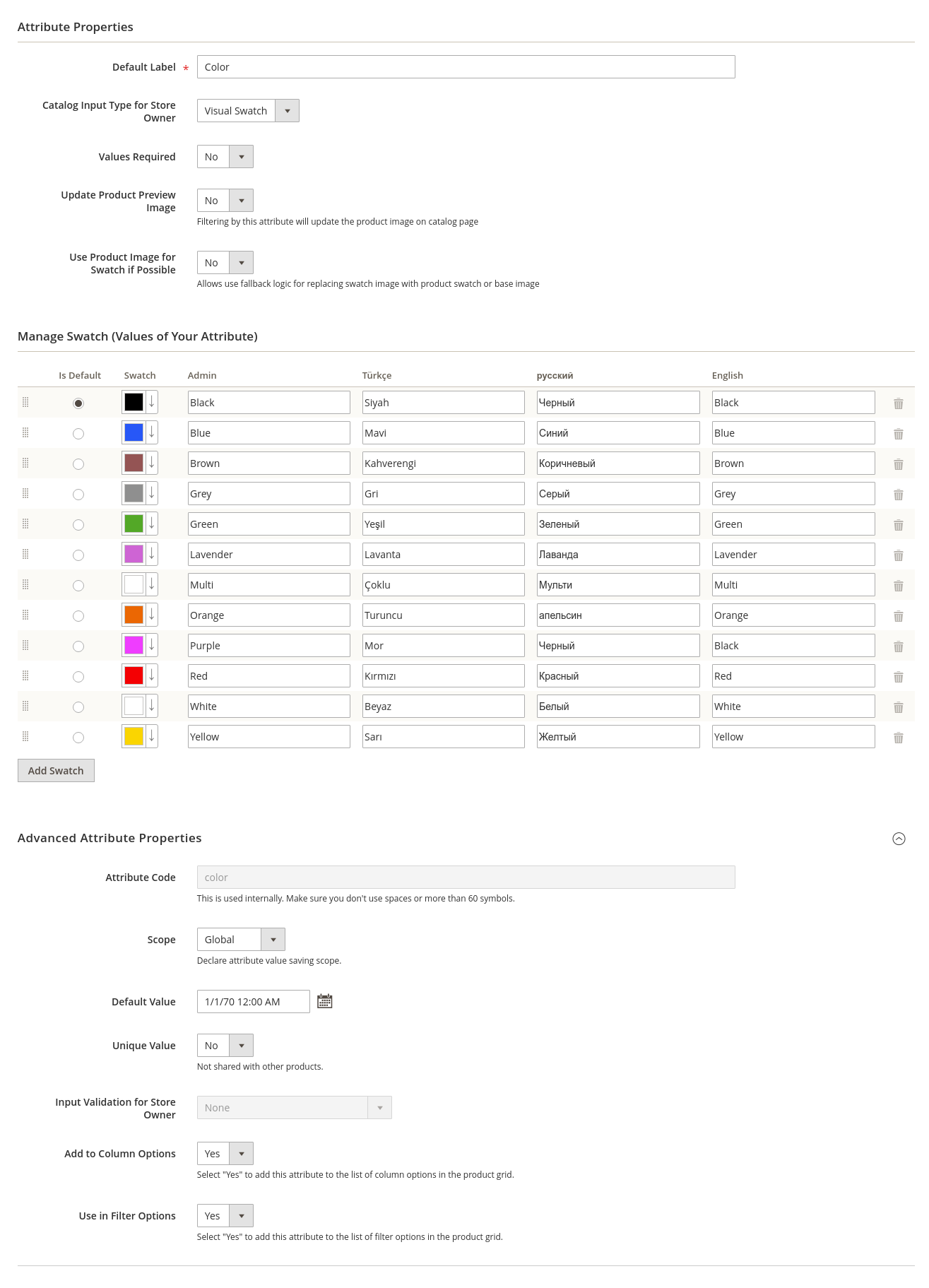
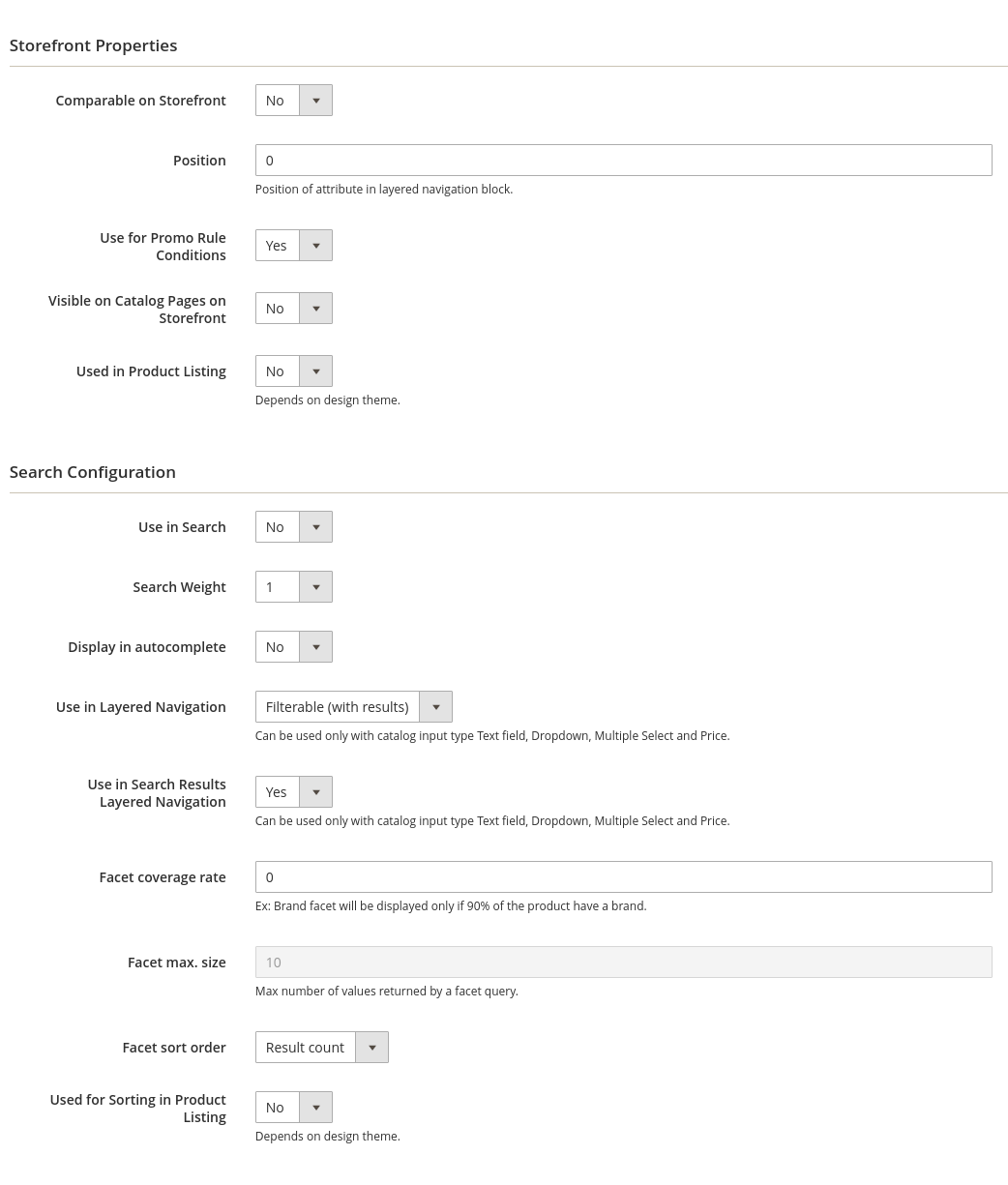
berkneis
on 4 Jan 2021
Hello @berkneis,
Could you post the exact same two screenshots but with the Luma theme and not the custom theme ?
Is it an in-house custom theme or a theme extension ? If the latter, which one ?
Regards,
 rbayet
on 5 Jan 2021
rbayet
on 5 Jan 2021
Hello @rbayet ,
Thank you for answer.
$swatchOption->getValue()
while using this code;
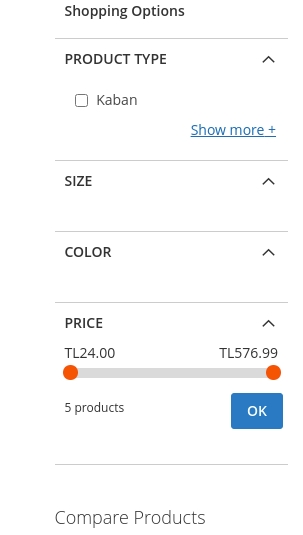
$swatchOption->getLabel()
while using this code;
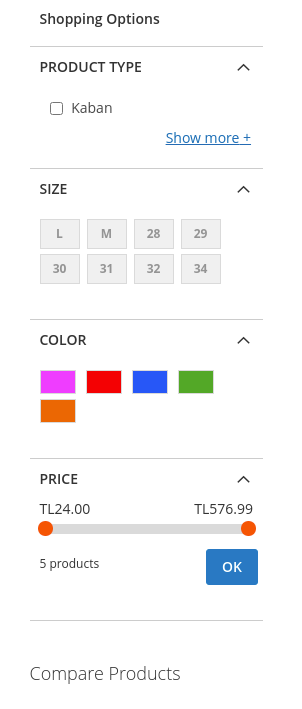
If you wish I can set up a demo address.
2- It is not an extension, it is a custom theme.
berkneis
on 6 Jan 2021
Hello @berkneis,
Earlier, to test another issue in Magento 2.4.0, I had created my custom attribute "Color Swatch" based on the standard "Color" and I had no problems with displaying it without any additional changes in the code.
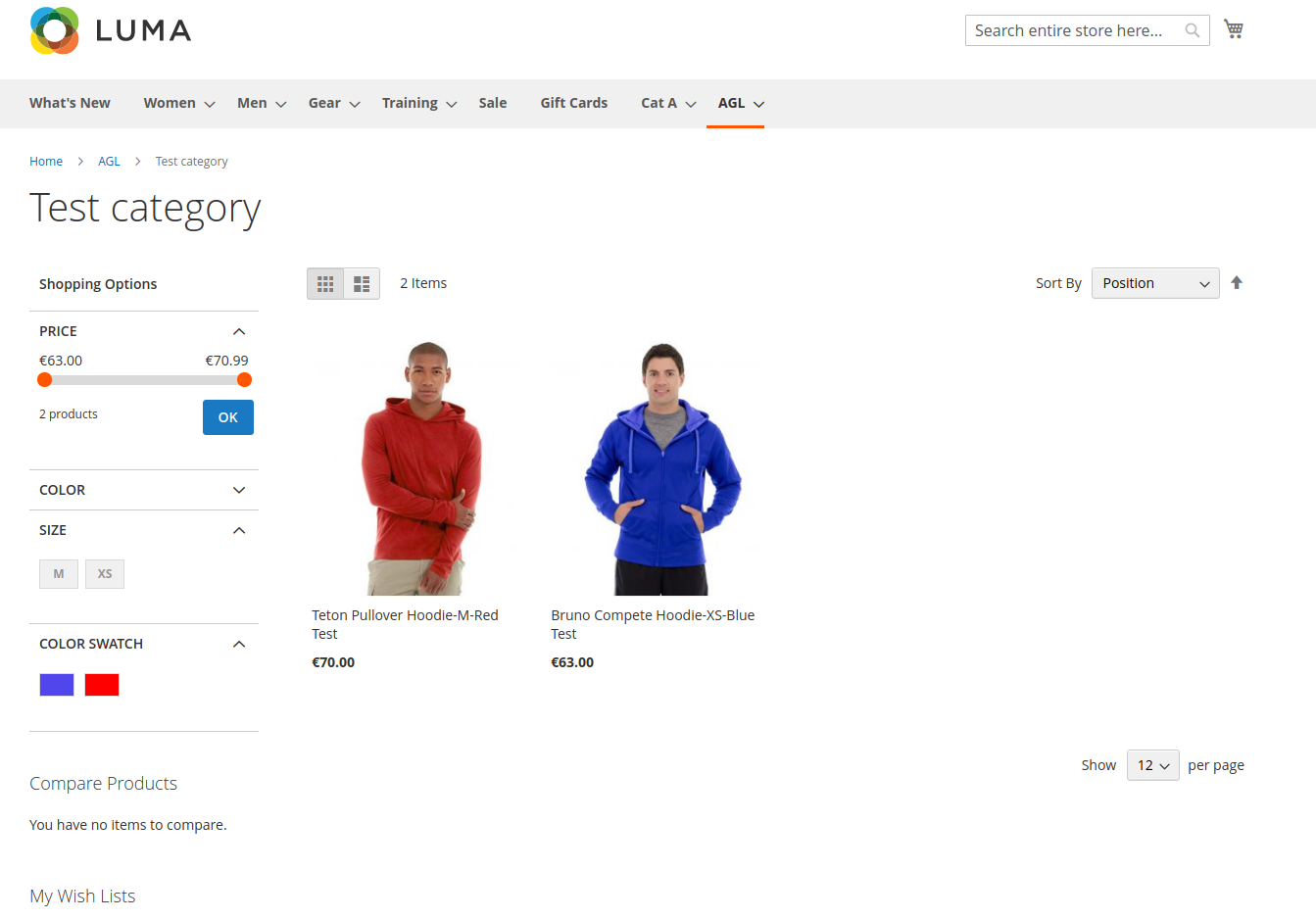
Also if you take a look at this: https://github.com/Smile-SA/elasticsuite/blob/5cf565150049899306e81127ecd52b8a9587cdff/src/module-elasticsuite-swatches/Block/Navigation/Renderer/Swatches/RenderLayered.php#L95
you will see that in the ElasticSuite 2.10.3 version originally this line hasn't changed as you described in your preconditions/fix.
So it looks like that on your side were some additional changes, maybe when you tested something. Please try re-install the ElasticSuite 2.10.3 version and check it out again.
Best regards
vahonc
on 7 Jan 2021
This issue was waiting update from the author for too long.
Without any update, we are unfortunately not sure how to resolve this issue.
We are therefore reluctantly going to close this bug for now. Please don't hesitate to comment on the bug if you have any more information for us; we will reopen it right away!
Thanks for your contribution.
![no-response[bot] picture](https://avatars.githubusercontent.com/u/26350515?v=4&s=40) no-response[bot]
on 22 Jan 2021
no-response[bot]
on 22 Jan 2021
Related issues
 emirajbbd
·
3Comments
emirajbbd
·
3Comments
 susonwaiba
·
3Comments
susonwaiba
·
3Comments
 sdasun
·
4Comments
sdasun
·
4Comments
 mantonuk
·
3Comments
mantonuk
·
3Comments
 ghost
·
4Comments
ghost
·
4Comments
Most helpful comment
Hello @berkneis,
Earlier, to test another issue in Magento 2.4.0, I had created my custom attribute "Color Swatch" based on the standard "Color" and I had no problems with displaying it without any additional changes in the code.
Also if you take a look at this: https://github.com/Smile-SA/elasticsuite/blob/5cf565150049899306e81127ecd52b8a9587cdff/src/module-elasticsuite-swatches/Block/Navigation/Renderer/Swatches/RenderLayered.php#L95
you will see that in the ElasticSuite 2.10.3 version originally this line hasn't changed as you described in your preconditions/fix.
So it looks like that on your side were some additional changes, maybe when you tested something. Please try re-install the ElasticSuite 2.10.3 version and check it out again.
Best regards