Elasticsuite: tracking_log_session index does not exist yet. Make sure everything is reindexed
Hello,
Very nice,
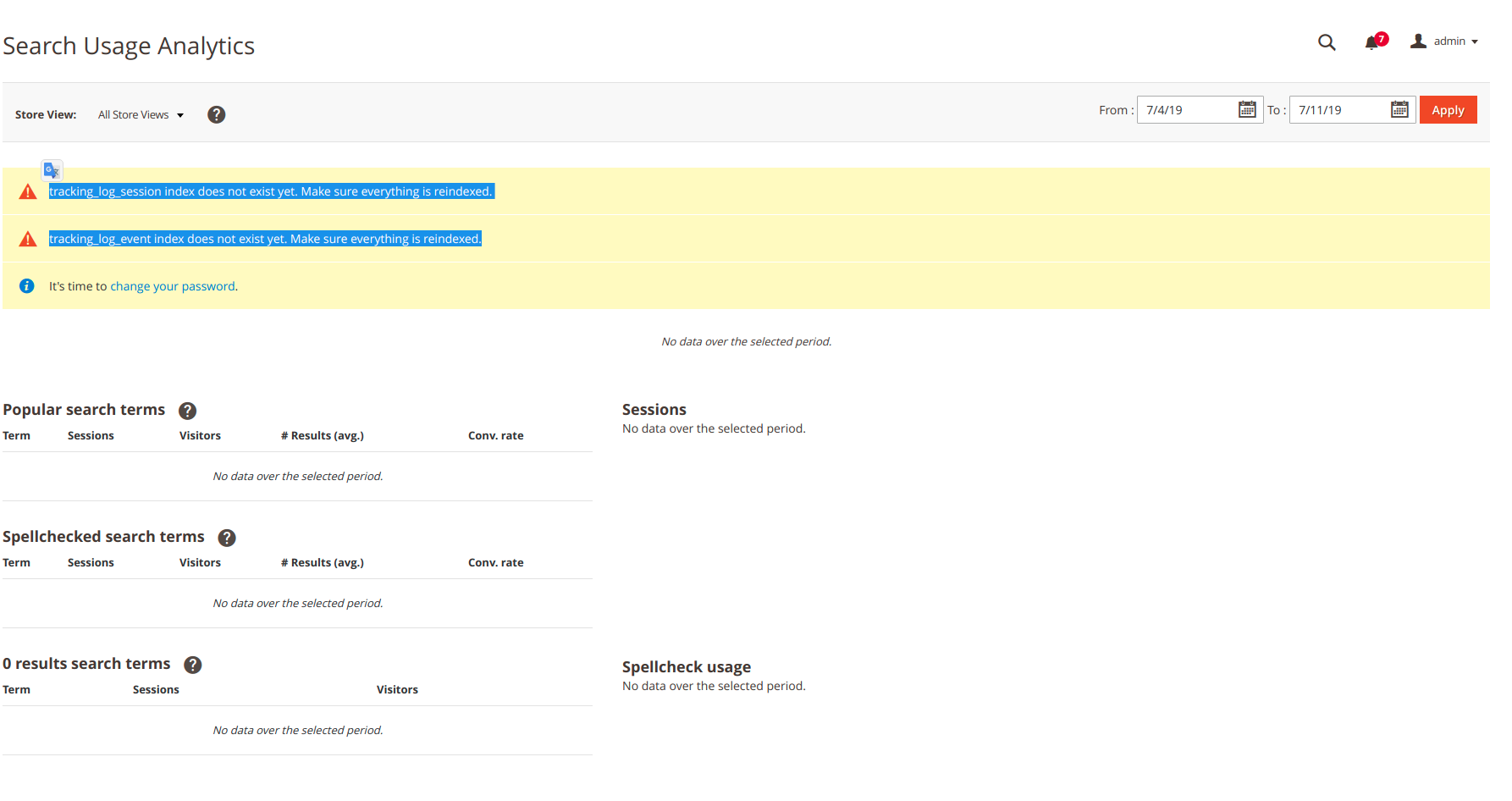
All done without an error in analytics :
tracking_log_session index does not exist yet. Make sure everything is reindexed.
tracking_log_event index does not exist yet. Make sure everything is reindexed.
My products and categories are indexed.
An idea ?
Magento version - 2.3.2
smile/elasticsuite": "^2.8
 kevinvuillemin
All 8 comments
Hello @kevinvuillemin
there is a cronjob indexing periodically the tracker data. So on a cold start, it's normal to have nothing.
What you should check now is :
when you browse the frontend of your website, you should see data coming in the table
elasticsuite_tracker_log_eventyour crontab has to be set up properly so that data will be sent from this table and indexed into ES periodically.
regards
 romainruaud
on 11 Jul 2019
romainruaud
on 11 Jul 2019
Thanks a lot, I thought it was with command: indexer:reindex.
It works very well, thank you
kevinvuillemin
on 12 Jul 2019
I am seeing this same error so I looked in the elasticsuite_tracker_log_event table and it's empty. Where should I look next as to why data isn't being populated?
 cconway24
on 19 Jul 2019
cconway24
on 19 Jul 2019
@cconway24 Is tracking maybe disabled for your shop?
Stores -> Configuration -> Tracking -> Global -> Enabled -> Yes
But I made bad experience with the tracking...
 amenk
on 29 Jan 2020
amenk
on 29 Jan 2020
I have same issue now. Same error, elasticsuite_tracker_log_event is empty, tracking is enabled. What else should I check to make it work?
 DevRiffs
on 7 Jan 2021
DevRiffs
on 7 Jan 2021
Hello @cconway24, @DevRiffs,
If tracking is enabled and you still are not getting any data into the table elasticsuite_tracker_log_event and not tracker indices in Elasticsearch (tracking_log_event and tracking_log_session indices), check that the JS tracker is correctly loaded on your front pages (see below).
If you have tracking_log_event and tracking_log_session indices in your Elasticsearch but still getting that error, please open a new issue.
Checking the JS tracker is loaded
You should images requests to elasticsuite/tracker/hit/image/h.png such as this one in your Firefox/Chrome/browser network console :
https://your.domain.tld/elasticsuite/tracker/hit/image/h.png?page[store_id]=1&page[cms][identifier]=home&page[cms][title]=Home Page&page[type][identifier]=cms_index_index&page[type][label]=CMS Home Page&session[uid]=e6a3f8ce-0c80-9400-7c4e-a625c3f83168&session[vid]=a12041a3-77b4-8881-b301-0f4bd7e1f94d&page[site]=ee235p2.lxc&page[url]=/&page[title]=Home Page&page[resolution][x]=1920&page[resolution][y]=1032
If you're not seeing this, then a third party module is messing with the layout instruction of Smile\ElasticsuiteTracker
If you're seeing those, but the HTTP response code is not 200, please investigate what may cause the issue on your infrastructure.
Regards,
 rbayet
on 28 Jan 2021
rbayet
on 28 Jan 2021
@rbayet everything seems like it works but still get that the indexes do not exist yet.

 edenofjinx
on 28 Jan 2021
edenofjinx
on 28 Jan 2021
I had the same issue and the solution was enabling Tracking and running elasticsuite_index_log_event cronjob
 kiber
on 21 Jul 2021
kiber
on 21 Jul 2021
Related issues
 tieroom
·
3Comments
tieroom
·
3Comments
 susonwaiba
·
3Comments
susonwaiba
·
3Comments
 JonathanBBD
·
3Comments
JonathanBBD
·
3Comments
 lingwooc
·
5Comments
lingwooc
·
5Comments
 wouter-toppy
·
4Comments
wouter-toppy
·
4Comments
Most helpful comment
I have same issue now. Same error, elasticsuite_tracker_log_event is empty, tracking is enabled. What else should I check to make it work?