Elasticsuite: Error on installation: Indexer handler is not available
After installing Smile elastic suite, getting error as: Catalog Search indexer process unknown error: Indexer handler is not available: elasticsearch5 on re-indexing. Also, getting connection failed error for elastic search in magento admin after suite installation. Prior to Smile suite installation, elastic search was working fine. As per Magento support, there is issue with Smile suite extension.
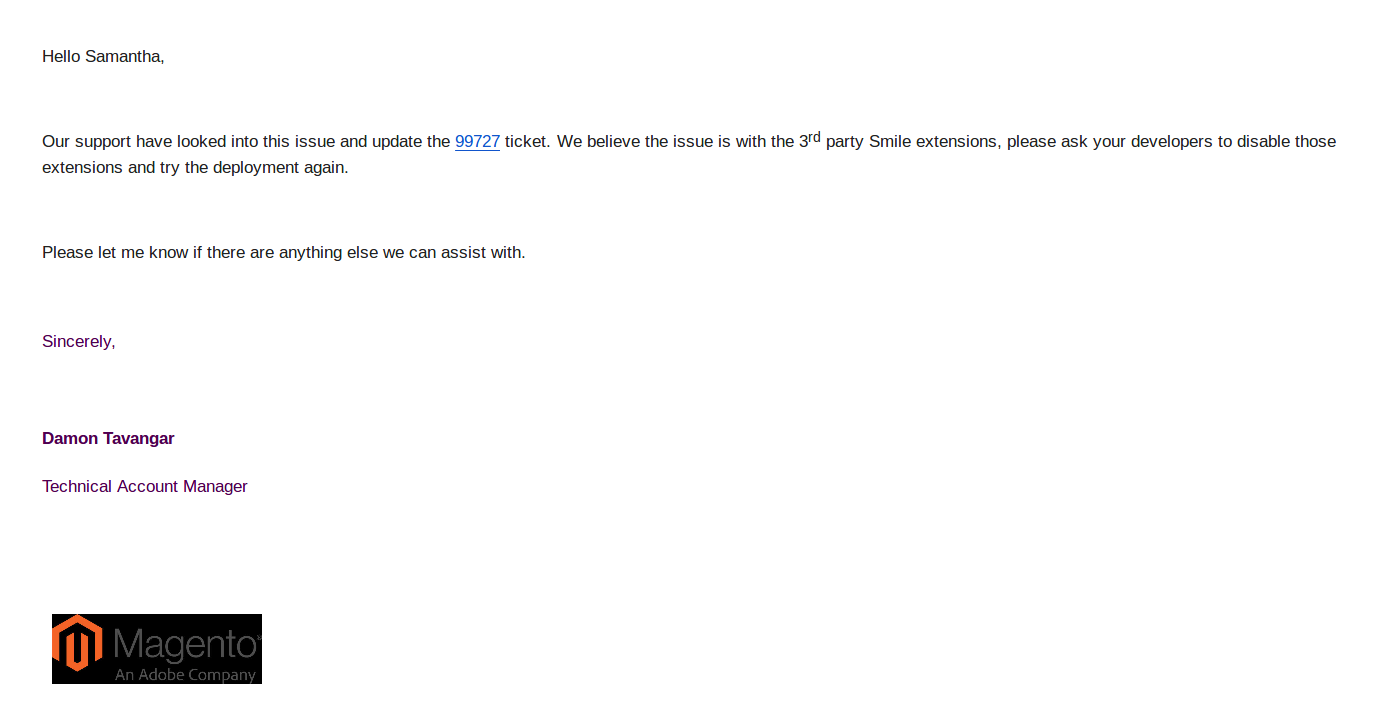
Getting following error on category pages:
Fatal error: Uncaught TypeError: Argument 1 passed to Magento\Elasticsearch\Elasticsearch5\SearchAdapter\Mapper::processFilterQuery() must be an instance of Magento\Framework\Search\Request\Query\Filter, instance of Smile\ElasticsuiteCore\Search\Request\Query\Filtered given, called in /app/vendor/magento/module-elasticsearch/Elasticsearch5/SearchAdapter/Mapper.php on line 114 and defined in /app/vendor/magento/module-elasticsearch/Elasticsearch5/SearchAdapter/Mapper.php:185 Stack trace: #0 /app/vendor/magento/module-elasticsearch/Elasticsearch5/SearchAdapter/Mapper.php(114): Magento\Elasticsearch\Elasticsearch5\SearchAdapter\Mapper->processFilterQuery(Object(Smile\ElasticsuiteCore\Search\Request\Query\Filtered), Array, 'must') #1 /app/vendor/magento/module-elasticsearch/Elasticsearch5/SearchAdapter/Mapper.php(72): Magento\Elasticsearch\Elasticsearch5\SearchAdapter\Mapper->processQuery(Object(Smile\ElasticsuiteCore\Search\Request\Query\Filtered), Array, 'must') #2 /app/vendor/magento/module-elasticsearch/Elasticsearch5/Sea in /app/vendor/magento/module-elasticsearch/Elasticsearch5/SearchAdapter/Mapper.php on line 185
Preconditions
Magento Version : 2.2.5 EE
ElasticSuite Version : 2.6
ElasticSearch Version : 5.3.2
Environment : Production
Third party modules : Amasty_Geoip, Amasty_Base, Amasty_ShippingTableRates, Amasty_Conditions, Amasty_Promo, Amasty_Rgrid, Amasty_Storelocator, Bazaarvoice_Connector, Rootways_Bambora,
Steps to reproduce
- Install Smile ES and reindex
Expected result
- Smile Suite should work properly without any error.
Actual result
- Catalog Search indexer process unknown error: Indexer handler is not available: elasticsearch5
_Commands output:_
curl http://elasticsearch.internal:9200
{
"name" : "YFcxGDC",
"cluster_name" : "elasticsearch",
"cluster_uuid" : "p0FB215tQPSfAIJfeYmaYg",
"version" : {
"number" : "5.2.2",
"build_hash" : "f27a4de",
"build_date" : "2018-07-06T08:50:44.258Z",
"build_snapshot" : false,
"lucene_version" : "6.4.1"
},
"tagline" : "You Know, for Search"
}
bin/magento config:show | grep elasticsuite
smile_elasticsuite_catalogsearch_settings/catalogsearch/redirect_if_one_result - 1
smile_elasticsuite_catalogsearch_settings/catalogsearch/expanded_facets - 5
smile_elasticsuite_core_base_settings/es_client/enable_https_mode - 0
smile_elasticsuite_core_base_settings/es_client/enable_http_auth - 0
smile_elasticsuite_core_base_settings/es_client/enable_debug_mode - 0
smile_elasticsuite_core_base_settings/es_client/connection_timeout - 1
smile_elasticsuite_core_base_settings/es_client/servers - elasticsearch.internal
smile_elasticsuite_core_base_settings/indices_settings/alias - badboy_m2_integ
smile_elasticsuite_core_base_settings/indices_settings/indices_pattern - {{YYYYMMdd}}_{{HHmmss}}
smile_elasticsuite_core_base_settings/indices_settings/number_of_shards - 1
smile_elasticsuite_core_base_settings/indices_settings/number_of_replicas - 0
composer info | grep elasticsearch
elasticsearch/elasticsearch v5.3.2 PHP Client for Elasticsearch
magento/module-elasticsearch 100.2.4 N/A
 kinexvikas
All 6 comments
Hello @kinexvikas
It looks like Magento is trying to use its own implementation of Elasticsearch when indexing.
If it was configured to use Elasticsuite, you should see "Catalog Search indexer process unknown error: Indexer handler is not available: elasticsuite" and not elasticsearch5
If you are using Magento Cloud, please ensure the Search Engine is configured to use Elasticsuite : https://github.com/Smile-SA/elasticsuite/wiki/MeceInstall#ensure-magento-is-using-elasticsuite
Regards
 romainruaud
on 2 Oct 2018
romainruaud
on 2 Oct 2018
Hello @romainruaud
Thanks for your inputs.
Magento cloud team replied as:
The problem is now that the disk is full (no Inodes avail) in elasticsearch container:
Filesystem Type Inodes IUsed IFree IUse% Size Used Avail Use% File Mounted on
/dev/loop18 squashfs 9.2K 9.2K 0 100% 212M 212M 0 100% - /
none - - - - - - - - - - /dev
proc proc 0 0 0 - 0 0 0 - - /proc
proc proc 0 0 0 - 0 0 0 - - /proc/sys
tmpfs tmpfs 7.5M 15 7.5M 1% 12K 0 12K 0% - /dev
tmpfs tmpfs 7.5M 1 7.5M 1% 5.0M 0 5.0M 0% - /dev/shm
tmpfs tmpfs 7.5M 52 7.5M 1% 50M 76K 50M 1% - /run
rpc_pipefs rpc_pipefs 0 0 0 - 0 0 0 - - /run/rpc_pipefs
/dev/mapper/huep742iztc7rfv3fupplfkhte ext4 64K 64K 0 100% 976M 299M 662M 32% - /mnt
/dev/mapper/platform-2taykujv2ff3hofbodmo2q4p3u xfs 4.0M 23 4.0M 1% 8.0G 55M 8.0G 1% - /tmp
/dev/mapper/platform-lxc ext4 20M 1.8K 20M 1% 313G 8.8G 288G 3% - /run/shared
devpts devpts 0 0 0 - 0 0 0 - - /dev/console
devpts devpts 0 0 0 - 0 0 0 - - /dev/pts
you see the /mnt is full.
You might need or App Support might need to look at why you have some many small files to fill the inodes space.
Please give your thoughts on this,
Regards
kinexvikas
on 7 Oct 2018
Well ... I'm afraid that we are not able to provide system administration support. Since you are hosted on Magento Cloud and paying for their hosting skills, they should be able to give you an answer about this one.
Number of inodes or things like this should be the hosting provider responsibility. I let you check with Magento Cloud and your dev team if you find anything, but I'm not able to provide more support now.
Regards.
romainruaud
on 12 Oct 2018
Hi @romainruaud
We have approx 15K products and near 2000 users online at a moment. We are frequently getting No live nodes found on your server issue. After increasing ES disk space to 3GB from 512MB, above mentioned issue occurring less frequently.
Can you please advice optimal disk space for elastic search?
Thank You!
kinexvikas
on 17 Oct 2018
@kinexvikas : I can't advice because disk space will depend on your catalog size.
But yeah, in my opinion, 512Mb of disk space is clearly not enough.
I close this issue, since it's not related to Elasticsuite but rather a sysadmin/hosting oriented topic, that we will not cover here.
You'll have to go with your hosting provider (Magento Cloud) to investigate about what is causing disk space issue and how they can help you to get rid of it
Best regards
romainruaud
on 17 Oct 2018
For me, I had to disable the elastic search and use MySQL.
To note that this is for my local environment.
After accessing the DB, run these two commands:
UPDATE core_config_data set value = 'mysql' where path='catalog/search/engine';
UPDATE core_config_data set value = 'mysql' where path='search/engine/engine';
 bellodaniel
on 17 Jun 2019
bellodaniel
on 17 Jun 2019
Related issues
 susonwaiba
·
3Comments
susonwaiba
·
3Comments
 DanieliMi
·
5Comments
DanieliMi
·
5Comments
 emirajbbd
·
3Comments
emirajbbd
·
3Comments
 ghost
·
4Comments
ghost
·
4Comments
 rvitaliy
·
3Comments
rvitaliy
·
3Comments
Most helpful comment
For me, I had to disable the elastic search and use MySQL.
To note that this is for my local environment.
After accessing the DB, run these two commands: