Elasticsearch: Elasticsearch not working on macOS Catalina with file permission error
Elasticsearch version (bin/elasticsearch --version):
Version: 6.8.0, Build: oss/tar/65b6179/2019-05-15T20:06:13.172855Z, JVM: 1.8.0_121
Plugins installed: []
JVM version (java -version):
java version "1.8.0_121"
Java(TM) SE Runtime Environment (build 1.8.0_121-b13)
Java HotSpot(TM) 64-Bit Server VM (build 25.121-b13, mixed mode)
OS version (uname -a if on a Unix-like system):
I'm running on macOS Catalina Beta
uname -a -> Darwin Coconut 19.0.0 Darwin Kernel Version 19.0.0: Thu Jun 13 21:52:56 PDT 2019; root:xnu-6110.0.0.121.5~2/RELEASE_X86_64 x86_64
Description of the problem including expected versus actual behavior:
After I updated to macOS Catalina, running elasticsearch gives me a failure, seems to be due to this:
java.security.AccessControlException: access denied ("java.io.FilePermission" "/System/Volumes/Data/usr/local/var/lib/elasticsearch/nodes/0" "write")
I have reinstalled with multiple versions of ES, 5.6 (brew), 6.8 (brew) and also7.1` from the official website, but they all hit the same issue.
For now as a workaround, I'm running ElasticSearch on Docker
Steps to reproduce:
Please include a minimal but complete recreation of the problem, including
(e.g.) index creation, mappings, settings, query etc. The easier you make for
us to reproduce it, the more likely that somebody will take the time to look at it.
- Update to macOS Catalina
- Run elasticsearch
Provide logs (if relevant):
[2019-06-18T17:16:54,961][WARN ][o.e.c.l.LogConfigurator  ] [unknown] Some logging configurations have %marker but don't have %node_name. We will automatically add %node_name to the pattern to ease the migration for users who customize log4j2.properties but will stop this behavior in 7.0. You should manually replace `%node_name` with `[%node_name]%marker ` in these locations:
  /usr/local/etc/elasticsearch/log4j2.properties
[2019-06-18T17:16:56,619][WARN ][o.e.b.ElasticsearchUncaughtExceptionHandler] [unknown] uncaught exception in thread [main]
org.elasticsearch.bootstrap.StartupException: java.security.AccessControlException: access denied ("java.io.FilePermission" "/System/Volumes/Data/usr/local/var/lib/elasticsearch/nodes/0" "write")
    at org.elasticsearch.bootstrap.Elasticsearch.init(Elasticsearch.java:163) ~[elasticsearch-6.8.0.jar:6.8.0]
    at org.elasticsearch.bootstrap.Elasticsearch.execute(Elasticsearch.java:150) ~[elasticsearch-6.8.0.jar:6.8.0]
    at org.elasticsearch.cli.EnvironmentAwareCommand.execute(EnvironmentAwareCommand.java:86) ~[elasticsearch-6.8.0.jar:6.8.0]
    at org.elasticsearch.cli.Command.mainWithoutErrorHandling(Command.java:124) ~[elasticsearch-cli-6.8.0.jar:6.8.0]
    at org.elasticsearch.cli.Command.main(Command.java:90) ~[elasticsearch-cli-6.8.0.jar:6.8.0]
    at org.elasticsearch.bootstrap.Elasticsearch.main(Elasticsearch.java:116) ~[elasticsearch-6.8.0.jar:6.8.0]
    at org.elasticsearch.bootstrap.Elasticsearch.main(Elasticsearch.java:93) ~[elasticsearch-6.8.0.jar:6.8.0]
Caused by: java.security.AccessControlException: access denied ("java.io.FilePermission" "/System/Volumes/Data/usr/local/var/lib/elasticsearch/nodes/0" "write")
    at java.security.AccessControlContext.checkPermission(AccessControlContext.java:472) ~[?:1.8.0_121]
    at java.security.AccessController.checkPermission(AccessController.java:884) ~[?:1.8.0_121]
    at java.lang.SecurityManager.checkPermission(SecurityManager.java:549) ~[?:1.8.0_121]
    at java.lang.SecurityManager.checkWrite(SecurityManager.java:979) ~[?:1.8.0_121]
    at sun.nio.fs.UnixPath.checkWrite(UnixPath.java:801) ~[?:?]
    at sun.nio.fs.UnixFileSystemProvider.createDirectory(UnixFileSystemProvider.java:376) ~[?:?]
    at java.nio.file.Files.createDirectory(Files.java:674) ~[?:1.8.0_121]
    at java.nio.file.Files.createAndCheckIsDirectory(Files.java:781) ~[?:1.8.0_121]
    at java.nio.file.Files.createDirectories(Files.java:727) ~[?:1.8.0_121]
    at org.apache.lucene.store.NativeFSLockFactory.obtainFSLock(NativeFSLockFactory.java:92) ~[lucene-core-7.7.0.jar:7.7.0 8c831daf4eb41153c25ddb152501ab5bae3ea3d5 - jimczi - 2019-02-04 23:16:28]
    at org.apache.lucene.store.FSLockFactory.obtainLock(FSLockFactory.java:41) ~[lucene-core-7.7.0.jar:7.7.0 8c831daf4eb41153c25ddb152501ab5bae3ea3d5 - jimczi - 2019-02-04 23:16:28]
    at org.apache.lucene.store.BaseDirectory.obtainLock(BaseDirectory.java:45) ~[lucene-core-7.7.0.jar:7.7.0 8c831daf4eb41153c25ddb152501ab5bae3ea3d5 - jimczi - 2019-02-04 23:16:28]
    at org.elasticsearch.env.NodeEnvironment$NodeLock.<init>(NodeEnvironment.java:211) ~[elasticsearch-6.8.0.jar:6.8.0]
    at org.elasticsearch.env.NodeEnvironment.<init>(NodeEnvironment.java:270) ~[elasticsearch-6.8.0.jar:6.8.0]
    at org.elasticsearch.node.Node.<init>(Node.java:296) ~[elasticsearch-6.8.0.jar:6.8.0]
    at org.elasticsearch.node.Node.<init>(Node.java:266) ~[elasticsearch-6.8.0.jar:6.8.0]
    at org.elasticsearch.bootstrap.Bootstrap$5.<init>(Bootstrap.java:212) ~[elasticsearch-6.8.0.jar:6.8.0]
    at org.elasticsearch.bootstrap.Bootstrap.setup(Bootstrap.java:212) ~[elasticsearch-6.8.0.jar:6.8.0]
    at org.elasticsearch.bootstrap.Bootstrap.init(Bootstrap.java:333) ~[elasticsearch-6.8.0.jar:6.8.0]
    at org.elasticsearch.bootstrap.Elasticsearch.init(Elasticsearch.java:159) ~[elasticsearch-6.8.0.jar:6.8.0]
    ... 6 more
 edisonywh
All 24 comments
Thanks for your report. This appears to happen because of a new feature in MacOS Catalina (10.15) called "Dedicated system volume" (source) that changes the data directory from /usr/local/var/lib/elasticsearch/nodes to /System/Volumes/Data/usr/local/var/lib/elasticsearch/nodes and Elasticsearch is unaware of this path remapping.
I don't have access to MacOS Catalina but you can try to explicitly specify a data path in elasticsearch.yml to e.g.:
path.data: /Users/edisonywh/elasticsearch/data
 danielmitterdorfer
on 18 Jun 2019
danielmitterdorfer
on 18 Jun 2019
Pinging @elastic/es-core-infra
 elasticmachine
on 18 Jun 2019
elasticmachine
on 18 Jun 2019
Thanks for the quick reply!
I tried what you suggested, and while I could see that the folders are /Users/edisonywh/elasticsearch/data are being created, it still throws the same error when I try elasticsearch
edisonywh
on 18 Jun 2019
I'm having the same error on macOS Catalina beta 2 (19A487l), with the default path.data or a custom one.
 bkazez
on 19 Jun 2019
bkazez
on 19 Jun 2019
so glad I found this issue, I'm having the same problem. When I set the path.data manually I get this error:
➜  ~ elasticsearch -v
[2019-07-06T14:12:36,570][WARN ][o.e.c.l.LogConfigurator  ] [dev-1] Some logging configurations have %marker but don't have %node_name. We will automatically add %node_name to the pattern to ease the migration for users who customize log4j2.properties but will stop this behavior in 7.0. You should manually replace `%node_name` with `[%node_name]%marker ` in these locations:
  /usr/local/etc/elasticsearch/log4j2.properties
[2019-07-06T14:12:37,331][INFO ][o.e.e.NodeEnvironment    ] [dev-1] using [1] data paths, mounts [[/System/Volumes/Data (/dev/disk1s1)]], net usable_space [103.9gb], net total_space [465.6gb], types [apfs]
[2019-07-06T14:12:37,332][INFO ][o.e.e.NodeEnvironment    ] [dev-1] heap size [1.9gb], compressed ordinary object pointers [true]
[2019-07-06T14:12:37,728][INFO ][o.e.n.Node               ] [dev-1] node name [dev-1], node ID [SYTQdM5JTHi7wbT6Y07AbQ]
[2019-07-06T14:12:37,729][INFO ][o.e.n.Node               ] [dev-1] version[6.8.1], pid[38121], build[oss/tar/1fad4e1/2019-06-18T13:16:52.517138Z], OS[Mac OS X/10.15/x86_64], JVM[Oracle Corporation/Java HotSpot(TM) 64-Bit Server VM/1.8.0_144/25.144-b01]
[2019-07-06T14:12:37,729][INFO ][o.e.n.Node               ] [dev-1] JVM arguments [-Xms2g, -Xmx2g, -XX:+UseConcMarkSweepGC, -XX:CMSInitiatingOccupancyFraction=75, -XX:+UseCMSInitiatingOccupancyOnly, -XX:+AlwaysPreTouch, -Xss1m, -Djava.awt.headless=true, -Dfile.encoding=UTF-8, -Djna.nosys=true, -Djdk.io.permissionsUseCanonicalPath=true, -Dio.netty.noUnsafe=true, -Dio.netty.noKeySetOptimization=true, -Dio.netty.recycler.maxCapacityPerThread=0, -Dlog4j.shutdownHookEnabled=false, -Dlog4j2.disable.jmx=true, -Dlog4j.skipJansi=true, -XX:+HeapDumpOnOutOfMemoryError, -Des.path.home=/usr/local/Cellar/elasticsearch/6.8.1/libexec, -Des.path.conf=/usr/local/etc/elasticsearch, -Des.distribution.flavor=oss, -Des.distribution.type=tar]
[2019-07-06T14:12:37,761][WARN ][o.e.b.ElasticsearchUncaughtExceptionHandler] [dev-1] uncaught exception in thread [main]
org.elasticsearch.bootstrap.StartupException: java.lang.IllegalStateException: failed to load plugin percolator due to jar hell
    at org.elasticsearch.bootstrap.Elasticsearch.init(Elasticsearch.java:163) ~[elasticsearch-6.8.1.jar:6.8.1]
    at org.elasticsearch.bootstrap.Elasticsearch.execute(Elasticsearch.java:150) ~[elasticsearch-6.8.1.jar:6.8.1]
    at org.elasticsearch.cli.EnvironmentAwareCommand.execute(EnvironmentAwareCommand.java:86) ~[elasticsearch-6.8.1.jar:6.8.1]
    at org.elasticsearch.cli.Command.mainWithoutErrorHandling(Command.java:124) ~[elasticsearch-cli-6.8.1.jar:6.8.1]
    at org.elasticsearch.cli.Command.main(Command.java:90) ~[elasticsearch-cli-6.8.1.jar:6.8.1]
    at org.elasticsearch.bootstrap.Elasticsearch.main(Elasticsearch.java:116) ~[elasticsearch-6.8.1.jar:6.8.1]
    at org.elasticsearch.bootstrap.Elasticsearch.main(Elasticsearch.java:93) ~[elasticsearch-6.8.1.jar:6.8.1]
Caused by: java.lang.IllegalStateException: failed to load plugin percolator due to jar hell
    at org.elasticsearch.plugins.PluginsService.checkBundleJarHell(PluginsService.java:524) ~[elasticsearch-6.8.1.jar:6.8.1]
    at org.elasticsearch.plugins.PluginsService.loadBundles(PluginsService.java:469) ~[elasticsearch-6.8.1.jar:6.8.1]
    at org.elasticsearch.plugins.PluginsService.<init>(PluginsService.java:163) ~[elasticsearch-6.8.1.jar:6.8.1]
    at org.elasticsearch.node.Node.<init>(Node.java:339) ~[elasticsearch-6.8.1.jar:6.8.1]
    at org.elasticsearch.node.Node.<init>(Node.java:266) ~[elasticsearch-6.8.1.jar:6.8.1]
    at org.elasticsearch.bootstrap.Bootstrap$5.<init>(Bootstrap.java:212) ~[elasticsearch-6.8.1.jar:6.8.1]
    at org.elasticsearch.bootstrap.Bootstrap.setup(Bootstrap.java:212) ~[elasticsearch-6.8.1.jar:6.8.1]
    at org.elasticsearch.bootstrap.Bootstrap.init(Bootstrap.java:333) ~[elasticsearch-6.8.1.jar:6.8.1]
    at org.elasticsearch.bootstrap.Elasticsearch.init(Elasticsearch.java:159) ~[elasticsearch-6.8.1.jar:6.8.1]
    ... 6 more
Caused by: java.security.AccessControlException: access denied ("java.io.FilePermission" "/System/Volumes/Data/usr/local/Cellar/elasticsearch/6.8.1/libexec/modules/percolator/percolator-client-6.8.1.jar" "read")
    at java.security.AccessControlContext.checkPermission(AccessControlContext.java:472) ~[?:1.8.0_144]
    at java.security.AccessController.checkPermission(AccessController.java:884) ~[?:1.8.0_144]
    at java.lang.SecurityManager.checkPermission(SecurityManager.java:549) ~[?:1.8.0_144]
    at java.lang.SecurityManager.checkRead(SecurityManager.java:888) ~[?:1.8.0_144]
    at java.util.zip.ZipFile.<init>(ZipFile.java:216) ~[?:1.8.0_144]
    at java.util.zip.ZipFile.<init>(ZipFile.java:155) ~[?:1.8.0_144]
    at java.util.jar.JarFile.<init>(JarFile.java:166) ~[?:1.8.0_144]
    at java.util.jar.JarFile.<init>(JarFile.java:103) ~[?:1.8.0_144]
    at org.elasticsearch.bootstrap.JarHell.checkJarHell(JarHell.java:178) ~[elasticsearch-core-6.8.1.jar:6.8.1]
    at org.elasticsearch.plugins.PluginsService.checkBundleJarHell(PluginsService.java:510) ~[elasticsearch-6.8.1.jar:6.8.1]
    at org.elasticsearch.plugins.PluginsService.loadBundles(PluginsService.java:469) ~[elasticsearch-6.8.1.jar:6.8.1]
    at org.elasticsearch.plugins.PluginsService.<init>(PluginsService.java:163) ~[elasticsearch-6.8.1.jar:6.8.1]
    at org.elasticsearch.node.Node.<init>(Node.java:339) ~[elasticsearch-6.8.1.jar:6.8.1]
    at org.elasticsearch.node.Node.<init>(Node.java:266) ~[elasticsearch-6.8.1.jar:6.8.1]
    at org.elasticsearch.bootstrap.Bootstrap$5.<init>(Bootstrap.java:212) ~[elasticsearch-6.8.1.jar:6.8.1]
    at org.elasticsearch.bootstrap.Bootstrap.setup(Bootstrap.java:212) ~[elasticsearch-6.8.1.jar:6.8.1]
    at org.elasticsearch.bootstrap.Bootstrap.init(Bootstrap.java:333) ~[elasticsearch-6.8.1.jar:6.8.1]
    at org.elasticsearch.bootstrap.Elasticsearch.init(Elasticsearch.java:159) ~[elasticsearch-6.8.1.jar:6.8.1]
    ... 6 more
 jondruse
on 6 Jul 2019
jondruse
on 6 Jul 2019
I'm seeing the same issue, running elasticsearch on docker as a temporary workaround. I'm on macOS 10.15 Beta (19A471t)
 1vanhelsing1
on 10 Jul 2019
1vanhelsing1
on 10 Jul 2019
@jasontedor any word on this issue?
1vanhelsing1
on 1 Aug 2019
i solved the java-permission-error by explicitly setting in the elasticsearch.yml:
path.data: /System/Volumes/Data/Users/<my_user>/<path_to_elastic>/data
but then ended up with the next permission issue:
Caused by: java.security.AccessControlException: access denied ("java.io.FilePermission" "/System/Volumes/Data/Users/<my_user>/<path_to_elastic>/modules/percolator/percolator-6.2.2.jar" "read")
    at java.security.AccessControlContext.checkPermission(AccessControlContext.java:472) ~[?:1.8.0_181]
    at java.security.AccessController.checkPermission(AccessController.java:884) ~[?:1.8.0_181]
    at java.lang.SecurityManager.checkPermission(SecurityManager.java:549) ~[?:1.8.0_181]
    at java.lang.SecurityManager.checkRead(SecurityManager.java:888) ~[?:1.8.0_181]
    at java.util.zip.ZipFile.<init>(ZipFile.java:216) ~[?:1.8.0_181]
    at java.util.zip.ZipFile.<init>(ZipFile.java:155) ~[?:1.8.0_181]
    at java.util.jar.JarFile.<init>(JarFile.java:166) ~[?:1.8.0_181]
    at java.util.jar.JarFile.<init>(JarFile.java:103) ~[?:1.8.0_181]
    at org.elasticsearch.bootstrap.JarHell.checkJarHell(JarHell.java:180) ~[elasticsearch-core-6.2.2.jar:6.2.2]
    at org.elasticsearch.plugins.PluginsService.checkBundleJarHell(PluginsService.java:460) ~[elasticsearch-6.2.2.jar:6.2.2]
    at org.elasticsearch.plugins.PluginsService.loadBundles(PluginsService.java:420) ~[elasticsearch-6.2.2.jar:6.2.2]
    at org.elasticsearch.plugins.PluginsService.<init>(PluginsService.java:146) ~[elasticsearch-6.2.2.jar:6.2.2]
    at org.elasticsearch.node.Node.<init>(Node.java:303) ~[elasticsearch-6.2.2.jar:6.2.2]
    at org.elasticsearch.node.Node.<init>(Node.java:246) ~[elasticsearch-6.2.2.jar:6.2.2]
    at org.elasticsearch.bootstrap.Bootstrap$5.<init>(Bootstrap.java:213) ~[elasticsearch-6.2.2.jar:6.2.2]
    at org.elasticsearch.bootstrap.Bootstrap.setup(Bootstrap.java:213) ~[elasticsearch-6.2.2.jar:6.2.2]
    at org.elasticsearch.bootstrap.Bootstrap.init(Bootstrap.java:323) ~[elasticsearch-6.2.2.jar:6.2.2]
    at org.elasticsearch.bootstrap.Elasticsearch.init(Elasticsearch.java:121) ~[elasticsearch-6.2.2.jar:6.2.2]
    ... 6 more
 arauchberger
on 5 Aug 2019
arauchberger
on 5 Aug 2019
Any update on this?
 richessler
on 7 Aug 2019
richessler
on 7 Aug 2019
At this time, I am fairly certain I know what the issue is (related to the notion of firm links and how the JVM follows them), but I am not prioritizing a fix at the moment since Catalina is still in beta.
 jasontedor
on 7 Aug 2019
jasontedor
on 7 Aug 2019
i agree it's still beta (nr. 5 now) but i don't think that apple is going to change the so called "Dedicated system volume" approach.
What makes me wonder is that i can start wildfly without any of this class loading issues. and both are installed under the same user-directory/volume.
so if you do have a clue, it would be really cool if you could share it with us.
thanks
arauchberger
on 8 Aug 2019
I don't see any issue with this, based on my understanding all java source files have clear headers, and any files that do not have headers do not contain significant IP that belongs under the Elastic License.
My “beta” comment is about prioritizing a fix, not that we should wait and see if Apple backs away from this (they almost surely won’t, it’s almost too late for that, we all know roughly what their schedule is and when they need to have the golden master builds ready for that).
What makes me wonder is that i can start wildfly without any of this class loading issues. and both are installed under the same user-directory/volume.
Our issues here are because of the security manager.
so if you do have a clue, it would be really cool if you could share it with us.
It’s likely going to require code changes. I intend to work on macOS Mojave readiness in the next week to two.
jasontedor
on 13 Aug 2019
FYI, I got it to work by:
- changing the paths in elasticsearch.yml
path.data: /System/Volumes/Data/Users/
AND changing the elasticsearch shellscript to:
!/bin/bash
SVD=/System/Volumes/Data
JAVA_HOME="$(/usr/libexec/java_home --version 1.8)" exec "${SVD}/usr/local/Cellar/elasticsearch/6.8.2/libexec/bin/elasticsearch" "$@"
(First I also changed JAVA_HOME, but it doesn't seem to matter, while the real executable path does matter).
 raff
on 20 Aug 2019
raff
on 20 Aug 2019
Good news, it seems Catalina beta 6 has fixed this issue at system level.
 waylybaye
on 20 Aug 2019
waylybaye
on 20 Aug 2019
I just finished upgrading to beta 6, and can confirm that the original configuration now works!
raff
on 20 Aug 2019
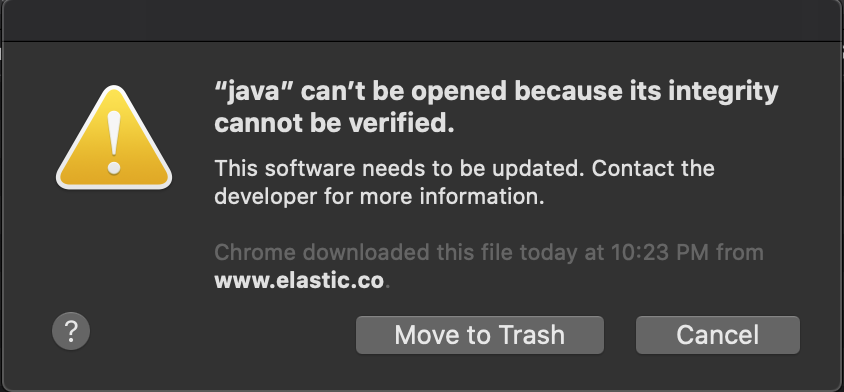
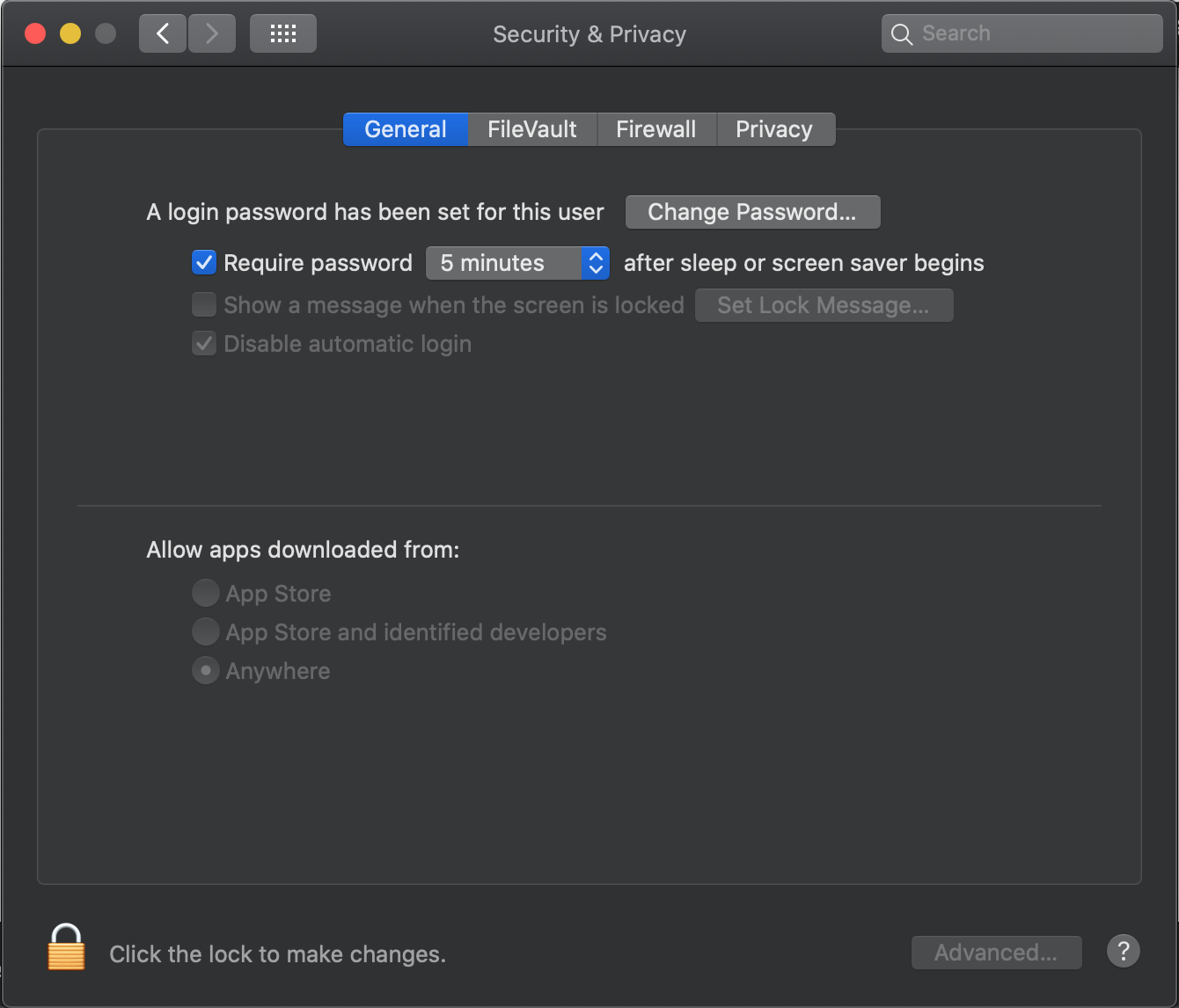
Im on beta 7 (19A546d) and getting this issue which i think might be related?
 ChadTaljaardt
on 2 Sep 2019
ChadTaljaardt
on 2 Sep 2019
@ChadTaljaardt That’s an unrelated issue that is due to the notarization requirements in macOS Catalina. We are actively working on a solution there.
jasontedor
on 2 Sep 2019
I’m closing this issue out since macOS Catalina Beta 6 has introduced changes that render the initial problem moot. The problem was earlier versions of macOS Catalina were leaking implementation details about the underlying firm links, and that was interacting poorly with the Java security manager because toRealPath was not following those firm links to the path Catalina was presenting. The fix was going to be in our implementation on macOS to understand this relationship and add extra permissions. Now that Catalina has changed, we no longer need this and our current implementation continues to work.
jasontedor
on 2 Sep 2019
@jasontedor Is there a related issue tracking this problem that i can view?
ChadTaljaardt
on 9 Sep 2019
@ChadTaljaardt That's a great point. We have an internal issue for tracking this across our stack as we iterate on progress on this, let me open an issue for public consumption though, so that you can at least get notified when we think we have solved the problems for Elasticsearch.
jasontedor
on 9 Sep 2019
@ChadTaljaardt I opened #46498.
jasontedor
on 9 Sep 2019
Thanks @jasontedor
ChadTaljaardt
on 9 Sep 2019
Im on beta 7 (19A546d) and getting this issue which i think might be related?
Is there an update on this issue?
 rbs76
on 29 Nov 2019
rbs76
on 29 Nov 2019
@rbs76 See #46498.
jasontedor
on 29 Nov 2019
Related issues
 rjernst
·
3Comments
jasontedor
·
3Comments
rjernst
·
3Comments
jasontedor
·
3Comments
 clintongormley
·
3Comments
clintongormley
·
3Comments
 dadoonet
·
3Comments
dadoonet
·
3Comments
 rpalsaxena
·
3Comments
rpalsaxena
·
3Comments
Most helpful comment
I’m closing this issue out since macOS Catalina Beta 6 has introduced changes that render the initial problem moot. The problem was earlier versions of macOS Catalina were leaking implementation details about the underlying firm links, and that was interacting poorly with the Java security manager because
toRealPathwas not following those firm links to the path Catalina was presenting. The fix was going to be in our implementation on macOS to understand this relationship and add extra permissions. Now that Catalina has changed, we no longer need this and our current implementation continues to work.