Ejabberd: Unable to create admin user
Environment
- ejabberd version: 18.09
- Erlang version:
- OS: Windows 10 (docker image)
- Installed from: official binary installer
After configuring ejabberd on windows 10 through docker and following the documentation I am trying to create an admin user, but whenever I try the command
PS C:\Users\user_name> docker exec -it ejabberd bin/ejabberdapi register --endpoint=http://127.0.0.1:5280/ --jid=admin@localhost --password=passw0rd
it shows the following error
ejabberdapi: error: user registration error for admin@localhost: Error 99: invalid character '<' looking for beginning of value
 aamir-github
All 10 comments
Crossposted in https://stackoverflow.com/questions/63704121/unable-to-creating-admin-user-ejabberd-through-docker
 badlop
on 2 Sep 2020
badlop
on 2 Sep 2020
Yes, got the correct command docker exec -it ejabberd bin/ejabberdctl register admin localhost passw0rd to register a user (ejabberd through docker).
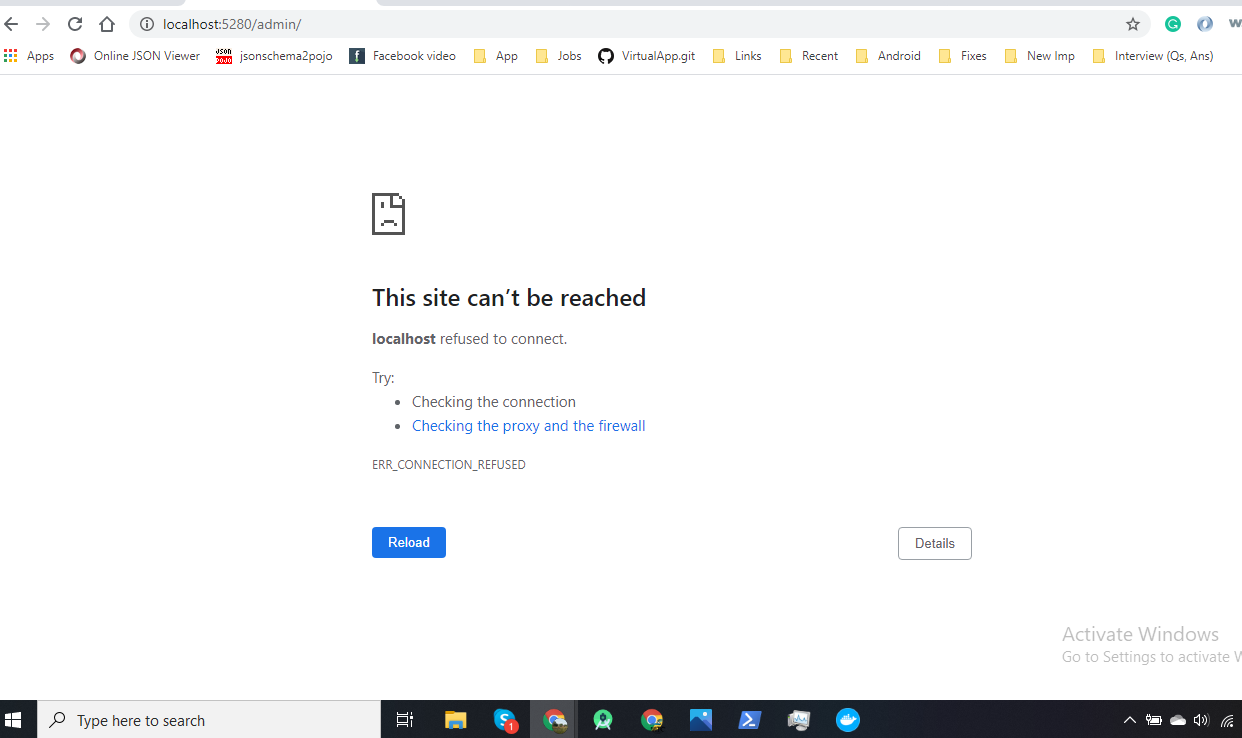
But when I tried the user-created http://localhost:5280/user-name to open the web admin console in the browser it didn't work and showing error This site can't be reached, localhost refused to connect. Kindly guide if I am missing something. Thank you
aamir-github
on 2 Sep 2020
But when I tried the user-created http://localhost:5280/user-name to open the web admin console in the browser
Looking at the file https://github.com/processone/docker-ejabberd/blob/master/ecs/conf/ejabberd.yml#L66
I think the WebAdmin will be listenting in http://localhost:5280/admin/
See also https://docs.ejabberd.im/admin/guide/managing/#web-admin
badlop
on 2 Sep 2020
Ejabberd running inside docker on 5222 but Localhost can't be reached http://localhost:5280/admin/

aamir-github
on 3 Sep 2020
If you want to access the container port 5280 using your local port 5280 (like in the URL http://localhost:5280/admin/ ), then you must start docker with something like this:
docker run -it -p 5222:5222 -p 5280:5280 ejabberd/ecs live
Similarly, if you want to access other ports, for example the encrypted port 5443 (like in https://localhost:5443/admin/ ), then you must add that one too:
docker run -it -p 5222:5222 -p 5280:5280 -p 5443:5443 ejabberd/ecs live
badlop
on 3 Sep 2020
@badlop, thanks for the support
aamir-github
on 6 Sep 2020
Definitely something happening here
~ $ bin/ejabberdapi register --endpoint=http://127.0.0.1:5280 --jid=admin@localhost --password=passw0rd --json
ejabberdapi: error: user registration error for admin@localhost: Error 99: invalid character '<' looking for beginning of value
~ $ bin/ejabberdapi register --endpoint=http://127.0.0.1:5280/admin --jid=admin@localhost --password=passw0rd --json
ejabberdapi: error: user registration error for admin@localhost: Error 99: unexpected end of JSON input
 HugoPoi
on 17 Nov 2020
HugoPoi
on 17 Nov 2020
@HugoPoi ejabberd version? Config?
 licaon-kter
on 17 Nov 2020
licaon-kter
on 17 Nov 2020
Docker Ejabberd version 20.01 default configuration provided.
But I think i narrow down the issue
bin/ejabberdapineed to have access tomod_http_apifor working correctly- I'm not sure
bin/ejabberdapican handle TLS ? - Is
bin/ejabberdapideprecated ? bin/ejabberdapireturn weird error message and you need to guess
I add the module and an api_permission and it works now, but I think something could be down regarding the docker readme.
HugoPoi
on 17 Nov 2020
Right, something was going on there, as the docker documentation said to point ejabberdapi to http:...5280 but in the ejabberd.yml
- port 5280 is not listening for mod_http_api
- port 5443 is listening for mod_http_api, but it has tls enabled, and ejabberdapi doesn't support that, apparently
- api_permissions says that to get "admin access", the call must be authenticated as a valid admin, which obviously can't happen when creating the first admin account
So... I've rewritten that Docker documentation to use ejabberdctl first, and then offer ejabberdapi
PD: This was previously asked also in https://github.com/processone/ejabberd/issues/2635
badlop
on 18 Nov 2020
Related issues
 pacija
·
4Comments
pacija
·
4Comments
 sujankumar4593
·
4Comments
sujankumar4593
·
4Comments
 Vshnv
·
4Comments
Vshnv
·
4Comments
 andrew-vant
·
4Comments
andrew-vant
·
4Comments
 ForGuru
·
4Comments
ForGuru
·
4Comments
Most helpful comment
Right, something was going on there, as the docker documentation said to point ejabberdapi to http:...5280 but in the ejabberd.yml
So... I've rewritten that Docker documentation to use ejabberdctl first, and then offer ejabberdapi
PD: This was previously asked also in https://github.com/processone/ejabberd/issues/2635