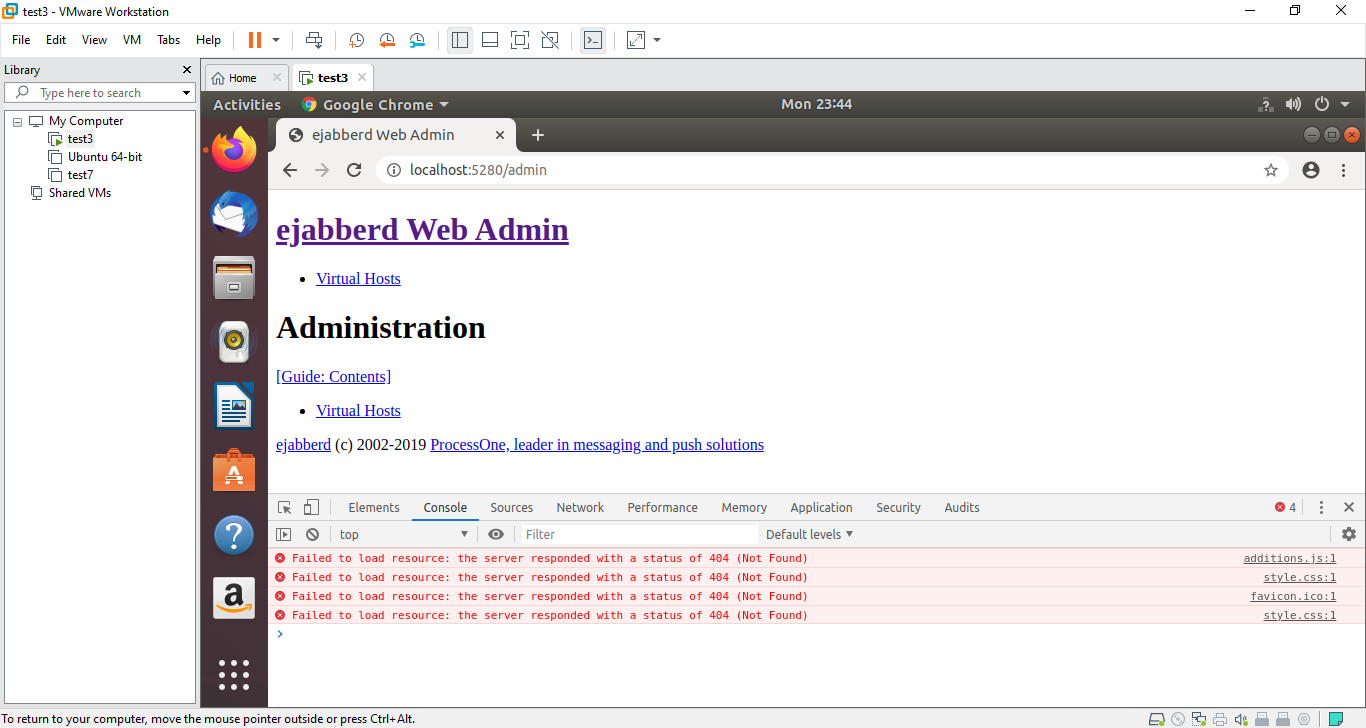
ejabberd addition.js and style.css file not loaded in web admin
I download ejabberd source code in ubuntu and compiled 100% but when I login addition.js and style.css is not loaded in web admin.
Can anyone help me.
 AhsanFasihi
All 16 comments
Your permissions are ok?
 licaon-kter
on 17 Dec 2019
licaon-kter
on 17 Dec 2019
There must be something in error.log/ejabberd.log
 zinid
on 17 Dec 2019
zinid
on 17 Dec 2019
Error.log file is empty
AhsanFasihi
on 17 Dec 2019
and thank you for prompt response
AhsanFasihi
on 17 Dec 2019
How did you install? This directory must be copied to the installation path when running make install. Make sure you see this directory.
zinid
on 17 Dec 2019
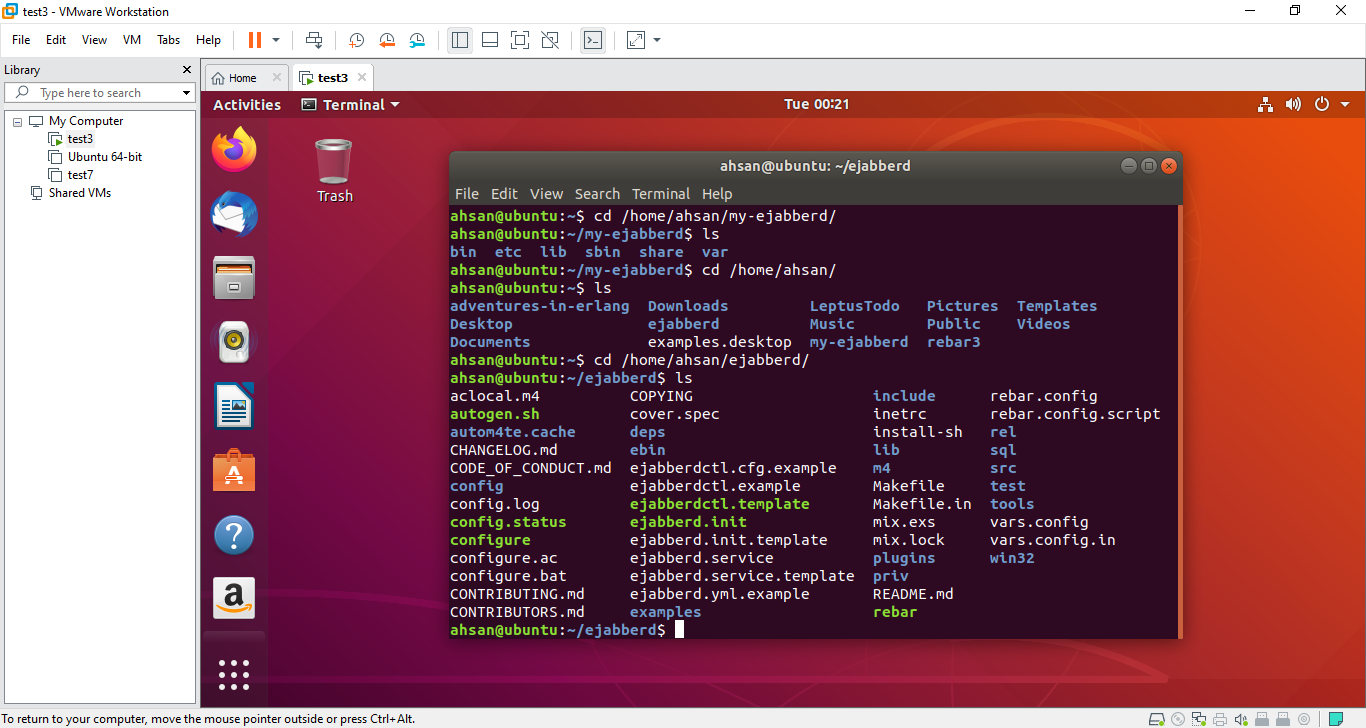
This is my source code directory
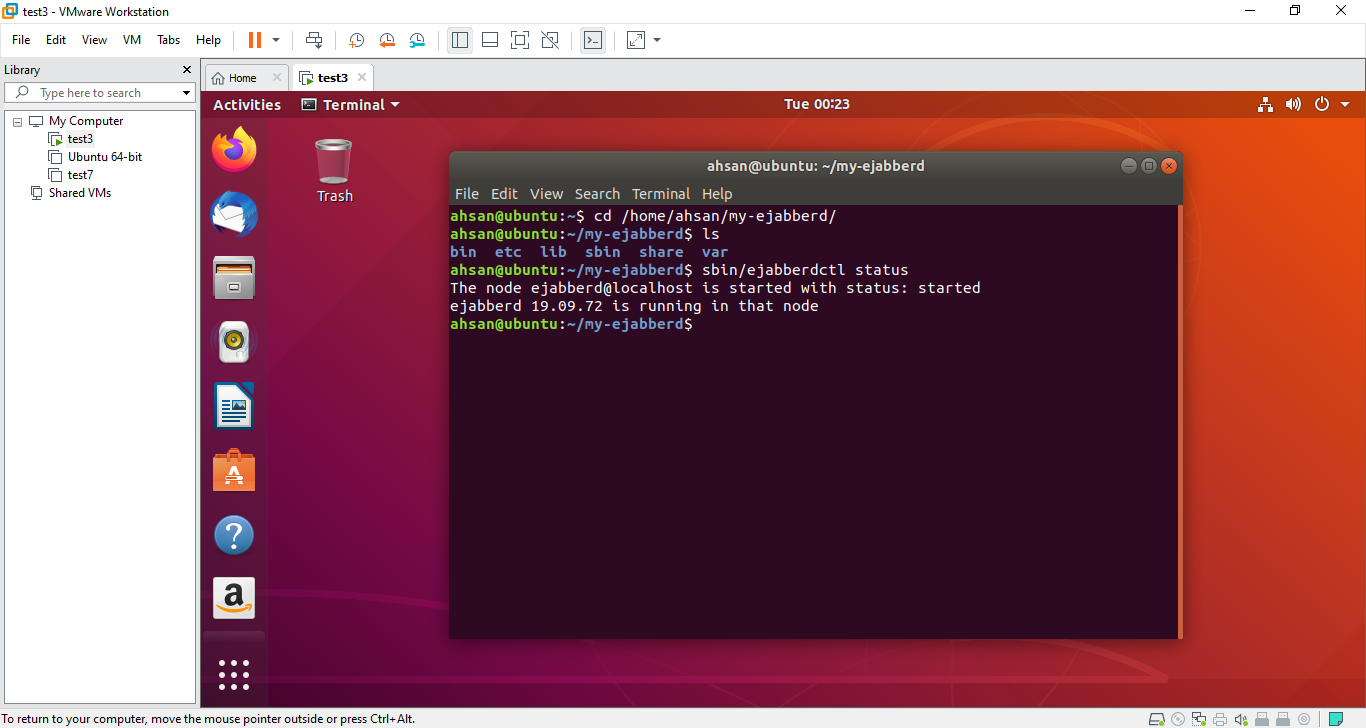
This is my installation directory
AhsanFasihi
on 17 Dec 2019
That's not what I'm asking about.
zinid
on 17 Dec 2019
How did you install? This directory must be copied to the installation path when running
make install. Make sure you see this directory.
@zinid I'm a newbie, can you explain do we need to copy manually priv directory in installation path or what ?
AhsanFasihi
on 17 Dec 2019
No, make install should have copied everything automatically, so I'm asking you to check that the copying was successful, which means you should see priv directory on your installation path (I guess your installation path is /home/ahsan/my-ejabberd).
zinid
on 17 Dec 2019
Also, we don't support newbie questions here, it's a bugtracker, not help desk.
zinid
on 17 Dec 2019
No,
make installshould have copied everything automatically, so I'm asking you to check that the copying was successful, which means you should seeprivdirectory on your installation path (I guess your installation path is/home/ahsan/my-ejabberd).
indeed this is the installation path and I shown the files as well in above snapshot.
AhsanFasihi
on 17 Dec 2019
I see you visited URL localhost:5280/admin Try localhost:5280/admin/ notice the / at the end.
 badlop
on 17 Dec 2019
badlop
on 17 Dec 2019
Thanks man..you are a star..solved my problem.

AhsanFasihi
on 17 Dec 2019
@badlop shouldn't it be fixed?
zinid
on 17 Dec 2019
I guess the next question is why that admin page shows no information. Quite simple: the account you used to login does not have admin rights. Solution: use an account with admin rights in ejabberd.yml.
badlop
on 17 Dec 2019
@badlop I know this thing to put rights in acl in ejabberd.yml
AhsanFasihi
on 17 Dec 2019
Related issues
 SamWhited
·
4Comments
SamWhited
·
4Comments
 kabirhaxor
·
3Comments
kabirhaxor
·
3Comments
 sujankumar4593
·
4Comments
sujankumar4593
·
4Comments
 lucastimotiofirmino
·
3Comments
lucastimotiofirmino
·
3Comments
 shazvan275
·
3Comments
shazvan275
·
3Comments
Most helpful comment
Thanks man..you are a star..solved my problem.
