Efcore: Tools: Better cross-targeting support
When I make a UWP app, and a .NET Standard class library with Entity Framework Core, I should use cross-target like this:
<TargetFrameworks>netcoreapp2.0;netstandard2.0</TargetFrameworks>
Although, when I put the 'netstandard2.0' first, my EF will not add a new migration. And if I put the 'netcoreapp2.0' first, Visual Studio will not be able to reference this class library from my UWP project.
Steps to reproduce
Create a new empty UWP project, targeting Fall Creators Update.
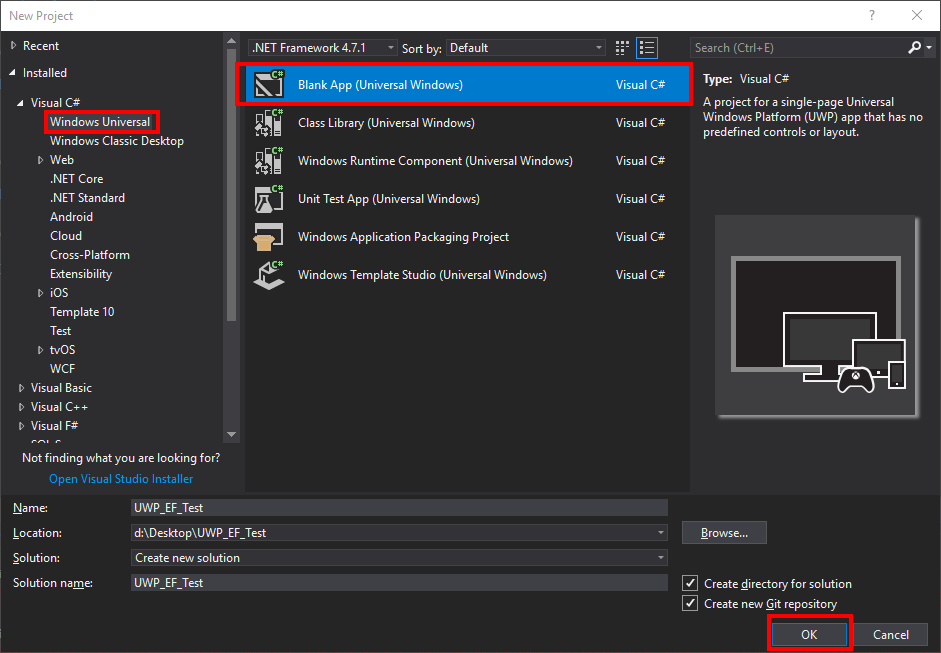
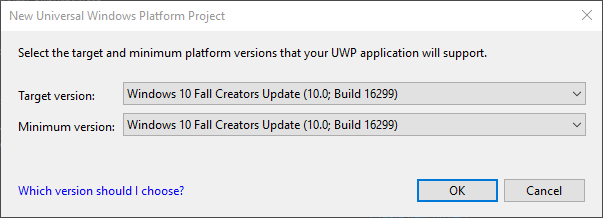
In the solution, create a new project: .NET Standard class library.

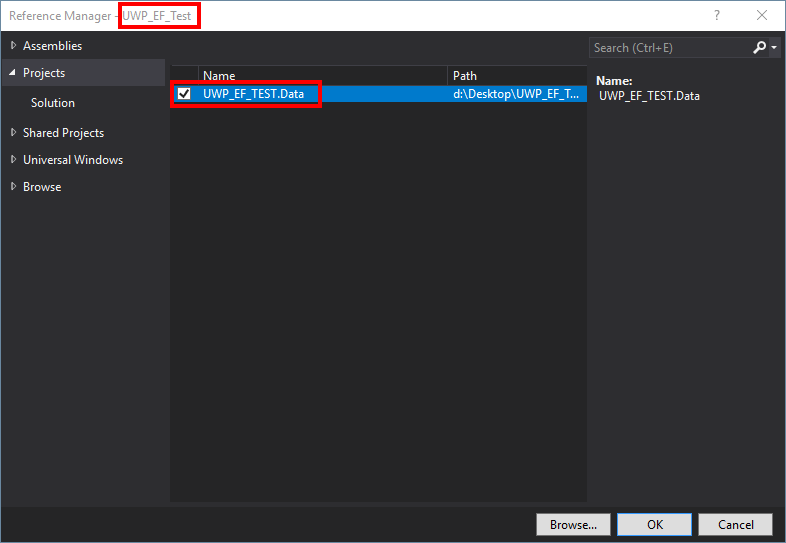
Add a reference from the class library to the UWP project.
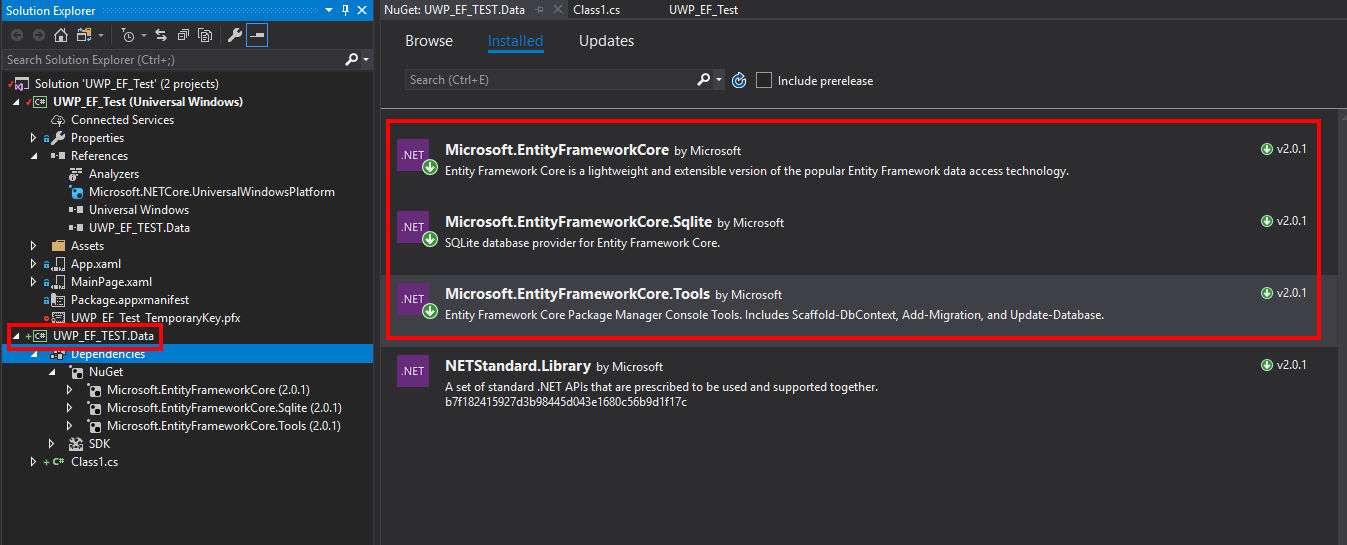
Add EF Nuget packages to the class library.
Make a model and DbContext.
```c#
using System.ComponentModel.DataAnnotations;
namespace UWP_EF_TEST.Data
{
public class Item
{
[Key]
public int Id { get; set; }
    [Required]
    public string Value { get; set; }
}
}
```c#
using Microsoft.EntityFrameworkCore;

namespace UWP_EF_TEST.Data
{
    public class MyDbContext : DbContext
    {
        public DbSet<Item> Items { get; set; }

        protected override void OnConfiguring(DbContextOptionsBuilder optionsBuilder)
        {
            optionsBuilder.UseSqlite("test.db");
        }
    }
}

Try to run
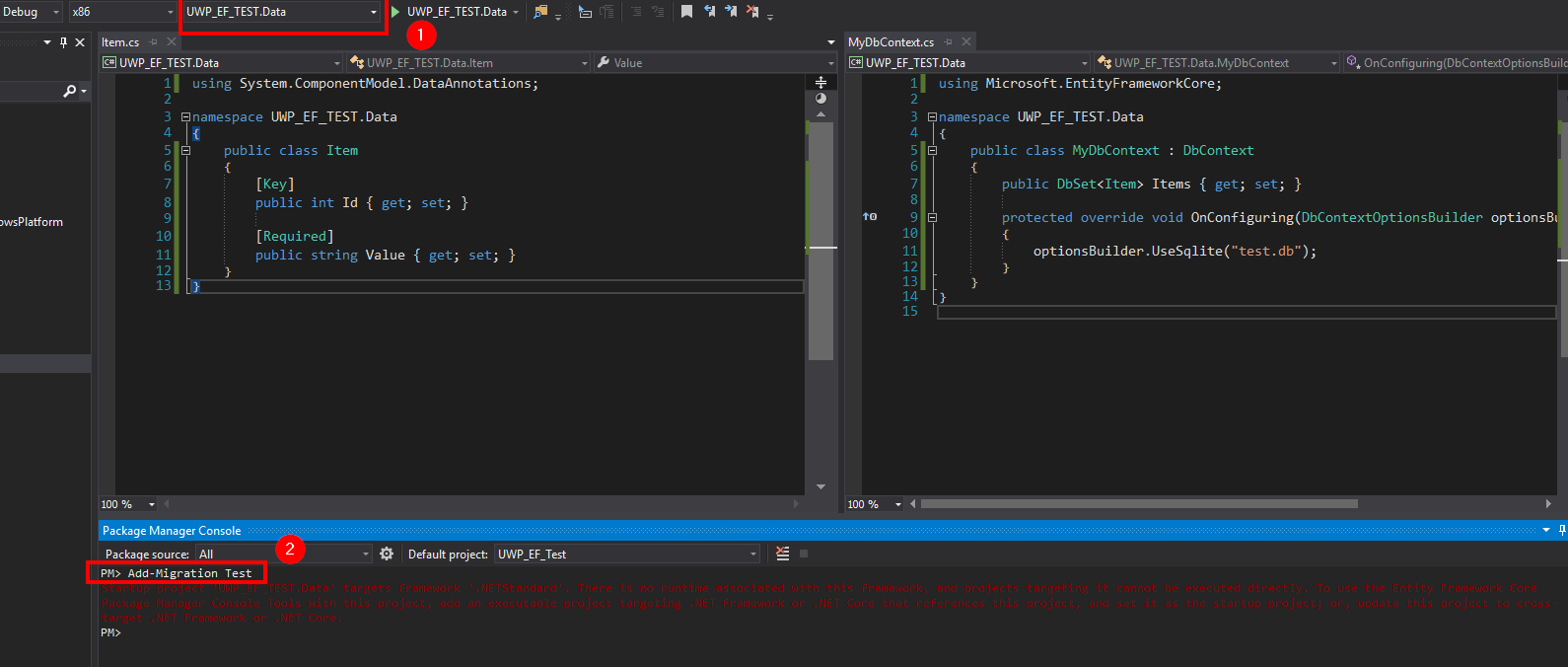
Add-Migration Testin the PMC, after setting the startup project to your class library. This will fail.
Error:
Startup project 'UWP_EF_TEST.Data' targets framework '.NETStandard'. There is no runtime associated with this framework, and projects targeting it cannot be executed directly. To use the Entity Framework Core Package Manager Console Tools with this project, add an executable project targeting .NET Framework or .NET Core that references this project, and set it as the startup project; or, update this project to cross-target .NET Framework or .NET Core.Setup cross-target frameworks in the .csproj of your class library. Also make sure to generate migrations by adding another extra line.
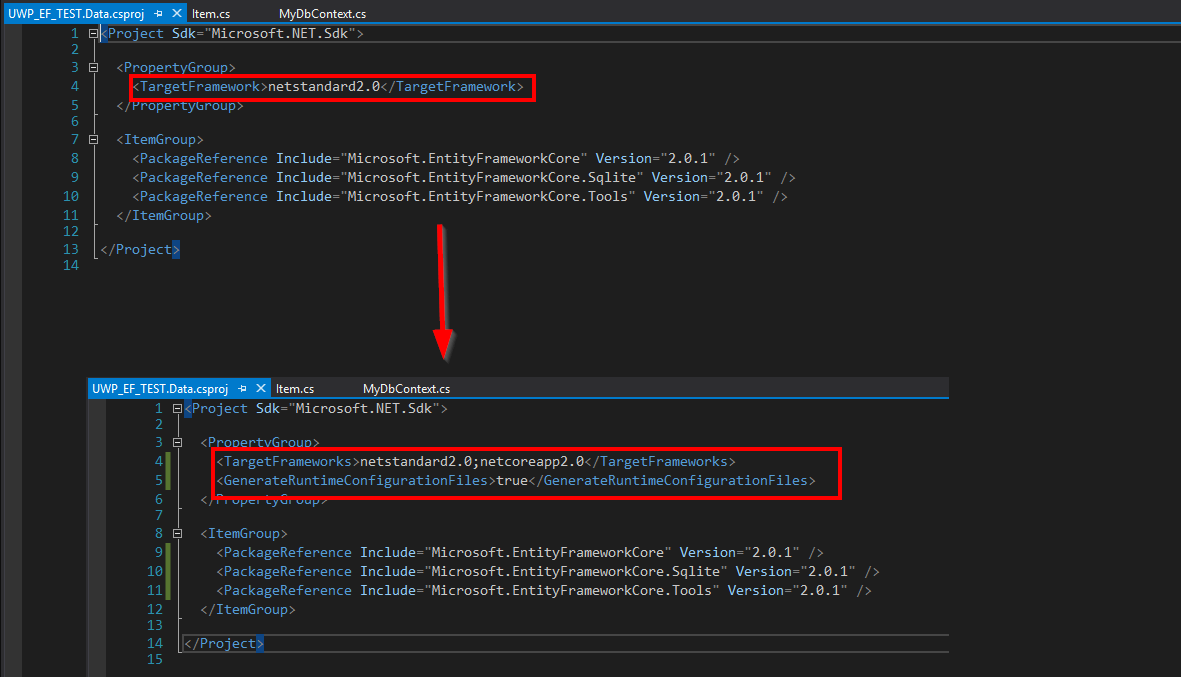
<Project Sdk="Microsoft.NET.Sdk">

  <PropertyGroup>
    <TargetFrameworks>netstandard2.0;netcoreapp2.0</TargetFrameworks>
    <GenerateRuntimeConfigurationFiles>true</GenerateRuntimeConfigurationFiles>
  </PropertyGroup>

  <ItemGroup>
    <PackageReference Include="Microsoft.EntityFrameworkCore" Version="2.0.1" />
    <PackageReference Include="Microsoft.EntityFrameworkCore.Sqlite" Version="2.0.1" />
    <PackageReference Include="Microsoft.EntityFrameworkCore.Tools" Version="2.0.1" />
  </ItemGroup>

</Project>
Try
Add-Migration Testin the PMC again. It will fail again, with the exact same message.
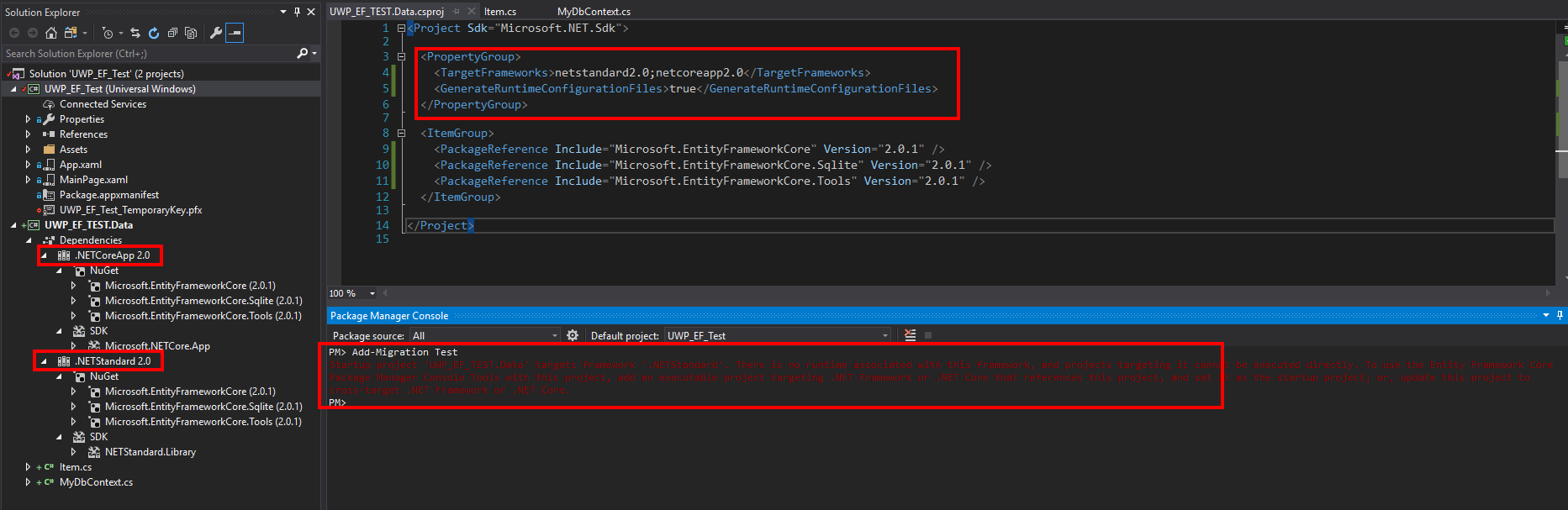
Switch the TargetFrameworks.
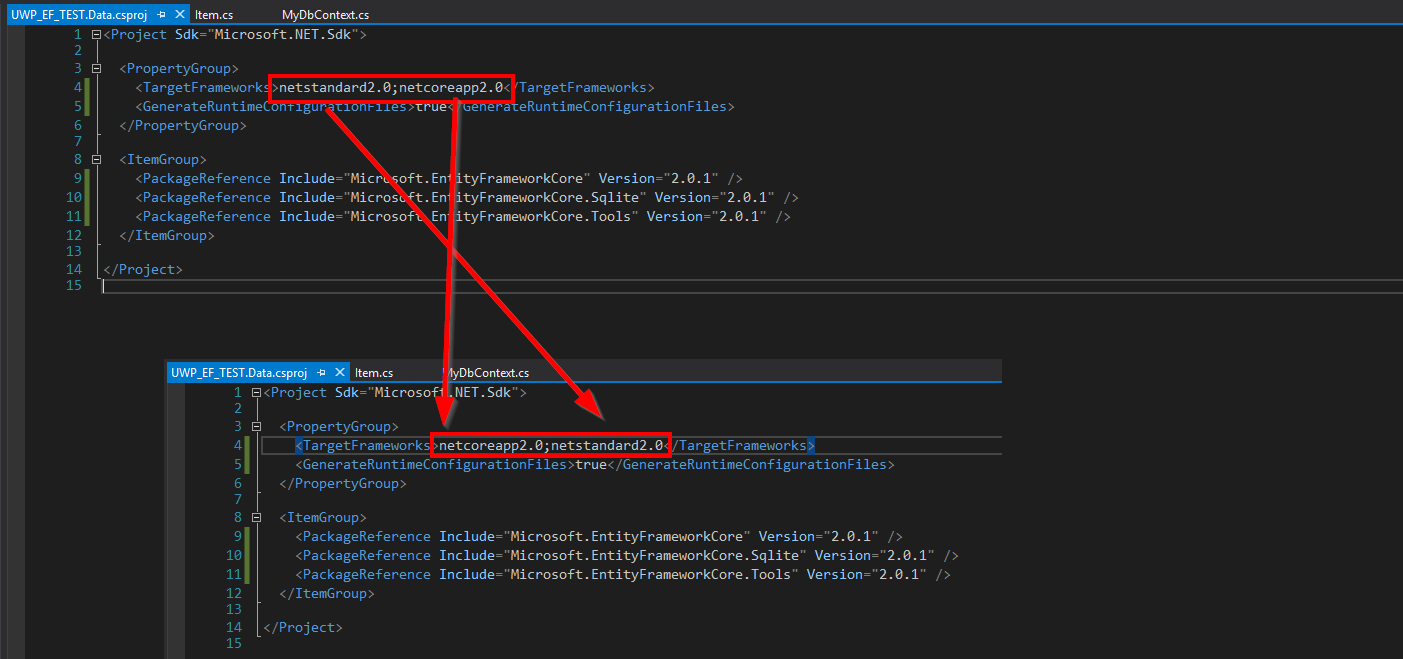
Third try to run the
Add-Migration Test.

Cool, it worked! Let's close Visual Studio, and restart it. Now it suddenly can't add the reference anymore... Everything works fine (I can run whatever app I make), but the error won't go away. Even if I remove the reference, it's not possible to add it again. I have to switch the
netcoreapp2.0andnetstandard2.0again to make the reference. So the multiple target kind of gets ignored.
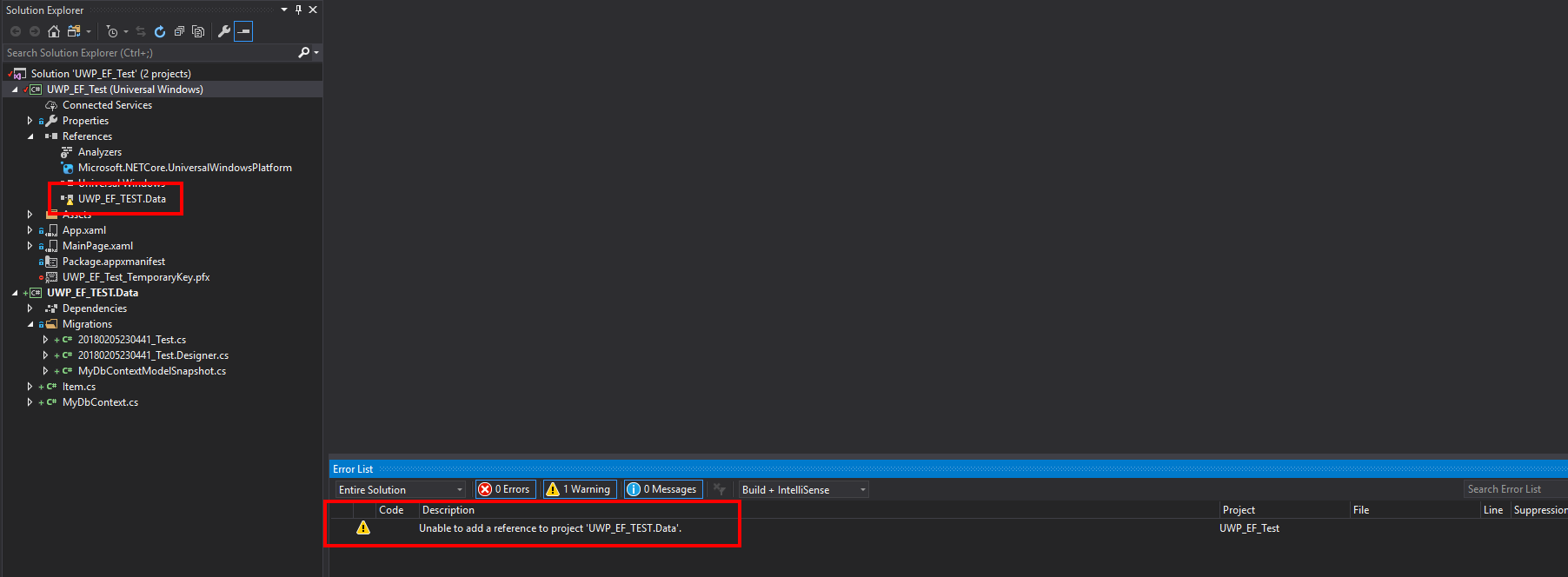
Please note, I'm not sure if this is an issue for EFCore, or Visual Studio, or some other project.
EDIT: here is the repo for repro: https://github.com/BenjaVR/UWP_EF_Test
Further technical details
EF Core version: 2.0.1
Database Provider: Microsoft.EntityFrameworkCore.Sqlite
Operating system: Windows 10 Pro, version 1709, build 16299.192
IDE: Visual Studio 2017 15.4
 BenjaVR
All 11 comments
Correct. The Visual Studio APIs return values for the first framework listed. I'm unaware of a way to specify which one to use.
 bricelam
on 6 Feb 2018
bricelam
on 6 Feb 2018
Hmm, and do you know of any way to use UWP + EF without any hassle and errors etc?
BenjaVR
on 6 Feb 2018
We could follow up with dotnet/project-system.
The dotnet ef command has the same behavior; we could follow up with dotnet/sdk for possible solutions there.
bricelam
on 6 Feb 2018
Many people have created a dummy .NET Core console app to use with the tools. Specify -StartupProject TheConsoleApp.
bricelam
on 6 Feb 2018
Will try that one, thanks!
Do you want me to post this issue in those repositories?
BenjaVR
on 6 Feb 2018
9666 is about making the UWP experience better
bricelam
on 6 Feb 2018
Do you want me to post this issue in those repositories?
No, we'll follow up. I have a feeling we can better articulate exactly what we need. 😉
bricelam
on 6 Feb 2018
Sure, no doubt about it, thanks!
BenjaVR
on 6 Feb 2018
Notes
In dotnet ef, we could probably use the GetNearestTargetFramework task to be smarter.
bricelam
on 12 Feb 2018
We followed up with the project system team. (@davkean) They have no plans to change the behavior of the Visual Studio APIs (EnvDTE), nor to add first-class UI for changing the active framework.
Resolving this will require us to use lower level APIs to understand cross-targeting projects.
A first step would be to match dotnet ef and add a -Framework parameter.
After that, we could look into making dotnet ef and the PMC tools smarter about which framework it picks by default.
bricelam
on 6 Mar 2018
Putting this on the backlog now, to reconsider based on feedback. Also, updated the docs to not recommend cross-targeting.
 ajcvickers
on 7 Mar 2018
ajcvickers
on 7 Mar 2018
Related issues
 MontyGvMC
·
3Comments
MontyGvMC
·
3Comments
 divega
·
3Comments
divega
·
3Comments
 pachecosoftware
·
3Comments
pachecosoftware
·
3Comments
 ryanwinter
·
3Comments
ryanwinter
·
3Comments
 yukozh
·
3Comments
yukozh
·
3Comments
Most helpful comment
Many people have created a dummy .NET Core console app to use with the tools. Specify
-StartupProject TheConsoleApp.