Efcore: How to create Migration Snapsot by code(api) ??
I'am using Ef core 2.0
VS 2017.
Posgresql database !
Is there have some solution that make Migration Snapsot of model by code(api), instead of using
comands like
add-migration or
dotnet ef migrations add InitialCreate
Actually, it very Needful Feature That used in enterprise systems !
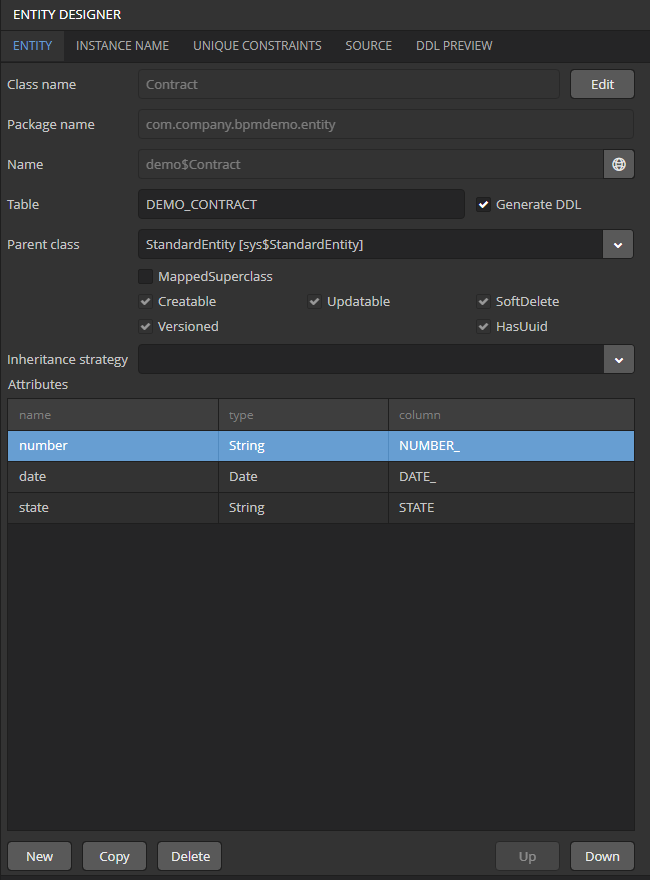
When have some platform, that could create entittyes from the platform, to extend Business model!
Surely its most comfortable to use this some kind GUI to create Business models !
 Diaskhan
All 10 comments
Ia have seen this solutions
https://github.com/aspnet/EntityFrameworkCore/issues/6806
https://github.com/aspnet/EntityFrameworkCore/issues/9339
But on ef Core 2 doesnt compile !
Diaskhan
on 5 Feb 2018
@Diaskhan To answer your first question, the Migrations API on which the commands are built is shipped in the EF packages and available to code against. A good place to start is IMigrator: https://github.com/aspnet/EntityFrameworkCore/blob/dev/src/EFCore.Relational/Migrations/IMigrator.cs
For your second question, many people enjoy using a visual designer, but many others use purely code-based solutions. Visual designers can be very expensive to build and maintain, so the team is currently focused on adding core value to the runtime and shipping good, cross-platform tools with it.
 ajcvickers
on 5 Feb 2018
ajcvickers
on 5 Feb 2018
Thanks ajcvikers
I have found a solution
-------program.cs
using Microsoft.EntityFrameworkCore.Infrastructure;
using Microsoft.EntityFrameworkCore.Internal;
using Microsoft.EntityFrameworkCore.Migrations;
using Microsoft.EntityFrameworkCore.Storage;
using Microsoft.Extensions.DependencyInjection;
using Microsoft.EntityFrameworkCore.Migrations.Design;
using System;
using System.IO;
using Microsoft.EntityFrameworkCore.Design.Internal;
using Microsoft.EntityFrameworkCore.Design;
using Models;
using Microsoft.EntityFrameworkCore.Migrations.Internal;

namespace db_migrator1
{
    class Program
    {
        static void Main(string[] args)
        {

            using (var db = new MyDBcontext())
            {
                var reporter = new OperationReporter(
                    new OperationReportHandler(
                        m => Console.WriteLine("  error: " + m),
                        m => Console.WriteLine("   warn: " + m),
                        m => Console.WriteLine("   info: " + m),
                        m => Console.WriteLine("verbose: " + m)));

                var designTimeServices = new ServiceCollection()
                    .AddSingleton(db.GetService<IHistoryRepository>())
                    .AddSingleton(db.GetService<IMigrationsIdGenerator>())
                    .AddSingleton(db.GetService<IMigrationsModelDiffer>())
                    .AddSingleton(db.GetService<IMigrationsAssembly>())
                    .AddSingleton(db.Model)
                    .AddSingleton(db.GetService<ICurrentDbContext>())
                    .AddSingleton(db.GetService<IDatabaseProvider>())
                    .AddSingleton<MigrationsCodeGeneratorDependencies>()
                    .AddSingleton<ICSharpHelper, CSharpHelper>()
                    .AddSingleton<CSharpMigrationOperationGeneratorDependencies>()
                    .AddSingleton<ICSharpMigrationOperationGenerator, CSharpMigrationOperationGenerator>()
                    .AddSingleton<CSharpSnapshotGeneratorDependencies>()
                    .AddSingleton<ICSharpSnapshotGenerator, CSharpSnapshotGenerator>()
                    .AddSingleton<CSharpMigrationsGeneratorDependencies>()
                    .AddSingleton<IMigrationsCodeGenerator, CSharpMigrationsGenerator>()
                    .AddSingleton<IOperationReporter>(reporter)
                    .AddSingleton<MigrationsScaffolderDependencies>()
                    .AddSingleton<MigrationsScaffolder>()
                    .AddSingleton<ISnapshotModelProcessor, SnapshotModelProcessor>()
                    .BuildServiceProvider();

                var scaffolder = designTimeServices.GetRequiredService<MigrationsScaffolder>();

                var migration = scaffolder.ScaffoldMigration(
                    "MyMigration",
                    "MyApp.Data");

                File.WriteAllText(
                    migration.MigrationId + migration.FileExtension,
                    migration.MigrationCode);
                File.WriteAllText(
                    migration.MigrationId + ".Designer" + migration.FileExtension,
                    migration.MetadataCode);
                File.WriteAllText(migration.SnapshotName + migration.FileExtension,
                    migration.SnapshotCode);
            }


        }
    }
}
------- mydbcontext

using Microsoft.EntityFrameworkCore;
using Models;


namespace Models
{
    public class MyDBcontext:DbContext
    {
        public MyDBcontext()
        {
        }

        protected override void OnConfiguring(DbContextOptionsBuilder optionsBuilder)
        {
            base.OnConfiguring(optionsBuilder);
            optionsBuilder.UseNpgsql("User Id=postgres;Server=localhost;port=5432;Database=Falcon111;Pooling=true");

        }

        public MyDBcontext(DbContextOptions<MyDBcontext> options) : base(options) { }
        public DbSet<DefinitionProcess> DefinitionProcess { get; set; }
        //public DbSet<RuntimeHumanTask> RuntimeHumanTask { get; set; }
        //public DbSet<RuntimeProcess> RuntimeProcess{ get; set; }
        //public DbSet<RuntimeProcessExecution> RuntimeProcessExecution { get; set; }

    }
}
@Diaskhan how do you compile the changes in your Models folder?
 maryjuano
on 10 Mar 2020
maryjuano
on 10 Mar 2020
Im compiling entytytypeconfiguration and class model using roslyn
Diaskhan
on 10 Mar 2020
@Diaskhan Thanks. do you have a repo that I can check to have an idea how this works? I'm having difficulty compiling the created migrations and snapshot to mimic the Update-Database command.
maryjuano
on 11 Mar 2020
Check this link for first.
https://stackoverflow.com/questions/49946019/how-can-i-use-the-entity-framework-core-capabilities-to-change-my-database
Its possible to compile model assembly and load them after all u could compare a model. The main problem goes when we want reload assembly because we cant load same assembly if it loaded, we must reload all app or host to use changed model assembly or implement collectible assembly liading and unloading. Very difficult strategy !
Diaskhan
on 12 Mar 2020
I'm now able to compile migrations and models. Later I'll update you about my progress in this. I think we are on the same page about creating an Enterprise Project that can create entities during runtime. This is very disappointing that the developers of EF core does not want us to go down that path, but Dynamics CRM was able to pull this off. I wonder why.
maryjuano
on 13 Mar 2020
I'll commit a repo, and give u Link. actually a'm to want to do, crm-bpm system!
Diaskhan
on 13 Mar 2020
Here
https://github.com/Diaskhan/FaclonFactory
If U want write some private comments, write me to a [email protected]
Diaskhan
on 13 Mar 2020
Related issues
 HappyNomad
·
3Comments
HappyNomad
·
3Comments
 MontyGvMC
·
3Comments
MontyGvMC
·
3Comments
 mohsin91
·
3Comments
mohsin91
·
3Comments
 ericvb
·
3Comments
ericvb
·
3Comments
 miguelhrocha
·
3Comments
miguelhrocha
·
3Comments
Most helpful comment
@Diaskhan To answer your first question, the Migrations API on which the commands are built is shipped in the EF packages and available to code against. A good place to start is IMigrator: https://github.com/aspnet/EntityFrameworkCore/blob/dev/src/EFCore.Relational/Migrations/IMigrator.cs
For your second question, many people enjoy using a visual designer, but many others use purely code-based solutions. Visual designers can be very expensive to build and maintain, so the team is currently focused on adding core value to the runtime and shipping good, cross-platform tools with it.