Edxposed: [BUG] Safety net is tripped now!
Safety net is tripped now!
 JReverse
All 306 comments
Deactivating all modules is passing safetynet
Activating any module breaks it
 VarunS2002
on 6 Nov 2019
VarunS2002
on 6 Nov 2019
I'm using 0.4.5.1
What about you?
VarunS2002
on 6 Nov 2019
Yeah! Same bug here (but I've found workaround!)
Here:
Lineage OS 16 (Android 9)
Newest Official Magisk Canary:
20.2 (20102)
Manager 7.4.1 (255)
Manager Hidden
Newest EdXposed Manager v4.5.1
Newest Riru v19.5
Newest UNOFFICIAL EdXposed v0.4.6.0 beta (4471) SandHook (by Dark_Eyes_ at XDA Forum, to run with official Magisk)
Google Play Store v17.3.16
Lots of modules, including system wide XprivacyLua, Xposed Edge Pro,.....
SafetyNet completely broken in Magisk check. Both CTS and BasicIntegrity fail.
WORKAROUND: after turn on EdXposed Manager Black List feature and turn it on for Play Store, Play Services and Google Framework, SafetyNet becomes all green again! :) Try it!
Hope a fix. Thanks.
 wilsonhlacerda
on 6 Nov 2019
wilsonhlacerda
on 6 Nov 2019
Thank you so much dude the workaround worked
I tested it on the Latest Stable of Magisk and 0.4.5.1 Sandhook
VarunS2002
on 6 Nov 2019
Yeah! Same bug here (but I've found workaround!)
Here:
Lineage OS 16 (Android 9)
Newest Official Magisk Canary:
20.2 (20102)
Manager 7.4.1 (255)
Manager Hidden
Newest EdXposed Manager v4.5.1
Newest Riru v19.5
Newest UNOFFICIAL EdXposed v0.4.6.0 beta (4471) SandHook (by Dark_Eyes_ at XDA Forum, to run with official Magisk)
Google Play Store v17.3.16Lots of modules, including system wide XprivacyLua, Xposed Edge Pro,.....
SafetyNet completely broken in Magisk check. Both CTS and BasicIntegrity fail.
WORKAROUND: after turn on EdXposed Manager Black List feature and turn it on for Play Store, Play Services and Google Framework, SafetyNet becomes all green again! :) Try it!
Hope a fix. Thanks.
Oneplus 7 Pro
AOSiP-9.0-Official-guacamole-20190913
Magisk Canary 20.2 (20102)
Magisk Manager 7.4.1 (255) Hidden
EdXposed Manager v4.5.1
Riru - Core v19.5
Riru - EdXposed v0.4.6.0 SandHook
Google Play Store 17.3.16
Google Play Services 19.5.30
Thank you for your solution but it doesn't work though. Am I missing something? I opened EdXposed Manager then ->Application List -> toggle on "Google Play Store", "Google Play Services" (I have not found any "Google framework" though).
Update: open EdXposed Manager -> Settings -> toggle on "App List Mode" -> Application List -> toggle on "Google Play Store", "Google Play Services" -> reboot -> safetynet passed. Yay!
 joxon
on 6 Nov 2019
joxon
on 6 Nov 2019
Unfortunately I had to check also "App List Mode" in Exposed Manager options to pass SafetyNet.
 blackcatdev
on 6 Nov 2019
blackcatdev
on 6 Nov 2019
Yeah! Same bug here (but I've found workaround!)
Here:
Lineage OS 16 (Android 9)
Newest Official Magisk Canary:
20.2 (20102)
Manager 7.4.1 (255)
Manager Hidden
Newest EdXposed Manager v4.5.1
Newest Riru v19.5
Newest UNOFFICIAL EdXposed v0.4.6.0 beta (4471) SandHook (by Dark_Eyes_ at XDA Forum, to run with official Magisk)
Google Play Store v17.3.16
Lots of modules, including system wide XprivacyLua, Xposed Edge Pro,.....
SafetyNet completely broken in Magisk check. Both CTS and BasicIntegrity fail.
WORKAROUND: after turn on EdXposed Manager Black List feature and turn it on for Play Store, Play Services and Google Framework, SafetyNet becomes all green again! :) Try it!
Hope a fix. Thanks.Oneplus 7 Pro
AOSiP-9.0-Official-guacamole-20190913
Magisk Canary 20.2 (20102)
Magisk Manager 7.4.1 (255) Hidden
EdXposed Manager v4.5.1
Riru - Core v19.5
Riru - EdXposed v0.4.6.0 SandHook
Google Play Store 17.3.16
Google Play Services 19.5.30Thank you for your solution but it doesn't work though. Am I missing something? I opened EdXposed Manager then ->Application List -> toggle on "Google Play Store", "Google Play Services" (I have not found any "Google framework" though).
Update: open EdXposed Manager -> Settings -> toggle on "App List Mode" -> Application List -> toggle on "Google Play Store", "Google Play Services" -> reboot -> safetynet passed. Yay!
oh...only pass basicIntegrity on my phone...
 MlgmXyysd
on 6 Nov 2019
MlgmXyysd
on 6 Nov 2019
Yeah! Same bug here (but I've found workaround!)
Here:
Lineage OS 16 (Android 9)
Newest Official Magisk Canary:
20.2 (20102)
Manager 7.4.1 (255)
Manager Hidden
Newest EdXposed Manager v4.5.1
Newest Riru v19.5
Newest UNOFFICIAL EdXposed v0.4.6.0 beta (4471) SandHook (by Dark_Eyes_ at XDA Forum, to run with official Magisk)
Google Play Store v17.3.16
Lots of modules, including system wide XprivacyLua, Xposed Edge Pro,.....
SafetyNet completely broken in Magisk check. Both CTS and BasicIntegrity fail.
WORKAROUND: after turn on EdXposed Manager Black List feature and turn it on for Play Store, Play Services and Google Framework, SafetyNet becomes all green again! :) Try it!
Hope a fix. Thanks.Oneplus 7 Pro
AOSiP-9.0-Official-guacamole-20190913
Magisk Canary 20.2 (20102)
Magisk Manager 7.4.1 (255) Hidden
EdXposed Manager v4.5.1
Riru - Core v19.5
Riru - EdXposed v0.4.6.0 SandHook
Google Play Store 17.3.16
Google Play Services 19.5.30
Thank you for your solution but it doesn't work though. Am I missing something? I opened EdXposed Manager then ->Application List -> toggle on "Google Play Store", "Google Play Services" (I have not found any "Google framework" though).
Update: open EdXposed Manager -> Settings -> toggle on "App List Mode" -> Application List -> toggle on "Google Play Store", "Google Play Services" -> reboot -> safetynet passed. Yay!oh...only pass basicIntegrity on my phone...
Have you tried SafetyPatch or MagiskHide Props Config module?
blackcatdev
on 6 Nov 2019
Same problem here, after Google play service auto-update last Sunday. It will come ok when I only disable edXposed.
Sony Xperia XZ1
Android 8.0
Magisk 20.1
Riru 19.5
Riru - edXposed 0.4.5.1
solosu's Magisk will cause boot loop, so I haven't test 0.4.6 yet
 cscomic
on 6 Nov 2019
cscomic
on 6 Nov 2019
WORKAROUND: after turn on EdXposed Manager Black List feature and turn it on for Play Store, Play Services and Google Framework, SafetyNet becomes all green again! :) Try it!
Can confirm it works! Thanks!
 kgr17
on 6 Nov 2019
kgr17
on 6 Nov 2019
Can confirm this bug and also the working workaround.. but the workaround make sudohide not working anymore :(
Patched magisk with the latest yahfa 4471
Xiaomi Mi9T miui 9.10.24 China beta / Android 10
 tupac55
on 6 Nov 2019
tupac55
on 6 Nov 2019
Can confirm this bug and also the working workaround.. but the workaround make sudohide not working anymore :(
Patched magisk with the latest yahfa 4471
Xiaomi Mi9T miui 9.10.24 China beta / Android 10
Sudohide stops completely? Or just don't hide apps to Play Store (and Google Services, Framework) anymore?
Probably it is failing only to hide app updates on Play Store, isn't it? To hide other generic app A from B I believe it should work, although I haven't tested it.
wilsonhlacerda
on 6 Nov 2019
Can confirm this bug and also the working workaround.. but the workaround make sudohide not working anymore :(
Patched magisk with the latest yahfa 4471
Xiaomi Mi9T miui 9.10.24 China beta / Android 10Sudohide stops completely? Or just don't hide apps to Play Store (and Google Services, Framework) anymore?
Probably it is failing only to hide app updates on Play Store, isn't it? To hide other generic app A from B I believe it should work, although I haven't tested it.
It fails to hide..., if I don't enable Googe play store on the app list to make sudohide working, safety net become false after a while (it first says true)
tupac55
on 6 Nov 2019
Same problem, SafetyNet now detects EdXposed.
The workaround is working, but it would be nice if a permanent solution would be found in the next time)
 Senliast
on 6 Nov 2019
Senliast
on 6 Nov 2019
The workaround works in that Magisk Manager will report safetynet passes. The workaround doesn't work in that Google Pay won't work.
Disabling the EdXposed Magisk module is the only way I've found that'll let me use Google Pay.
 SteveYoungs
on 6 Nov 2019
SteveYoungs
on 6 Nov 2019
@wilsonhlacerda I can confirm this.
 OmarNamis
on 7 Nov 2019
OmarNamis
on 7 Nov 2019
The workaround is a hit and miss. Sometimes it passes, sometimes it fails a few seconds later. A permanent solution is needed.
 ghost
on 7 Nov 2019
ghost
on 7 Nov 2019
Update: open EdXposed Manager -> Settings -> toggle on "App List Mode" -> Application List -> toggle on "Google Play Store", "Google Play Services" -> reboot -> safetynet passed. Yay!
Hello all,
HTC U11
Stock Android 9 3.23.709.6
Magisk 20.2 (20100)
Manager 7.4.0 (253)
EdXposed Manager v4.5.1 4463 YAHFA
Riru v19.5
Google Play Store v17.3.16
Google Play Services v19.5.30
Confirmed GPay working workaround, Magisk safetynet also passes, selected Google Play services and Google Services Framework.
Thank you.
 sipe
on 7 Nov 2019
sipe
on 7 Nov 2019
Ok, the workaround works when EdXposed Manager is open in the background. I tried deoptimizing battery for the Manager, and now SafetyNet works.
EDIT: Never mind. Still hit and miss.
ghost
on 7 Nov 2019
We can still use sudohide, so far I added to blacklist only the services and framework; I also tested with a old version of SandHook with success, I can confirm that "App List Mode" enabled seems essential in order to success.
 srccrow
on 7 Nov 2019
srccrow
on 7 Nov 2019
For me SafetyNet passing is quite interesting. After enabling EdXposed + modules, upon every reboot the first check of Safetynet within Magisk Manager will fail in both profiles. Second check will report all trues. Checking with other apps will report always true. But then leaving the device for some time will result in Magisk reporting safetynet false again. I assume that Magisk Manager is bugged in SafetyNet check?
EDIT: No, it's not just Magisk. Even with other Safetynet checkers, randomly Safetynet fails, but then the moment very after it passes fine.
 shmykelsa
on 9 Nov 2019
shmykelsa
on 9 Nov 2019
open EdXposed Manager -> Settings -> toggle on "App List Mode" ->
i am not find these setting ?
 saqie1393
on 9 Nov 2019
saqie1393
on 9 Nov 2019
open EdXposed Manager -> Settings -> toggle on "App List Mode" ->
i am not find these setting ?
I use the Edxposed Installer app and it's in menu> edxp settings> black list (toggle). Then reboot and go to menu> black list
kgr17
on 9 Nov 2019
Workaround is not working for me. Can someone post clearer instructions?
 p1r473
on 9 Nov 2019
p1r473
on 9 Nov 2019
I did only the application list workaround and it's working for version "0.4.5.1_beta(4463) (YAHFA)" on my OP6T running stock 9.0.17 and Magisk Stable 20.1.
Here are more detailed instructions:
Open EdXposed Manager
Tap the menu icon on top left
Tap settings.
Scroll down to the bottom and toggle "App List Mode"
Go back to main screen (back button or arrow at top left)
Tap menu icon again
Tap Application List
Tap the toggle for "Google Play Services"
Tap the toggle for "Google Play Store"
Reboot phone
Wait 1-2 minutes after reboot and device will pass.
I literally just did this on my phone so I can't say yet as to whether it works intermittently or not, but I can confirm it passes SafetyNet check in Magisk Manager and Pokemon GO now opens where before it wasn't.
 DU1R
on 10 Nov 2019
DU1R
on 10 Nov 2019
safetynet works but snapfreedom do nothing :/ lets see how long I will wait for ban :D
 zioukovsky
on 10 Nov 2019
zioukovsky
on 10 Nov 2019
safetynet works but snapfreedom do nothing :/ lets see how long I will wait for ban :D
Are you sure that you do not have SC alpha?
Deselect and select snapfreedom in EdXposed manager, reboot device.
P.S. Snapchat doesn't ban for failing SafetyNet
Senliast
on 10 Nov 2019
Has anyone tried the Hidden Core module in EdXposed? It is passing SafetyNet for me without any blacklisting or switching modes, just install and reboot.
For posterity, I am running EdXposed YAHFA 0.4.5.1. EdXposed Manager 4.5.1 under Magisk v20.1 / Android Pie.
 hoistedPetard
on 10 Nov 2019
hoistedPetard
on 10 Nov 2019
Has anyone tried the Hidden Core module in EdXposed? It is passing SafetyNet for me without any blacklisting or switching modes, just install and reboot.
For posterity, I am running EdXposed YAHFA 0.4.5.1. EdXposed Manager 4.5.1 under Magisk v20.1 / Android Pie.
Confirmed working.
Disabled AppList Mode in EdXposed Manager and enabled HiddenCore Module. Rebooted and passed SafetyNet in Magisk Manager.
However, Pokemon go won't be able to start up, throwing out the "unable to authenticate" error.
joxon
on 10 Nov 2019
Has anyone tried the Hidden Core module in EdXposed? It is passing SafetyNet for me without any blacklisting or switching modes, just install and reboot.
For posterity, I am running EdXposed YAHFA 0.4.5.1. EdXposed Manager 4.5.1 under Magisk v20.1 / Android Pie.
This module is making chrome app crashing again and again :(
tupac55
on 10 Nov 2019
Has anyone tried the Hidden Core module in EdXposed? It is passing SafetyNet for me without any blacklisting or switching modes, just install and reboot.
For posterity, I am running EdXposed YAHFA 0.4.5.1. EdXposed Manager 4.5.1 under Magisk v20.1 / Android Pie.
https://ibb.co/xLBxDDV
https://ibb.co/F6y1hcHThis module is making chrome app crashing again and again :(
Yeah, I can confirm this makes Chrome crash without fail unless I roll back to version 74. It works with Hidden Core Module on that version.
 wrongway213
on 10 Nov 2019
wrongway213
on 10 Nov 2019
I did read the few writeups on XDA about it and agree caution is advisable, but it looks like it is not malicious and that it at least used to work as advertised.
If it is killing Chrome, that will be a deal breaker for a lot of people. Oh well, something will happen soon, it always does. :)
hoistedPetard
on 11 Nov 2019
I did only the application list workaround and it's working for version "0.4.5.1_beta(4463) (YAHFA)" on my OP6T running stock 9.0.17 and Magisk Stable 20.1.
Here are more detailed instructions:
Open EdXposed Manager
Tap the menu icon on top left
Tap settings.
Scroll down to the bottom and toggle "App List Mode"
Go back to main screen (back button or arrow at top left)
Tap menu icon again
Tap Application List
Tap the toggle for "Google Play Services"
Tap the toggle for "Google Play Store"
Reboot phone
Wait 1-2 minutes after reboot and device will pass.I literally just did this on my phone so I can't say yet as to whether it works intermittently or not, but I can confirm it passes SafetyNet check in Magisk Manager and Pokemon GO now opens where before it wasn't.
Followed this and it did not work for me. Still failing Safetynet.
p1r473
on 11 Nov 2019
It works for me! Ensure you blacklist Pokemon Go in both Magisk Hide and EdXposed Manager.
 robbyoconnor
on 11 Nov 2019
robbyoconnor
on 11 Nov 2019
So this is really weird, it will pass and then start failing on me randomly and then pass after I kill off the gms data dir and reboot
robbyoconnor
on 11 Nov 2019
@ffsec -- It checked all of the packages within Google Play Services.
robbyoconnor
on 13 Nov 2019
and add magisk mod adb and fastboot Android ndk it stops random reboots and helps with edxposed
 ecompton59
on 13 Nov 2019
ecompton59
on 13 Nov 2019
I found an other workaround that works better than this inconsistent " app list mode " workaround...
My workaround is simply go to TWRP and wipe cache and dalvik .. safety net is true and stay true without inconsistency until next reboot .. so every reboot have to wipe cache and dalvik to pass safety net until an other better workaround or a permanent fix is made
tupac55
on 13 Nov 2019
Works for me on Android 10 by just blacklisting via MagiskHide and EdXposed Manager. Also on A/B devices, there is no cache partition.
robbyoconnor
on 13 Nov 2019
Does NOT works for me. Android 10, Riru Core 19.5, EdXposed 0.4.6.0_beta (YAHFA) with selinux fix (probably that fix itself is a problem)
 ai212983
on 13 Nov 2019
ai212983
on 13 Nov 2019
Working fine for me. See this:
https://forum.xda-developers.com/apps/magisk/magisk-google-pay-gms-17-1-22-pie-t3929950
Don't change it -- just setting the db read-only to the user, group and
inaccessible entirely to the world (440) worked for me.
On 11/13/19 1:56 PM, Dimitri Fedorov wrote:
>
Does NOT works for me. Android 10, Riru Core 19.5, EdXposed
0.4.6.0_beta (YAHFA) with selinux fix—
You are receiving this because you commented.
Reply to this email directly, view it on GitHub
https://github.com/ElderDrivers/EdXposed/issues/386?email_source=notifications&email_token=AAAFUMEAVDKK53U73SQJZ43QTREVXA5CNFSM4JJOWDLKYY3PNVWWK3TUL52HS4DFVREXG43VMVBW63LNMVXHJKTDN5WW2ZLOORPWSZGOED7HZQI#issuecomment-553548993,
or unsubscribe
https://github.com/notifications/unsubscribe-auth/AAAFUMBL5BVYG232H4WH7ETQTREVXANCNFSM4JJOWDLA.
robbyoconnor
on 14 Nov 2019
A few days ago I tried most of the fixes listed here and would swap between tripping and passing SafetyNet.
Today, I've done two things differently, and I haven't tripped SafetyNet yet with EdXposed + GravityBox + MinMinGuard + XPrivacyLua.
I updated this Magisk module (GPay-SQLite-Fix) and EdXposed Manager to 4.5.2.
I have Google Play Services, Google Play Store, Google Services Framework, and Carrier Services marked on EdXposed Black List and I do NOT have App List Mode enabled anymore.
I'll be watching my phone over the next few days to see if anything breaks.
EDIT: Over a week in. Still passing SafetyNet. Still certified in Play Store. Still have the ability to download apps like Netflix in Play Store. I forgot to mention I am also using the "SafetyPatch" Magisk module, but I was using that before I updated the GPay-SQLite-Fix module and would fail from time to time. Also using a custom kernel (ElementalX).
 Dreamerrrr
on 14 Nov 2019
Dreamerrrr
on 14 Nov 2019
A few days ago I tried most of the fixes listed here and would swap between tripping and passing SafetyNet.
Today, I've done two things differently, and I haven't tripped SafetyNet yet with EdXposed + GravityBox + MinMinGuard + XPrivacyLua.
I updated this Magisk module (GPay-SQLite-Fix) and EdXposed Manager to 4.5.2.
I have Google Play Services, Google Play Store, Google Services Framework, and Carrier Services marked on EdXposed Black List and I do NOT have App List Mode enabled anymore.
I'll be watching my phone over the next few days to see if anything breaks.
Hi, Thank you, I tried all what u said and it worked for me.
 thippeswamydc
on 14 Nov 2019
thippeswamydc
on 14 Nov 2019
I have found a module in edxposed named "HiddenCore Module'', this helped me to pass safety net without any workaround.
Try this.... If is it passing for you or not.
 gautamajay52
on 14 Nov 2019
gautamajay52
on 14 Nov 2019
I have found a module in edxposed named "HiddenCore Module'', this helped me to pass safety net without any workaround.
Try this.... If is it passing for you or not.
This module as said before only trick and doesn't fully pass the safety net ( you can't download Netflix or use gpay with it ) more of that it makes chrome browser crash
tupac55
on 14 Nov 2019
I have found a module in edxposed named "HiddenCore Module'', this helped me to pass safety net without any workaround.
Try this.... If is it passing for you or not.This module as said before only trick and doesn't fully pass the safety net ( you can't download Netflix or use gpay with it ) more of that it makes chrome browser crash
No bro...it is all working
Right now I am using this module along with GPay, Chrome, And other 4 different banking apps too. Sorry to say that I am not using netflix.
But I am going to install, and tell u the result.
I have also flashed a magisk module - safety patch as before this bug this module is doing its job to pass the safety net. Now I have to use both for passing safety net.
gautamajay52
on 15 Nov 2019
No any other module, just follow steps below I pass the safetynet:
- add "Google Play Service" , "Google Play Store", "Google Services Framework" into blacklist in edXposed Manager App.
- make sure the "Black/White list" option is on in "edXp Settings".
- reboot, then the "Basic Integrity" pass, and google pay, netflix, mhxr, mario run… can run
- for addition, get Magisk module "safety patch" can make "ctsProfile" pass , when Magisk's version is 18+
cscomic
on 15 Nov 2019
If anyone needs JUST Netflix, the Magisk module Libemcrypto Disable works fine with no other modules or blacklisting. This will not work for Pay though.
HiddenCore is hit and miss, it works about as well as sudohide, which is to say that it is slightly more effective than a rabbits foot.
hoistedPetard
on 15 Nov 2019
SafetyNet Failed
Device : raphelin
Rom : MIUI 11, Android Q
Using Magisk 20.1
Edxposed : 4.5.2
added "Google Play Service" , "Google Play Store", "Google Services Framework" into blacklist in edXposed Manager App.
Tried various alpha & canary built of sandhook & YAHFA. Still no success.
Finally i have to remove Edxposed
 piyoosh-singh
on 15 Nov 2019
piyoosh-singh
on 15 Nov 2019
probably running different kernel is reason you're having issue with install smurf works and stop crashing with the adb and fastboot magisk mod it creats a wrapper script to point where adb file is located (magisk and mods are there)
ecompton59
on 16 Nov 2019
Google Pay is some how detecting root
Initially I had edxposed module and saftey net passed and Google pay works fine
Issue started yesterday..
safety net passed.But Google pay not working
I removed all magisk modules but no luck
Any fixes
Device : OnePlus 5t
Stock rom with magisk
 SriHarshaMande
on 16 Nov 2019
SriHarshaMande
on 16 Nov 2019
Google Pay is some how detecting root
Initially I had edxposed module and saftey net passed and Google pay works fine
Issue started yesterday..
safety net passed.But Google pay not working
I removed all magisk modules but no luck
Any fixesDevice : OnePlus 5t
Stock rom with magisk
Keep in mind that you should also put Google Pay and all Google Play Services in Magisk Hide
shmykelsa
on 16 Nov 2019
Google Pay is some how detecting root
Initially I had edxposed module and saftey net passed and Google pay works fine
Issue started yesterday..
safety net passed.But Google pay not working
I removed all magisk modules but no luck
Any fixes
Device : OnePlus 5t
Stock rom with magiskKeep in mind that you should also put Google Pay and all Google Play Services in Magisk Hide
Sorry for not to mention..
I checked every banking and Google apps in magisk hide
And black listed in edxposed ..
SriHarshaMande
on 16 Nov 2019
Google Pay is some how detecting root
Initially I had edxposed module and saftey net passed and Google pay works fine
Issue started yesterday..
safety net passed.But Google pay not working
I removed all magisk modules but no luck
Any fixesDevice : OnePlus 5t
Stock rom with magisk
I can also pass Safety Net but can't use GPay. I used the blacklist/applist method.
 tgt26
on 16 Nov 2019
tgt26
on 16 Nov 2019
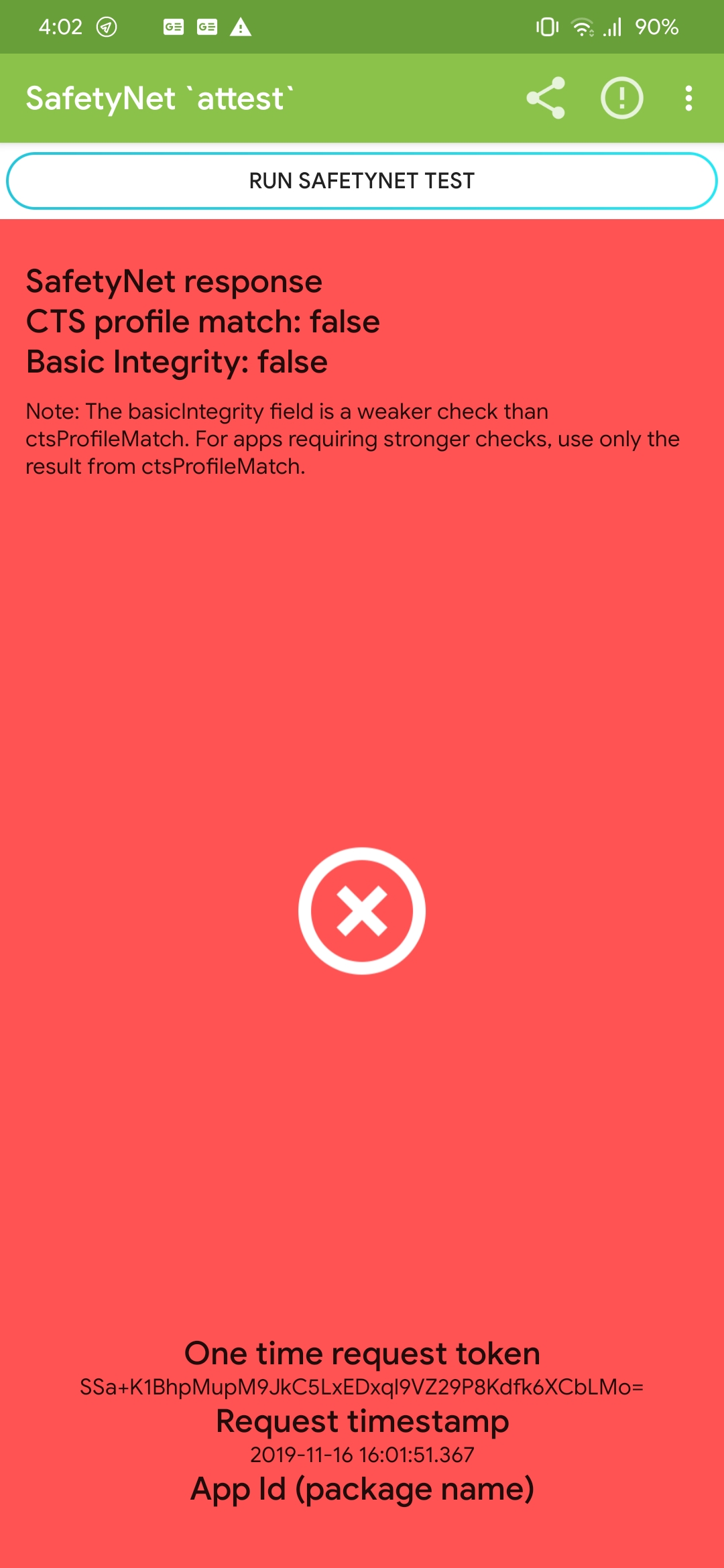
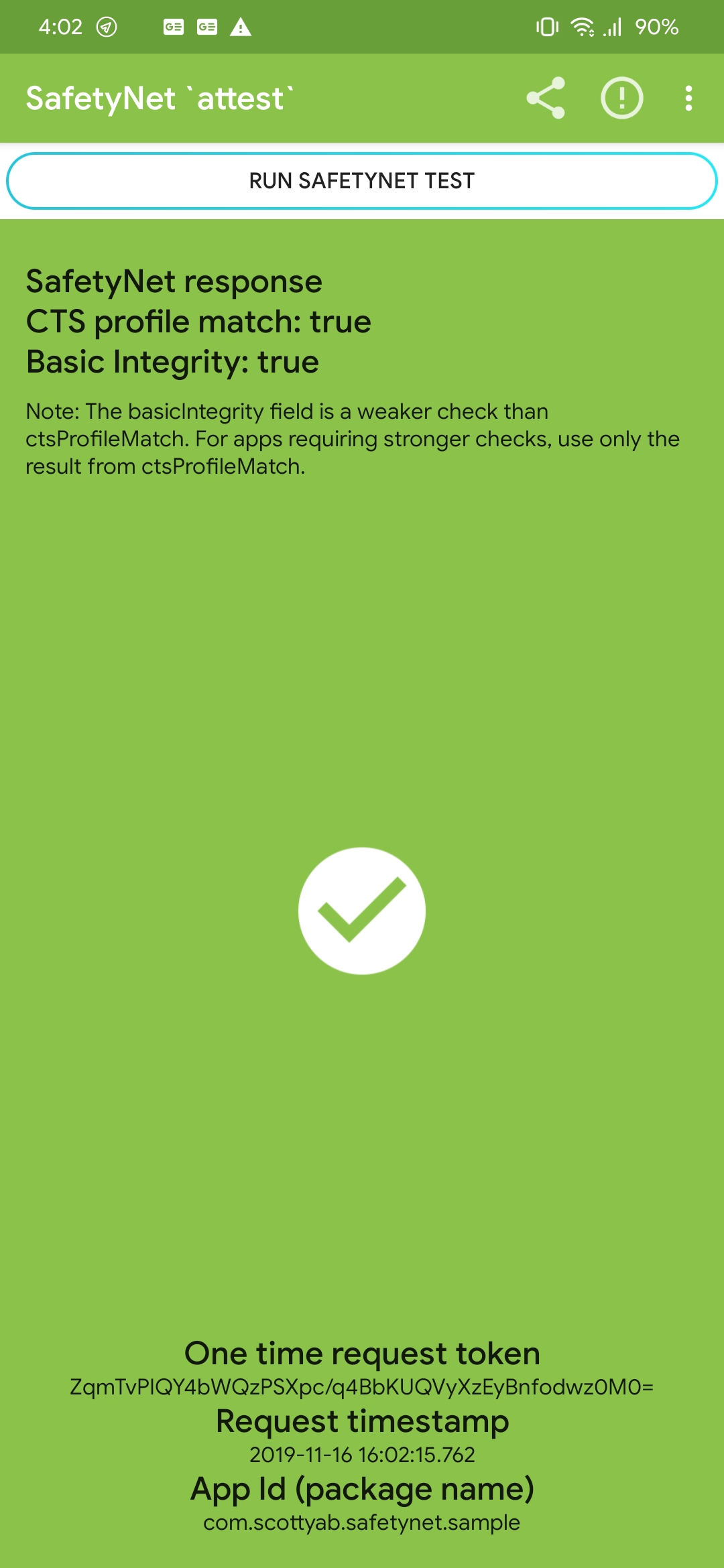
Quick example of how Safetynet just randomly fails, but then it's all good a few moments later
shmykelsa
on 16 Nov 2019
I am definately experiencing this.
On 11/16/19 10:07 AM, Gabriele Rizzo wrote:
>
Screenshot_20191116-160215
https://user-images.githubusercontent.com/9965637/68995185-1d1ae680-088b-11ea-9487-2e9325150ff9.jpg
Screenshot_20191116-160220
https://user-images.githubusercontent.com/9965637/68995186-1d1ae680-088b-11ea-88ab-5ce731822683.jpgQuick example of how Safetynet just randomly fails, but then it's all
good a few moments later—
You are receiving this because you commented.
Reply to this email directly, view it on GitHub
https://github.com/ElderDrivers/EdXposed/issues/386?email_source=notifications&email_token=AAAFUMHBYW7EDSIUKBNNMWTQUAEC5A5CNFSM4JJOWDLKYY3PNVWWK3TUL52HS4DFVREXG43VMVBW63LNMVXHJKTDN5WW2ZLOORPWSZGOEEHTP3Q#issuecomment-554645486,
or unsubscribe
https://github.com/notifications/unsubscribe-auth/AAAFUMFY7OZBLQCZX646WELQUAEC5ANCNFSM4JJOWDLA.
robbyoconnor
on 16 Nov 2019
many above mentioned tweaks are passing the safety net but somehow Google pay (tez) and some other apps are still detecting the root
 GorvGoyl
on 17 Nov 2019
GorvGoyl
on 17 Nov 2019
You pass for awhile and then fail
On 11/17/19 5:50 AM, Gourav Goyal wrote:
>
many above mentioned tweaks are passing safety net but somehow Google
pay (tez) is detecting the root—
You are receiving this because you commented.
Reply to this email directly, view it on GitHub
https://github.com/ElderDrivers/EdXposed/issues/386?email_source=notifications&email_token=AAAFUMBJSYPAA4IGDD3MCADQUEOXLA5CNFSM4JJOWDLKYY3PNVWWK3TUL52HS4DFVREXG43VMVBW63LNMVXHJKTDN5WW2ZLOORPWSZGOEEIJB5I#issuecomment-554733813,
or unsubscribe
https://github.com/notifications/unsubscribe-auth/AAAFUMHAKVOAIZRILI5JRQLQUEOXLANCNFSM4JJOWDLA.
robbyoconnor
on 18 Nov 2019
Another device pass safetynet and use Google Pay and buy a APP:
Sony xperia xz1c
Stock Rom Android 9
Magisk 20.1 + dm-verity enabled + kernel hide unlock
Riru 19.5
Riru - edXposed 0.4.5.1
safety patch v3
just open "Black list/White list" option in edxp settings, put "Google Play services", "Google Play store", "Google Service framework", "Google Pay" in black list; last use Magisk hide with Google Pay.
cscomic
on 18 Nov 2019
many above mentioned tweaks are passing the safety net but somehow Google pay (tez) and some other apps are still detecting the root
Did anyone find the root cause and fixes for this problem
SriHarshaMande
on 20 Nov 2019
i switched from edxposed manager back to just the installer apk
used that with black list i have no issue
ecompton59
on 20 Nov 2019
And it continues to pass, correct?
On 11/20/19 10:43 AM, Sri Harsha wrote:
>
i switched from edxposed manager back to just the installer apk used that with black list i have no issueThank you,,It worked.
—
You are receiving this because you commented.
Reply to this email directly, view it on GitHub
https://github.com/ElderDrivers/EdXposed/issues/386?email_source=notifications&email_token=AAAFUMGUAMI6AQ6JQLOJXSLQUVLIJA5CNFSM4JJOWDLKYY3PNVWWK3TUL52HS4DFVREXG43VMVBW63LNMVXHJKTDN5WW2ZLOORPWSZGOEESNHII#issuecomment-556061601,
or unsubscribe
https://github.com/notifications/unsubscribe-auth/AAAFUMEOZ3F5Q4LXNUM2D73QUVLIJANCNFSM4JJOWDLA.
robbyoconnor
on 20 Nov 2019
Yes confirmed. it has been a week or 2, now the SafetyNet doesn't pass anymore. I've to enable App list mode and blacklist google play services, which breaks some modules and hooks but SafetyNet pass on blacklisting google play services. Please fix this issue. I think it's because google updated google play services which detects xposed being installed on the device.
 ayush7gl
on 21 Nov 2019
ayush7gl
on 21 Nov 2019
Worked like a charm both safetynet worked but I had one issue only the basic was green.. I had to remove safetypatch and magiskhideprop and redo magiskhideprop to get ctsprofile true.. Thanks for this wonderful fix
 m4cklove
on 21 Nov 2019
m4cklove
on 21 Nov 2019
Glad it helped. yes works easy i use substratum and ut dont break it either like it did with manager.ive never used manager just installer. i put fix on xda on OnePlus 7 pro when you update and what you need to do https://forum.xda-developers.com/oneplus-7-pro/how-to/updating-oos-uninstall-overlays-t4006219
ecompton59
on 21 Nov 2019
I use a Note 8 with HadesRomPie v11.1(SDK 28 EXYNOS) and PhantomKernel 2.9 for P
Magisk 7.4.1
Magisk zip 20.2
EdxposedManager 5.4.2
Framework 4.6.0 (4478) Sandhook canary
Hide-magisk
In edxposed settings check app-list mode
In black list check carrier services, google play, google services and google framework
REBOOT in TWRP------wipe dalvik cache and cache
Reboot and safetynet & basicIntegrity will pass 100%
I use the note 8 over a week with this settings and still pass safetynet without problems!!!! WITH SANDHOOK!!!!
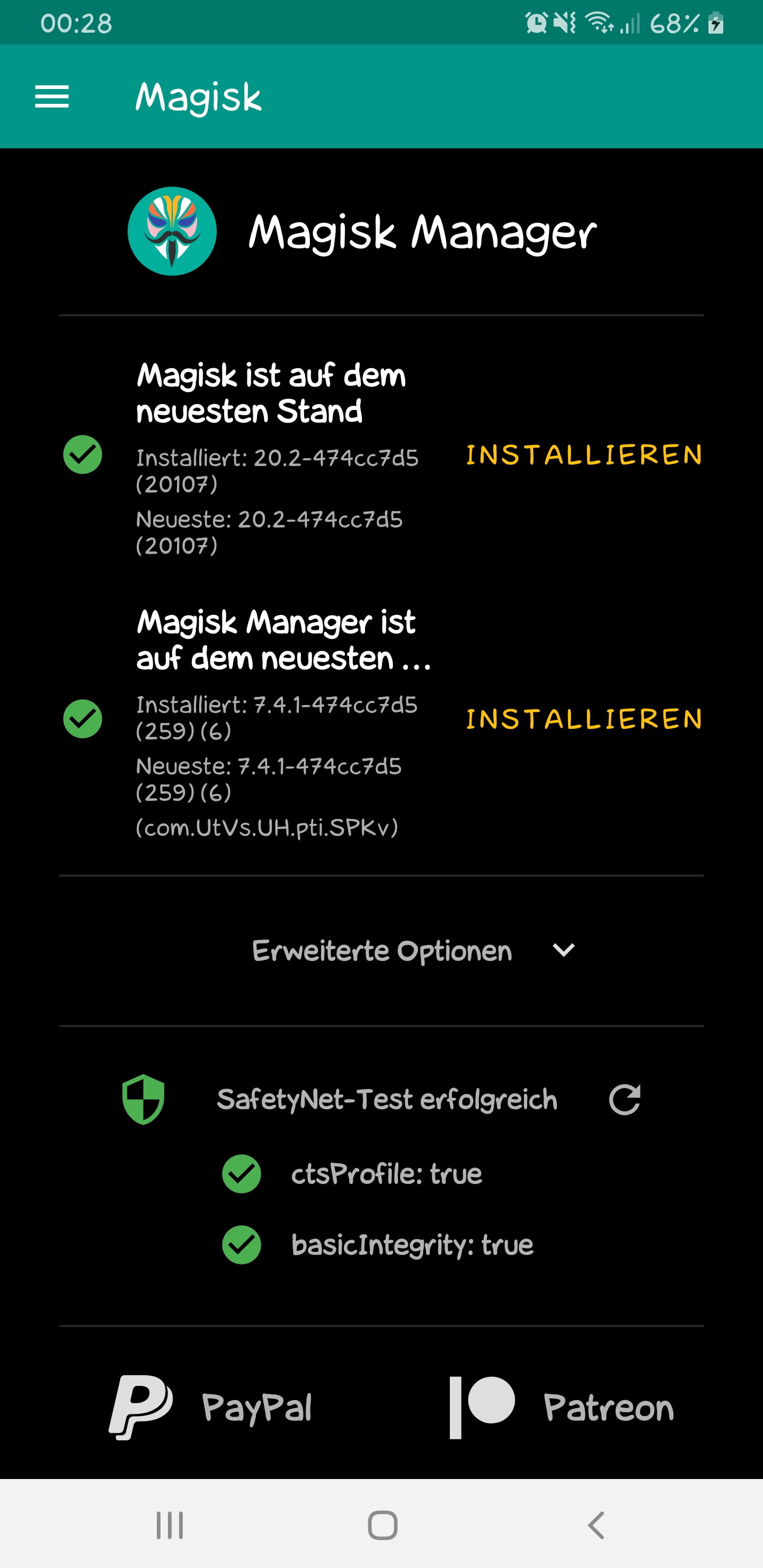
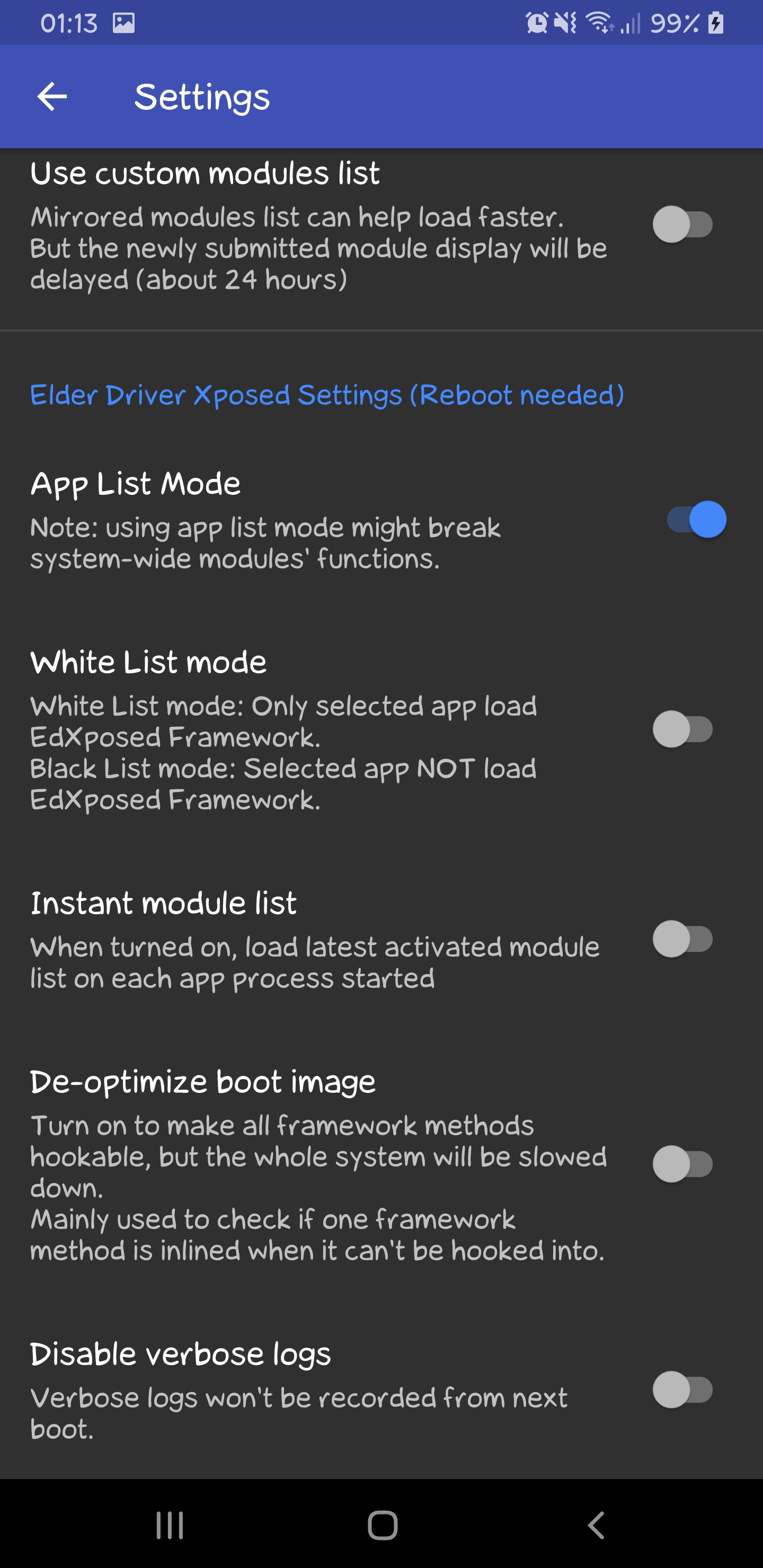
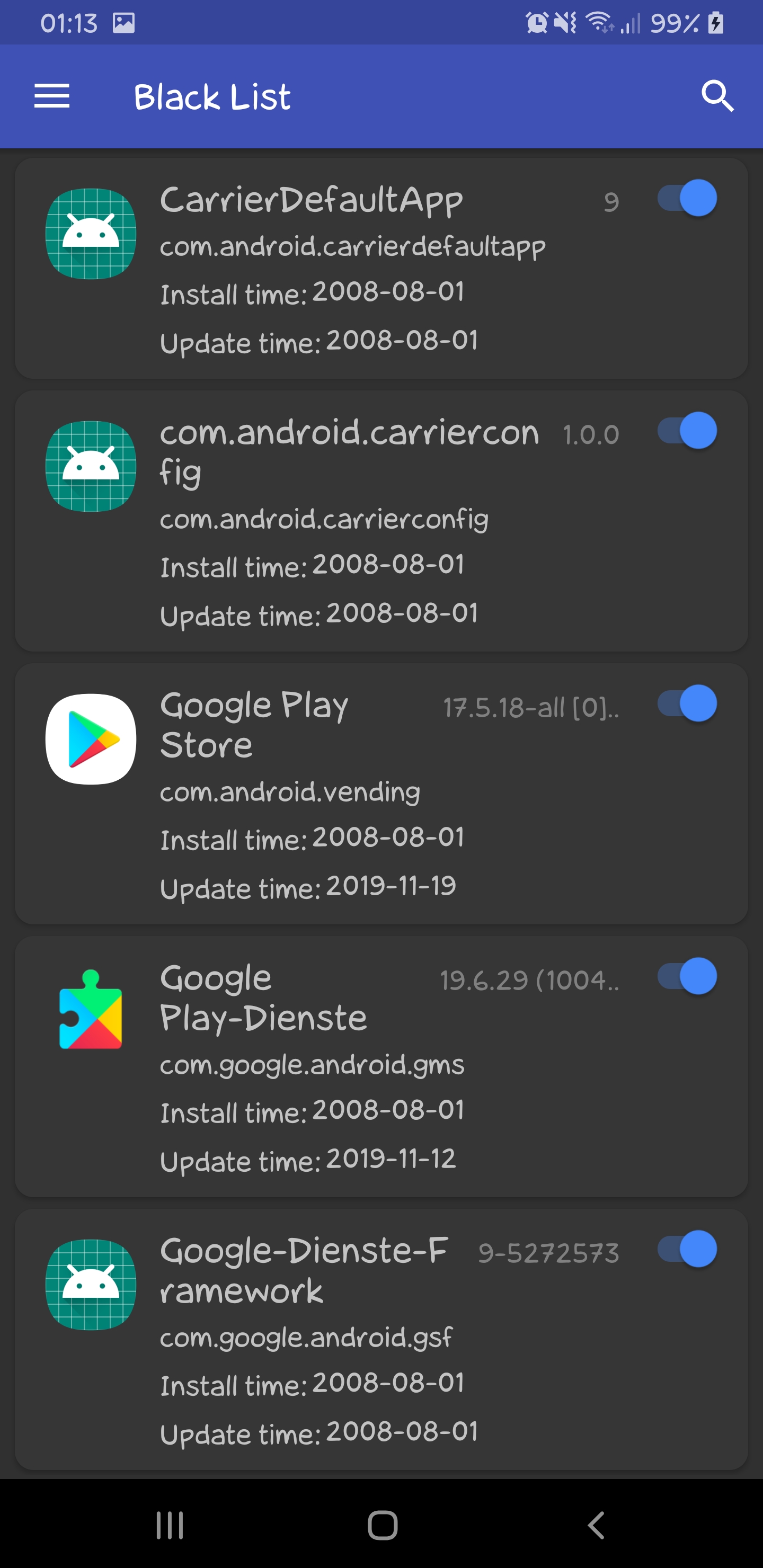
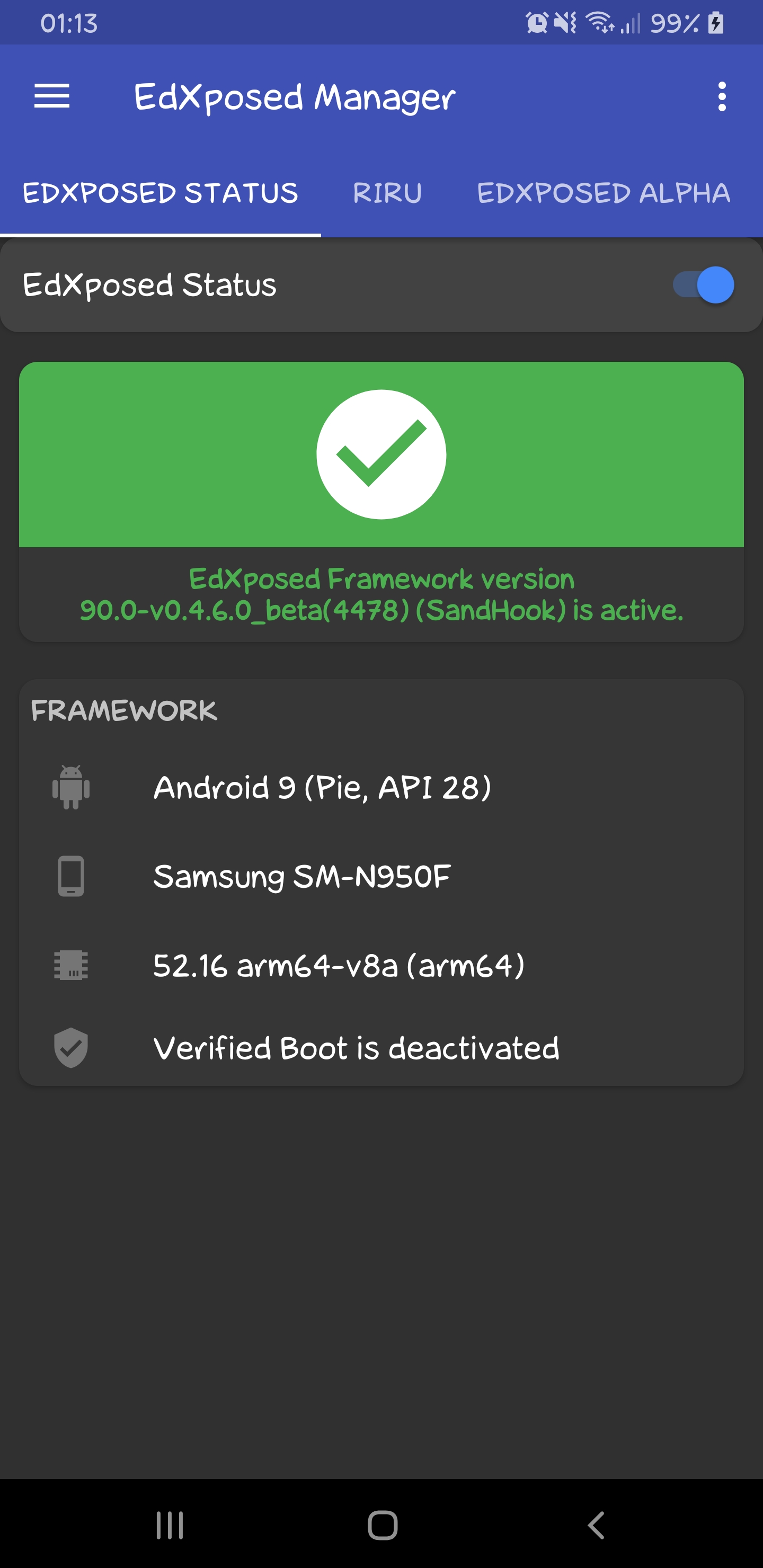
 TheProphet2304
on 22 Nov 2019
TheProphet2304
on 22 Nov 2019
Check in 12-24 hrs and report back.
On 11/21/19 7:15 PM, TheProphet2304 wrote:
>
I use a Note 8 with HadesRomPie v11.1(SDK 28 EXYNOS) and PhantomKernel
2.9 for PMagisk 7.4.1
Magisk zip 20.2
EdxposedManager 5.4.2
Framework 4.6.0 (4478) Sandhook canary
Hide-magisk
In edxposed settings check app-list mode
In black list check carrier services, google play, google services and
google framework
REBOOT in TWRP------wipe dalvik cache and cache
Reboot and safetynet & basicIntegrity will pass 100%
I use the note 8 over a week with this settings and still pass
safetynet without problems!!!! WITH SANDHOOK!!!!
Screenshot_20191122-002847
https://user-images.githubusercontent.com/58054716/69387138-2b229a00-0cc5-11ea-9fcd-68a5f91e052a.jpg
Screenshot_20191122-011353_EdXposed Manager
https://user-images.githubusercontent.com/58054716/69387194-6a50eb00-0cc5-11ea-84cb-0b207e8eb86f.jpg
Screenshot_20191122-011338_EdXposed Manager
https://user-images.githubusercontent.com/58054716/69387202-70df6280-0cc5-11ea-9115-439a0054beda.jpg
Screenshot_20191122-011311_EdXposed Manager
https://user-images.githubusercontent.com/58054716/69387219-7c328e00-0cc5-11ea-8e05-2d8bd1c848e9.jpg—
You are receiving this because you commented.
Reply to this email directly, view it on GitHub
https://github.com/ElderDrivers/EdXposed/issues/386?email_source=notifications&email_token=AAAFUMAZCA2VUBC2CBUZCELQU4QCHA5CNFSM4JJOWDLKYY3PNVWWK3TUL52HS4DFVREXG43VMVBW63LNMVXHJKTDN5WW2ZLOORPWSZGOEE4C62Y#issuecomment-557330283,
or unsubscribe
https://github.com/notifications/unsubscribe-auth/AAAFUMAMY4NCXDBVLKHPD6DQU4QCHANCNFSM4JJOWDLA.
robbyoconnor
on 22 Nov 2019
24 hrs left......and i restarted my note 8 twice (new modules)......and its all passed!!!
Games, Banking apps, Payback, Paypal, Netflix.....etc......ALL WORKS FINE!!!
TheProphet2304
on 23 Nov 2019
24 hrs left......and i restarted my note 8 twice (new modules)......and its all passed!!!
Games, Banking apps, Payback, Paypal, Netflix.....etc......ALL WORKS FINE!!!
I use a Note 8 with HadesRomPie v11.1(SDK 28 EXYNOS) and PhantomKernel 2.9 for P
Magisk 7.4.1
Magisk zip 20.2
EdxposedManager 5.4.2
Framework 4.6.0 (4478) Sandhook canary
Hide-magisk
In edxposed settings check app-list mode
In black list check carrier services, google play, google services and google framework
REBOOT in TWRP------wipe dalvik cache and cache
Reboot and safetynet & basicIntegrity will pass 100%
I use the note 8 over a week with this settings and still pass safetynet without problems!!!! WITH SANDHOOK!!!!
Well I tried your method on my Redmi note 7 Pro
Upgraded to Magisk 7.4.0
Magisk zip 20.2
Flashed:
Rirucore 19.5
Magisk-EdXposed-SandHook-v0.4.6.0_beta(4478)
Install EdxposedManager 4.5.2
Hide-magisk: in magisk hide all google apps/services
In edxposed settings check app-list mode
In black list check carrier services, google play, google services and google framework in fact I incl. every google service in this list
REBOOTED in TWRP--did wipe dalvik cache and cache
Now phone is still on loading screen since 20mins
Dont know if its due to wipe cache/dalvik.
 nritech
on 23 Nov 2019
nritech
on 23 Nov 2019
Then something goes wrong.......
What are you do at last....before you stucked at loading screen?????
Xposed framework or another module????
You dont need to hide ALL google apps!!!!
Maybe you must uninstall edxposed with edxposed uninstallerV3!!! Then you come out from loading screen!!!!
TheProphet2304
on 23 Nov 2019
Can you guys test it without enabling Black list for play store and write did it worked for you or not?
Senliast
on 23 Nov 2019
I have unchecked play store in black list.
Reboot phone.......SAFETYNET FAILED!!!!
TheProphet2304
on 23 Nov 2019
Then something goes wrong.......
What are you do at last....before you stucked at loading screen?????
Xposed framework or another module????You dont need to hide ALL google apps!!!!
Maybe you must uninstall edxposed with edxposed uninstallerV3!!! Then you come out from loading screen!!!!
I caught the culprit.
magisk-EdXposed-SandHook-v0.4.6.0_beta(4478) was the issue.
Deleted this module from twrp and phone booted properly.
Then flashed magisk-EdXposed-SandHook-v0.4.5.1 and rebooted.
Now all seems to work perfectly fine. All tests passing cool!!
But fingers crossed. Need to test for next 2 days to be sure.
I only needed insta module to download instagram stuff. . So far working good.
I also need one important module which can work on Pie and remove the Lockscreen tint/dark shade. Which module can help here?
nritech
on 23 Nov 2019
All is good except Battery drain issue still persists. Can someone explain the relation between installing edxposed and battery drain?
nritech
on 24 Nov 2019
Works for me now lol
On 11/24/19 12:38 AM, nritech wrote:
>
All is good except Battery drain issue still persists. Can someone
explain the relation between installing edxposed and battery drain?—
You are receiving this because you commented.
Reply to this email directly, view it on GitHub
https://github.com/ElderDrivers/EdXposed/issues/386?email_source=notifications&email_token=AAAFUMAOEYLTOU7UXOMCYE3QVIHNDA5CNFSM4JJOWDLKYY3PNVWWK3TUL52HS4DFVREXG43VMVBW63LNMVXHJKTDN5WW2ZLOORPWSZGOEFAEH4Y#issuecomment-557859827,
or unsubscribe
https://github.com/notifications/unsubscribe-auth/AAAFUMFHCW6A3OMGFNPFKMDQVIHNDANCNFSM4JJOWDLA.
robbyoconnor
on 24 Nov 2019
Then something goes wrong.......
What are you do at last....before you stucked at loading screen?????
Xposed framework or another module????
You dont need to hide ALL google apps!!!!
Maybe you must uninstall edxposed with edxposed uninstallerV3!!! Then you come out from loading screen!!!!I caught the culprit.
magisk-EdXposed-SandHook-v0.4.6.0_beta(4478) was the issue.Deleted this module from twrp and phone booted properly.
Then flashed magisk-EdXposed-SandHook-v0.4.5.1 and rebooted.
Now all seems to work perfectly fine. All tests passing cool!!
But fingers crossed. Need to test for next 2 days to be sure.I only needed insta module to download instagram stuff. . So far working good.
I also need one important module which can work on Pie and remove the Lockscreen tint/dark shade. Which module can help here?
Can you give me that insta module link or name
SriHarshaMande
on 24 Nov 2019
XInsta
On 11/24/19 2:19 AM, Sri Harsha wrote:
>
    Then something goes wrong.......
    What are you do at last....before you stucked at loading
    screen?????
    Xposed framework or another module????
    You dont need to hide ALL google apps!!!!
    Maybe you must uninstall edxposed with edxposed
    uninstallerV3!!! Then you come out from loading screen!!!!

I caught the culprit.
magisk-EdXposed-SandHook-v0.4.6.0_beta(4478) was the issue.

Deleted this module from twrp and phone booted properly.

Then flashed magisk-EdXposed-SandHook-v0.4.5.1 and rebooted.

Now all seems to work perfectly fine. All tests passing cool!!
But fingers crossed. Need to test for next 2 days to be sure.

I only needed insta module to download instagram stuff. . So far
working good.

I also need one important module which can work on Pie and remove
the Lockscreen tint/dark shade. Which module can help here?
Can you give me that insta module link or name
—
You are receiving this because you commented.
Reply to this email directly, view it on GitHub
https://github.com/ElderDrivers/EdXposed/issues/386?email_source=notifications&email_token=AAAFUMEIIHUBK6ZD7ANFV5DQVITG5A5CNFSM4JJOWDLKYY3PNVWWK3TUL52HS4DFVREXG43VMVBW63LNMVXHJKTDN5WW2ZLOORPWSZGOEFAFKJY#issuecomment-557864231,
or unsubscribe
https://github.com/notifications/unsubscribe-auth/AAAFUMHIYUKEGAPETFRTQY3QVITG5ANCNFSM4JJOWDLA.
robbyoconnor
on 25 Nov 2019
What TheProphet2304 suggested is working for me on LineageOS 16 Official. I also have Liboemcrypt Disabler installed.
This is a little off-topic, but it might be helpful to someone.
For people who are meticulously going through Magisk and EdXposed modules to troubleshoot:
https://forum.xda-developers.com/apps/magisk/tool-magisk-manager-recovery-tool-v1-0-t3866502/amp/
You don't have to install it, just stash the .zip file on your phone storage somewhere, and use it when needed. It is a menu driven Magisk module management tool, a program that runs from TWRP without actually installing. When a Magisk module causes a problem, just run TWRP, "Install" the .zip (it runs on demand in memory, doesn't really install) and you can disable or uninstall any Magisk modules, or put Magisk into Core Only mode. If it is an EdXposed module causing a problem, just temporarily disable the EdXposed module.
It doesn't do anything that you couldn't do from fastboot or adb, but it is usually easier and more convenient to not have to tether to a PC, or muck around in a command line on your phone.
I have nothing to do with this program, it has just saved me a lot of time.
 flostingapplesauce
on 25 Nov 2019
flostingapplesauce
on 25 Nov 2019
Can I ask, has anyone tried falling back to EdXposed 0.4.4.4? Is this issue just with 0.4.5.1 and 0.4.6.0? I'm having trouble with GPay transactions failing, and with SafetyNet passing, then failing, then passing, even with relevant apps blacklisted. Are there any potential pitfalls to downgrading?
 DC2Brooklyn
on 26 Nov 2019
DC2Brooklyn
on 26 Nov 2019
Can someone confirm why my phone is heating after installing edxposed etc?
Also, screen doesnt turn on in one go, have to tap multiple times on display or power button needs to be pressed few times.
nritech
on 26 Nov 2019
Can I ask, has anyone tried falling back to EdXposed 0.4.4.4? Is this issue just with 0.4.5.1 and 0.4.6.0? I'm having trouble with GPay transactions failing, and with SafetyNet passing, then failing, then passing, even with relevant apps blacklisted. Are there any potential pitfalls to downgrading?
Hi! Just to let you know, I tried downgrading to 0.4.4.4 Sandhook and SafetyNet still failed. Tried 0.4.5.1 both Sandhook and the other version, also failed.
Seems only way for now is to blacklist the services / apps.
S10+ on custom rom
 iamthekings5
on 27 Nov 2019
iamthekings5
on 27 Nov 2019
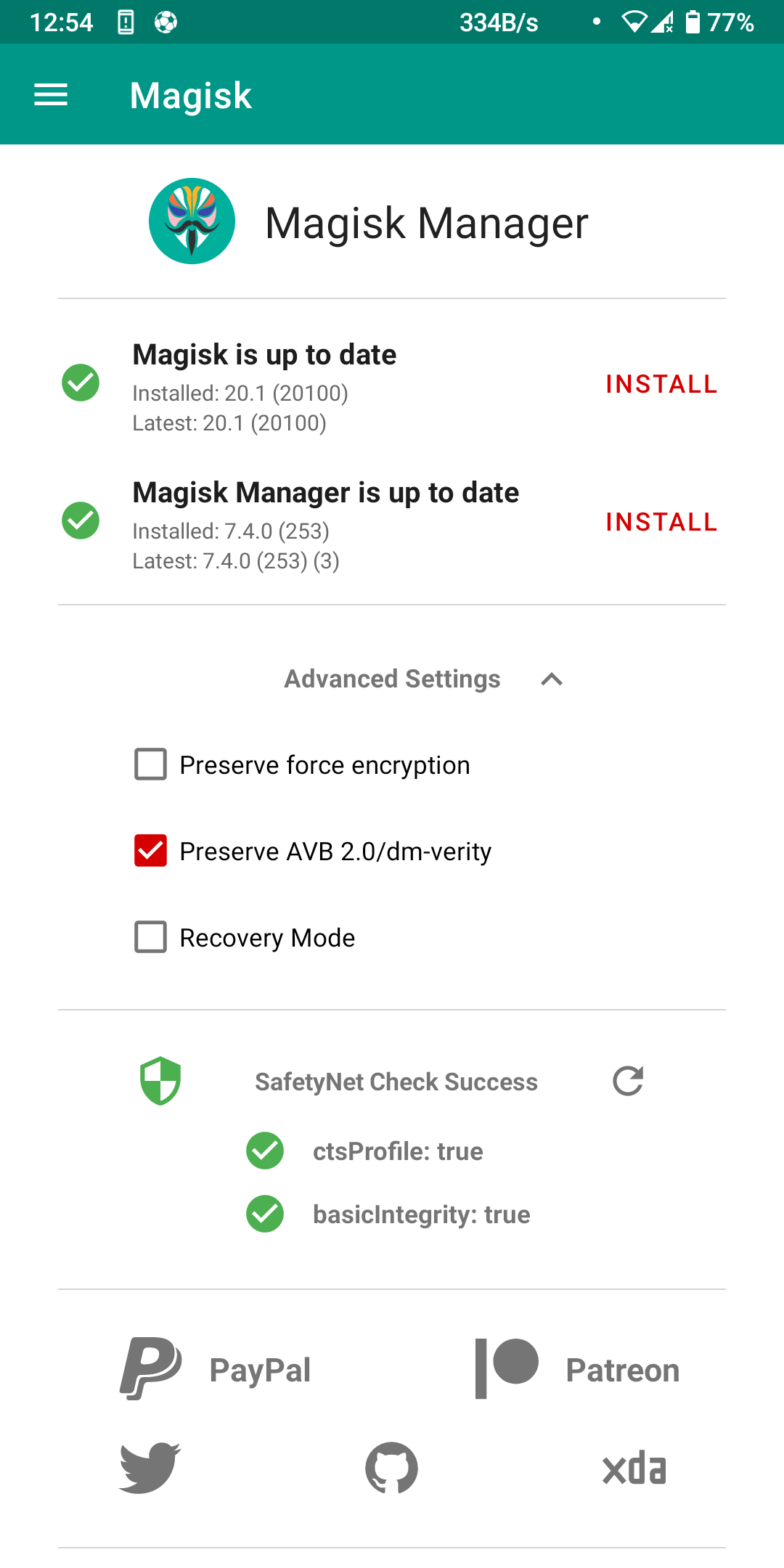
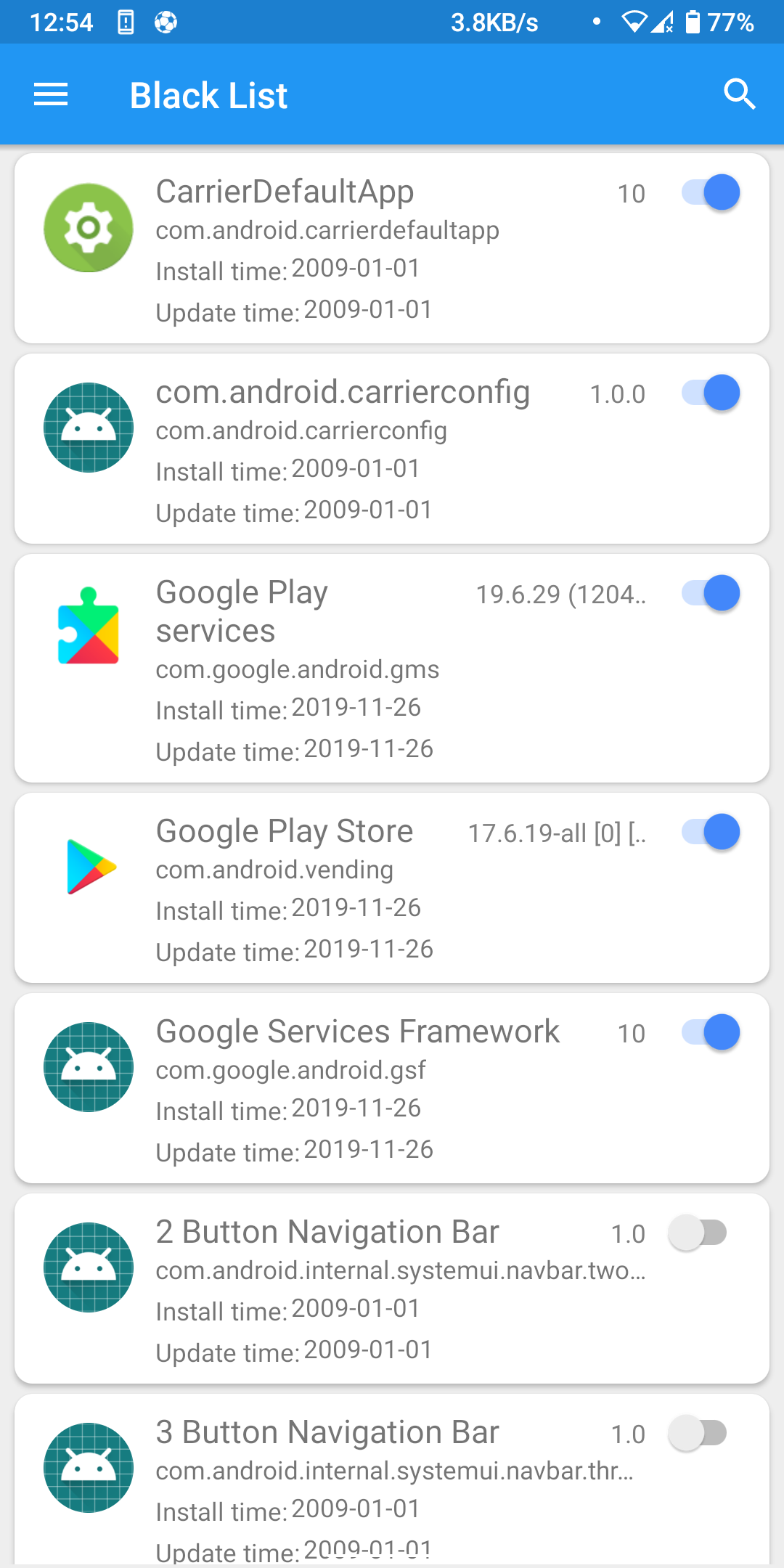
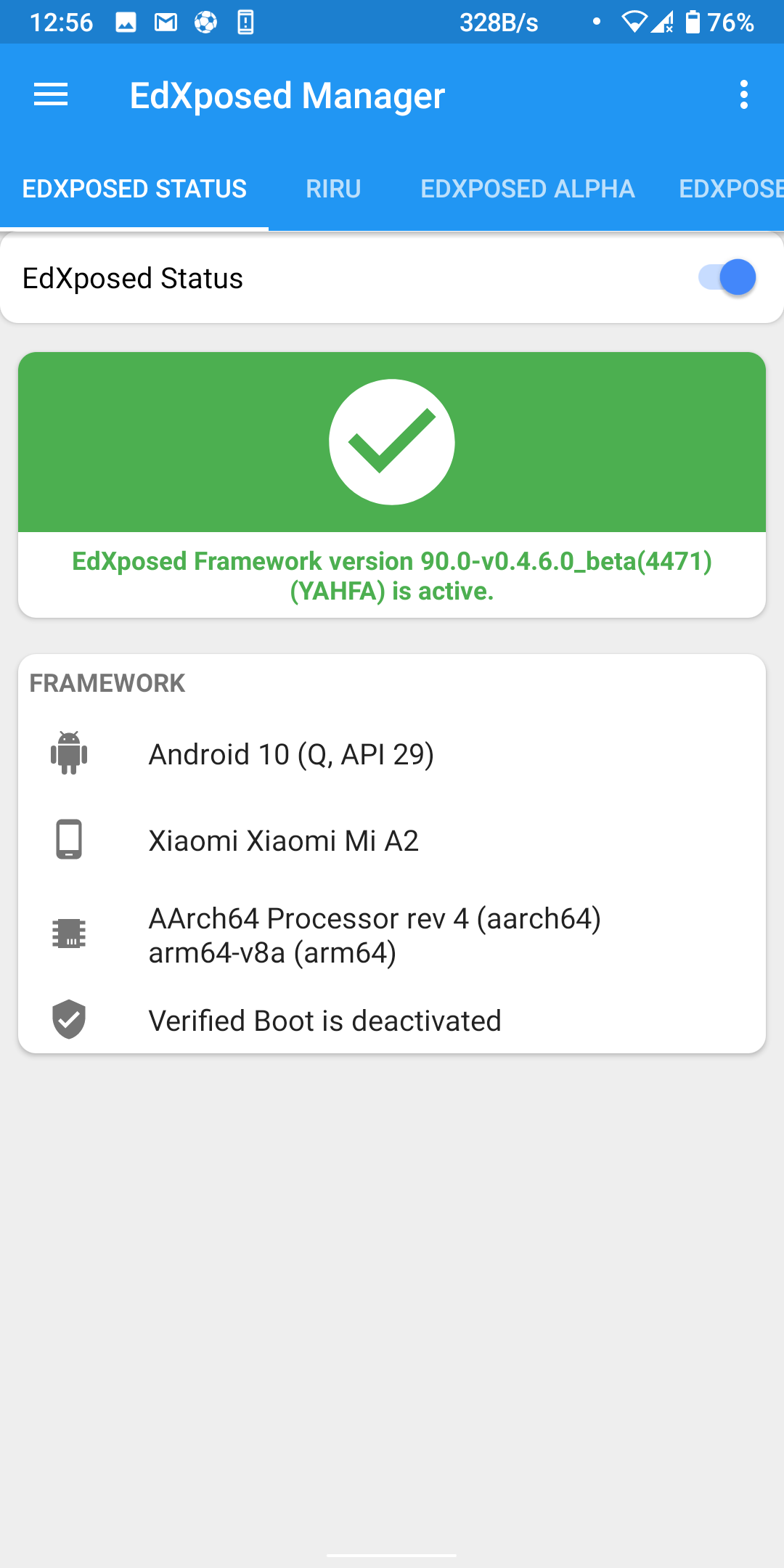
thx that's work for me
 cazkiller
on 27 Nov 2019
cazkiller
on 27 Nov 2019
    thx that's work for me

That's not a permanent fix , it will fail after a while and be
true just after, it's very random..
tupac55
on 28 Nov 2019
thx that's work for me
That's not a permanent fix , it will fail after a while and be true just after, it's very random..
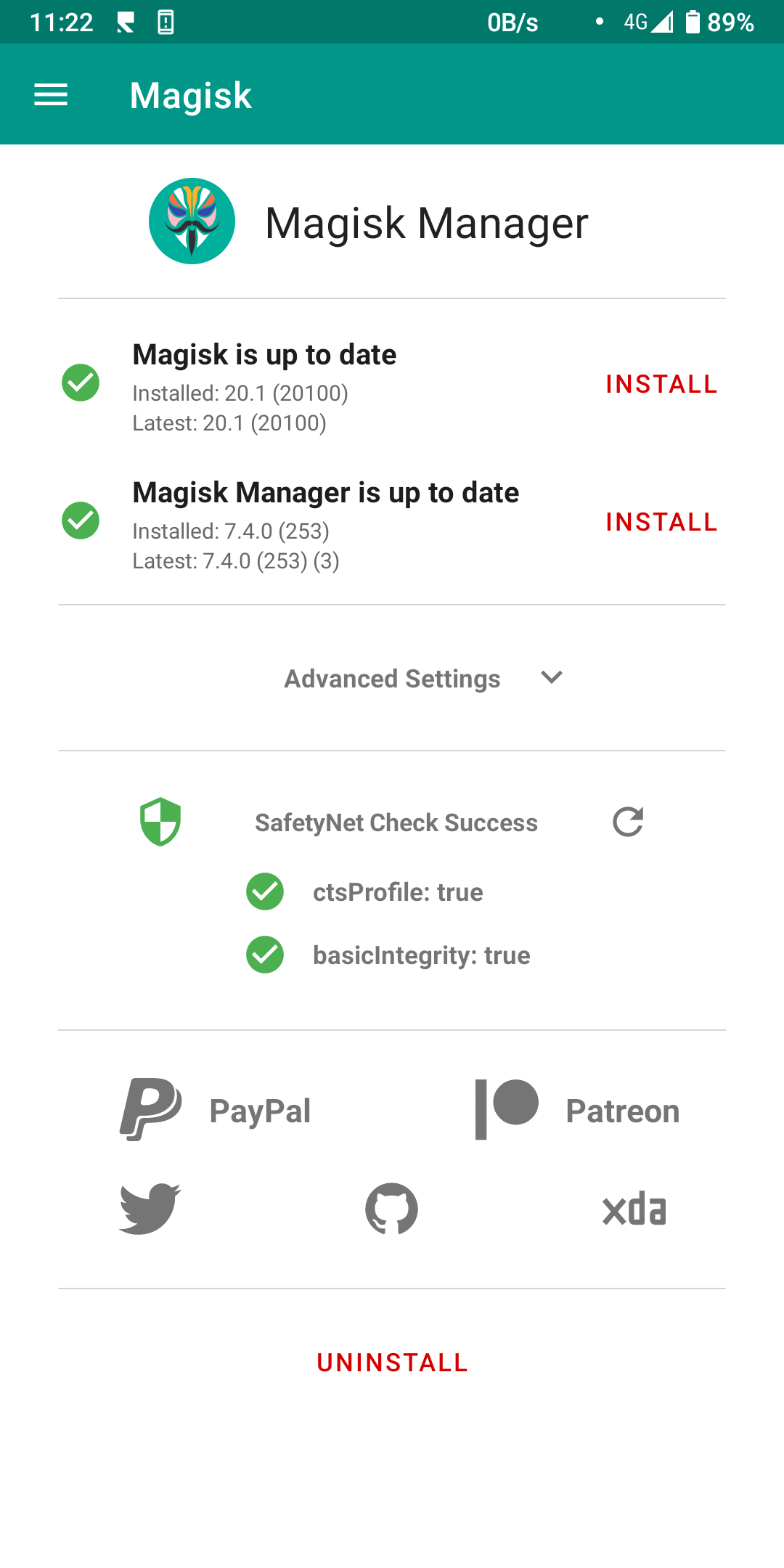
wht u mean, i check it but still green
cazkiller
on 29 Nov 2019
If it fails, reinstalling Magisk has helped me.
On 11/28/19 11:29 PM, cazkiller wrote:
>
thx that's work for me That's not a permanent fix , it will fail after a while and be true just after, it's very random..Screenshot_20191129-112249_Magisk_Manager
https://user-images.githubusercontent.com/58269568/69843585-c81f9d00-129a-11ea-92ab-9e3de8a1e89a.png
wht u mean, i check it but still green—
You are receiving this because you commented.
Reply to this email directly, view it on GitHub
https://github.com/ElderDrivers/EdXposed/issues/386?email_source=notifications&email_token=AAAFUMG23YAJRZZ526OQ5KLQWCLCBA5CNFSM4JJOWDLKYY3PNVWWK3TUL52HS4DFVREXG43VMVBW63LNMVXHJKTDN5WW2ZLOORPWSZGOEFN2XGY#issuecomment-559655835,
or unsubscribe
https://github.com/notifications/unsubscribe-auth/AAAFUMF3IPH4DQAV5KV3A5TQWCLCBANCNFSM4JJOWDLA.
robbyoconnor
on 29 Nov 2019
When my phone is in pocket mostly its warm irrespective of turning off Double tap to Sleep or Wake.
Whats wrong? This issue is haunting me.
I have even flashed a new rom but after installing magisk its eating my battery like anything.
nritech
on 29 Nov 2019
Right now I've formatted my phone and flashed new rom with all stock apps.
As soon as I install Magisk (no edxposed), the phone is loosing battery when its in pocket and is getting warm due to excessive battery drain. If phone isn't in pocket the battery seems ok and phone also isn't warm.
Double tap to Wake/Sleep is disabled.
No battery draining observed by any apps.
nritech
on 29 Nov 2019
I have not noticed this. What phone?
On 11/29/19 11:58 AM, nritech wrote:
>
Right now I've formatted my phone and flashed new rom with all stock apps.
As soon as I install Magisk (no edxposed), the phone is loosing
battery when its in pocket and is getting warm due to excessive
battery drain. If phone isn't in pocket the battery seems ok and phone
also isn't warm.Double tap to Wake/Sleep is disabled.
No battery draining observed by any apps.—
You are receiving this because you commented.
Reply to this email directly, view it on GitHub
https://github.com/ElderDrivers/EdXposed/issues/386?email_source=notifications&email_token=AAAFUMAKPYFPH4FKML4XX63QWFC3NA5CNFSM4JJOWDLKYY3PNVWWK3TUL52HS4DFVREXG43VMVBW63LNMVXHJKTDN5WW2ZLOORPWSZGOEFPI3ZQ#issuecomment-559844838,
or unsubscribe
https://github.com/notifications/unsubscribe-auth/AAAFUMFAK3PZFOUH3D2UZLDQWFC3NANCNFSM4JJOWDLA.
robbyoconnor
on 29 Nov 2019
I have not noticed this. What phone?
…
On 11/29/19 11:58 AM, nritech wrote: Right now I've formatted my phone and flashed new rom with all stock apps. As soon as I install Magisk (no edxposed), the phone is loosing battery when its in pocket and is getting warm due to excessive battery drain. If phone isn't in pocket the battery seems ok and phone also isn't warm. Double tap to Wake/Sleep is disabled. No battery draining observed by any apps. — You are receiving this because you commented. Reply to this email directly, view it on GitHub <#386?email_source=notifications&email_token=AAAFUMAKPYFPH4FKML4XX63QWFC3NA5CNFSM4JJOWDLKYY3PNVWWK3TUL52HS4DFVREXG43VMVBW63LNMVXHJKTDN5WW2ZLOORPWSZGOEFPI3ZQ#issuecomment-559844838>, or unsubscribe https://github.com/notifications/unsubscribe-auth/AAAFUMFAK3PZFOUH3D2UZLDQWFC3NANCNFSM4JJOWDLA.
Redmi Note 7 Pro
nritech
on 30 Nov 2019
Then it's likely your ROM -- don't blame Magisk when you haven't ruled
out everything else.
On 11/30/19 7:19 AM, nritech wrote:
>
I have not noticed this. What phone?
… <#>
On 11/29/19 11:58 AM, nritech wrote: Right now I've formatted my
phone and flashed new rom with all stock apps. As soon as I
install Magisk (no edxposed), the phone is loosing battery when
its in pocket and is getting warm due to excessive battery drain.
If phone isn't in pocket the battery seems ok and phone also isn't
warm. Double tap to Wake/Sleep is disabled. No battery draining
observed by any apps. — You are receiving this because you
commented. Reply to this email directly, view it on GitHub <#386
<https://github.com/ElderDrivers/EdXposed/issues/386>?email_source=notifications&email_token=AAAFUMAKPYFPH4FKML4XX63QWFC3NA5CNFSM4JJOWDLKYY3PNVWWK3TUL52HS4DFVREXG43VMVBW63LNMVXHJKTDN5WW2ZLOORPWSZGOEFPI3ZQ#issuecomment-559844838>,
or unsubscribe
https://github.com/notifications/unsubscribe-auth/AAAFUMFAK3PZFOUH3D2UZLDQWFC3NANCNFSM4JJOWDLA.
Redmi Note 7 Pro
—
You are receiving this because you commented.
Reply to this email directly, view it on GitHub
https://github.com/ElderDrivers/EdXposed/issues/386?email_source=notifications&email_token=AAAFUMCVPLUQVHEQWWSP2HLQWJK5HA5CNFSM4JJOWDLKYY3PNVWWK3TUL52HS4DFVREXG43VMVBW63LNMVXHJKTDN5WW2ZLOORPWSZGOEFQEXLI#issuecomment-559958957,
or unsubscribe
https://github.com/notifications/unsubscribe-auth/AAAFUMAWI3KBLOTXAI5LY53QWJK5HANCNFSM4JJOWDLA.
robbyoconnor
on 30 Nov 2019
Please come back to the main subject.. edxposed tripping safetynet...
Issues with magisk or not related with safetynet shouldn't be on this thread
tupac55
on 30 Nov 2019
Please come back to the main subject.. edxposed tripping safetynet...
Issues with magisk or not related with safetynet shouldn't be on this thread
You said what everyone else was thinking. :)
Unfortunately it has been weeks now, and it does not look like EdXposed is likely to have a singular fix that will work for everyone on every device out of the box. It is beginning to look like we will have to work with what we currently have and know. We just need to find the commonalities between the successful fixes, and distill them down to an answer, a panacea, the Xposed Philosopher's Stone, if you will.
So far, we have blacklisting our root-sensitive apps in EdXposed, along with the assorted Google Play apps (is there a list? I know of Google Play, Google Play Services, and Google Services Framework - are there others that absolutely MUST be in the blacklist?);
Add our apps and these Play services to Magiskhide;
Clear cache and data for Play services;
Reboot.
Some people claim success right here. Others have claimed deactivating all modules in EdXposed but leaving EdXposed active in Magisk does the trick, some people on XDA are still saying that the HiddenCore module in EdXposed actually works for GPay, others say it just spoofs the test somehow, and some folks are having good luck with the SQLite mod.
And of course there is the entirely different animal of DRM apps like Netflix, which don't seem to care if you can pass SafetyNet. I can watch Netflix on two LOS devices, and they both fail both tests in Magisk, but I cannot get Netflix working on my LOS phone, which CAN pass SafetyNet with blacklisting. There are two Magisk modules geared toward addressing this - Liboemcrypt Disabler, which worked great on my phone until I installed LineageOS, and SafetyPatch, which I believe works in conjunction with Didgeridoohan's Magiskhide Props Config module.
There has also been some discussion about the ancient module sudohide, if anyone wants to blow the dust off of it and precariously balance your phone's reliability on the tip of your nose.
Can we aggregate some of the other teks that people are using and see if we can locate a common denominator? Many people have this licked, and that tells us that it can be done. We have been communicating our various successes and failures, and that is good, but we are doing it in such a hodgepodge fashion that our results are very scattered.
We need lasers, coherent light sources, not D cell flashlights :)
flostingapplesauce
on 30 Nov 2019
Please come back to the main subject.. edxposed tripping safetynet...
Issues with magisk or not related with safetynet shouldn't be on this threadYou said what everyone else was thinking. :)
Unfortunately it has been weeks now, and it does not look like EdXposed is likely to have a singular fix that will work for everyone on every device out of the box. It is beginning to look like we will have to work with what we currently have and know. We just need to find the commonalities between the successful fixes, and distill them down to an answer, a panacea, the Xposed Philosopher's Stone, if you will.
So far, we have blacklisting our root-sensitive apps in EdXposed, along with the assorted Google Play apps (is there a list? I know of Google Play, Google Play Services, and Google Services Framework - are there others that absolutely MUST be in the blacklist?);
Add our apps and these Play services to Magiskhide;
Clear cache and data for Play services;
Reboot.
Some people claim success right here. Others have claimed deactivating all _modules_ in EdXposed but leaving EdXposed active in Magisk does the trick, some people on XDA are still saying that the HiddenCore module in EdXposed actually works for GPay, others say it just spoofs the test somehow, and some folks are having good luck with the SQLite mod.
And of course there is the entirely different animal of DRM apps like Netflix, which don't seem to care if you can pass SafetyNet. I can watch Netflix on two LOS devices, and they both fail both tests in Magisk, but I cannot get Netflix working on my LOS phone, which CAN pass SafetyNet with blacklisting. There are two Magisk modules geared toward addressing this - Liboemcrypt Disabler, which worked great on my phone until I installed LineageOS, and SafetyPatch, which I believe works in conjunction with Didgeridoohan's Magiskhide Props Config module.
There has also been some discussion about the ancient module sudohide, if anyone wants to blow the dust off of it and precariously balance your phone's reliability on the tip of your nose.
Can we aggregate some of the other teks that people are using and see if we can locate a common denominator? Many people have this licked, and that tells us that it can be done. We have been communicating our various successes and failures, and that is good, but we are doing it in such a hodgepodge fashion that our results are very scattered.
We need lasers, coherent light sources, not D cell flashlights :)
I can't speak for Netflix because I don't know much about its DRM, but after I applied the temporary fix I can update Netflix and Revolut (which won't show if safetynet is not passed).
Specs:
1) EdXposed v0.4.5.1_beta(4463) (SandHook), was on YAFHA variant when issues first surfaced, tried to switch to SandHook to fix, no dice.
2) S10+ on Android Pie 9.0, Project Pixel 1.0, Magisk v19.3
What I tried:
1) As mentioned above, tried both variants of v0.4.5.1 of SandHook and YAFHA, both safetynet wasn't passing.
2) Tried previous versions of Sandhook, i think v0.4.4.4, no dice.
3) Tried advanced versions of Sandhook, the alpha files, no dice.
What (reliably) worked:
Blacklisting the following apps (on EdXposed): Google Services Framework, Google Play Store, Google Play services. To my knowledge if you leave even one of them unlisted safetynet will always fail. ALWAYS.
By blacklisting those 3 applications, I got safetynet to pass BUT!! it seems sporadic and random in nature. Sometimes it would say okay, sometimes i'd see the crosses. For me, this is a good enough bandaid until something meaningful comes along.
For Google Pay, I couldn't get it to work (it disabled my cards and I couldn't reactivate them), but after blacklisting Google Pay and Google, I eventually managed to re-enable all my cards and not get the this device is rooted warning. I will point out that sometimes it states that I'm rooted, indicating that the temporary fix we have is a bandaid solution.
All my xposed modules are working well, so for now this is fine.
Let me know if you have any questions! And please contribute to this.
Btw, I think Sudohide is pretty damn reiable! The problem is the framework it is build on has to constantly adapt.
iamthekings5
on 1 Dec 2019
If you need secured apps that are from playstore but you can't pass safetynet, try aurora store. They pull apks directly from google play
iamthekings5
on 1 Dec 2019
Thank you, I hadn't seen Aurora before, this is fancy! Very handy, too.
When you blacklist those three apps, do you also put anything in Magisk Hide? I am now completely unable to pass SafetyNet even blacklisting then in both. It is not real important to me, I can watch Amazon on my lunch hour instead (heh), but it is still fun to try.
Didgeridoohan mentioned that adding too many apps to MagiskHide can cause instabilities, and I wonder if the same is true of EdXposed Blacklist. Blacklisting the wrong system apps might cause grief, and although that doesn't seem like an issue for us, this seemed like a good time to say it.
flostingapplesauce
on 3 Dec 2019
Thank you, I hadn't seen Aurora before, this is fancy! Very handy, too.
When you blacklist those three apps, do you also put anything in Magisk Hide? I am now completely unable to pass SafetyNet even blacklisting then in both. It is not real important to me, I can watch Amazon on my lunch hour instead (heh), but it is still fun to try.
Didgeridoohan mentioned that adding too many apps to MagiskHide can cause instabilities, and I wonder if the same is true of EdXposed Blacklist. Blacklisting the wrong system apps might cause grief, and although that doesn't seem like an issue for us, this seemed like a good time to say it.
Yes - I additionally place Google Pay and the Google app in the blacklist.
I made it a point to test which apps MUST be in the blacklist, as I also think it might cause some nasty instabilities and interactions if you put too many apps in the blacklist.
iamthekings5
on 5 Dec 2019
could edxposed manager have a stub apk like magisk in the latest release to hide it completely ? or it's not the manager who been detected ?
 mirsella
on 7 Dec 2019
mirsella
on 7 Dec 2019
Actually I've done some research and found that's it's Google Play Services being hooked by edxposed.. because taichi-magisk doesn't trip safetynet by default, it'll trip safetynet only if you tell to taichi app to hook Google Play Services .. which doesn't need to be hooked for 99% of Xposed module
Also when not hooked with taichi the safetynet pass and it's not random as app list mode in edxposed manager.. it successfully pass and stay like that
I'm liking taichi so far, very stable and modulable, also Dev have control about what module should work or not so there's no toxic module and also Dev are replying quickly in their GitHub
So I'm assuming to fix safetynet being tripped edxposed manager or the framework should unhook Google Play Services..
tupac55
on 7 Dec 2019
I am liking Taichi too, except no support for theAFwall+ module. Add that and I will ditch EdXposed immediately.
flostingapplesauce
on 7 Dec 2019
You have to ask in their website for adding support for module that isn't supported yet :) , i'll let you find as i don't want to disrespect edxposed dev by giving a link. I really hope that Edxposed will just let us unhook completely Google Play Services and fix that quick
tupac55
on 7 Dec 2019
I had the FDE Magisk module installed when SafetyNet broke, so it hasn't fixed it. I actually thought it might be one of the things tripping SafetyNet and uninstalled it, but it didn't change anything. I also bought the .apk and tried it instead of the module, but it has no discernible effect on SafetyNet. Nice app, though.
I haven't decided which I prefer, FDE or L Speed, both are pretty cool, but that is another subject.
flostingapplesauce
on 10 Dec 2019
the fde things is a pure coincidence, for me I got safetynet stable after uninstalling fde...
using yafha it work Everytime now
mirsella
on 10 Dec 2019
I'm running the yafha build here, have blacklisted the Google services as suggested, and while Magisk reports my device passes SafetyNet, GPay is complaining about being rooted. It must be doing some other check. Going to disable EdXposed and see if that fixes GPay.
My concern about switching to Taichi is the fact that it's closed source. Not saying I'm reviewing every line of code of these modules, but it is concerning that the dev will publish some things but not others.
 tonycpsu
on 12 Dec 2019
tonycpsu
on 12 Dec 2019
I'm running the yafha build here, have blacklisted the Google services as suggested, and while Magisk reports my device passes SafetyNet, GPay is complaining about being rooted. It must be doing some other check. Going to disable EdXposed and see if that fixes GPay.
My concern about switching to Taichi is the fact that it's closed source. Not saying I'm reviewing every line of code of these modules, but it is concerning that the dev will publish some things but not others.
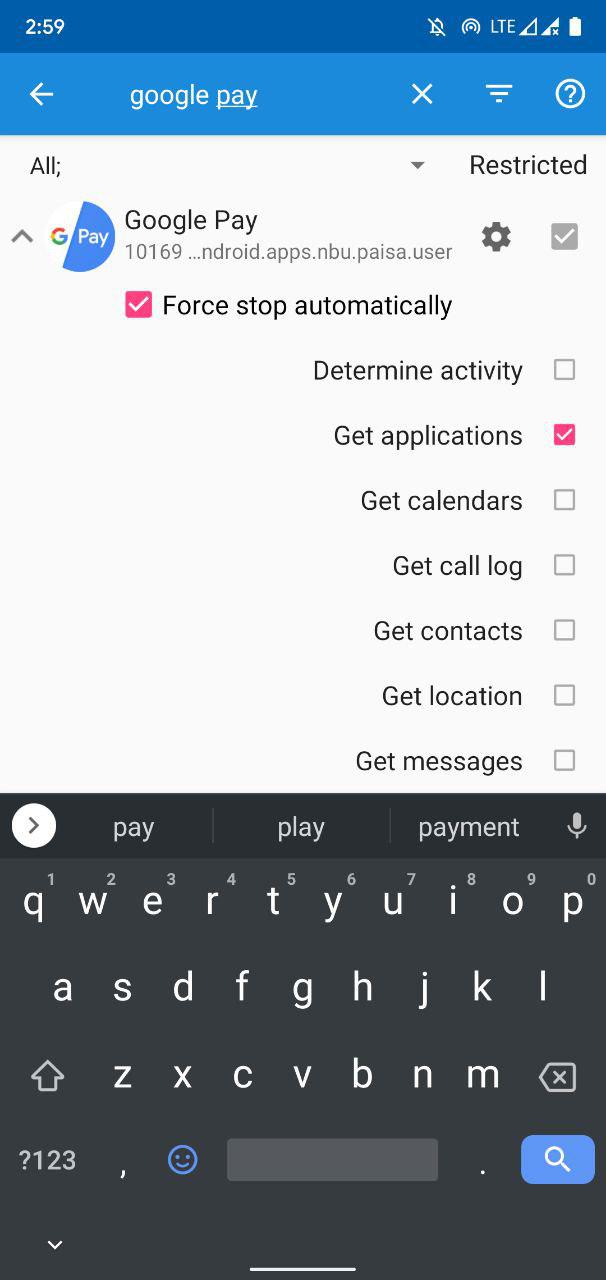
It scans for apps installed on device just use xprivacy and disable app's get application request
 ayush5harma
on 16 Dec 2019
ayush5harma
on 16 Dec 2019
It scans for apps installed on device just use xprivacy and disable app's get application request
Will give that a shot. Thank you.
tonycpsu
on 16 Dec 2019
It scans for apps installed on device just use xprivacy and disable app's get application request
Good. It wooks!!
 maragath
on 16 Dec 2019
maragath
on 16 Dec 2019
It scans for apps installed on device just use xprivacy and disable app's get application request
Good. It wooks!!
Were you able to use GPay after denying Get Applications permission?
tgt26
on 17 Dec 2019
It scans for apps installed on device just use xprivacy and disable app's get application request
Good. It wooks!!
Were you able to use GPay after denying Get Applications permission?
Block getapps permission long with blacklisting apps as stated in above comments and you'll be able to do payments provided safetynet doesn't trip.
ayush5harma
on 17 Dec 2019
It scans for apps installed on device just use xprivacy and disable app's get application request
Good. It wooks!!
Were you able to use GPay after denying Get Applications permission?
Yes. I haven't been able to use Gpay with Edxposed running for more than one month. After denying 'Get Applications' with XprivacyLua yesterday I made a payment with GPay
maragath
on 17 Dec 2019
As for me, just blacklisting of Google Play Services was enough.
Asus One Plus, Android 9, installed Lucky Patcher with modded Google Play.
 GauriSpears
on 17 Dec 2019
GauriSpears
on 17 Dec 2019
Yeah! Same bug here (but I've found workaround!)
Here:
Lineage OS 16 (Android 9)
Newest Official Magisk Canary:
20.2 (20102)
Manager 7.4.1 (255)
Manager Hidden
Newest EdXposed Manager v4.5.1
Newest Riru v19.5
Newest UNOFFICIAL EdXposed v0.4.6.0 beta (4471) SandHook (by Dark_Eyes_ at XDA Forum, to run with official Magisk)
Google Play Store v17.3.16
Lots of modules, including system wide XprivacyLua, Xposed Edge Pro,.....
SafetyNet completely broken in Magisk check. Both CTS and BasicIntegrity fail.
WORKAROUND: after turn on EdXposed Manager Black List feature and turn it on for Play Store, Play Services and Google Framework, SafetyNet becomes all green again! :) Try it!
Hope a fix. Thanks.Oneplus 7 Pro
AOSiP-9.0-Official-guacamole-20190913
Magisk Canary 20.2 (20102)
Magisk Manager 7.4.1 (255) Hidden
EdXposed Manager v4.5.1
Riru - Core v19.5
Riru - EdXposed v0.4.6.0 SandHook
Google Play Store 17.3.16
Google Play Services 19.5.30
Thank you for your solution but it doesn't work though. Am I missing something? I opened EdXposed Manager then ->Application List -> toggle on "Google Play Store", "Google Play Services" (I have not found any "Google framework" though).
Update: open EdXposed Manager -> Settings -> toggle on "App List Mode" -> Application List -> toggle on "Google Play Store", "Google Play Services" -> reboot -> safetynet passed. Yay!oh...only pass basicIntegrity on my phone...
Have you tried SafetyPatch or MagiskHide Props Config module?
well, passed
MlgmXyysd
on 19 Dec 2019
Does it stick?
On 12/19/19 4:01 AM, Jim Wu wrote:
>
            Yeah! Same bug here (but I've found workaround!)
            Here:
            Lineage OS 16 (Android 9)
            Newest Official Magisk Canary:
            20.2 (20102)
            Manager 7.4.1 (255)
            Manager Hidden
            Newest EdXposed Manager v4.5.1
            Newest Riru v19.5
            Newest UNOFFICIAL EdXposed v0.4.6.0 beta (4471)
            SandHook (by Dark_Eyes_ at XDA Forum, to run with
            official Magisk)
            Google Play Store v17.3.16
            Lots of modules, including system wide XprivacyLua,
            Xposed Edge Pro,.....
            SafetyNet completely broken in Magisk check. Both CTS
            and BasicIntegrity fail.
            WORKAROUND: after turn on EdXposed Manager Black List
            feature and turn it on for Play Store, Play Services
            and Google Framework, SafetyNet becomes all green
            again! :) Try it!
            Hope a fix. Thanks.

        Oneplus 7 Pro
        AOSiP-9.0-Official-guacamole-20190913
        Magisk Canary 20.2 (20102)
        Magisk Manager 7.4.1 (255) Hidden
        EdXposed Manager v4.5.1
        Riru - Core v19.5
        Riru - EdXposed v0.4.6.0 SandHook
        Google Play Store 17.3.16
        Google Play Services 19.5.30
        Thank you for your solution but it doesn't work though. Am
        I missing something? I opened EdXposed Manager then
        ->Application List -> toggle on "Google Play Store",
        "Google Play Services" (I have not found any "Google
        framework" though).
        Update: open EdXposed Manager -> Settings -> toggle on
        "App List Mode" -> Application List -> toggle on "Google
        Play Store", "Google Play Services" -> reboot -> safetynet
        passed. Yay!

    oh...only pass basicIntegrity on my phone...

Have you tried SafetyPatch or MagiskHide Props Config module?
well, passed
—
You are receiving this because you commented.
Reply to this email directly, view it on GitHub
https://github.com/ElderDrivers/EdXposed/issues/386?email_source=notifications&email_token=AAAFUMH7TYLHIOMIFUY7CU3QZM2AJA5CNFSM4JJOWDLKYY3PNVWWK3TUL52HS4DFVREXG43VMVBW63LNMVXHJKTDN5WW2ZLOORPWSZGOEHI5JHA#issuecomment-567399580,
or unsubscribe
https://github.com/notifications/unsubscribe-auth/AAAFUMCQCT2XYVY3PBQTDHDQZM2AJANCNFSM4JJOWDLA.
robbyoconnor
on 19 Dec 2019
The XPrivacyLua workaround to keep GPay from scanning apps worked for about a week, but now I'm getting the same "phone doesn't meet standards" error. Haven't added any other Magisk or XPosed modules or anything since then, so I think it's just getting more aggressive about how it scans.
OnePlus 6T, OxygenOS 9.0.17, Magisk 20.1, Ruru - EdXposed 0.4.5.1_beta(4463) (YAHFA)
tonycpsu
on 21 Dec 2019
I don't use GPay so I cannot easily try, but would setting up Rikka's Storage Redirect app to allow granular Storage access to either Gpay or EdXposed work? Storage Redirect prevents apps from writing anywhere they please...
It would probably be WAY too complicated, if it works at all but meh, it might do something.
flostingapplesauce
on 21 Dec 2019
As i said earlier, the only way to fix this safetynet issue is to unhook completly Google play Services.
You can also wipe dalvik and cache every reboot it'll pass.
No other way to fix this, i've tried every module that try to hide, and every option possible
tupac55
on 22 Dec 2019
I don't use GPay so I cannot easily try, but would setting up Rikka's Storage Redirect app to allow granular Storage access to either Gpay or EdXposed work? Storage Redirect prevents apps from _writing_ anywhere they please...
It would probably be WAY too complicated, if it works at all but meh, it might do something.
gpay doesn't ask for storage permission
ayush5harma
on 22 Dec 2019
Ok so this time I installed Taichi module. Seems too simple and pretty straight forward with no edxposed kind of complexity.
Do I need to install XPrivacyLua or Xprivacy to prevent issues with safetynet or triggering it? If so then what needs to be done?
I only wanted xposed for using Xinsta thats it! Dont bother to use other modules.
Also, what if for some reason Taichi conks off and I'm locked in a bootloop, is there an escape plan like uninstalling/resetting it via twrp?
nritech
on 23 Dec 2019
Ok so this time I installed Taichi module. Seems too simple and pretty straight forward with no edxposed kind of complexity.
- Do I need to install XPrivacyLua or Xprivacy to prevent issues with safetynet or triggering it? If so then what needs to be done?
- I only wanted xposed for using Xinsta thats it! Dont bother to use other modules.
- Also, what if for some reason Taichi conks off and I'm locked in a bootloop, is there an escape plan like uninstalling/resetting it via twrp?
You can erase the module going into /data/adb/modules on TWRP. I also have the same issue with Taichi, phone take more than 20 min to boot when it does.
Sad to see that both options to use xposededge are broken. I'm using OOS 10.3
 ikky-ba
on 23 Dec 2019
ikky-ba
on 23 Dec 2019
I don't use GPay so I cannot easily try, but would setting up Rikka's Storage Redirect app to allow granular Storage access to either Gpay or EdXposed work? Storage Redirect prevents apps from _writing_ anywhere they please...
It would probably be WAY too complicated, if it works at all but meh, it might do something.gpay doesn't ask for storage permission
I was only thinking that some things that look for root do it by finding file evidence of root, log files, apps and the like. Storage Redirect confines apps from writing to anywhere other than where you specifically allow.
It was just a shot in the dark. Someone mentioned using some file hide utilities, and SR was that same thought from a different angle. It was far from a fully formed plan, though.
flostingapplesauce
on 24 Dec 2019
Ok so this time I installed Taichi module. Seems too simple and pretty straight forward with no edxposed kind of complexity.
- Do I need to install XPrivacyLua or Xprivacy to prevent issues with safetynet or triggering it? If so then what needs to be done?
- I only wanted xposed for using Xinsta thats it! Dont bother to use other modules.
- Also, what if for some reason Taichi conks off and I'm locked in a bootloop, is there an escape plan like uninstalling/resetting it via twrp?
You could use MMRT to disable it, uninstall it or even enable Core Only. It doesn't install anything, just runs in memory. Run it by "Installing" it in TWRP.
https://forum.xda-developers.com/apps/magisk/tool-magisk-manager-recovery-tool-v1-0-t3866502/amp/
flostingapplesauce
on 24 Dec 2019
A few days ago I tried most of the fixes listed here and would swap between tripping and passing SafetyNet.
Today, I've done two things differently, and I haven't tripped SafetyNet yet with EdXposed + GravityBox + MinMinGuard + XPrivacyLua.
I updated this Magisk module (GPay-SQLite-Fix) and EdXposed Manager to 4.5.2.
I have Google Play Services, Google Play Store, Google Services Framework, and Carrier Services marked on EdXposed Black List and I do NOT have App List Mode enabled anymore.
I'll be watching my phone over the next few days to see if anything breaks.
EDIT: Over a week in. Still passing SafetyNet. Still certified in Play Store. Still have the ability to download apps like Netflix in Play Store. I forgot to mention I am also using the "SafetyPatch" Magisk module, but I was using that before I updated the GPay-SQLite-Fix module and would fail from time to time. Also using a custom kernel (ElementalX).
Please come back to the main subject.. edxposed tripping safetynet...
Issues with magisk or not related with safetynet shouldn't be on this threadYou said what everyone else was thinking. :)
Unfortunately it has been weeks now, and it does not look like EdXposed is likely to have a singular fix that will work for everyone on every device out of the box. It is beginning to look like we will have to work with what we currently have and know. We just need to find the commonalities between the successful fixes, and distill them down to an answer, a panacea, the Xposed Philosopher's Stone, if you will.
So far, we have blacklisting our root-sensitive apps in EdXposed, along with the assorted Google Play apps (is there a list? I know of Google Play, Google Play Services, and Google Services Framework - are there others that absolutely MUST be in the blacklist?);
Add our apps and these Play services to Magiskhide;
Clear cache and data for Play services;
Reboot.
Some people claim success right here. Others have claimed deactivating all _modules_ in EdXposed but leaving EdXposed active in Magisk does the trick, some people on XDA are still saying that the HiddenCore module in EdXposed actually works for GPay, others say it just spoofs the test somehow, and some folks are having good luck with the SQLite mod.
And of course there is the entirely different animal of DRM apps like Netflix, which don't seem to care if you can pass SafetyNet. I can watch Netflix on two LOS devices, and they both fail both tests in Magisk, but I cannot get Netflix working on my LOS phone, which CAN pass SafetyNet with blacklisting. There are two Magisk modules geared toward addressing this - Liboemcrypt Disabler, which worked great on my phone until I installed LineageOS, and SafetyPatch, which I believe works in conjunction with Didgeridoohan's Magiskhide Props Config module.
There has also been some discussion about the ancient module sudohide, if anyone wants to blow the dust off of it and precariously balance your phone's reliability on the tip of your nose.
Can we aggregate some of the other teks that people are using and see if we can locate a common denominator? Many people have this licked, and that tells us that it can be done. We have been communicating our various successes and failures, and that is good, but we are doing it in such a hodgepodge fashion that our results are very scattered.
We need lasers, coherent light sources, not D cell flashlights :)
I'm still passing SafetyNet, have Netflix installed with Widevine L1 access, and can use Google Pay. I also updated from the November patch to the December patch and got SafetyNet back after updating my kernel/reinstalling Magisk. Pixel 3a, stock ROM + Magisk + EdXposed.
Kernel:
Elemental X
Magisk Modules:
GPay SQLite Fix
Riru Core
EdXposed v4.6.0_beta (YAHFA)
SQLite for ARM aarch64 devices
SafetyPatch
Magisk Hide:
Google Pay
Google Play Services
Google Services Framework
Netflix
Xposed Modules:
Gravity Box
MinMinGuard
XPrivacy Lua (denying most apps the "get applications" permission including GPay. Play Services/Google Service Framework currently are allowed all permissions.)
Xposed Blacklist:
Google Play Services
Google Services Framework
Google Play Store
Carrier Services
I bolded all my settings that I think actually affect whether or not I pass SafetyNet and can use GPay.
I used GPay on Dec. 19 with no problems and Netflix is still in my Play Store. Device is Play Protect certified as well.
Dreamerrrr
on 24 Dec 2019
Will untested modules work with Taichi?
Such as Flat Style Bar Indicators, Xstana etc.
nritech
on 24 Dec 2019
Will untested modules work with Taichi?
Such as Flat Style Bar Indicators, Xstana etc.
do not use TaiChi anyway
https://forum.xda-developers.com/xposed/warning-taichi-t4012681
MlgmXyysd
on 24 Dec 2019
Will untested modules work with Taichi?
Such as Flat Style Bar Indicators, Xstana etc.do not use TaiChi anyway
https://forum.xda-developers.com/xposed/warning-taichi-t4012681
Thank you for posting that. Very elucidating.
flostingapplesauce
on 25 Dec 2019
Will untested modules work with Taichi?
Such as Flat Style Bar Indicators, Xstana etc.do not use TaiChi anyway
https://forum.xda-developers.com/xposed/warning-taichi-t4012681
Can you make a way to totally unhook Google play services then ? As it what is solve the issue ..
tupac55
on 25 Dec 2019
@tupac55 Turn on the "App list mode" in Settings -> Add gms and gsf to Black List(Application List tab) -> install SafetyPatch or MagiskHideProp module in Magisk(optical) -> Reboot
MlgmXyysd
on 25 Dec 2019
@MlgmXyysd any workaround for sudohide to hide updates from play store? It apparently does not work when I add GPS and GSF to blacklist
 Sy1er
on 25 Dec 2019
Sy1er
on 25 Dec 2019
@Sy1er Google Play Services(gms) and Google Services Framework(gsf)
MlgmXyysd
on 25 Dec 2019
@MlgmXyysd yes added gsm and gsf but sudohide stopped working. is it due to blacklisting gsm and gsf or there might be some other issue with it? Also do I need the custom magisk on OnePlus 7 device running android 10? Thanks for the reply.
Sy1er
on 25 Dec 2019
@Sy1er Use Magisk Manager to check SafetyNet
MlgmXyysd
on 25 Dec 2019
So, it is impossible to find out, what does SafetyNet exaclty detects by EdXposed?
Senliast
on 25 Dec 2019
@Senliast Because EdXposed hooked related components of SafetyNet
MlgmXyysd
on 26 Dec 2019
It scans for apps installed on device just use xprivacy and disable app's get application request
Good. It wooks!!
Were you able to use GPay after denying Get Applications permission?
Yes. I haven't been able to use Gpay with Edxposed running for more than one month. After denying 'Get Applications' with XprivacyLua yesterday I made a payment with GPay
Use Gpay sqlite fix along with applist magiskhide and xprivacy lua.Gpay working for me with them.
ayush5harma
on 27 Dec 2019
A few days ago I tried most of the fixes listed here and would swap between tripping and passing SafetyNet.
Today, I've done two things differently, and I haven't tripped SafetyNet yet with EdXposed + GravityBox + MinMinGuard + XPrivacyLua.
I updated this Magisk module (GPay-SQLite-Fix) and EdXposed Manager to 4.5.2.
I have Google Play Services, Google Play Store, Google Services Framework, and Carrier Services marked on EdXposed Black List and I do NOT have App List Mode enabled anymore.
I'll be watching my phone over the next few days to see if anything breaks.
EDIT: Over a week in. Still passing SafetyNet. Still certified in Play Store. Still have the ability to download apps like Netflix in Play Store. I forgot to mention I am also using the "SafetyPatch" Magisk module, but I was using that before I updated the GPay-SQLite-Fix module and would fail from time to time. Also using a custom kernel (ElementalX).Please come back to the main subject.. edxposed tripping safetynet...
Issues with magisk or not related with safetynet shouldn't be on this threadYou said what everyone else was thinking. :)
Unfortunately it has been weeks now, and it does not look like EdXposed is likely to have a singular fix that will work for everyone on every device out of the box. It is beginning to look like we will have to work with what we currently have and know. We just need to find the commonalities between the successful fixes, and distill them down to an answer, a panacea, the Xposed Philosopher's Stone, if you will.
So far, we have blacklisting our root-sensitive apps in EdXposed, along with the assorted Google Play apps (is there a list? I know of Google Play, Google Play Services, and Google Services Framework - are there others that absolutely MUST be in the blacklist?);
Add our apps and these Play services to Magiskhide;
Clear cache and data for Play services;
Reboot.
Some people claim success right here. Others have claimed deactivating all _modules_ in EdXposed but leaving EdXposed active in Magisk does the trick, some people on XDA are still saying that the HiddenCore module in EdXposed actually works for GPay, others say it just spoofs the test somehow, and some folks are having good luck with the SQLite mod.
And of course there is the entirely different animal of DRM apps like Netflix, which don't seem to care if you can pass SafetyNet. I can watch Netflix on two LOS devices, and they both fail both tests in Magisk, but I cannot get Netflix working on my LOS phone, which CAN pass SafetyNet with blacklisting. There are two Magisk modules geared toward addressing this - Liboemcrypt Disabler, which worked great on my phone until I installed LineageOS, and SafetyPatch, which I believe works in conjunction with Didgeridoohan's Magiskhide Props Config module.
There has also been some discussion about the ancient module sudohide, if anyone wants to blow the dust off of it and precariously balance your phone's reliability on the tip of your nose.
Can we aggregate some of the other teks that people are using and see if we can locate a common denominator? Many people have this licked, and that tells us that it can be done. We have been communicating our various successes and failures, and that is good, but we are doing it in such a hodgepodge fashion that our results are very scattered.
We need lasers, coherent light sources, not D cell flashlights :)I'm still passing SafetyNet, have Netflix installed with Widevine L1 access, and can use Google Pay. I also updated from the November patch to the December patch and got SafetyNet back after updating my kernel/reinstalling Magisk. Pixel 3a, stock ROM + Magisk + EdXposed.
Kernel:
Elemental XMagisk Modules:
GPay SQLite Fix
Riru Core
EdXposed v4.6.0_beta (YAHFA)
SQLite for ARM aarch64 devices
SafetyPatchMagisk Hide:
Google Pay
Google Play Services
Google Services Framework
NetflixXposed Modules:
Gravity Box
MinMinGuard
XPrivacy Lua (denying most apps the "get applications" permission including GPay. Play Services/Google Service Framework currently are allowed all permissions.)Xposed Blacklist:
Google Play Services
Google Services Framework
Google Play Store
Carrier ServicesI bolded all my settings that I think actually affect whether or not I pass SafetyNet and can use GPay.
I used GPay on Dec. 19 with no problems and Netflix is still in my Play Store. Device is Play Protect certified as well.
Thanks my gpay stopped working after the latest update uptill then it was working with applist magiskhide and xprivacy blocking.Flashing Gpay sqlitefix made it work again.
ayush5harma
on 27 Dec 2019
@Sy1er Google Play Services(gms) and Google Services Framework(gsf)
I am passing safety net but sudohide module doesn't work with GSF and GMS enabled any work around for it
Sy1er
on 28 Dec 2019
I had initially used XPrivacyLua on Google Pay and myStudentAid to prevent them from seeing Magisk Manager and Edxposed Installer, but I couldn't get either GPay not myStudentAid working. However, at the moment, leaving Edxposed Installer as-is and having Magisk Manager hide itself seems to have done the trick for now.
My best guess would be maybe they realized that XPrivacyLua's default return empty application list return value isn't legit? (I'd think this could be worked around though...)
 refi64
on 29 Dec 2019
refi64
on 29 Dec 2019
Using Riru - Core v19.5 and Riru - EdXposed v0.4.5.1_beta(4463) (SandHook).
If I enable a module in EdXposed Manager, games like Dragalia Lost won't work and Magisk tests fail.
However if I disable (not uninstall) the modules, the Magisk tests and anti-root games work just fine.
Doesn't matter the EdXposed module, just that they are enabled.
 devanteweary
on 31 Dec 2019
devanteweary
on 31 Dec 2019
Just an update.
With the new EdXposed Manager update from yesterday, everything works fine with the "Pass Safetynet" option turned on and App List mode enabled.
Thanks guys!
devanteweary
on 3 Jan 2020
Just an update.
With the new EdXposed Manager update from yesterday, everything works fine with the "Pass Safetynet" option turned on and App List mode enabled.
Thanks guys!
Does GPay work?
tgt26
on 3 Jan 2020
Does GPay work?
I just installed it as a test for you and hid with both the latest EdXposed manager and Magisk (root is 19.4) and it failed. Actually told me the phone may be rooted.
Well my test was getting Dragalia Lost running which does now plus having Magisk pass those two tests which it does.
devanteweary
on 4 Jan 2020
Gpay does work, you just have to use the Gpay sqlite fix (magisk module)
 reyqn
on 4 Jan 2020
reyqn
on 4 Jan 2020
With the following environment:
OnePlus 6T
Android 10
Magisk 20.1
Magisk Manager 7.5.1-1, renamed to avoid detection
Riru Core 19.5
Riru - EdXposed 0.4.6.0_beta(4471) (YAHFA)
Magisk Hide for Google Pay, Google Play Store, Google Play Services, Google Services Framework
EdXposed blacklisting Google Pay, Google Play Store, Google Play Services, and Google Services Framework
XPrivacyLua blocking Application List for Google Pay, Google Play Store, Google Play Services, and Google Services Framework
I am able to get GPay working intermittently. For 2-3 days, it'll work fine, then it'll give me the "your device isn't ready for contactless payments" message. Then out of nowhere that goes away and it works fine again. Had this cycle repeat a few times already. Seems like it's still detecting root despite all of these countermeasures.
tonycpsu
on 5 Jan 2020
My problems:
- SafetyNet failed, both ctsProfile and basicIntegrity failed
- Netflix is not available in Play Store (a sign that SafetyNet is tripped)
My solution:
Device: Xiaomi Mi A2 (jasmine_sprout)
ROM: Havoc-OS v2.8 (Android 9 Pie)
Magisk
- _Magisk_: Magisk v20.3, Magisk Manager 7.5.1
- _Magisk Manager - Settings_: Hide Magisk Manager (Repackage; I renamed it to "Manager")
- _Magisk Modules_: GPay SQLite Fix (Full Edition), MagiskHide Props Config, Busybox for Android NDK, Riru - Core v19.6, Riru - EdXposed v0.4.5.1
- _MagiskHide Props Config Module_: From terminal emulator, choose 1. Edit device Fingerprint, then choose f. Pick a certified fingerprint, then set fingerprint to Pixel 4 XL (or other fingerprint of your choosing, even your device own fingerprint, it might work)
- _Magisk Hide_: Google Play Services, Google Play Store, Google Services Framework
_Notes_:
- Installing only MagiskHide Props Config (MHPC) without GPay SQLite Fix makes SafetyNet both ctsProfile & basicIntegrity pass, but Netflix is still not found in Play Store. Set MHPC by going to terminal emulator (I use Termux) and typing "su", then "props".
- Installing only GPay SQLite Fix without MHPC results in ctsProfile failed but basicIntegrity pass. Installing with MHPC makes both SafetyNet pass AND makes Netflix available in Play Store
- Busybox is required for MHPC module and Busybox by itself is known to break SafetyNet
EdXposed
- _EdXposed_: EdXposed v0.4.5.1_beta(4463) (YAHFA), EdXposed Manager 4.5.3
- _EdXposed Manager - Settings_: App List Mode (ON), Pass SafetyNet (ON)
- _EdXposed Manager - Application/Black List_: Google Play Services, Google Services Framework
_Notes:_
- Black listing without MHPC and GPay SQLite Fix only make SafetyNet pass basicIntegrity, but not ctsProfile.
- I didn't black list Google Play Store in EdXposed because that would break SudoHide module, which I need for hiding YouTube Vanced and Instagram from Play Store to prevent it from updating. If you don't use SudoHide, you can black list Google Play Store just in case.
Then, clear data & cache from Google Play Store and Google Play Services and reboot.
_Results_
- _SafetyNet_: ctsProfile: true, basicIntegrity: true.
- _Play Protect_: No problems found.
- _Netflix_: is available to download and install in Play Store.
- _Google Pay_: not tested as it's not available in my country and my phone lacks NFC anyway.
Let me know if this works for you.
EDIT:
- Updating to Magisk 20.3 from 20.2 made me fail ctsProfile in SafetyNet.
- After experimenting, I can now conclude that we don't need to block com.google.android.gms.setup and Google Play Store from EdXposed.
- Also, MagiskHide Props Config and changing fingerprint is definitely needed.
- After updating Magisk, what I did was: redo set fingerprint in MHPC, and clear data & cache from Play Store and Google Play Services, then reboot. If it doesn't work, try uninstalling both MHPC and GPay SQLite Fix and redo the process. Should work.
 elzafir
on 9 Jan 2020
elzafir
on 9 Jan 2020
Just something I wanted to mention. I was using Magisk/EdXposed on Android 9 and Google Pay was working fine, even in-store payments. Now, on Android 10, I've noticed that sometimes SafetyNet (in Magisk) says I'm fine and other times it says I'm not.
I can reboot, add cards to Google Pay, but then when I tap to pay, it fails. I am just going to wait to see what updates to Magisk, EdXposed, etc. are created to fix this on Android 10. I wish I could help, but I'm not sure what I can do.
 NTICompass
on 9 Jan 2020
NTICompass
on 9 Jan 2020
Same as @NTICompass
shmykelsa
on 10 Jan 2020
My problems:
- SafetyNet failed, both ctsProfile and basicIntegrity
- Netflix is not available in Play Store
My solution:
Device: Xiaomi Mi A2 (jasmine_sprout)
ROM: Havoc-OS v2.8 (Android 9 Pie)Magisk
- _Magisk_: Magisk v20.2, Magisk Manager 7.5.0
- _Magisk Manager - Settings_: Hide Magisk Manager (Repackage)
- _Magisk Modules_: Busybox for Android NDK, GPay SQLite Fix (Full Edition / _This makes Netflix available in Play Store_), MagiskHide Props Config v5.1.0-v71, Riru - Core v19.6, Riru - EdXposed v0.4.5.1
- _MagiskHide Props Config Module_: Fingerprint set to _Pixel 4 XL_ (_this makes SafetyNet pass, but Netfllix still not found in Play Store, installing GPay SQLite Fix Full Edition fixed it; now I'm not sure if MHPC is needed?_)
- _Magisk Hide_: Google Play Services, Google Play Store, Google Services Framework
EdXposed
- _EdXposed_: EdXposed v0.4.5.1_beta(4463) (YAHFA), EdXposed Manager 4.5.3
- _EdXposed Modules_: SudoHide (_works_)
- _EdXposed Manager - Settings_: App List Mode (ON), Pass SafetyNet (ON)
- _EdXposed Manager - Application/Black List_: com.google.android.gms.setup, Google Play Services, Google Services Framework (_black listing without MHPC and GPay SQLite Fix only make SafetyNet pass basicIntegrity, but not ctsProfile_)
Note: I didn't black list Google Play Store in EdXposed because that would break SudoHide module, which I need for hiding YouTube Vanced and older Instagram version that works InstaPrefs from Play Store to prevent it from updating.
Then, clear data & cache from Google Play Store and Google Play Services and reboot.
_Results_
- _SafetyNet_: ctsProfile: true, basicIntegrity: true.
- _Play Protect_: No problems found.
- _Netflix_: is available to download and install in Play Store.
- _Google Pay_: not tested as it's not available in my country and my phone lacks NFC anyway.
Let me know if this works for you.
Thank you for these instructions! They work quite well on my Oneplus 7 Pro running Android 10. However, Edxposed's App List Mode breaks the Volume Key Cursor Control feature on Gravitybox. Is there an alternative method to pass SafetyNet that doesn't require App List Mode to be enabled in Edxposed Manager? Also, on a side-note, what is the Compat List used for in Edxposed Manager. I couldn't find any info on it online. Sorry if that question is unrelated...
EDIT: I use SudoHide to hide Youtube Vanced and GBoard from the Play Store. After enabling App List mode that doesn't work anymore.
 SoumyBhow
on 11 Jan 2020
SoumyBhow
on 11 Jan 2020
@LegionSSH this module seems only hook MagiskManager and got success
MlgmXyysd
on 11 Jan 2020
Use HiddenCore Module in edXposed
Is that the only way? I tried it before and it only spoofs the pass. Maybe I'll go back again. I don't use GPay or Netflix. Thanks!
SoumyBhow
on 11 Jan 2020
Thank you for these instructions! They work quite well on my Oneplus 7 Pro running Android 10. However, Edxposed's App List Mode breaks the Volume Key Cursor Control feature on Gravitybox. Is there an alternative method to pass SafetyNet that doesn't require App List Mode to be enabled in Edxposed Manager? Also, on a side-note, what is the Compat List used for in Edxposed Manager. I couldn't find any info on it online. Sorry if that question is unrelated...
Unfortunately, I haven't found a way to pass SafetyNet without EdXposed blacklist feature (which requires turning on App List on EdXposed Manager settings). I think it's essential to hide EdXposed from GMS and GSF for now, unless ElderDrivers could find a way to hardcode hiding EdXposed from GMS & GSF without having to enable App List.
EDIT: I use SudoHide to hide Youtube Vanced and GBoard from the Play Store. After enabling App List mode that doesn't work anymore.
I also use SudoHide. In my case, without App List, activating SudoHide results in bootloop, at least on my device and setup. With App List, I experience no bootloop. But that's beside the point. Did you block _Google Play Store_ in EdXposed? Because if you do that, then SudoHide won't be able to hide apps from Play Store to prevent it from updating.
elzafir
on 11 Jan 2020
Use HiddenCore Module in edXposed
Is that the only way? I tried it before and it only spoofs the pass. Maybe I'll go back again. I don't use GPay or Netflix. Thanks!
I also read that HiddenCore is just a placebo. If you do try it, why not try to find and install Netflix on Play Store? If SafetyNet fails, then Netflix won't even turn up in search results.
elzafir
on 11 Jan 2020
@elzafir no, my snet is passed, but netflix wont shown
cause by cts not passed
MlgmXyysd
on 11 Jan 2020
Thank you for these instructions! They work quite well on my Oneplus 7 Pro running Android 10. However, Edxposed's App List Mode breaks the Volume Key Cursor Control feature on Gravitybox. Is there an alternative method to pass SafetyNet that doesn't require App List Mode to be enabled in Edxposed Manager? Also, on a side-note, what is the Compat List used for in Edxposed Manager. I couldn't find any info on it online. Sorry if that question is unrelated...
Unfortunately, I haven't found a way to pass SafetyNet without EdXposed blacklist feature (which requires turning on App List on EdXposed Manager settings). I think it's essential to hide EdXposed from GMS and GSF for now, unless ElderDrivers could find a way to hardcode hiding EdXposed from GMS & GSF without having to enable App List.
EDIT: I use SudoHide to hide Youtube Vanced and GBoard from the Play Store. After enabling App List mode that doesn't work anymore.
I also use SudoHide. In my case, without App List, activating SudoHide results in bootloop, at least on my device and setup. With App List, I experience no bootloop. But that's beside the point. Did you block _Google Play Store_ in EdXposed? Because if you do that, then SudoHide won't be able to hide apps from Play Store to prevent it from updating.
I've been using this "latest" version of SudoHide (https://github.com/Mikanoshi/SudoHide/releases). Maybe that's it. Are you sure you are able to hide apps from Play Store with App List mode enabled?
Edit: I've tried Hidden Core again, and I can still install Netflix from Play Store. YouTube is hidden from Play Store using that aforementioned SudoHide 1.28.3. Safety net obviously passes in Magisk Manager. This is unexpected, but I'll take it!
Edit 2: nevermind. Netflix is gone again. Oh well.
SoumyBhow
on 11 Jan 2020
I tried using Google Pay in-store today and it worked. It seems like sometimes SafetyNet works and sometimes it doesn't.
This is on Android 10 with 0.4.6.0 beta.
Annoyingly, the Play Store still says it's uncertified.
NTICompass
on 11 Jan 2020
Thank you for these instructions! They work quite well on my Oneplus 7 Pro running Android 10. However, Edxposed's App List Mode breaks the Volume Key Cursor Control feature on Gravitybox. Is there an alternative method to pass SafetyNet that doesn't require App List Mode to be enabled in Edxposed Manager? Also, on a side-note, what is the Compat List used for in Edxposed Manager. I couldn't find any info on it online. Sorry if that question is unrelated...
Unfortunately, I haven't found a way to pass SafetyNet without EdXposed blacklist feature (which requires turning on App List on EdXposed Manager settings). I think it's essential to hide EdXposed from GMS and GSF for now, unless ElderDrivers could find a way to hardcode hiding EdXposed from GMS & GSF without having to enable App List.
EDIT: I use SudoHide to hide Youtube Vanced and GBoard from the Play Store. After enabling App List mode that doesn't work anymore.
I also use SudoHide. In my case, without App List, activating SudoHide results in bootloop, at least on my device and setup. With App List, I experience no bootloop. But that's beside the point. Did you block _Google Play Store_ in EdXposed? Because if you do that, then SudoHide won't be able to hide apps from Play Store to prevent it from updating.
I've been using this "latest" version of SudoHide (https://github.com/Mikanoshi/SudoHide/releases). Maybe that's it. Are you sure you are able to hide apps from Play Store with App List mode enabled?
I'm using SudoHide 1.28 that's in EdXposed repo from 2017. Yes, my SudoHide works perfect with App List enabled. In fact, if I disable App List, my phone would go into bootloop (here is someone suggesting turning on App List to prevent bootloop for SudoHide https://forum.xda-developers.com/showpost.php?p=79975110&postcount=227)
I haven't tried the latest 1.28.3 from September 2019. I'll try it tomorrow and see if it also works with App List mode enabled.
elzafir
on 12 Jan 2020
hi guys, use,exposed installer version 2.2.5 from solohsu smd safetynet papass easily passed and work
 hsheidaryarad
on 12 Jan 2020
hsheidaryarad
on 12 Jan 2020
I switched to the old version of SudoHide in Xposed repo and I think I'm finally passing Safety net for real (with App List mode and Pass Safetynet enabled in Edxposed Manager settings). I couldn't get this SudoHide to work before because I kept enabling 'hide from system apps' when I was hiding YouTube from Google Play Store, which caused YouTube to crash. Force Stopping and wiping Google Play Store and Services brought Netflix back. Gravitybox Volume Keyboard cursor no longer works, but I'll get used to that.
SoumyBhow
on 13 Jan 2020
I switched to the old version of SudoHide in Xposed repo and I think I'm finally passing Safety net for real (with App List mode and Pass Safetynet enabled in Edxposed Manager settings). I couldn't get this SudoHide to work before because I kept enabling 'hide from system apps' when I was hiding YouTube from Google Play Store, which caused YouTube to crash. Force Stopping and wiping Google Play Store and Services brought Netflix back. Gravitybox Volume Keyboard cursor no longer works, but I'll get used to that.
Edit: Dang it's gone again :(
SoumyBhow
on 13 Jan 2020
I switched to the old version of SudoHide in Xposed repo and I think I'm finally passing Safety net for real (with App List mode and Pass Safetynet enabled in Edxposed Manager settings). I couldn't get this SudoHide to work before because I kept enabling 'hide from system apps' when I was hiding YouTube from Google Play Store, which caused YouTube to crash. Force Stopping and wiping Google Play Store and Services brought Netflix back. Gravitybox Volume Keyboard cursor no longer works, but I'll get used to that.
I've never really used SudoHide before and am not sure I know what I should expect to see when I hide Youtube Vanced from the Play Store. I have SudoHide 1.28.3 installed and hid Vanced from the Store and rebooted. I still see Youtube in the Store with 2 options - Open and Update, which is what I saw before I used SudoHide. Like you, I had checked off "hide from system apps" and Vanced wouldn't open. Thanks to your suggestion, I took that option off and Vanced now opens. Ideally I could enable Store auto updates again for all apps and Youtube wouldn't overwrite Vanced with the original version, but thus far I've yet to find a solution that allows that. I use enable_detach in cache and while it mostly hides Youtube, every once in a while it appears and updates on its own.
Be awesome if you could put together a list of all things it takes to get Safetynet to pass 100% of the time. Normally for me, it fails right after boot, then I close Magisk and a couple minutes later it passes. Then I try again later and it fails and closing Magisk and opening it again allows it to pass. Very sporadic. Now I see your latest update and it seems you haven't found a true Safetynet solution either. Perhaps you can still help me with Vanced and the Store?
Thanks!
 drewcu
on 13 Jan 2020
drewcu
on 13 Jan 2020
I switched to the old version of SudoHide in Xposed repo and I think I'm finally passing Safety net for real (with App List mode and Pass Safetynet enabled in Edxposed Manager settings). I couldn't get this SudoHide to work before because I kept enabling 'hide from system apps' when I was hiding YouTube from Google Play Store, which caused YouTube to crash. Force Stopping and wiping Google Play Store and Services brought Netflix back. Gravitybox Volume Keyboard cursor no longer works, but I'll get used to that.
I've never really used SudoHide before and am not sure I know what I should expect to see when I hide Youtube Vanced from the Play Store. I have SudoHide 1.28.3 installed and hid Vanced from the Store and rebooted. I still see Youtube in the Store with 2 options - Open and Update, which is what I saw before I used SudoHide. Like you, I had checked off "hide from system apps" and Vanced wouldn't open. Thanks to your suggestion, I took that option off and Vanced now opens. Ideally I could enable Store auto updates again for all apps and Youtube wouldn't overwrite Vanced with the original version, but thus far I've yet to find a solution that allows that. I use enable_detach in cache and while it mostly hides Youtube, every once in a while it appears and updates on its own.
Be awesome if you could put together a list of all things it takes to get Safetynet to pass 100% of the time. Normally for me, it fails right after boot, then I close Magisk and a couple minutes later it passes. Then I try again later and it fails and closing Magisk and opening it again allows it to pass. Very sporadic. Now I see your latest update and it seems you haven't found a true Safetynet solution either. Perhaps you can still help me with Vanced and the Store?
Thanks!
Try the original version of SudoHide from the Edxposed repo. That's what I'm using, and it works with App List mode enabled. In SudoHide, select YouTube Vance's first in the list (enable system apps in 3 dot menu) then select Play Store, save changes and reboot. That's what I did.
I tried the safety Net instructions a couple of posts above mine with the GPay Sqlite module. In theory they're supposed to work, but mine seems to go off and on too...
SoumyBhow
on 13 Jan 2020
Try the original version of SudoHide from the Edxposed repo. That's what I'm using, and it works with App List mode enabled. In SudoHide, select YouTube Vance's first in the list (enable system apps in 3 dot menu) then select Play Store, save changes and reboot. That's what I did.
I used that version originally and experienced the same thing. What I'm asking is how do you know SudoHide is working? What happens when you search for Youtube in the Store? Does the Store show Youtube with Open/Update options or not even show Youtube at all? After getting SudoHide set up my Store still shows Youtube with Open/Update options just like before I installed SudoHide. I'm not sure if my situation is different from most in that Youtube is a system app on my LG V30 VS996 stock, but maybe that's how it always is.
drewcu
on 13 Jan 2020
Try the original version of SudoHide from the Edxposed repo. That's what I'm using, and it works with App List mode enabled. In SudoHide, select YouTube Vance's first in the list (enable system apps in 3 dot menu) then select Play Store, save changes and reboot. That's what I did.
I used that version originally and experienced the same thing. What I'm asking is how do you know SudoHide is working? What happens when you search for Youtube in the Store? Does the Store show Youtube with Open/Update options or not even show Youtube at all? After getting SudoHide set up my Store still shows Youtube with Open/Update options just like before I installed SudoHide. I'm not sure if my situation is different from most in that Youtube is a system app on my LG V30 VS996 stock, but maybe that's how it always is.
In my case, with SudoHide hiding Vanced from Google Play Store, I can still find YouTube in the Play Store, but it simply says "Install".
If you already have Magisk, why not systemlessly debloat YouTube using Debloater module so it's no longer a system app to prevent any conflict with Vanced?
elzafir
on 13 Jan 2020
In my case, with SudoHide hiding Vanced from Google Play Store, I can still find YouTube in the Play Store, but it simply says "Install".
If you already have Magisk, why not systemlessly debloat YouTube using Debloater module so it's no longer a system app to prevent any conflict with Vanced?
Thanks for that suggestion which I completed and also uninstalled Vanced. Now the Youtube in the Store only gives the option for "Install" indicating it's Uninstalled instead of Open/Update before using Debloater.
I then installed Vanced and set SudoHide 1.28.3 to hide Vanced from the Store. However, in the Store I again see the options to Open/Update Youtube -- not "Install" like I'd expect if SudoHide was really working. When I install SudoHide 1.28 via EdXposed, it won't detect the Xposed framework which is why I tried 1.28.3. I'm not sure why SudoHide doesn't work for me at this point. I do have App List and Safetynet Pass settings enabled within Manager FYI.
Sorry to hijack this thread re: SudoHide/Youtube, but I feel like I'm close and hopefully one more suggestion solves the puzzle for me/anyone else in my boat.
Thanks!
EDIT:
For me with App List Mode DISABLED, SudoHide 1.28.3 successfully hides Youtube from Play Store (Install option is shown). However, Safetynet fails every time.
With App List Mode ENABLED, Safetynet is able to pass (randomly), but SudoHide 1.28.3 does not hide Youtube from Play Store (Open/Update options shown).
So it seems there's a trade-off between Safetynet passing and SudoHide working (Vanced hidden from Play Store). Would be nice to have apps auto update in the Store again so I may disable App List Mode and have Safetynet fail...
drewcu
on 13 Jan 2020
In my case, with SudoHide hiding Vanced from Google Play Store, I can still find YouTube in the Play Store, but it simply says "Install".
If you already have Magisk, why not systemlessly debloat YouTube using Debloater module so it's no longer a system app to prevent any conflict with Vanced?Thanks for that suggestion which I completed and also uninstalled Vanced. Now the Youtube in the Store only gives the option for "Install" indicating it's Uninstalled instead of Open/Update before using Debloater.
I then installed Vanced and set SudoHide 1.28.3 to hide Vanced from the Store. However, in the Store I again see the options to Open/Update Youtube -- not "Install" like I'd expect if SudoHide was really working. When I install SudoHide 1.28 via EdXposed, it won't detect the Xposed framework which is why I tried 1.28.3. I'm not sure why SudoHide doesn't work for me at this point. I do have App List and Safetynet Pass settings enabled within Manager FYI.
Sorry to hijack this thread re: SudoHide/Youtube, but I feel like I'm close and hopefully one more suggestion solves the puzzle for me/anyone else in my boat.
Thanks!
EDIT:
For me with App List Mode DISABLED, SudoHide 1.28.3 successfully hides Youtube from Play Store (Install option is shown). However, Safetynet fails every time.With App List Mode ENABLED, Safetynet is able to pass (randomly), but SudoHide 1.28.3 does not hide Youtube from Play Store (Open/Update options shown).
So it seems there's a trade-off between Safetynet passing and SudoHide working (Vanced hidden from Play Store). Would be nice to have apps auto update in the Store again so I may disable App List Mode and have Safetynet fail...
The original SudoHide 1.28 works for me even with App List Mode enabled. It's been a couple of hours and I can still install Netflix from Play Store, so I am confident I'm passing SafetyNet.
SoumyBhow
on 13 Jan 2020
The original SudoHide 1.28 works for me even with App List Mode enabled. It's been a couple of hours and I can still install Netflix from Play Store, so I am confident I'm passing SafetyNet.
Anyone have any thoughts as to why SudoHide 1.28 that I install from EdXposed Manager 4.5.3 won't detect the Xposed framework? It is switched ON in the Modules section. I don't have this problem with 1.28.3 FYI. Maybe some setting or something I need to change?
Thanks!
FINAL EDIT:
But yes 1.28 works with App List Mode whereas 1.28.3 does not -- for me at least.
Figured out the SudoHide culprit... I enabled EdXposed's Speed Mode and that borked the framework. Minminguard also couldn't detect the framework. Once I updated EdXposed Manager to 4.5.4.0.1, I saw that the framework wasn't fully enabled even though modules still seem to function.
I cleared cache/dalvik cache and that seemed to undo the Speed Mode damage where the framework worked again. After some time passed, the framework again failed and I uninstalled EdXposed and reinstalled it but this time used Manager 4.5.3 instead of the latest version. Seems like version 4.5.4.0.1 was giving me problems as well.
drewcu
on 13 Jan 2020
I don't believe anyone who says original 1.28 is working with App List Mode :)
It loads settings like this:
https://github.com/SudoCode755/SudoHide/blob/master/app/src/main/java/com/sudocode/sudoHideModule/XposedMain.java#L41
And as mod hooks android framework all the shared prefs reload calls happen in a context of processes that retrieve package info. None of them are running with root privileges, and with app list mode enabled initZygote is also called for every starting process, but never in a zygote process, the only one running as root. So if you have restrictive SELinux it won't allow any of these calls to successfully read shared preferences. You all must be running with SELinux set to permissive using some Magisk module :)
My SudoHide 1.28.3 build does not reload preferences of the fly, only in initZygote, and to make that possible I had to add permission fix that makes shared prefs xml world readable:
https://github.com/Mikanoshi/SudoHide/blob/master/app/src/main/java/com/sudocode/sudohide/MainActivity.java#L117
In my build reload might actually work from other processes (even though it depends on the process) if I ever bother to add it of course :)
 Mikanoshi
on 14 Jan 2020
Mikanoshi
on 14 Jan 2020
SELinux ENFORCED and App List Mode ENABLED here...
In my case, 1.28 hides Youtube from the Play Store, whereas 1.28.3 does not.
Have you tried yourself or just going off assumptions?
drewcu
on 14 Jan 2020
Android version? Yeah, turns out original also had this permission fix)
Reload can still be unreliable, does it work when you hide an app from non-system app?
That's what happens if you try to read prefs file with 777 permissions from random process on Android 9 with enforcing SELinux:
2020-01-14 22:19:18.689 29169-29169/? W/XSharedPreferen: type=1400 audit(0.0:110373): avc: denied { search } for name="com.sudocode.sudohide" dev="sda21" ino=1381758 scontext=u:r:priv_app:s0:c512,c768 tcontext=u:object_r:app_data_file:s0:c2,c257,c512,c768 tclass=dir permissive=0
Google Play Market process with priv_app context cannot do it, original module does not work.
Mikanoshi
on 14 Jan 2020
LG V30 VS996 running stock Pie 9.0
With 1.28, I just successfully hid Sesame Shortcuts from Nova Launcher -- both non-system apps.
drewcu
on 14 Jan 2020
Don't know how that's possible, SELinux should not allow it, otherwise it will be useless, unless some relaxed rules were applied to it.
It certainly does not allow such thing on my Xiaomi Mi Mix 2S with Android 9 ROM.
Mikanoshi
on 14 Jan 2020
Don't know how that's possible, SELinux should not allow it, otherwise it will be useless, unless some relaxed rules were applied to it.
It certainly does not allow such thing on my Xiaomi Mi Mix 2S with Android 9 ROM.
You're using the stock ROM? I don't mean to be rude or disrespectful, but I don't think it's fair to base things off of a Xiaomi ROM since their system is way too different. Chinese OEMs tend to jack up normal things in AOSP...
What's wrong with the original SudoHide working, anyways?
SoumyBhow
on 15 Jan 2020
You're using the stock ROM?
Custom. Original SudoHide is not working unless I switch to permissive, it's enough for me to consider this unusable for my own build. Module makes one app read files owned by another, theoretically that should not work, that's what SELinux is for. Maybe EdXposed has SELinux rules for non-Xiaomi devices that allow that, don't know.
Mikanoshi
on 15 Jan 2020
You're using the stock ROM?
Custom. Original SudoHide is not working unless I switch to permissive, it's enough for me to consider this unusable for my own build. Module makes one app read files owned by another, theoretically that should not work, that's what SELinux is for. Maybe EdXposed has SELinux rules for non-Xiaomi devices that allow that, don't know.
Now that you mention it, don't the newer canary builds of Edxposed use sepolicy patch or something like that? Could that be what you're talking about?
SoumyBhow
on 15 Jan 2020
Ugh, I don't know anymore, they can't decide where to shove those rules - in EdXposed, in Magisk or in Magisk module :) Fact is that mod is not working on all devices and app list mode makes it very hard to fix this.
Mikanoshi
on 15 Jan 2020
I found why my version of the module is not working, it is compiled with target SDK 28.
If you target Android 9 it will trigger additional SELinux rules that specifically prevent apps from reading world readable files of other apps, security my ass :)
https://developer.android.com/about/versions/pie/android-9.0-changes-28#per-app-selinux
EdXposed I'm currently using (0.4.5.5 4470 YAHFA) does not remove those rules.
Mikanoshi
on 15 Jan 2020
Very happy with Taichi. Being 2 months and no issues whatsoever and safetynet.
nritech
on 15 Jan 2020
hi, tichi its support jasi patcher and lucky patcher frame work???
On Wed, 15 Jan 2020, 23:21 nritech, notifications@github.com wrote:
Very happy with Taichi. Being 2 months and no issues whatsoever and
safetynet.—
You are receiving this because you commented.
Reply to this email directly, view it on GitHub
https://github.com/ElderDrivers/EdXposed/issues/386?email_source=notifications&email_token=AMFV7C42Q4HP3WHB5B47I4TQ55SL3A5CNFSM4JJOWDLKYY3PNVWWK3TUL52HS4DFVREXG43VMVBW63LNMVXHJKTDN5WW2ZLOORPWSZGOEJBS6KI#issuecomment-574828329,
or unsubscribe
https://github.com/notifications/unsubscribe-auth/AMFV7CY33UUFJWIGUTANOPDQ55SL3ANCNFSM4JJOWDLA
.
hsheidaryarad
on 15 Jan 2020
Very happy with Taichi. Being 2 months and no issues whatsoever and safetynet.
I could never get Taichi to work with Gravitybox 9.0 - 9.1.3 (my main reason for Xposed)-- always got the framework not detected error, and eventually gave up. Have you had better success with Gravitybox?
drewcu
on 15 Jan 2020
Yeah! Same bug here (but I've found workaround!)
Here:
Lineage OS 16 (Android 9)
Newest Official Magisk Canary:
20.2 (20102)
Manager 7.4.1 (255)
Manager Hidden
Newest EdXposed Manager v4.5.1
Newest Riru v19.5
Newest UNOFFICIAL EdXposed v0.4.6.0 beta (4471) SandHook (by Dark_Eyes_ at XDA Forum, to run with official Magisk)
Google Play Store v17.3.16Lots of modules, including system wide XprivacyLua, Xposed Edge Pro,.....
SafetyNet completely broken in Magisk check. Both CTS and BasicIntegrity fail.
WORKAROUND: after turn on EdXposed Manager Black List feature and turn it on for Play Store, Play Services and Google Framework, SafetyNet becomes all green again! :) Try it!
Hope a fix. Thanks.
ISSUE
EdXposed now tripped Safetynet
EdXposed : Yahfa v0.4.6.1 (4497) Canary
Device : Samsung Galaxy A20(SM-A205F)
ROM : Android 9.0 OneUI Stock Rom
A couple of days back when 4497 was released It tripped Safetynet. I was told of a solution by which I had to enable the black list mode in EdXposed Manager and select Google Framework/Google Services and Google Play Store. After I had done this , I did a Safetynet check and all was perfect.
However the issue that I began having was that my apps ( from any launcher I that I used) had started lagging for about 1-2 seconds after I tapped on them to launch it. I have reverted my settings and to see if that the backlisting caused the lag and that was what had caused it.
I've tried Sandhook and Yahfa and received the same output.
 kinesight
on 16 Jan 2020
kinesight
on 16 Jan 2020
However the issue that I began having was that my apps ( from any launcher I that I used) had started lagging for about 1-2 seconds after I tapped on them to launch it.
That's how this mode works, instead of initializing each mod on boot once it does this on launch of each process. If some mod (or their combination) results in noticeable performance hit, you will feel it every time you launch something.
Mikanoshi
on 16 Jan 2020
@Mikanoshi Oooooohhh😬😬😬😬 that makes sense. Thanks, how come my lag is so bad that no one else has it?
kinesight
on 16 Jan 2020
Depends on the active modules I guess.
Mikanoshi
on 16 Jan 2020
Anyway I can overcome this? Right now I have disabled the workaround and am using my phone with tripped Safetynet.
kinesight
on 16 Jan 2020
Try to enable it without any active mods, if it's still slow then it's EdXposed problem, if not then enable modules one by one until you find which causes slow down.
Mikanoshi
on 16 Jan 2020
I had a similar lag with Yahfa (all versions I tried), but not Sandhook which is super fast for me (though was less stable until recently).
drewcu
on 16 Jan 2020
SandHook will most likely crash some apps regularly on recent ROMs. Not a breaking bug, can rarely cause soft reboot if crash is in system process, but mostly it's just annoying :)
Mikanoshi
on 16 Jan 2020
@drewcu No need for gravitybox as my rom itself got tons of tweaks way better and superior than gravitybox. I use taichi few modules and that serves my purpose. And thats why I was looking for edxposed but its now a crap at least for me.
Thankfully Taichi is ultra light and doesn't fuccks the system like edxposed and simply and quietly does its job. Kudos to the developer.
IMO Edxposed is crap, buggy, prone to safetynet issues and kills all the fun!
@hsheidaryarad lucky patcher is supported.
nritech
on 16 Jan 2020
@nritech
I'm starting to believe you about EdXposed being buggy (more than normal).
I'm like 99% sure it's the reason my apps uninstall themselves after pretty much every reboot.
I rebooted twice today and both times I lost a random app. This has been going on for a couple of weeks.
Sometimes the apps are easy to replace, like ebay. Sometimes they are a pain, like Tiles. I have to reconfigure them all. One time I lost all my google settings and had to log into everything.
Just now I rebooted and upon restart, it asked me what would I like my default launcher to be. After I selected Nova (which I've used for years), whatever it is that lets you use the pulldown quick settings and other system tasks weren't working and I had to reboot. On reboot, I lost another app. This time it was Aquamail (which hopefully my backup settings will import).
Pretty sure I'm going to uninstall EdXposed and monitor it.
edit: I just had it uninstall two more apps.
devanteweary
on 16 Jan 2020
Having weird issue, SafetyNet keep failing but on opening edxposed manager SafetyNet passes. I gave autostart permission to edxposed manager and also disabled battery saving for this but same issue, Any solution for this.
ayush7gl
on 30 Jan 2020
Detailed workaround:
1: open EdExposed installer
2: from Drawer Menu select: EdExp settings
3: Enable "Black/White List"
4: return to Drawer Menu and select Black/White List
5: Check: Google Play, Google Play services, and Google services framework
6: Reboot.
Now you should see green Safety Net with EdExposed properly working ☺️
 essare
on 30 Jan 2020
essare
on 30 Jan 2020
I've enabled App List Mode and Pass SafetyNet in Edxp Manager. I also have the issue where if I go to Magisk Manager and check SafetyNet, it fails completely. However, if I clear MM from memory and try a couple of seconds later, it passes. Also, after I clear data of Google Play Services, Play Store and Arcore, I can install Netflix, but it disappears in a couple of minutes to hours and I have to clear data and reboot to bring it back (I don't even use Netflix but I've become obsessed with having it in my play store after seeing this thread...). If there's anything I need to provide to solve these problems, please let me know!
SoumyBhow
on 31 Jan 2020
pass safetynet without blacklist playservice
https://www.youtube.com/watch?v=SROfotyG5Co
 obengsakti
on 5 Feb 2020
obengsakti
on 5 Feb 2020
That's interesting. Can you make a PR?
reyqn
on 5 Feb 2020
@reyqn PR?
 alroy214
on 5 Feb 2020
alroy214
on 5 Feb 2020
@alroy214 Pull Request, basically sharing his code that seem to make safetynet pass without blacklisting playservice to edxposed's maintainers.
reyqn
on 5 Feb 2020
@reyqn Okay got it, just didn't connect PR to pull request, sounds reasonable
alroy214
on 5 Feb 2020
pass safetynet without blacklist playservice
https://www.youtube.com/watch?v=SROfotyG5Co
How can I test this Blacksoft version? Safetynet fails randomly for me and that's even with App List Mode and blocking GSF and GPS. Thanks!
drewcu
on 6 Feb 2020
pass safetynet without blacklist playservice
https://www.youtube.com/watch?v=SROfotyG5Co
Where can i download these magisk module and xposed?
ayush7gl
on 6 Feb 2020
@obengsakti link please :pray:
 rizanoalfaro
on 6 Feb 2020
rizanoalfaro
on 6 Feb 2020
oke
very soon
obengsakti
on 6 Feb 2020
Uninstalled regular EdXposed and installed the Blacksoft version -- framework and core plus apk.
Enabled my modules and all seems fine except I'm failing Safetynet every time in Magisk (latest versions).
Even tried the App list mode / blocking GSF/GPS in original EdXposed Manager and still fail.
Must be some step I'm missing
Also have a lot of lag similar to my YAHFA experience.
Going back to Sandhook 0.4.5.1 as at least that passes Safetynet half the time.
drewcu
on 6 Feb 2020
Uninstalled regular EdXposed and installed the Blacksoft version -- framework and core plus apk.
Enabled my modules and all seems fine except I'm failing Safetynet every time in Magisk (latest versions).
Even tried the App list mode / blocking GSF/GPS in original EdXposed Manager and still fail.
Must be some step I'm missing
Also have a lot of lag similar to my YAHFA experience.Going back to Sandhook 0.4.5.1 as at least that passes Safetynet half the time.
read the readme.txt
obengsakti
on 6 Feb 2020
read the readme.txt
Yes, I copied EXP.apk to system/app and rebooted. EXP gave the green light and the modules worked, but Safetynet failed every time I tried within Magisk. I tried Magisk Hiding GSF/GPS and unhiding them as well -- same failure.
drewcu
on 6 Feb 2020
Why still tail behind buggy Safetynet crapper EdXposed?
Why not simply try Taichi and get forever Safetynet Green and live free...
No complexity, no shity troubleshooting but just straightforward peace!
nritech
on 7 Feb 2020
Why still tail behind edxposed etc. Why not simply try Taichi and live freedom forever?
because TaiChi is a commercial framework, highly dangerous and have backdoor
MlgmXyysd
on 7 Feb 2020
Why still tail behind edxposed etc. Why not simply try Taichi and live freedom forever?
because TaiChi is a commercial application, highly dangerous and have backdoor
Well I didn't found any such sniffing....And what about edxposed? Whats the guarantee?
nritech
on 7 Feb 2020
Why still tail behind edxposed etc. Why not simply try Taichi and live freedom forever?
because TaiChi is a commercial application, highly dangerous and have backdoor
Well I didn't found any such sniffing....And what about edxposed? Whats the guarantee?
Open source is the best guarantee. For the system framework, if the source code cannot be provided, he must have a ghost in his mind
MlgmXyysd
on 7 Feb 2020
Why still tail behind buggy Safetynet crapper EdXposed?
Why not simply try Taichi and get forever Safetynet Green and live free...No complexity, no shity troubleshooting but just straightforward peace!
Because not all modules work on TaiChi. But by itself it is not bad.
Senliast
on 7 Feb 2020
Why still tail behind edxposed etc. Why not simply try Taichi and live freedom forever?
because TaiChi is a commercial framework, highly dangerous and have backdoor
Closed source doesn't mean backdoor necessary. You don't know if it has backdoor, you only guess. Closed source, for example, for protection against Google and safety net. BTW, TaiChi is more stable on Android 10 then EdXposed, cos the devs of EdXposed didn't updated it since long time. One big disadvantage of TaiChi is small amount of modules supported.
Senliast
on 7 Feb 2020
@Senliast No, I found a privilege escalation during decompilation, and I found a very wrong behavior in eula. For details, please refer to the xda post I mentioned earlier.
MlgmXyysd
on 7 Feb 2020
Why still tail behind edxposed etc. Why not simply try Taichi and live freedom forever?
because TaiChi is a commercial framework, highly dangerous and have backdoor
Closed source doesn't mean backdoor necessary. You don't know if it has backdoor, you only guess. Closed source, for example, for protection against Google and safety net. BTW, TaiChi is more stable on Android 10 then EdXposed, cos the devs of EdXposed didn't updated it since long time. One big disadvantage of TaiChi is small amount of modules supported.
By your logic, it is not a problem to get shot by a gun, because there is no guarantee of death. It is possible that the bullet might bounce off. But most people refer to mitigate risks.
The biggest disadvantage is still that it is closed source and uses obfuscated code. It is hiding something, and we have only the sketchy author's promises that it is clean. And a few people including the author make posts in poor, broken English trying to con users into trying it, for "some" reason.
Taichi might be clean, and bullets might bounce off. But both are too risky to try.
"If it quacks like a duck..."
hoistedPetard
on 7 Feb 2020
@hoistedPetard Yes, only his author says he is "clean", but no one can guarantee it except the code, because the device behavior is determined by the code.
MlgmXyysd
on 7 Feb 2020
@hoistedPetard Yes, only his author says he is "clean", but no one can guarantee it except the code, because the device behavior is determined by the code.
Exactly
hoistedPetard
on 7 Feb 2020
So what if we install Taichi in non-root mode?
Also, whats the current edxposed foolproof method to pass safetynet for good?
Last time on multiple occasions Edxposed caused severe battery drain on my device.
nritech
on 10 Feb 2020
So what if we install Taichi in non-root mode?
Also, whats the current edxposed foolproof method to pass safetynet for good?
Last time on multiple occasions Edxposed caused severe battery drain on my device.
You can pass SafetyNet with EdXposed by going into EdXposed manager settings, then activating App list mode and pass SafetyNet option and rebooting.
Senliast
on 10 Feb 2020
@nritech I am afraid that it is not a good solution under non-root. I encountered several people using TaiChi without root(in a xposed module discuss group). As a result, user app data was corrupted.
In the end, the problem was located on TaiChi, and even the uninstallation did not work. The only solution was to restore the factory settings.
MlgmXyysd
on 10 Feb 2020
Enough detour on Taichi, we should honestly focus on problems at hand.
 howyay
on 12 Feb 2020
howyay
on 12 Feb 2020
Why still tail behind buggy Safetynet crapper EdXposed?
Why not simply try Taichi and get forever Safetynet Green and live free...No complexity, no shity troubleshooting but just straightforward peace!
Just deleted Taichi thanks to this shady comment.
 ThePotato97
on 13 Feb 2020
ThePotato97
on 13 Feb 2020
All right, I think this is going FAR BEYOND ACCEPTABLE.
The issue are made so that the developer(s) are aware of a bug/issue/possible enhancement with the own software.
People that are here to give alternatives claiming that they work better, that they have no bugs, that that software makes life free, can get out of here, as far as I'm concerned.
I'm pretty sure @ElderDrivers is working on a solution on this, and I think he/she/they are pretty aware of the issue by now.
What you can do to help the developers? Give them freaking infos about the configuration and the issue, not give alternatives to people round here.
shmykelsa
on 13 Feb 2020
This might not help anyone because most people here are probably wanting to use GPay and other financial apps that detect root, but for posterity, I have ONLY been trying to get Netflix working, and I just did this:
Install Storage Redirect and xPrivacylua and restrict Netflix from everything in both, then install the Netflix app from Aurora Store. I fail both Safetynet checks in Magisk, but Netflix works well. No db scripts, no special modules, no blacklists, whitelists, app mode or anything, just Magisk Hide and Hide Magisk Manager both enabled.
I am stoked that this works.
Running LineageOS 16 on a Moto G7, all the latest stable releases of Magisk and EdXposed.

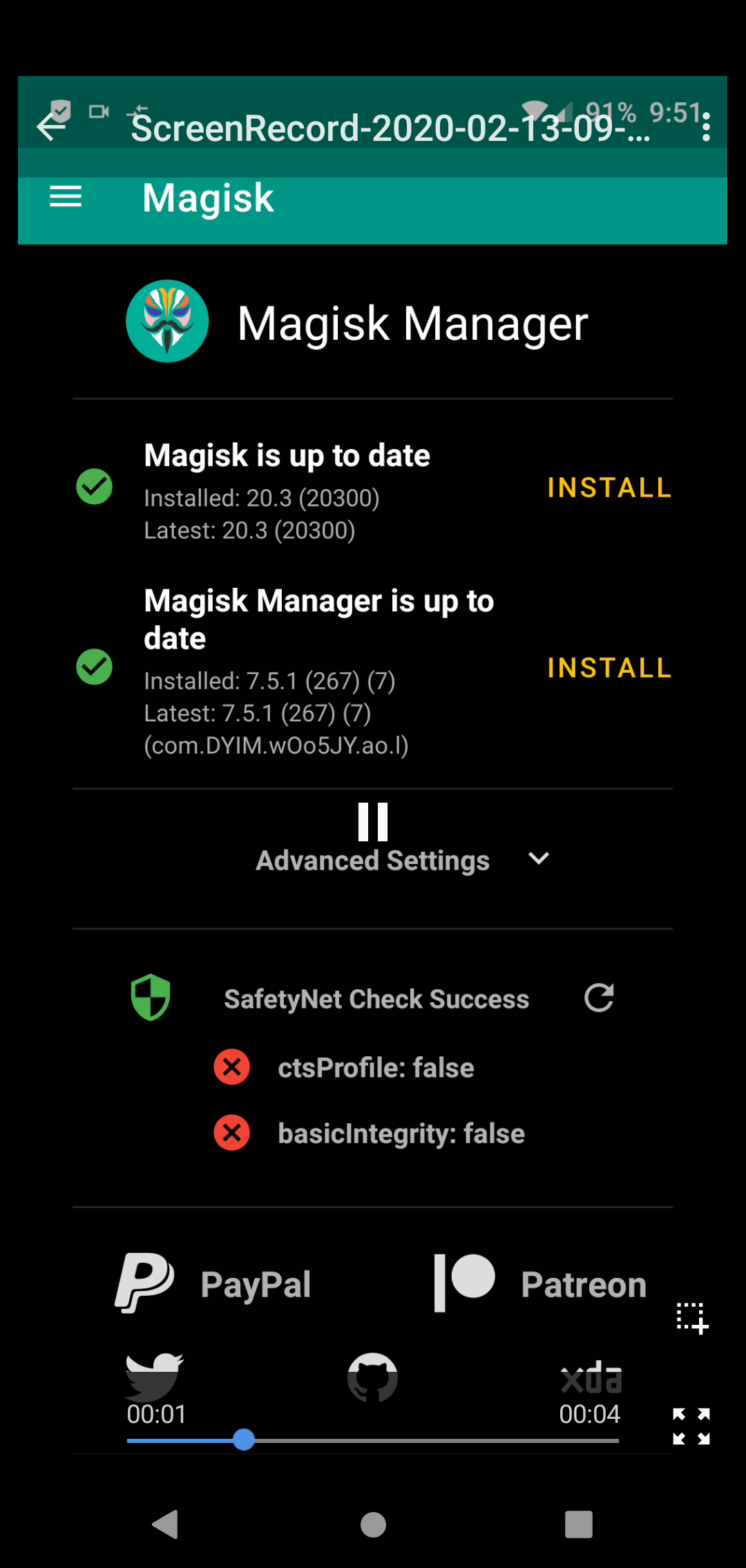
hoistedPetard
on 13 Feb 2020
Does widevine affect whether or not Netflix is in the play store? I did a bit of research and I found out that widevine changes from L1 to L3 when unlocking the bootloader of my device (OnePlus 7 Pro).
SoumyBhow
on 20 Feb 2020
This might not help anyone because most people here are probably wanting to use GPay and other financial apps that detect root, but for posterity, I have ONLY been trying to get Netflix working, and I just did this:
Install Storage Redirect and xPrivacylua and restrict Netflix from everything in both, then install the Netflix app from Aurora Store. I fail both Safetynet checks in Magisk, but Netflix works well. No db scripts, no special modules, no blacklists, whitelists, app mode or anything, just Magisk Hide and Hide Magisk Manager both enabled.
I am stoked that this works.
Running LineageOS 16 on a Moto G7, all the latest stable releases of Magisk and EdXposed.
Netflix itself also doesnt check SafetyNet, it only gets hidden on Gay Store, if you install Netflix without these all restrictions, it will works aswell.
Senliast
on 21 Feb 2020
I'm passing safety net Check in magisk but in googlepay I'm getting the below error.
 heatl0rd
on 29 Feb 2020
heatl0rd
on 29 Feb 2020
a new version of edxposed just got released 0.4.6. does it pass the safetynet now?
GorvGoyl
on 29 Feb 2020
New version 0.4.6.1 Yahfa varient seems to passing the SafetyNet.
ayush7gl
on 29 Feb 2020
just use edxposed mod . auto green
rizanoalfaro
on 1 Mar 2020
i use blacksoft xposed with lineage os 16 and get perfect results
rizanoalfaro
on 1 Mar 2020
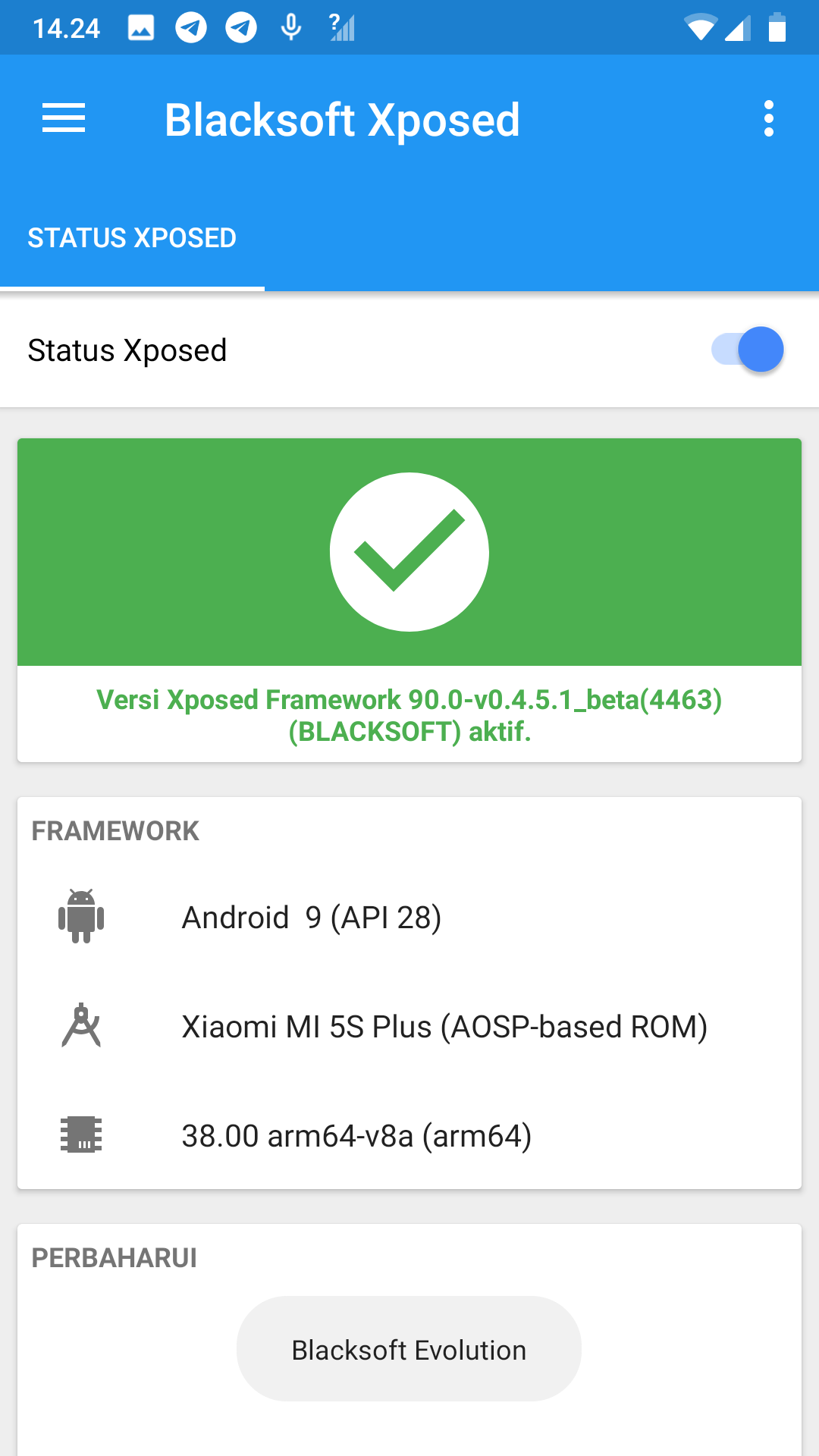
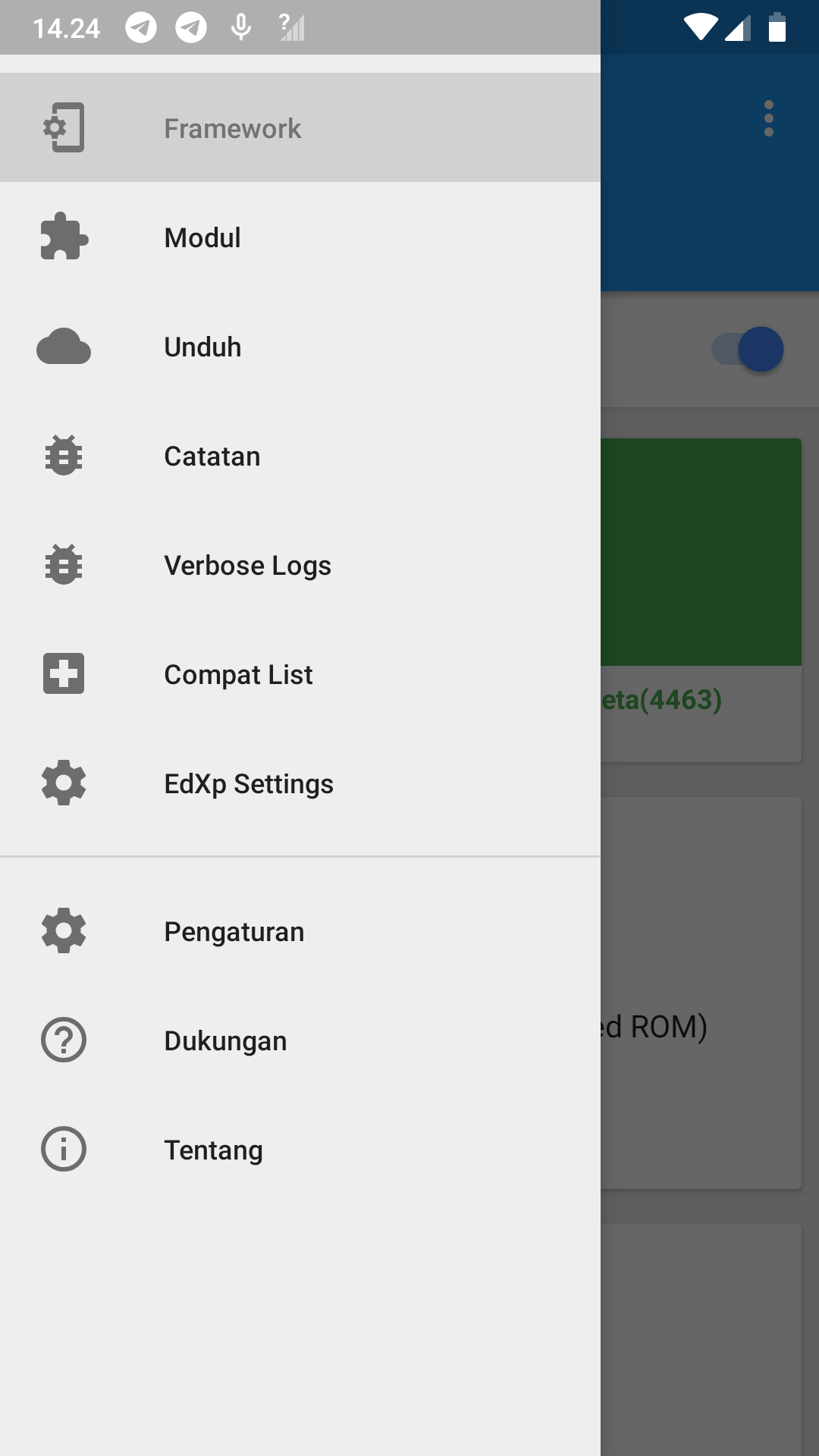

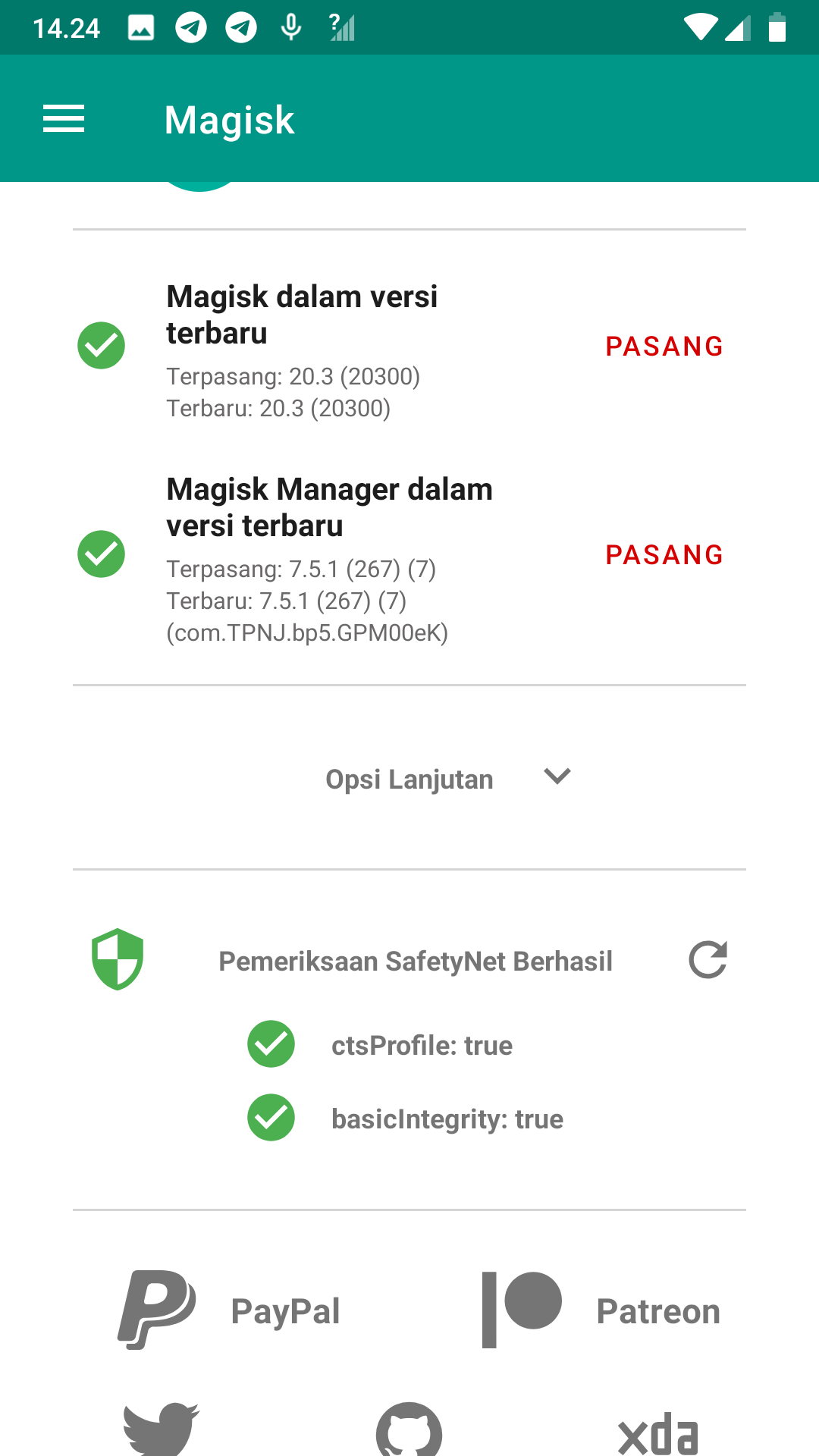
rizanoalfaro
on 1 Mar 2020
i use blacksoft xposed with lineage os 16 and get perfect results
can you please share the link for blacksoft xposed....
 Guddu4
on 1 Mar 2020
Guddu4
on 1 Mar 2020
I tested 0.4.6.1 Yahfa on Lg G5 Android 8.0 stock image, the safetynet pass with test application as magisk and others, but with real application no.
All tested app are hided with magisk.
 etmatrix
on 1 Mar 2020
etmatrix
on 1 Mar 2020
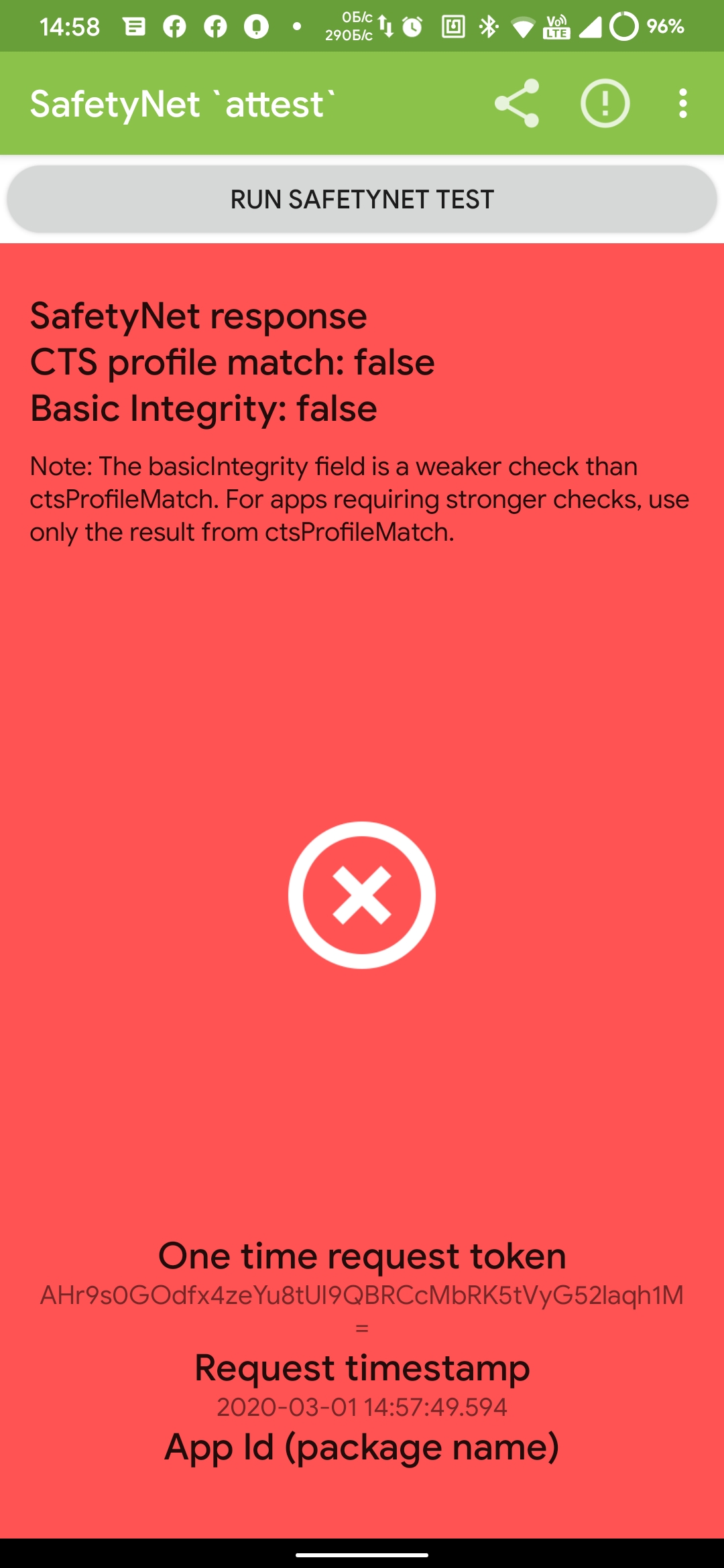
SafetyNet still randomly fail
Senliast
on 1 Mar 2020
Passes for me without any modules enabled, fails as soon as I enable any. Tried both YAFHA and Sandhook with no difference, also did a clean install of Edxposed Manager since I was being told it was enabled but not active.
 StormPooper
on 1 Mar 2020
StormPooper
on 1 Mar 2020
Passes for me without any modules enabled, fails as soon as I enable any. Tried both YAFHA and Sandhook with no difference, also did a clean install of Edxposed Manager since I was being told it was enabled but not active.
Tried to activate app list mode and SafetyNet pass option in the settings? It works in most cases, but sometimes on SafetyNet request fails even if this active... And it will not be fixed since months...
Senliast
on 1 Mar 2020
Tried to activate app list mode and SafetyNet pass option in the settings?
Yup, tried most things in this thread before and after this update, no difference.
StormPooper
on 1 Mar 2020
I thought, SafetyNet still fails sometimes, but no, I checked right now, on the latest build now it doesn't pass at all, every time it fails. App list mode and SafetyNet pass option enabled and rebooted.
Senliast
on 3 Mar 2020
Add PlayStore to blacklist, also... SafetyNet attest seems to fail validation lately, tried with another app "Root Checker Pro" and from inside Magisk both pass.
srccrow
on 3 Mar 2020
Somehow I am passing with Google apps hooked and no extra modules that modify the state of safety net.
I'm on a OnePlus 6 with Evo-X rom, latest Edxposed and using xprivacylua. I'm pretty puzzled as to why it's working. I've been on this rom for a few days now and rebooted many times and it still passes.
Edit: I was on another rom and dirty flashed to the one I am on (which isn't recommend, I also later clean flashed) and ended up passing safety net. The dirty flash alone made me pass, without any other changes.
Is there anything I could provide for someone to analyze as to why it's working now?
 dotprofile
on 4 Mar 2020
dotprofile
on 4 Mar 2020
I believe I've had better luck with it not randomly failing after around 2
days or so since I disabled battery optimization on EdXposed Manager,
although it could just be coincidence. Will check in with more results
eventually, but for now maybe it's something worth trying.
On Tue, Mar 3, 2020, 7:01 PM dotprofile notifications@github.com wrote:
Somehow I am passing with Google apps hooked and no extra modules that
modify the state of safety net.I'm on a OnePlus 6 with Evo-X rom, latest Edxposed and using xprivacylua.
I'm pretty puzzled as to why it's working. I've been on this rom for a few
days now and rebooted many times and it still passes.—
You are receiving this because you commented.
Reply to this email directly, view it on GitHub
https://github.com/ElderDrivers/EdXposed/issues/386?email_source=notifications&email_token=AAM4YSLGZ3ODWNEDQSN5YPLRFWR5LA5CNFSM4JJOWDLKYY3PNVWWK3TUL52HS4DFVREXG43VMVBW63LNMVXHJKTDN5WW2ZLOORPWSZGOENVYYIQ#issuecomment-594250786,
or unsubscribe
https://github.com/notifications/unsubscribe-auth/AAM4YSML3KJ2EMQ6RJWH6XTRFWR5LANCNFSM4JJOWDLA
.
refi64
on 4 Mar 2020
I just came across HiddenCore Module today and after I rebooted, everything was green. No Lag or Chrome Issues. Is this thing FOR REAL?
Samsung Galaxy A20 (SM-A205F)
Android 9.0 ( OneUI 1.1)
kinesight
on 5 Mar 2020
HiddenCore worked for me for most of yesterday after your suggestion, but I woke up this morning to Google Pay deciding it was no longer compatible, so I've had to turn it off again.
StormPooper
on 7 Mar 2020
hidden core module is working for me as well......
any one has link for blacksoft exposed installer?
Guddu4
on 7 Mar 2020
@rizanoalfaro Can you provide us links for Blacksoft Edexposed? seems like its no longer available on the internet. Thanks
 Ashesh3
on 8 Mar 2020
Ashesh3
on 8 Mar 2020
Ok so I had no issues whatsoever since 3-4 months now and last week updated all my apps and then too was no issues but today suddenly ctsprofile:false WTF?
Phone: Redmi Note 7 Pro
Magisk: Still on v19.4
When I entered Magisk manager, it prompted me for this:
I had no option to continue...but seems I shouldn't had else MagiskHide Props Config would had worked... just my thoughts though...
_I was using Safetynetpatch and it was working absolutely fine._
So today....
- Uninstalled safetynet patch...rebooted
- Installed latest MagiskHide Props Config ..rebooted
- Fired terminal and installed fingerprint of Redmi note 8.. reboot..same result... ctsprofile:false
- Installed another fingerprint of Pixel 4.. reboot..same result... ctsprofile:false
_What the hell had gone wrong can someone tell me?_
Banking apps now not accessible even though they weren't updated.
In Magisk hide, all Google stuff is ticked.
Do I need to do anything more>?
nritech
on 9 Mar 2020
@nritech Google's new bug, we can do NOTHING.
https://forum.xda-developers.com/pixel-4-xl/help/march-update-ctsprofile-false-clean-t4062987
https://forum.xda-developers.com/pixel-3-xl/how-to/ctsprofile-false-march-firmware-t4063285
MlgmXyysd
on 9 Mar 2020
@nritech Google's new bug, we can do NOTHING.
https://forum.xda-developers.com/pixel-4-xl/help/march-update-ctsprofile-false-clean-t4062987
https://forum.xda-developers.com/pixel-3-xl/how-to/ctsprofile-false-march-firmware-t4063285
So did any update triggered it? I mean the updates which I did last week?
nritech
on 9 Mar 2020
@nritech I don't know, at least I can pass (I haven't made any updates)
OnePlus 7T Pro
MlgmXyysd
on 9 Mar 2020
@nritech I don't know, at least I can pass (I haven't made any updates)
OnePlus 7T Pro
I manually uninstalled all google variant updates still its failing...
Seems have to clean flash old rom and check..but this painful activity wastes my few days to config whole device and what not...
Praying for some hack by our crack/hack community..
nritech
on 9 Mar 2020
@nritech I don't know, at least I can pass (I haven't made any updates)
OnePlus 7T ProI unsinattled all google varinat updates still its fialing...
It's not EdXposed related bug, check threads in XDA will help you.
https://forum.xda-developers.com/showpost.php?p=81955393&postcount=2
MlgmXyysd
on 9 Mar 2020
I have unrooted my phone aka removed magisk completely but seems safetynet check fails on root checking apps.
Seems this time google fked it very hard this time....
Can Unlock bootloader also trigger safetynet check?
All apps working fine except Ola cab app. It keeps saying since this week:
FAILURE! SORRY SOMETHING WENT WRONG PLEASE TRY AGAIN.
or
THE OLA APP IS NOT AVAILABLE FOR USE ON THIS DEVICE.
Its a sheer shame that Gpay and banking apps are working without issues and this Ola apps refuses to. I tried clear data, uninstall reboot bla bla and even tried Dec 2019 version but same issues.
Can someone comment on some help here....
nritech
on 11 Mar 2020
I have unrooted my phone aka removed magisk completely but seems safetynet check fails on root checking apps.
Seems this time google fked it very hard this time....
Can Unlock bootloader also trigger safetynet check?All apps working fine except Ola cab app. It keeps saying since this week:
FAILURE! SORRY SOMETHING WENT WRONG PLEASE TRY AGAIN.
or
THE OLA APP IS NOT AVAILABLE FOR USE ON THIS DEVICE.
Its a sheer shame that Gpay and banking apps are working without issues and this Ola apps refuses to. I tried clear data, uninstall reboot bla bla and even tried Dec 2019 version but same issues.
Can someone comment on some help here....
According to @topjohnwu 's Twitter, it may no longer be possible to pass SafetyNet verification
https://twitter.com/topjohnwu/status/1237656703929180160?s=19
Google done it boys, SafetyNet Pass is no more
MlgmXyysd
on 11 Mar 2020
I have unrooted my phone aka removed magisk completely but seems safetynet check fails on root checking apps.
Seems this time google fked it very hard this time....
Can Unlock bootloader also trigger safetynet check?
All apps working fine except Ola cab app. It keeps saying since this week:
FAILURE! SORRY SOMETHING WENT WRONG PLEASE TRY AGAIN.
or
THE OLA APP IS NOT AVAILABLE FOR USE ON THIS DEVICE.
Its a sheer shame that Gpay and banking apps are working without issues and this Ola apps refuses to. I tried clear data, uninstall reboot bla bla and even tried Dec 2019 version but same issues.
Can someone comment on some help here....According to @topjohnwu 's Twitter, it may no longer be possible to pass SafetyNet verification
https://twitter.com/topjohnwu/status/1237656703929180160?s=19
Google done it boys, SafetyNet Pass is no more
Already read the news..
I think we can still use stock roms right?
Thats what I asked, does unlocking bootloader trigger safetynet?
If no then we dont have to worry.
If Yes, then the world is back to stock rom days it seems....forums dead and just basic discussions around.
nritech
on 11 Mar 2020
@nritech I dont know...
As far as I guess, unlocking the bootloader will trigger SafetyNet, even if the device is “relocked”.
But we seem to only be able to switch between "unlocked" and "relock", we cannot switch to the "lock" state
MlgmXyysd
on 11 Mar 2020
@nritech I dont know...
As far as I guess, unlocking the bootloader will trigger SafetyNet, even if the device is “relocked”.But we seem to only be able to switch between "unlocked" and "relock", we cannot switch to the "lock" state
Ok. So if we reflash a stock clean image with a locked bootloader the phone should work as before right ?
nritech
on 11 Mar 2020
@nritech just say NO
Phone state is "locked" before you bought.
you run "fastboot flashing/oem unlock" will change state to "unlocked"
even you run "fastboot flashing/oem relock", change state to "relocked"
and you may unable change state to "locked"(idk 9008)
MlgmXyysd
on 11 Mar 2020
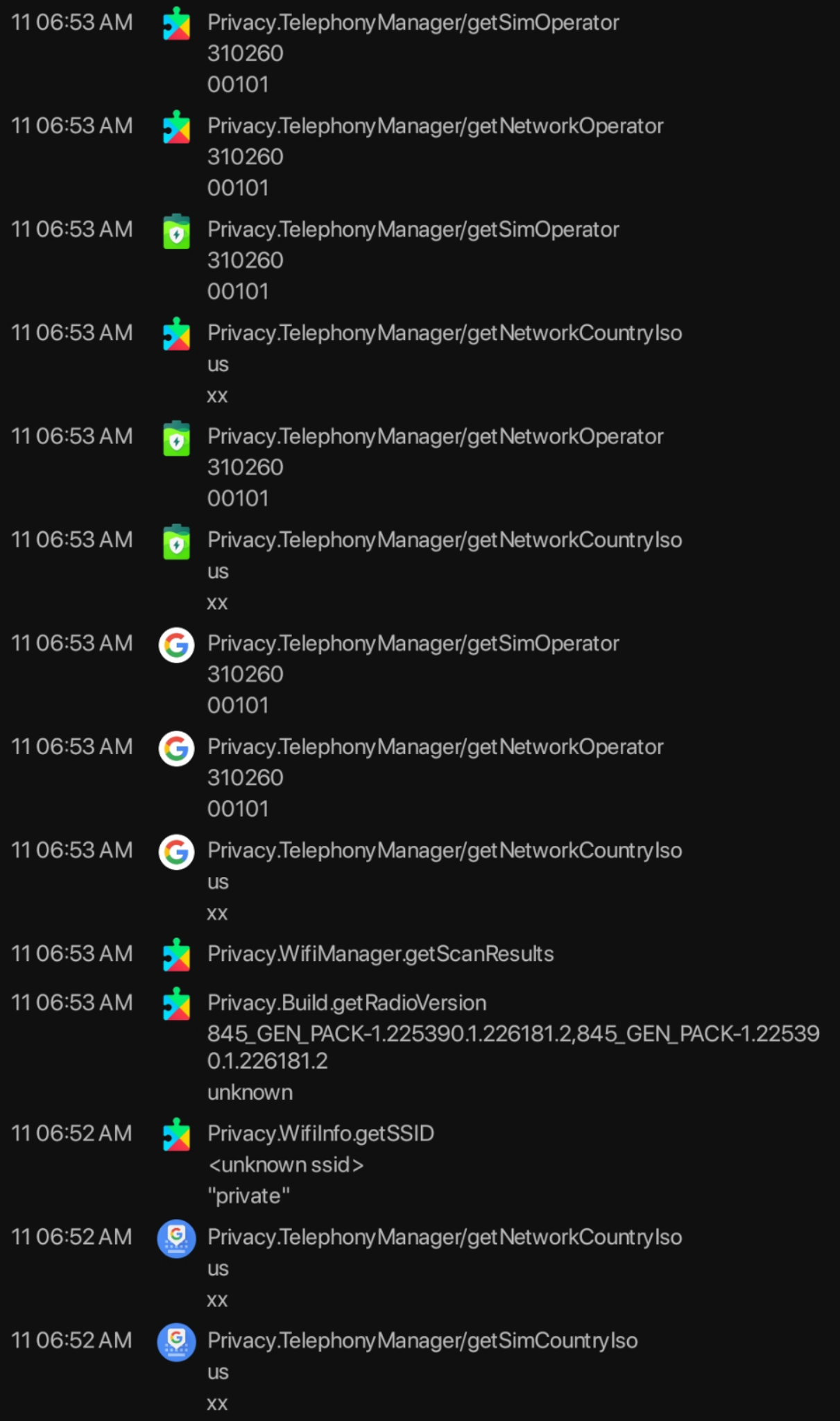
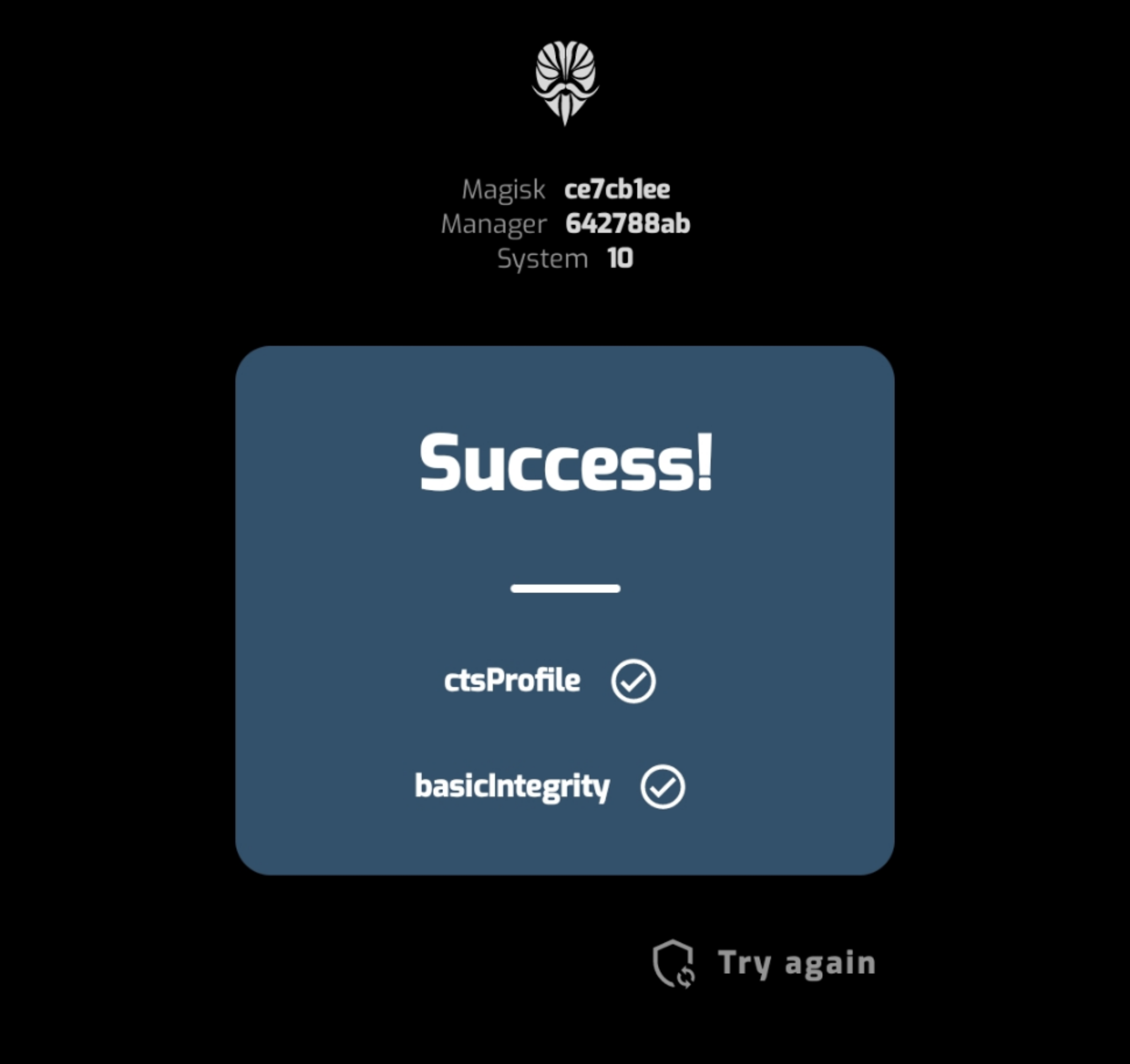
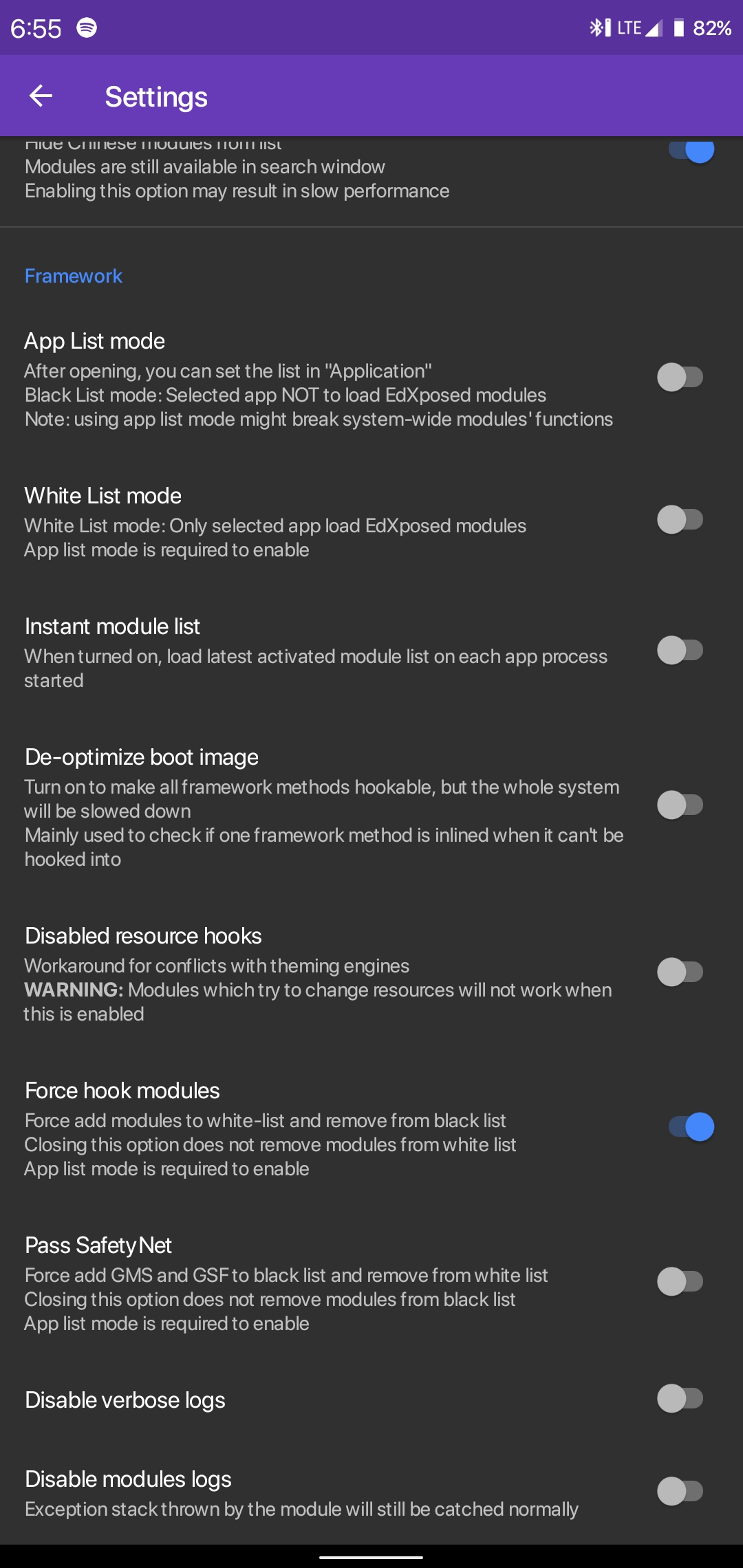
https://twitter.com/topjohnwu/status/1237656704537395201
This explains why I'm still passing. Google done it.
dotprofile
on 11 Mar 2020
@nritech just say NO
Phone state is "locked" before you bought.
you run "fastboot flashing/oem unlock" will change state to "unlocked"
even you run "fastboot flashing/oem relock", change state to "relocked"
and you may unable change state to "locked"(idk 9008)
I will reflash stock rom once I go home this weekend and check the results and post here.. Else my phone is still under warranty so will probably give back to Xiaomi for an upgrade..
I have ZERO concerns except now this Ola cab app refuses to work... This is pissing me off and just for this one app I will have to altogether go back to stock just to verify integrity.
nritech
on 11 Mar 2020
An Update: Someone flashed stock rom with BL lock and all seems good, everything is passing.
nritech
on 11 Mar 2020
Say goodbye to SafetyNet, then close this issue.
MlgmXyysd
on 12 Mar 2020
Rip
Ashesh3
on 12 Mar 2020
A way will be found, patience is all whats required...
nritech
on 15 Mar 2020
Well well...as I said... read this... Safetynet is now passing for all where it failed last week....
https://forum.xda-developers.com/apps/magisk/mod-magisk-v1-universal-systemless-t3432382/page3883
nritech
on 15 Mar 2020
@nritech Please be thankful. This is Google's mercy. It can still be blocked at any time
MlgmXyysd
on 15 Mar 2020
@nritech Please be thankful. This is Google's mercy. It can still be blocked at any time
It can also be that during the initial phase it blocked everything and now after all got settled/implemented properly all is good. Yes its google so we cant be sure how long this may work so lets see...
It may also happen they are implementing some changes hence ftw allowed all devices and again in this week or so it will go back to square one!
nritech
on 15 Mar 2020
Manager aplist mode doesnt work anymore with riru edxposed if the manager has some new magiskhide features it migh work
If riru edxposed is active even without modules enabled safetynet is now tripped
 kevin01523
on 6 Apr 2020
kevin01523
on 6 Apr 2020
has been shutdown
 google-eye
on 6 Apr 2020
google-eye
on 6 Apr 2020
has been shutdown
crazy!!! all red now! reeeeeddddd
obengsakti
on 6 Apr 2020
@solohsu @MlgmXyysd
obengsakti
on 6 Apr 2020
https://twitter.com/topjohnwu/status/1245956080779198464
On Sun, Apr 5, 2020, 11:16 PM obengsakti notifications@github.com wrote:
@solohsu https://github.com/solohsu @MlgmXyysd
https://github.com/MlgmXyysd—
You are receiving this because you commented.
Reply to this email directly, view it on GitHub
https://github.com/ElderDrivers/EdXposed/issues/386#issuecomment-609555733,
or unsubscribe
https://github.com/notifications/unsubscribe-auth/AAM4YSN4RZKJOIWS3N7WKHDRLFJSHANCNFSM4JJOWDLA
.
refi64
on 6 Apr 2020
has been shutdown
crazy!!! all red now! reeeeeddddd
all GREEN for me!
nritech
on 6 Apr 2020
has been shutdown
crazy!!! all red now! reeeeeddddd
all GREEN for me!
how
obengsakti
on 6 Apr 2020
yes yes fix 100%
obengsakti
on 6 Apr 2020
has been shutdown
ez
obengsakti
on 6 Apr 2020
yes yes fix 100%
How?
Ashesh3
on 6 Apr 2020
@Ashesh3 install canary build can fix the safety problem :)
 andrewcch1226
on 10 Apr 2020
andrewcch1226
on 10 Apr 2020
@Ashesh3 install canary build can fix the safety problem :)
Thank god something useful
 otmaxxx
on 18 Apr 2020
otmaxxx
on 18 Apr 2020
Got tripped again today even w ver 5.0
kevin01523
on 27 Apr 2020
Got tripped again today even w ver 5.0
same, again
Ashesh3
on 28 Apr 2020
I somehow had it working for a bit today with everything enabled, but now I can't pass SafetyNet unless I disable Riru Core (it's not enough to just disable EdXposed)
 TuRDMaN
on 28 Apr 2020
TuRDMaN
on 28 Apr 2020
All is working good for me but decided to not use root anymore on phone. But I still use root apps on Taichi
nritech
on 28 Apr 2020
i added Store,Framework,Services to Blacklist, Still all false, Only way is HiddenCore Module in Xposed...
i dont know why i getting some lags with this module!!
 iamehsangh
on 28 Apr 2020
iamehsangh
on 28 Apr 2020
There's new version of Riru Core in Magisk that isn't triggering SafetyNet.
blackcatdev
on 28 Apr 2020
There's new version of Riru Core in Magisk that isn't triggering SafetyNet.
I installed Riru Core v21.1, and I am passing SafetyNet now. I saw there is a new Canary Riru EdXposed module (v0.5.0.0 4548), so I installed that.... and I am getting "EdXposed Framework is installed, but not active." I tried to reverting to the previous Canary version, but get the same error.
So I'm guessing we have to wait for a new EdXposed update that works with Riru Core v21.1?
Edit: Reinstalling EdXposed Manager got everything working again
TuRDMaN
on 29 Apr 2020
Hello all, just wanted to add my 2c:
These modules let me install vanced (root) and pass safteynet with edxpoded running. If it's worth anything, I'm running MSM Xtended (Android 10) on a OnePlus5t


 MikePerreman
on 7 May 2020
MikePerreman
on 7 May 2020
Notes:
- Make sure your device passed safetynet before installing Magisk.
- Turn on magisk hide after installing Magisk.
- If your device can only pass _basicIntegrity_, get _Magiskhide Props Config_ and get a new fingerprint.
- Install _Riru - Core_ v21.1 or later version, _Riru - EdXposed (4546)_ and latest _EdXposed Manager_
- Turn on _Applist / Black/Whitelist mode_ and passed safetynet switch, reboot.
- Check safetynet in Magisk Manager (check multiple time, it's buggy), if all red, clear _gsf_ data (will break all fcm/gcm notifications).
FFS, don't use _HiddenCore_ module, it fakes the response from safetynet response only, and it only works on magisk manager(?)
 JasonKhew96
on 9 May 2020
JasonKhew96
on 9 May 2020
clear gsf data
What's gsf and how do I clear its data?
 Nowaker
on 27 Jul 2020
Nowaker
on 27 Jul 2020
@Nowaker Google Service Framework
 kotori2
on 27 Jul 2020
kotori2
on 27 Jul 2020
Cool, and how to clear its data?
Nowaker
on 27 Jul 2020
I've found something. On OnePlus 6: Settings > Apps > See all $number apps > ... > Show System > Google Services Framework > Storage & cache > Clear cache and Clear storage.
I've followed all steps, except (3): If your device can only pass basicIntegrity, get Magiskhide Props Config and get a new fingerprint. After installing Riru Core and EdXposed, my device passes neither of the checks: ctsProfile: false, basicIntegrity: false. In this case, what should I do?
Nowaker
on 27 Jul 2020
I'd like to add that while clearing Play Services restores safety net, so does simply rebooting and you don't lose your Google Pay cards. Even the Soft Reboot restores it. Hidden Core always shows green, and app updates will randomly trip it. But I just soft reboot, verity with safety check in magisk, and Google Pay works again (and other things like pokemon go). Sometimes you need to wait a couple minutes and click "check Phone" a few times before Pay says the phone is valid and no root is detectd
 EkriirkE
on 3 Oct 2020
EkriirkE
on 3 Oct 2020
Has anyone tried new magisk? Crap ui and drains battery
nritech
on 4 Oct 2020
After installing Riru Core and EdXposed, my device passes neither of the checks:
ctsProfile: false, basicIntegrity: false. In this case, what should I do?
Did you have any progress with this, mate?
My bad, forgot to enable App List mode in EdXposed to blacklist GSF. After clearing data & cache of GSF, Play Services and Play Store, then rebooting, everything worked as they should.
 BobbyWibowo
on 18 Oct 2020
BobbyWibowo
on 18 Oct 2020
Hi guys, finally this worked for me! The key point was - an upgrade to Canary version of Riru - EdExposed.
Today latest official version is 0.4.6.2 (4529) and Safety Net is red no matter what I'm doing.
For those who struggling: All you need to do is:
1) Open EdExposed Manager, Canary Tab: Download latest here (today it is 4564) to your Downloads folder.
2) Open Magisk Manager, Modules, "Install From Storage", and select the ZIP you just donloaded
Install & reboot.
 gusarov
on 18 Oct 2020
gusarov
on 18 Oct 2020
Hi guys, finally this worked for me! The key point was - an upgrade to Canary version of Riru - EdExposed.
Today latest official version is 0.4.6.2 (4529) and Safety Net is red no matter what I'm doing.
For those who struggling: All you need to do is:
- Open EdExposed Manager, Canary Tab: Download latest here (today it is 4564) to your Downloads folder.
- Open Magisk Manager, Modules, "Install From Storage", and select the ZIP you just donloaded
Install & reboot.
One shouldn't be using edxposed build from android_r branch on android q, it also leads to safetynet issue.The version 0.4.6.4 (4563) is the latest build for those in android Q and can be downloaded from :(https://ci.appveyor.com/project/ElderDrivers/edxposed/builds/35441002/artifacts)
You can always check for these builds from AppVeyor build history and download them from the artifacts tab
(https://ci.appveyor.com/project/ElderDrivers/edxposed/history)
ayush5harma
on 19 Oct 2020
Safetynet tripped again. Using v0.5.0.6 sandhook, Edxposed Hide, Edxposed manager v4.6.0pre and Magisk 20.4, Magisk Hide, Magiskhide props 5.3.6, Riru core v21.3. Just started yesterday didn't change anything on phone. Didn't have any issues before that passing safetynet. If I disable Edxposed in Magisk it passes again.
 Raslin777
on 30 Oct 2020
Raslin777
on 30 Oct 2020
This is going to be a game of cat and mouse. It will fail. The tricks on
this issue will likely work.
On 10/29/20 8:53 PM, Raslin777 wrote:
>
Safetynet tripped again. Using v0.5.0.6 sandhook, Edxposed Hide,
Edxposed manager v4.6.0pre and Magisk 20.4, Magisk Hide, Magiskhide
props 5.3.6, Riru core v21.3. Just started yesterday didn't change
anything on phone. Didn't have any issues before that.—
You are receiving this because you commented.
Reply to this email directly, view it on GitHub
https://github.com/ElderDrivers/EdXposed/issues/386#issuecomment-719105598,
or unsubscribe
https://github.com/notifications/unsubscribe-auth/AAAFUME46HBWSYSBWBTK3VLSNIE67ANCNFSM4JJOWDLA.
robbyoconnor
on 30 Oct 2020
Is it necessary to care about SafetyNet in China, when SafetyNet depends on GMS which is not available in China?
 shenzhigang
on 30 Oct 2020
shenzhigang
on 30 Oct 2020
Is it necessary to care about SafetyNet in China, when SafetyNet depends on GMS which is not available in China?
Huawei's HMS
 google-mirror
on 30 Oct 2020
google-mirror
on 30 Oct 2020
decodedJWTPayload json:{"nonce":"1jV/tfIHKP8iByQ3Bfz2jetTu2QY6mWUgtt7p3JvRaA=","timestampMs":1604365258086,"ctsProfileMatch":false,"apkCertificateDigestSha256":[],"basicIntegrity":false,"advice":"RESTORE_TO_FACTORY_ROM","evaluationType":"BASIC"}
Raslin777
on 3 Nov 2020
I thought basic always passes. It's hardware backed that fails
https://www.didgeridoohan.com/magisk/MagiskHideSafetyNet
Raslin777
on 3 Nov 2020
Confirmed that SafetyNet is tripped by EdXposed 4564 on Magisk 21.0. Disable EdXposed & SafetyNet check will pass. Device is OnePlus 8 Pro on OxygenOS 11.
 lulujyc
on 5 Nov 2020
lulujyc
on 5 Nov 2020
Hello, is there any way to pass safetynet these days with xposed modules enabled?
 ondrejdolezal93
on 2 Dec 2020
ondrejdolezal93
on 2 Dec 2020
Hello, is there any way to pass safetynet these days with xposed modules enabled?
No way.
google-mirror
on 3 Dec 2020
But it's not for me

Raslin777
on 3 Dec 2020
Hello, is there any way to pass safetynet these days with xposed modules enabled?
enable riru hide( by creating empty enable_hide file at /data/adb/riru/ ) and then use applist mode in edxposed manager and blacklist playstore ,playservices ,carrier services,and google service framework
ayush5harma
on 3 Dec 2020
enable riru hide( by creating empty enable_hide file at /data/adb/riru/ ) and then use applist mode in edxposed manager and blacklist playstore ,playservices ,carrier services,and google service framework
This worked, but why is it a "hidden" setting?
EkriirkE
on 3 Dec 2020
enable riru hide( by creating empty enable_hide file at /data/adb/riru/ ) and then use applist mode in edxposed manager and blacklist playstore ,playservices ,carrier services,and google service framework
This worked, but why is it a "hidden" setting?
hide can be toggled by individual modules (disabled by default).It leaves it to the module since this commit so its edxposed that should toggle riru hide on when applist mode is used.
Anyways it will only make safetynet pass for those whose safetynet started failing after enabling modules in edxposed which makes use of riru , but for those, whose safetynet always failed since rooting, this won't work either.
In short it's like for those whom it will work, can check out by trying to enable it by creating empty enable_hide file at /data/adb/riru/
ayush5harma
on 4 Dec 2020
Nah. EdXposed does enable hide by default, but enable_hide is a global
switch, so you should create that file so that hide can work.
Ayush Sharma notifications@github.com 于 2020年12月4日周五 16:32写道:
enable riru hide( by creating empty enable_hide file at /data/adb/riru/ )
and then use applist mode in edxposed manager and blacklist playstore
,playservices ,carrier services,and google service frameworkThis worked, but why is it a "hidden" setting?
hide can be toggled by individual modules (disabled by default)
https://github.com/RikkaApps/Riru/commit/dd993324e9d6ce3934cf710dd8544312fa8068ff.It
leaves it to the module since this commit so its Edxposed that should
toggle riru hide on by itself when applist mode is used.But anyways it will only make safetynet pass for those whose safetynet
started failing after enabling modules in edxposed which makes use of riru
, but for those, whose safetynet always failed since rooting, this won't
work either.The magisk devs also disabled magisk hide by default in the
manager because it doesn't work for all these days.
In short it's like For those whom it will work, can check out by trying to
enable it.—
You are receiving this because you commented.
Reply to this email directly, view it on GitHub
https://github.com/ElderDrivers/EdXposed/issues/386#issuecomment-738643309,
or unsubscribe
https://github.com/notifications/unsubscribe-auth/AEGYNSOZNKRIHZJVXZIEI63STCNAFANCNFSM4JJOWDLA
.
kotori2
on 4 Dec 2020
Related issues
 cutesniper22
·
4Comments
cutesniper22
·
4Comments
 coderstory
·
7Comments
coderstory
·
7Comments
 eebssk1
·
5Comments
eebssk1
·
5Comments
 KaMyKaSii
·
4Comments
KaMyKaSii
·
4Comments
 baselsayeh
·
6Comments
baselsayeh
·
6Comments
Most helpful comment
Yeah! Same bug here (but I've found workaround!)
Here:
Lineage OS 16 (Android 9)
Newest Official Magisk Canary:
20.2 (20102)
Manager 7.4.1 (255)
Manager Hidden
Newest EdXposed Manager v4.5.1
Newest Riru v19.5
Newest UNOFFICIAL EdXposed v0.4.6.0 beta (4471) SandHook (by Dark_Eyes_ at XDA Forum, to run with official Magisk)
Google Play Store v17.3.16
Lots of modules, including system wide XprivacyLua, Xposed Edge Pro,.....
SafetyNet completely broken in Magisk check. Both CTS and BasicIntegrity fail.
WORKAROUND: after turn on EdXposed Manager Black List feature and turn it on for Play Store, Play Services and Google Framework, SafetyNet becomes all green again! :) Try it!
Hope a fix. Thanks.