Technical information
Using version:
master(running from GitHub-published source code, currentlyv3.0.0-pre)
Running on:
- Windows
How comfortable you are with your system and/or IT in general:
- My machine is fully under my control, tell me what you need
Problem
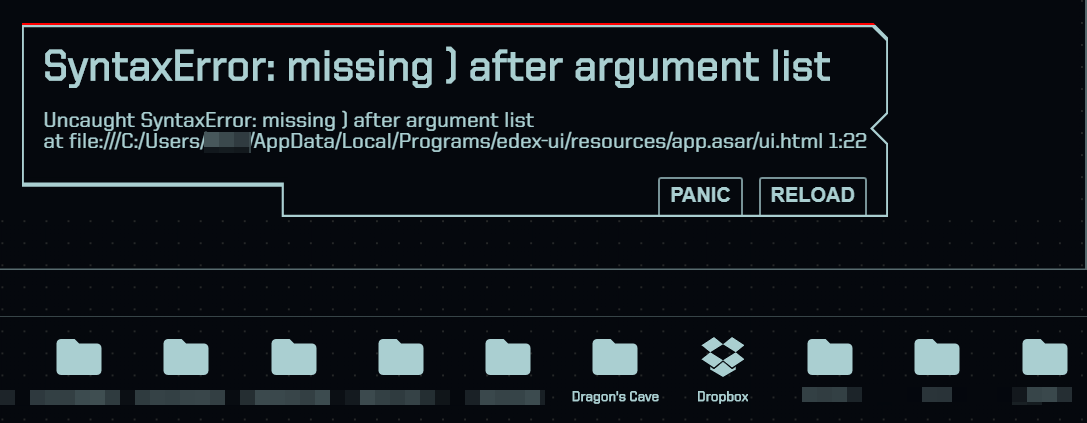
When clicking a folder with an apostrophe in its name, the file browser fails with the error message above.
Another issue I have noticed which is version-unspecific since it seems to be the case even in the latest release, clicking on a file on windows will result in the path being pasted into the console, however without the backslashes, rendering it useless. Also, when pasting the path, it uses apostrophes to surround it, resulting in another issue with windows?
Here is a screenshot where the first path is the one pasted by edex, the second one is the correct, valid one.

(_by the way, there seems to be no way to paste into the console with CTRL+V or copy from the console, with anything at all, even when selecting something? This is very annoying_)
 clragon
All 11 comments
Another issues: pictures (png, jpg, gif) aren't displayed:
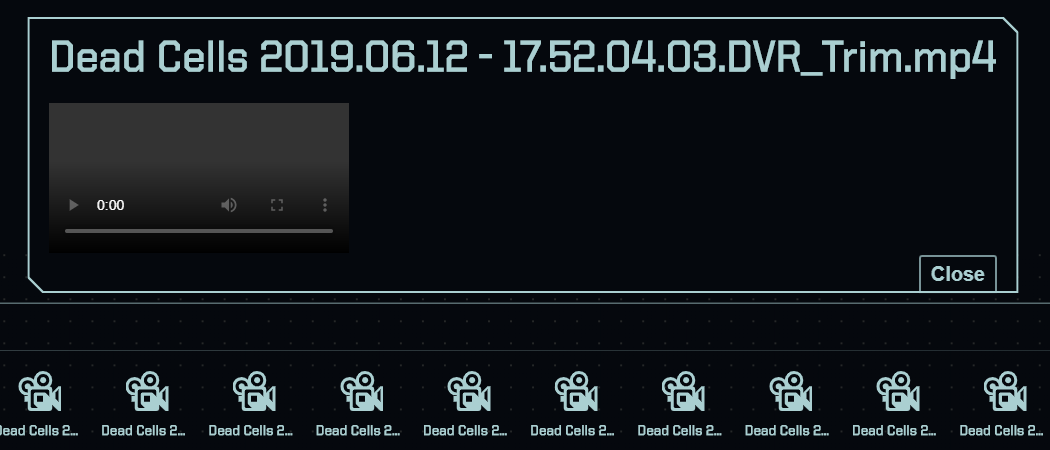
Neither are videos:
however, ico files are:

clragon
on 10 Nov 2019
(by the way, there seems to be no way to paste into the console with CTRL+V or copy from the console, with anything at all, even when selecting something? This is very annoying)
Shift+Ctrl+C/V?
I'm looking into the other issues, hold on.
 GitSquared
on 10 Nov 2019
GitSquared
on 10 Nov 2019
Found another issue:
Going up to the top level of your folders, so far that "go up" doesnt show anymore, then going to the disk display and _exiting_ it will result in a weird issue, where all folders are broken.
like this:

clicking them will paste their path, however things like "show disks" have no path and are just pasted as "C:Show disks".
What I would suggest and wouldve always liked, would be the following:
There is no show disk button and no exit button for it, rather, the disks are the root folders, so if you go up enough times, you just end up in the disk display. This would work fine on windows, however, I do not know if this is compatible with linux.
clragon
on 10 Nov 2019
if you go up enough times, you just end up in the disk display.
This might work for you depending on how your FS is set up but I don't want to go up 20 directories to access the USB I just plugged in.
GitSquared
on 10 Nov 2019
The exit button is useful because it allows you to go back to where you were previously - it's actually more like an "abort" button.
This UX allows you to list the disks without switching to them, or abort the operation if you missclicked/touched and did not want to go somewhere else.
GitSquared
on 10 Nov 2019
@clragon I pushed some changes to the way paths are retrieved and printed to the term; does that solve the problems you described in this issue's first post?
GitSquared
on 10 Nov 2019
Pictures should be fixed, too.
GitSquared
on 10 Nov 2019
It seems to be impossible to use the "go up" button anymore, failing with this error:
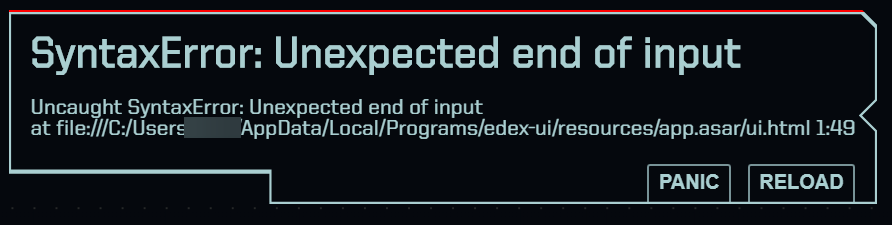
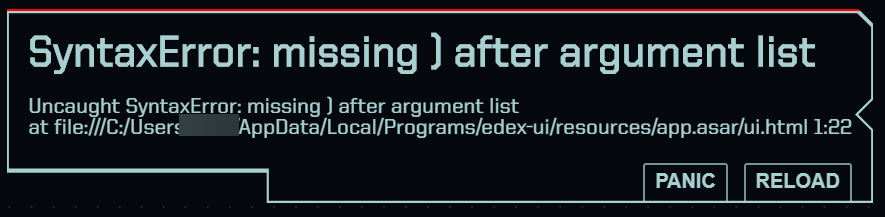
Neither does selecting a disk work;
clragon
on 10 Nov 2019
edex pasting the path of a file into the terminal seems to be fixed now, and working well. Apostrophes seem to be handled correctly too.
clragon
on 10 Nov 2019
I'm installing dev tools on a Window VM to check out the "go up" and "missing )" issues.
GitSquared
on 10 Nov 2019
@clragon I believe it's all fixed now. Tested on my shiny new VM. I'm closing this.
GitSquared
on 10 Nov 2019
Related issues
GitSquared
·
6Comments
 bdgza
·
3Comments
bdgza
·
3Comments
 maggot99999
·
5Comments
maggot99999
·
5Comments
 jwulf
·
5Comments
jwulf
·
5Comments
 Zireael07
·
5Comments
Zireael07
·
5Comments