I believe a good enhancement would be to have a configurable key binding to hide the virtual keyboard (or remove key highlights) in order to be able to record commands which need a password
 pwnorbitals
All 9 comments
eDEX doesn't use any key bindings or shortcut yet, but this might be an interesting idea.
Related discussion on Hacker News:
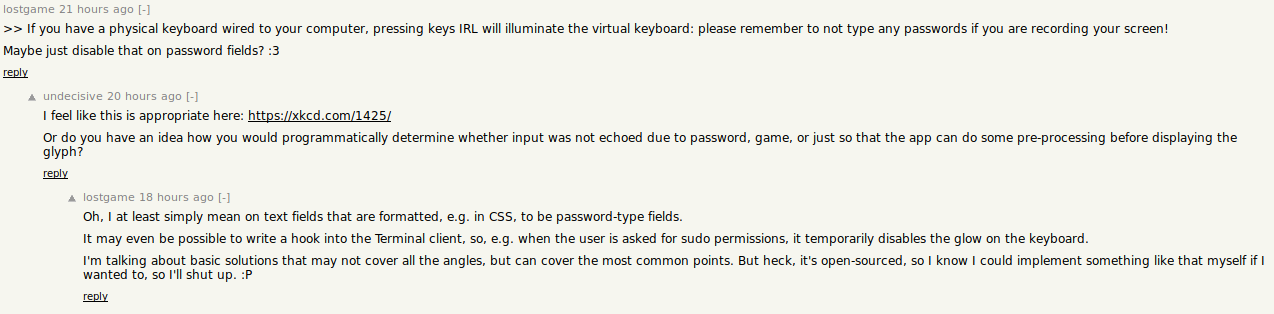
I'm open to ideas about how we should implement this. Perhaps do a global "safe-mode" that blurs stuff such has keyboard keys and IPv4 info?
 GitSquared
on 23 Nov 2018
GitSquared
on 23 Nov 2018
Would be nice to have a config to just hide the keyboard and show something alternatively, for devices that won't ever have touch. Maybe just enlarge the file browser.
 clragon
on 23 Nov 2018
clragon
on 23 Nov 2018
Yeah i'll make a theme for that soon. Should take 'bout a minute but i'm busy with more pressing issues.
GitSquared
on 23 Nov 2018
Just want to say, this can be easily done with the injectCSS feature that is available, try opening your userData/themes folder and make a copy of tron-typeleft.json and change at the bottom the section#keyboard{...} section to section#keyboard{display:none;}.
I'm aware this is a bit of a hack since the keyboard is still there, just not rendered by electron.
I'll try making a pull request to add a tron-notype.json theme, @GitSquared let me know if this is an OK solution for now.
 rslay
on 25 Nov 2018
rslay
on 25 Nov 2018
@rslay yeah that was what i was going to do anyway, using injectCSS.
Perhaps you could also expand the filesystem display to fill all the space. PRs welcome.
GitSquared
on 25 Nov 2018
Closed because of #288
GitSquared
on 25 Nov 2018
Can you explain how to do this a little bit more, I am not sure I understood the instructions.
EDIT: Found the theme. Thanks!
 planetahuevo
on 15 Dec 2018
planetahuevo
on 15 Dec 2018
@planetahuevo
There is now a theme named tron-notype that has no keyboard and also has a larger filesystem pane.
To select it, click on:
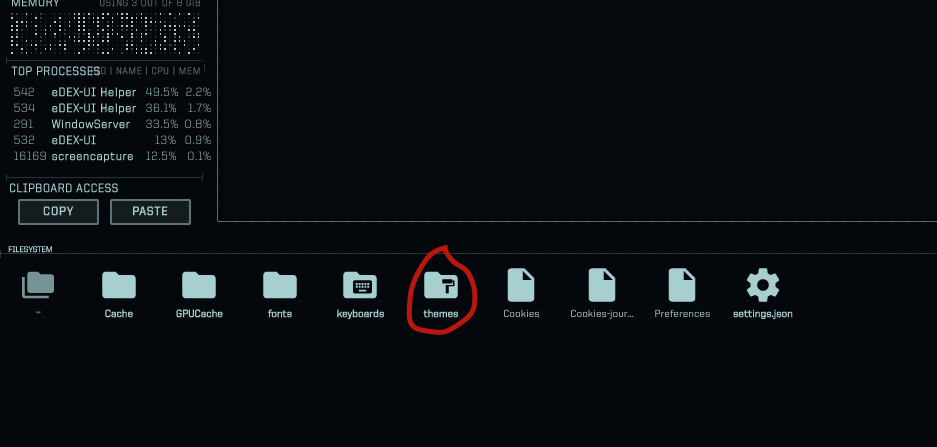
And then pick the tron-notype theme.
If you want it to be your default theme, edit the file userData/settings.json and change "theme":"tron" to "theme":"tron-notype".
Congrats on getting it working, just posting to make sure someone who googles for this can find it easily.
rslay
on 15 Dec 2018
@rslay thank you!
planetahuevo
on 15 Dec 2018
Related issues
 bdgza
·
3Comments
bdgza
·
3Comments
 jwulf
·
5Comments
jwulf
·
5Comments
 probonopd
·
4Comments
probonopd
·
4Comments
 tandriamil
·
5Comments
tandriamil
·
5Comments
 Vhenrique05
·
3Comments
Vhenrique05
·
3Comments
Most helpful comment
@planetahuevo
There is now a theme named tron-notype that has no keyboard and also has a larger filesystem pane.
To select it, click on:
And then pick the tron-notype theme.
If you want it to be your default theme, edit the file userData/settings.json and change "theme":"tron" to "theme":"tron-notype".
Congrats on getting it working, just posting to make sure someone who googles for this can find it easily.