Ebiten: The upper side is cropped when the window is too big
I made an Ebiten game recently and decided that the normal resolution (800x600) was too small for the majority of users, so I decided to call ebiten.SetScreenScale(1.5) in the game loop to scale it up by default (https://github.com/mortenson/trianglovers/blob/master/main.go#L376).
Some Windows users have reported that the cursor is slightly offset by default, but when they enter full screen mode (by pressing "f"), or set the scale back to "1" (by pressing "s"), the cursor works as expected. I think this only happens when the scale makes the window larger than the computer's native resolution.
On my machine, I was able to replicate this by making the screen scale much higher (3). When that happened, the window looks like this:
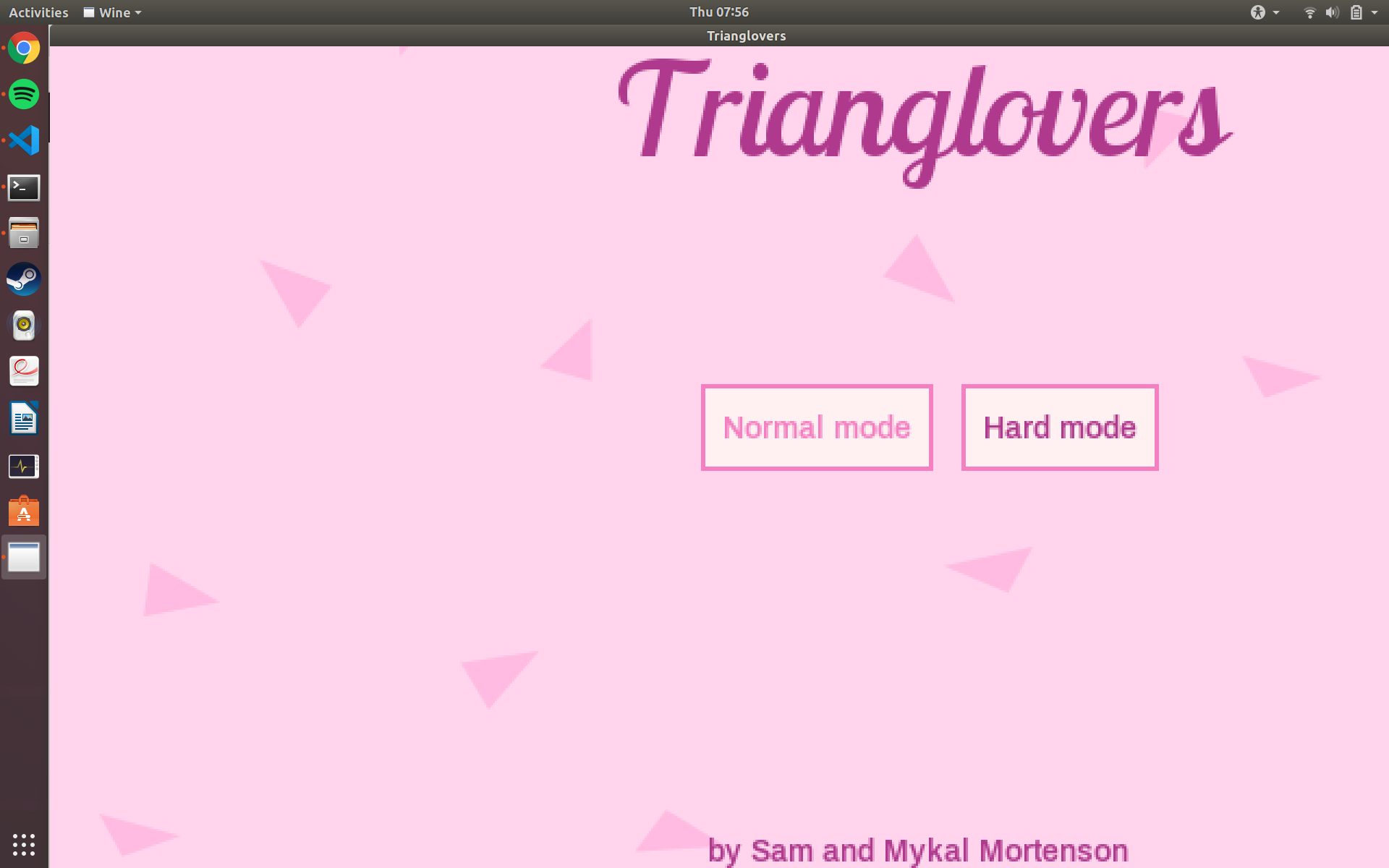
You can see the "Normal mode" button hovering, but my cursor (not shown) is actually hovering over "Sam" below.
Any idea what's going on here?
 mortenson
All 7 comments
Hi,
The issue is, when the window was bigger than the monitor screen, the rendering was shifted (the upper side was cropped) and cursor position seemed not to match with the screen. Is that correct?
 hajimehoshi
on 21 May 2020
hajimehoshi
on 21 May 2020
I could not reproduce this on macOS. I'll try Windows or Linux later.
BTW, thank you for using Ebiten!
hajimehoshi
on 21 May 2020
Confirmed.
hajimehoshi
on 21 May 2020
Thank you for taking a look! I'm only able to replicate on Windows for what it's worth.
mortenson
on 21 May 2020
The issue is, when the window was bigger than the monitor screen, the rendering was shifted (the upper side was cropped) and cursor position seemed not to match with the screen. Is that correct?
@mortenson Is my understanding correct?
hajimehoshi
on 22 May 2020
You can use this fix by specifying the latest Ebiten (7b960a2df4e42cf58464fcad4cd4c4f5903ccb5d) at go.mod.
I don't plan to back-port this fix to 1.11 so far, but if you think this fix is urgent, I'm fine with back-porting. What do you think?
hajimehoshi
on 22 May 2020
Your understanding was correct. 👍
It's not urgent 😄 My game jam game is already submitted so I'm in no rush.
Thanks again!
mortenson
on 22 May 2020
Related issues
 nanoslayer
·
7Comments
hajimehoshi
·
5Comments
hajimehoshi
·
5Comments
hajimehoshi
·
7Comments
hajimehoshi
·
6Comments
nanoslayer
·
7Comments
hajimehoshi
·
5Comments
hajimehoshi
·
5Comments
hajimehoshi
·
7Comments
hajimehoshi
·
6Comments