Easy-digital-downloads: "Show Privacy Policy" text link is positioned in between "Show Terms" and "Agree to Terms" checkbox
Bug Report
Expected behavior
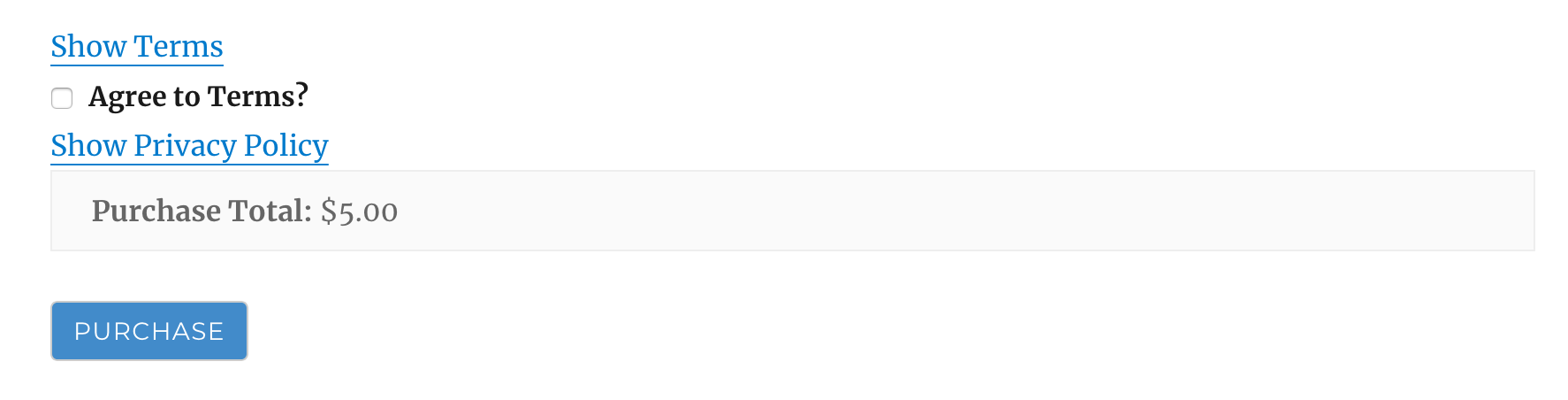
When I enable the Agree to Terms option, and I also enable the Show the Privacy Policy on checkout option, I expect the EDD checkout to first display the Show Terms link (to expand the terms), followed by Agree to Terms? checkbox and text. Underneath that, I expect to see the Show Privacy Policy link to expand the privacy policy.
This is how I expect it to look (I've modified the HTML source):
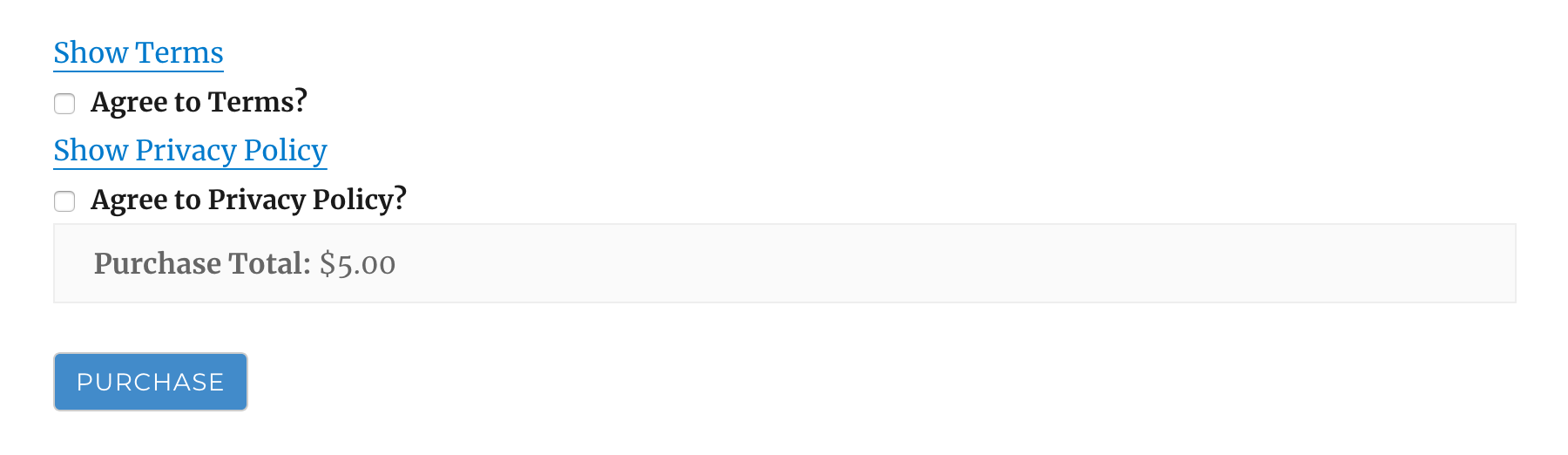
I expect the above because if I _also_ enable the Agree to Privacy Policy option, EDD checkout correctly shows me each text link followed by its relevant checkbox option:
Actual behavior
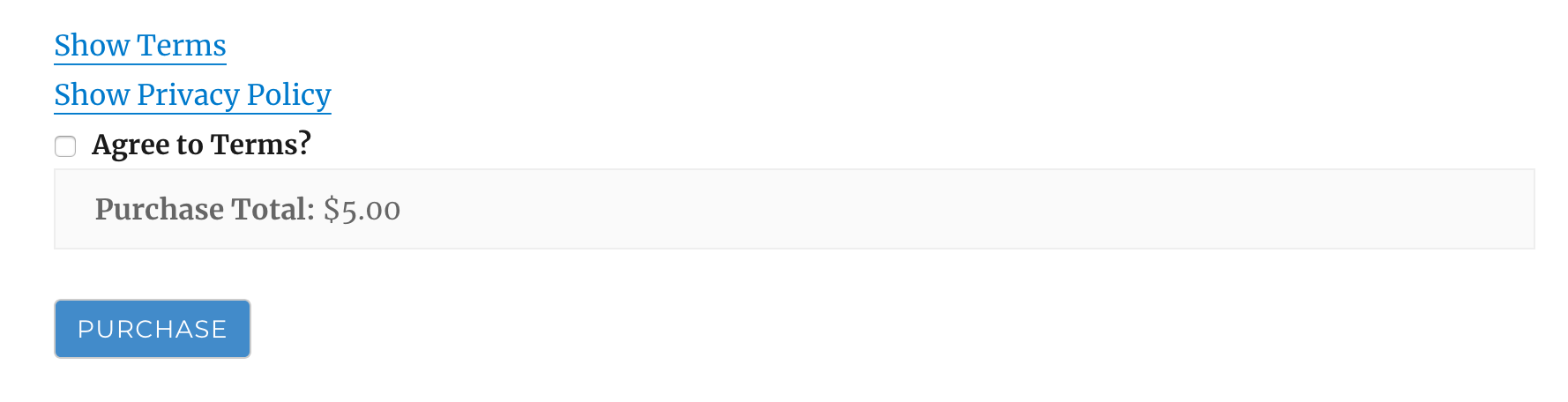
The Show Privacy Policy text link is positioned in between Show Terms and the Agree to Terms checkbox:
Steps to reproduce the behavior
1) Enable Show the Privacy Policy on checkout
<img width="1002" alt="screen shot 2018-11-08 at 2 29 59 pm" src="https://user-images.githubusercontent.com/52581/48171933-cc60db80-e362-11e8-8656-296a56bd5b87.png">
2) Enable Agree to Terms
<img width="1079" alt="screen shot 2018-11-08 at 2 30 47 pm" src="https://user-images.githubusercontent.com/52581/48171968-ebf80400-e362-11e8-87c1-fdbe6f9795cc.png">
3) Visit EDD checkout and scroll to bottom:
 amdrew
All 10 comments
This is ready for testing, which will require test purchases with multiple configurations. It's simpler than it looks, I promise.
This PR takes care of this issue as well as https://github.com/easydigitaldownloads/easy-digital-downloads/issues/6598.
Pre-config steps:
- Checkout branch
issue/7027. - In a tab, open up:
/wp-admin/edit.php?post_type=download&page=edd-settings&tab=misc§ion=site_terms - In another tab, open up:
/wp-admin/edit.php?post_type=download&page=edd-settings&tab=privacy - Uncheck all checkboxes and empty all text fields and textareas. You should have totally blank settings on both pages.Now using the settings on those two pages, please perform a test purchase with the following steps:
With all settings unchecked/empty, complete a purchase. This should result in no relevant checkboxes/terms/policies on checkout, and a successful purchase process.
CHECK _Agree to Terms_ and visit checkout with a product in the cart. This should result in just a checkbox and the default label on checkout for the terms agreement. Attempt to purchase without checking the box to verify the checkout error. Now check the box and complete your purchase. Keep in mind that with this PR, the expandable _Agreement Text_ output is now gone, since it's empty. The label itself supports anchor tags, so users should be able to link to a terms page and not use the Agreement Text (by leaving it blank).
ADD Agree to Terms Label Try this:
Agree to terms: <a target="_blank" href="https://google.com">Link</a>. Visit checkout with a product and verify that there is a checkbox and a custom label, now with a link that works without actually checking the checkbox when you click it. Now check the box and complete your purchase.ADD Agreement Text and visit checkout with a product in the cart. Verify that you see the checkbox, label, and an expandable/collapsible container above that displays your new Agreement Text. Check the box and complete your purchase.
UNCHECK the _Agree to Terms_ setting, which will completely remove all terms output from the checkout. We are done with terms for now. Move over to the Privacy Policy settings page.
CHECK _Agree to Privacy Policy_ setting and visit checkout with a product in the cart. This should result in just a checkbox and the default label on checkout for the privacy policy. Attempt to purchase without checking the box to verify the checkout error. Now check the box and complete your purchase. Keep in mind that this setting has never required you to actually display privacy policy text, which leads us to the next setting.
UNCHECK _Agree to Privacy Policy_ setting and CHECK _Show the Privacy Policy on checkout_ setting. Unlike terms agreement functionality, the privacy policy output can be displayed on checkout without requiring the customer to agree to it. Visit checkout with a product in the cart and verify only an expandable/collapsible container displays, which holds the privacy policy content. This content is pulled from the WP core setting the privacy page. So, you won't see this container at all if:
- your WP core privacy page is not set
the WP core privacy page you selected has no post_content
With the above conditions verified and met, complete your purchase.LEAVE _Show the Privacy Policy on checkout_ setting checked, CHECK _Agree to Privacy Policy_ setting, and ADD Agree to Privacy Policy Label Try this:
Agree to policy: <a target="_blank" href="https://google.com">Link</a>. Visit checkout with a product and verify that there is a checkbox, a custom label with a link that works without actually checking the checkbox when you click it, and an expandable/collapsible container holding the privacy policy. Now check the box and complete your purchase.Finally, just to be super safe, UNCHECK all checkboxes on both settings pages (leave the values in text fields and textareas). Visit checkout with a product in the cart and verify that no relevant output shows up for either set of settings. Complete your purchase.
Das it mane.
 SDavisMedia
on 20 Nov 2018
SDavisMedia
on 20 Nov 2018
I've also verified that everything works on a fresh install without touching any of the Terms Agreement or Privacy Policy settings.
SDavisMedia
on 20 Nov 2018
@SDavisMedia tested all 9 steps and everything worked as expected with issue/7027 loaded.
 dgoldak
on 20 Nov 2018
dgoldak
on 20 Nov 2018
Oh... almost forgot this specific issue. 😝
- CHECK _Agree to Terms_ setting to show any configuration of terms on checkout, and for Privacy Policy CHECK _Show the Privacy Policy on checkout_ (but leave _Agree to Privacy Policy_ unchecked). That gives you the scenario reported in this issue. The expected result is Privacy Policy output _NOT_ mixed up inside of the terms output (which is impossible now anyway since the code no longer lives there).
SDavisMedia
on 20 Nov 2018
@SDavisMedia confirmed the impossible didn't happen. :)
In other words, confirmed 10 worked as expected.
dgoldak
on 20 Nov 2018
LOL thanks!
SDavisMedia
on 20 Nov 2018
@SDavisMedia @dgoldak I tested all steps listed above and confirmed everything works as expected. Nice work @SDavisMedia
 mintplugins
on 21 Nov 2018
mintplugins
on 21 Nov 2018
I'll be testing later today.
 pippinsplugins
on 21 Nov 2018
pippinsplugins
on 21 Nov 2018
@SDavisMedia I've just walked through the testing instructions and everything worked perfectly!
This is a _great_ example of how PRs and testing should be done on anything that affects checkout.
I have requested a couple of tiny changes on the PR for some improper indention, but otherwise this is ready to go!
pippinsplugins
on 21 Nov 2018
@dgoldak @mintplugins @pippinsplugins Merged. Thanks for testing!
SDavisMedia
on 21 Nov 2018
Related issues
 DevinWalker
·
6Comments
DevinWalker
·
6Comments
 zackkatz
·
4Comments
zackkatz
·
4Comments
 JeroenSormani
·
5Comments
JeroenSormani
·
5Comments
 davidsherlock
·
4Comments
davidsherlock
·
4Comments
 boluda
·
4Comments
boluda
·
4Comments