I have self-hosted video.
I want to insert it to the news body/extended. It's not displayed. TinyMCE messed the code.
Neither using bbcodes f.e. in my forum without TinyMCE [video]
Only way is using html5 tag manually via editing forum post, but then the problem with new lines will start.
 Jimmi08
All 7 comments
Hey @Jimmi08
The only way i can succeed is using the base url for movie from media manager
ex : {e_MEDIA_VIDEO}2019-05/destination_moon_1950_movie_trailer.mp4
Now what normally happens (normal?) it strips (plain post inside tinymce editor) the src tag.(on save)
So no path...
Now i go into CODE mode inside tinymce and paste the following:
<video width="420" height="400" src="{e_MEDIA_VIDEO}2019-05/destination_moon_1950_movie_trailer.mp4" controlslist="nodownload" controls="controls">
  Your browser does not support the <code>video</code> element.
</video>
this will be known by you (w+h this case guessed but h will be 360 or so) but i use the extra 'control'function here to (sneaky) disable the download button.... (the 'play'bar is created by browser, but this way it will be hidden).
So inside code and use plain url.. the below function edit mode ADD movie ; image etc.. has no effect.
example (voux papilion minter extended field). Yup it is not as how it is intended i guess.. (i believe/assume it is the url that is someway being (thumb ??) wrongfully crippled..
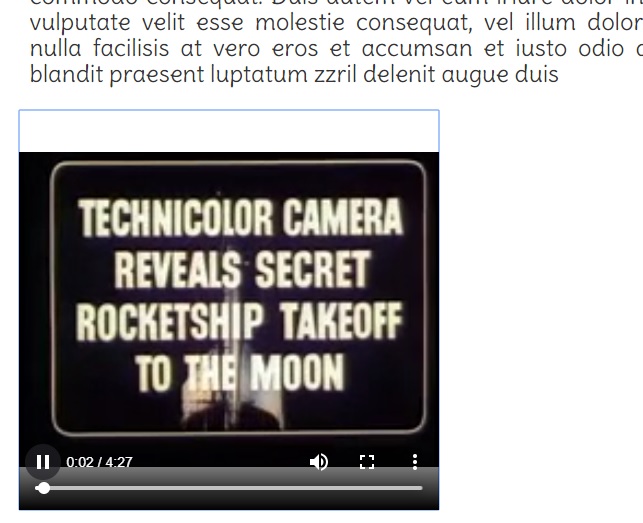
 tgtje
on 6 May 2019
tgtje
on 6 May 2019
I use this way in the forum with bb codes. There has to be another way, this is basic functionality... But thanks
Jimmi08
on 6 May 2019
Confirmed, that this is still the only way how to insert video to the TinyMCE area.
Jimmi08
on 23 Apr 2020
reproduced here, seems like a parsing bug.
https://www.e107sk.com/forum/general-theme-questions/237/video-player-solved/?p=1#post-787
 Moc
on 4 May 2020
Moc
on 4 May 2020
The post on sk reflects the issue here..
In my opinion, it is something that is missing for tiny. In tiny 3 we had a media plugin, which does not appear anymore after 2013 first alpha for 2 as tinymce was pulled out of core, and became core plugin.
Not sure if at that timeframe tinymce4 media was a paid part...
Haven't tested it using and adapting tiny to use a newer media plugin, and changing wysiwig/mediamanager etc...
That is out of my league. I just experimented with different scenarios untill i found one, that did the job. It's a basic solution, but would even need more (alike auto browser switch if mp4 is not played> go to webm > or ogg/theora …..
tgtje
on 4 May 2020
Tested 👍
result using insert media with media manager file path :
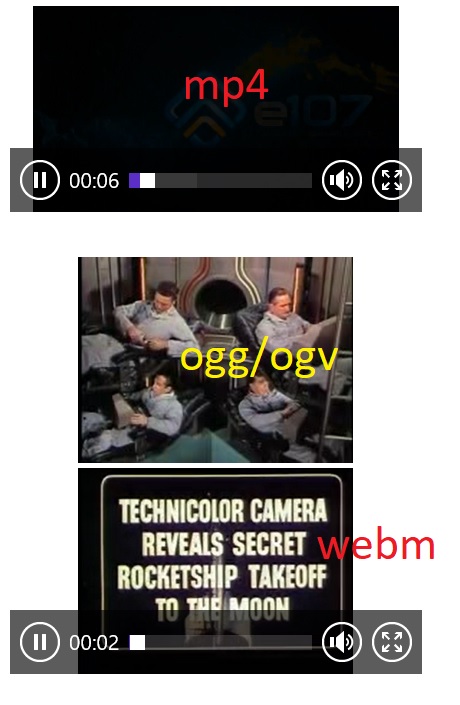
edit _for readers: extensions must be allowed ! ( mind size upload! ) >> filetypes xml_
tgtje
on 6 May 2020
Thank you @tgtje !
 CaMer0n
on 7 May 2020
CaMer0n
on 7 May 2020
Related issues
Jimmi08
·
5Comments
 chimcen
·
3Comments
Jimmi08
·
5Comments
Jimmi08
·
3Comments
chimcen
·
3Comments
Jimmi08
·
5Comments
Jimmi08
·
3Comments
 rica-carv
·
5Comments
rica-carv
·
5Comments
Most helpful comment
Tested 👍

result using insert media with media manager file path :
edit _for readers: extensions must be allowed ! ( mind size upload! ) >> filetypes xml_