Dynamo: Cannot run unit tests when inheriting from Dynamo TestServices classes
Dynamo version
2.0
Operating system
Win 10
What did you do?
Followed instructions from here :
https://github.com/DynamoDS/Dynamo/wiki/Writing-Unit-Test-Libraries-for-Dynamo
wrote 2 tiny unit tests :
[TestFixture]
    public class TestClass : GeometricTestBase
    {
        [Test]
        public void PassingTest()
        {
            // TODO: Add your test code here
            Assert.Pass("Your first passing test");
        }

        [Test]
        public void DynamoRefTest()
        {
            var g = Cuboid.ByLengths();
            Assert.IsNotNull(g);
            Assert.AreEqual(1, g.Length);
            Assert.AreEqual(1, g.Width);
            Assert.AreEqual(1, g.Height);
        }
    }
What did you expect to see?
NUnit test explorer picks up tests and runs them.
What did you see instead?
With Inheritance
When the TestClass inherits from GeometricTestBase, unit tests are discovered but cannot run any more. This includes the PassingTest which simply does Assert.Pass()
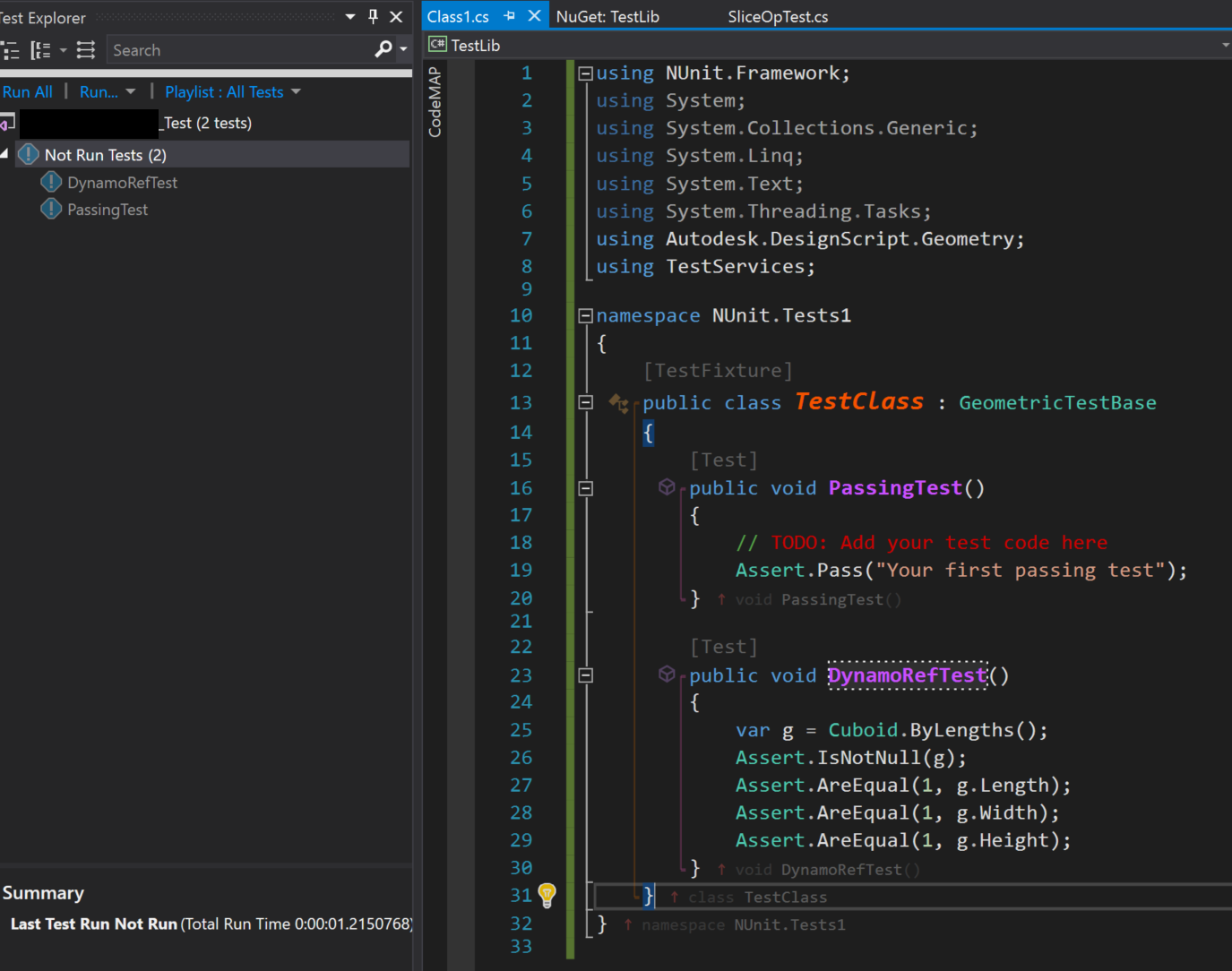
Console reads this when running the tests :
[21/05/2018 22:23:21 Informational] ------ Run test started ------
[21/05/2018 22:23:22 Informational] NUnit Adapter 3.10.0.21: Test execution started
[21/05/2018 22:23:22 Informational] Running all tests in C:\Users\radug\Desktop\TestLib\bin\Debug\TestLib.dll
[21/05/2018 22:23:22 Informational] NUnit couldn't find any tests in C:\Users\radug\Desktop\TestLib\bin\Debug\TestLib.dll
[21/05/2018 22:23:23 Informational] NUnit Adapter 3.10.0.21: Test execution complete
[21/05/2018 22:23:23 Warning] No test is available in C:\Users\radug\Desktop\TestLib\bin\Debug\TestLib.dll. Make sure that test discoverer & executors are registered and platform & framework version settings are appropriate and try again.
[21/05/2018 22:23:23 Informational] ========== Run test finished: 0 run (0:00:01.1898018) ==========
Without inheritance
When the inheritance is removed, NUnit discoveres the tests and the PassingTest passes, but the DynamoRefTest no longer passes as LibG.Interface assembly fails to load.
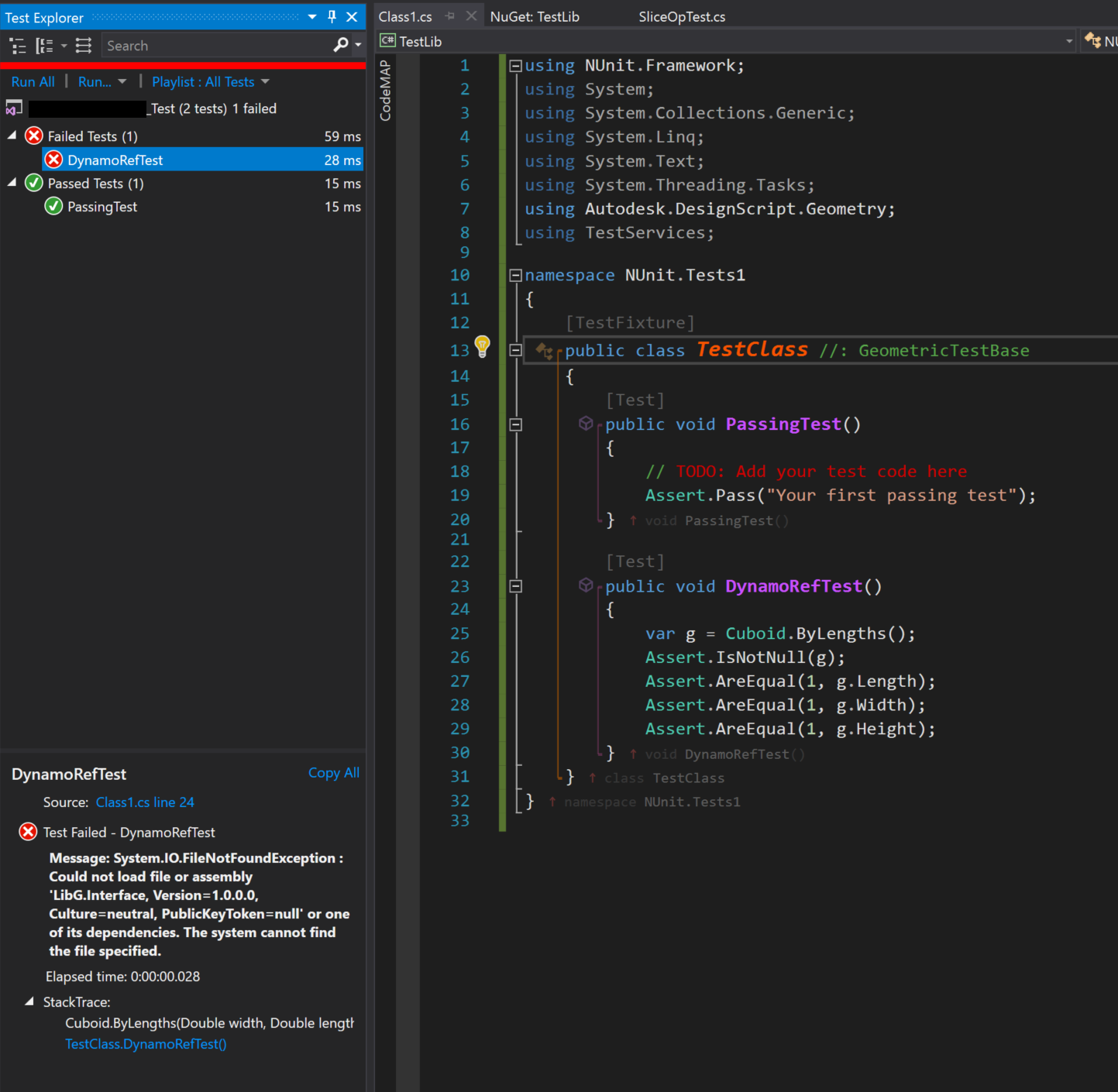
Note that the TestServices.dll.config is correctly configured and the all required LibG files are present in bin folder (both LibG.Interface and the libg_223 folder).
Further notes
whilst digging around, i also found these irregularities :
Dynamo
TestServicesmakes use of NUnit 2.6.2 whilst the NuGet package requires >= 2.6.3
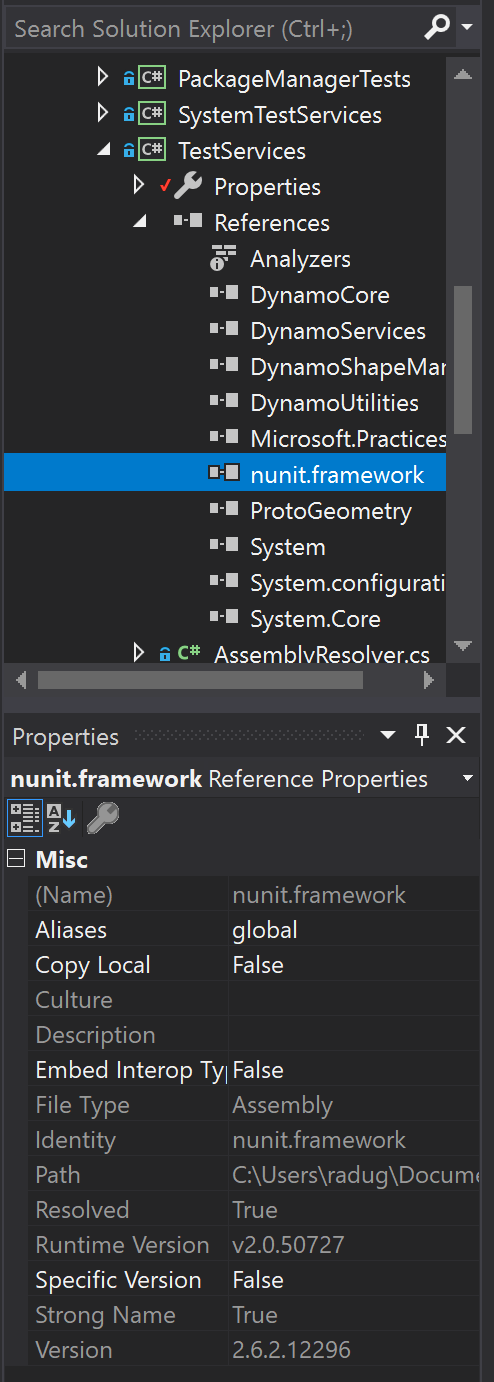
there seems to be a bug filed on NUnit 3 repo with similar issue, but i'm guessing this wasn't a problem before since presumably it was tested when wiki was written ?
https://github.com/nunit/nunit/issues/2316i've also tried with NUnit NuGet version 2.6.3 and get same result.
Any ideas ?
cc @mjkkirschner (thanks for helping with previous unit tests!)
 radumg
All 11 comments
@radumg first step, use nunit adapter version 2.x not 3.x as an extension in visual studio.
then do as you did before and make sure to reference 2.x only in your tests, not 3.
 mjkkirschner
on 21 May 2018
mjkkirschner
on 21 May 2018
also please see:
https://github.com/DynamoDS/DynamoSamples/issues/24 I think you might encounter that next. I think @alfarok had plans to fix it soon.
mjkkirschner
on 21 May 2018
prize for world's fastest reply goes to... @mjkkirschner ! 👏 🎉
Will try it out and report back.
As for https://github.com/DynamoDS/DynamoSamples/issues/24, i basically noted that same issue in the further notes section above, was surprised to find Dynamo solution doesn't use a NuGet version of NUnit.
radumg
on 21 May 2018
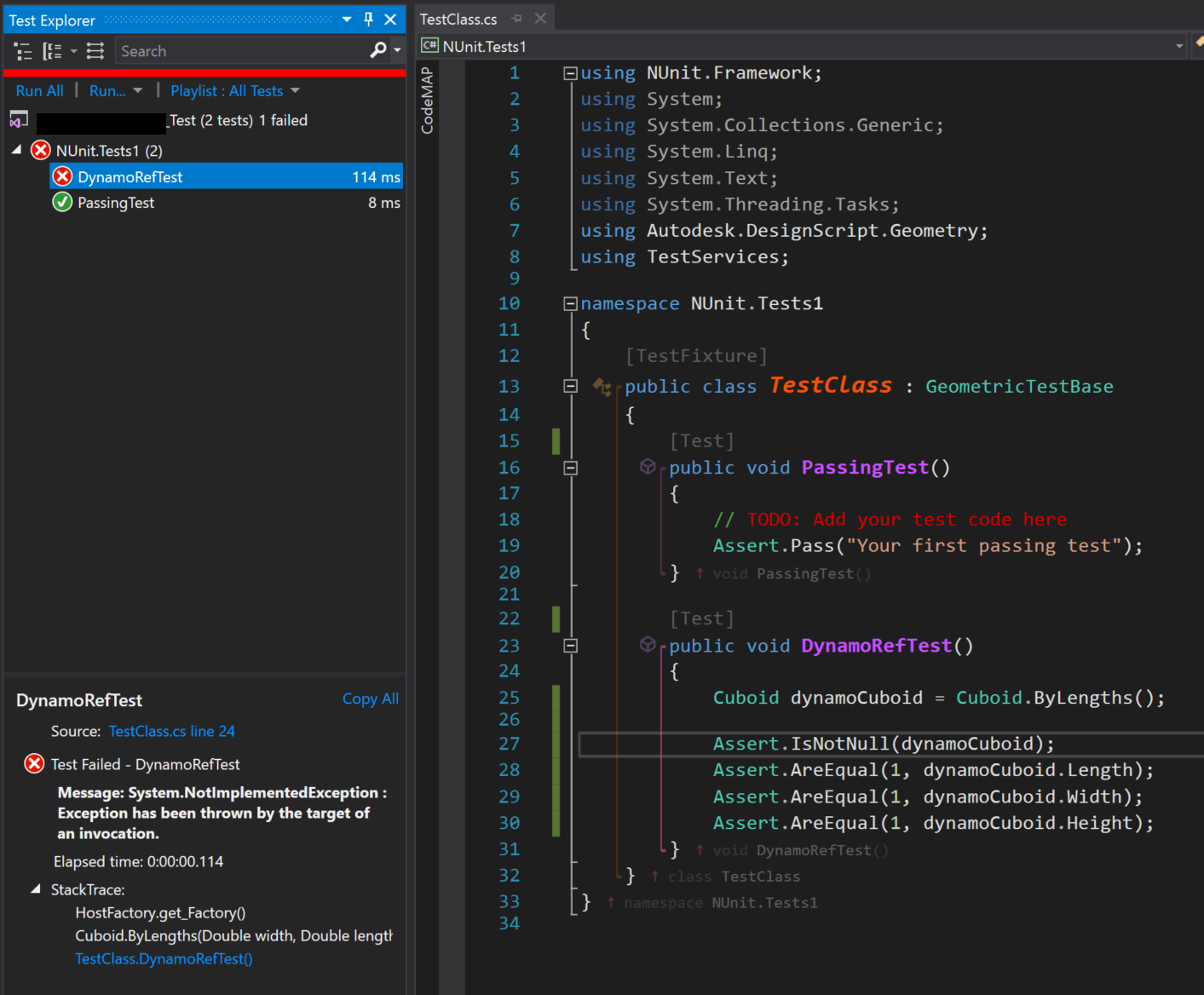
Ok, switched to NUnit VS Adapter 2.1.1.0 & NuGet 2.6.3 and
TestServices.dll.configis picked up correctly- tests now run
However, i'm now getting a NotImplemented exception :
radumg
on 22 May 2018
okay, so now to figure out why the host factory cannot find the correct geometry methods - do you actually have ASM on this machine as well, with version 223 - ie revit 2018?
What does your test config file look like?
mjkkirschner
on 22 May 2018
Good thing there is a record of this conversation :)
 jnealb
on 22 May 2018
jnealb
on 22 May 2018
Thanks @radumg for the additional details and updating the Wiki! @mjkkirschner @jnealb We are already tracking the issue in the Dynamo Samples link above with QNTM-4186. Looks like an easy fix and has already been groomed for next sprint.
 alfarok
on 22 May 2018
alfarok
on 22 May 2018
TestServices.dll.config looks like this :

The folder it's pointing to is the build output of Dynamo 2.0 branch and has all the required LibG files in theory :
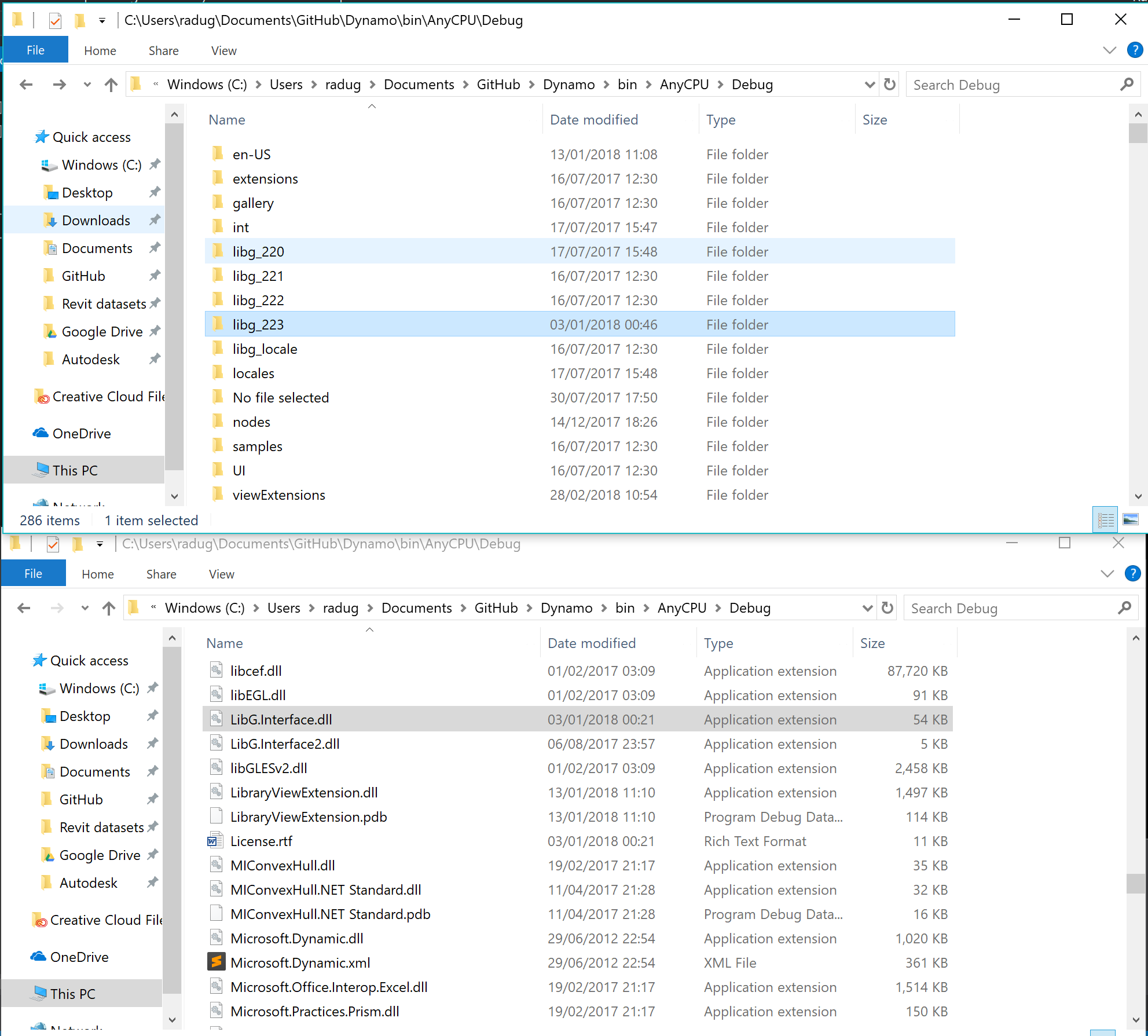
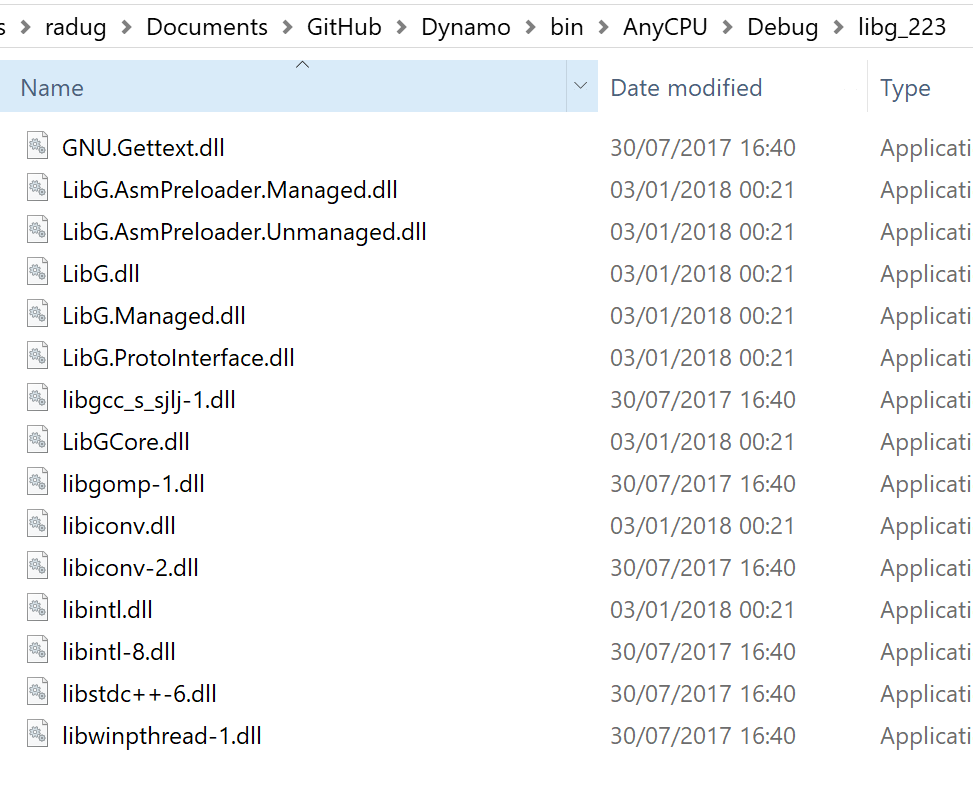
If the config file is removed or path changed, i get a FileNotFound exception for LibG.Interface.dll, leading me to believe it's finding this file but not the libg_223 folder for some reason ?
Contents of libg_223 folder :
radumg
on 22 May 2018
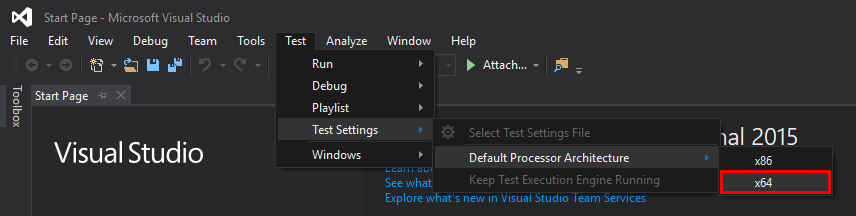
@radumg One last thing to double check when using the NUnit VS testing adapter is to make sure the Default Processor Architecture is set to x64. It is usually set to x86 by default which will cause additional failures.
alfarok
on 22 May 2018
@radumg any luck?
mjkkirschner
on 23 May 2018
Yay, it worked !
Thanks so much everyone for the help, had no clue NUnit had its own setting for processor architecture.
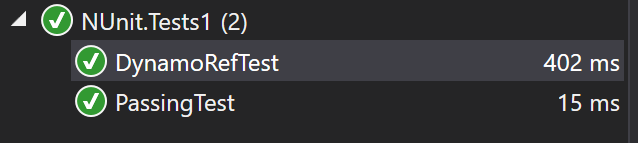
I've tried switching between x86 and x64 and can indeed confirm it fails on x86 but works on x64.
radumg
on 23 May 2018
Related issues
 askgrkumar
·
4Comments
askgrkumar
·
4Comments
 ThomasMahon
·
9Comments
ThomasMahon
·
9Comments
 johnpierson
·
10Comments
johnpierson
·
10Comments
 LuisaCPBR
·
4Comments
ThomasMahon
·
3Comments
LuisaCPBR
·
4Comments
ThomasMahon
·
3Comments