Dxvk: Just Cause 3 invisible water and low detail terrain over high detail terrain
Low detail terrain over high detail terrain

but the weird thing is that it only happens in certain areas of the map
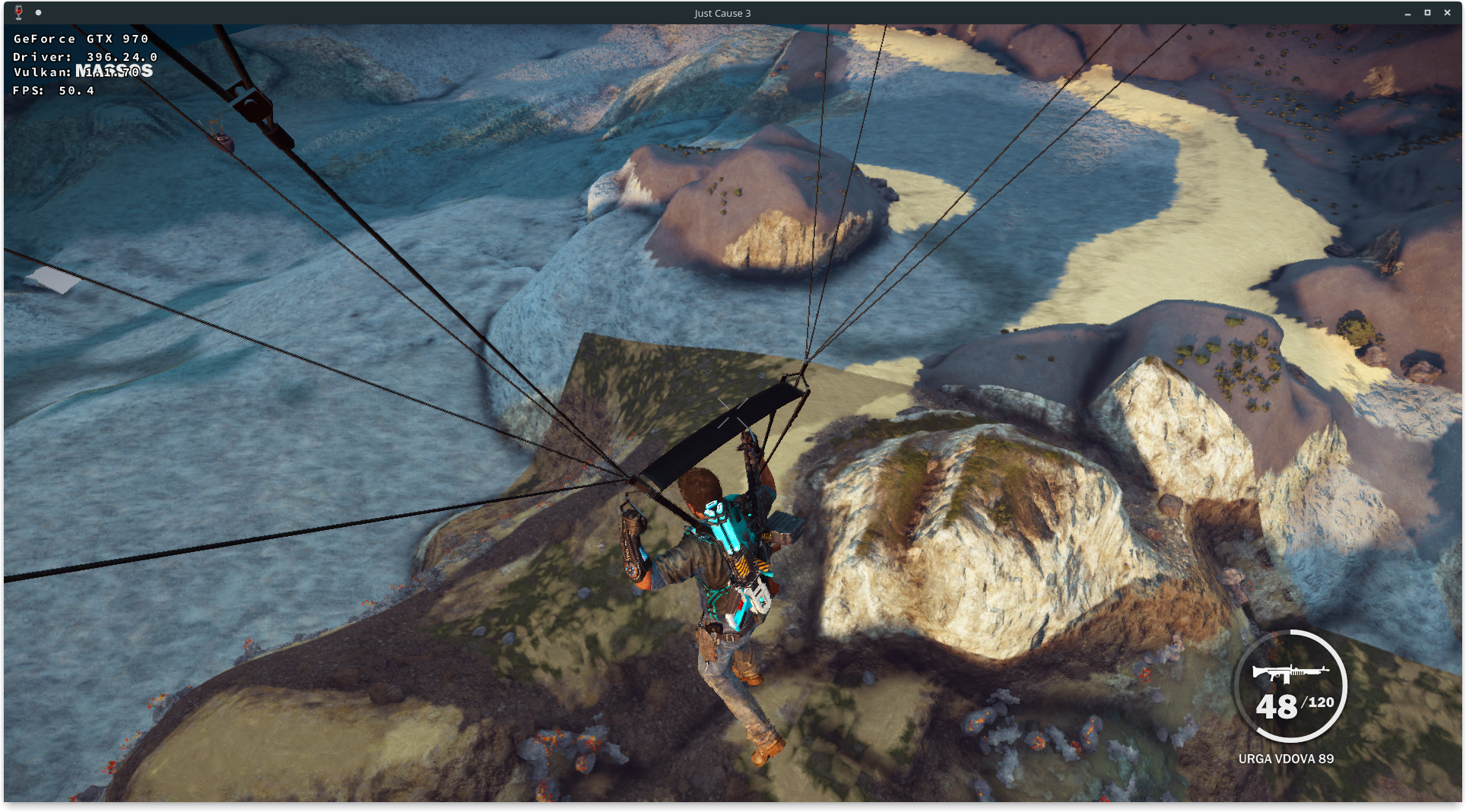
invisible water:
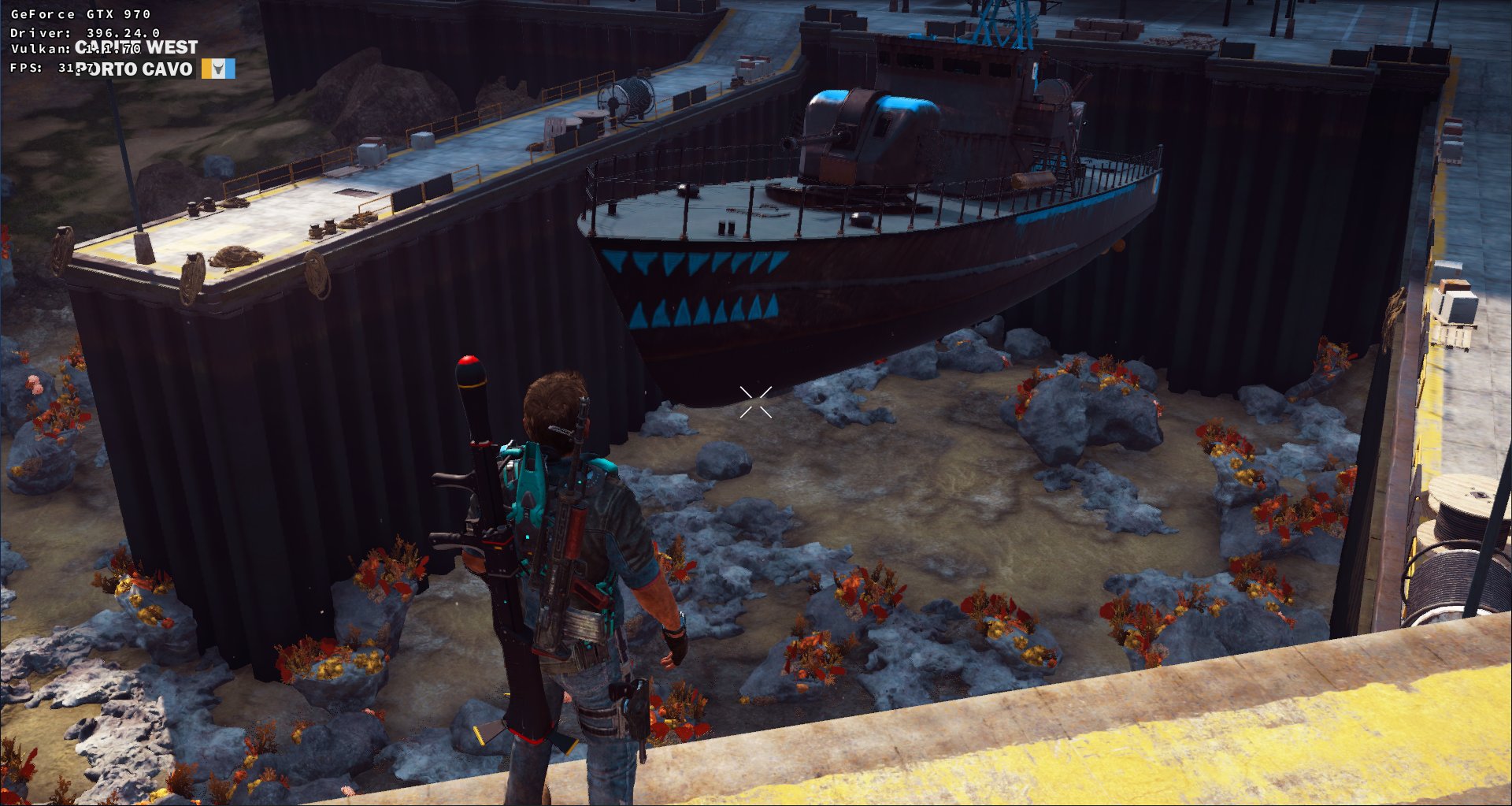
Only tessellated water is affected because the low resolution water on the horizon is visible.
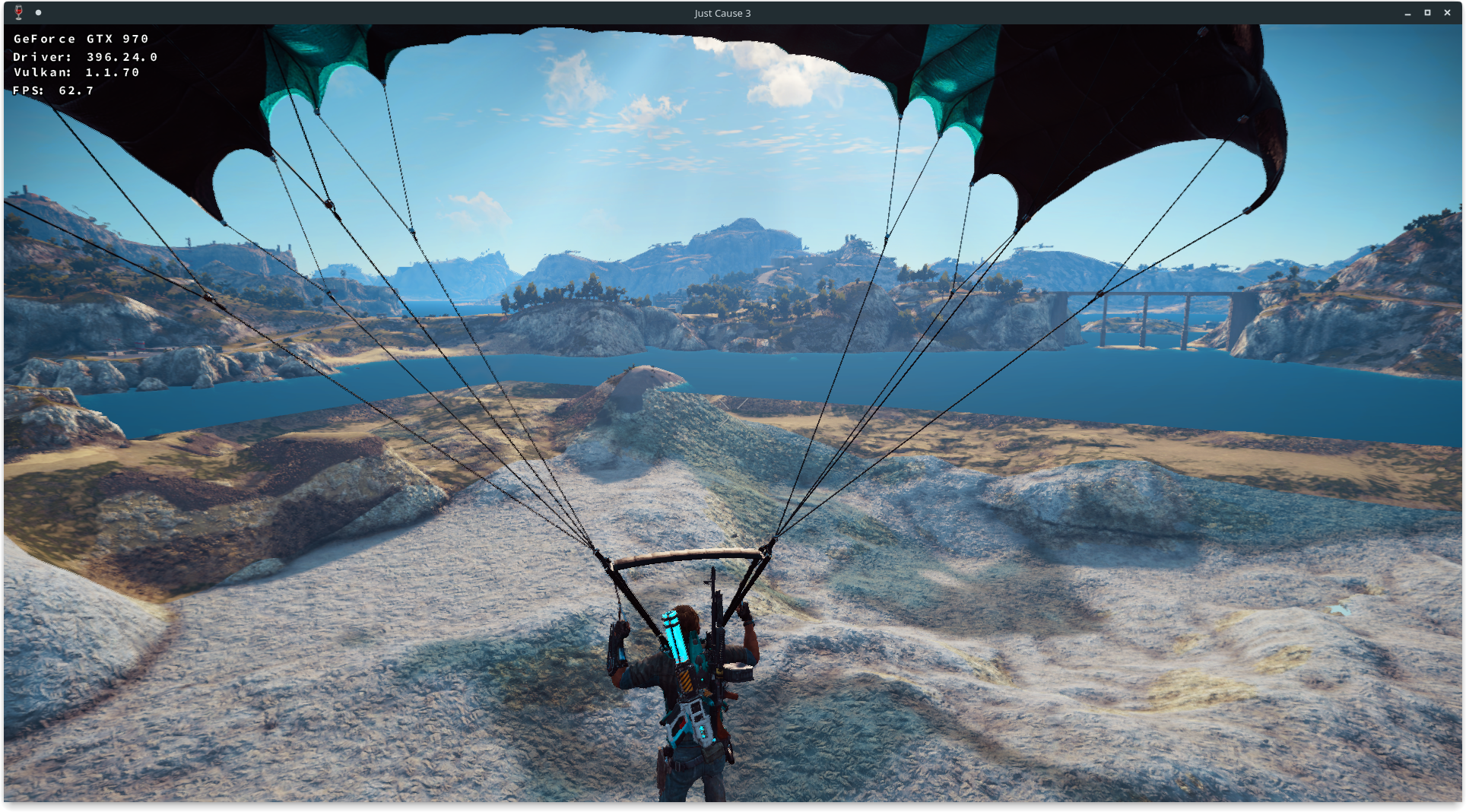
Software information
Steam Version of game
Reproducible with new and old nvidia compiler.
Settings.json:
{
    "DisplayFullscreen": 1,
    "DisplayFullscreenWidth": 1920,
    "DisplayFullscreenHeight": 1080,
    "DisplayWindowedWidth": 1920,
    "DisplayWindowedHeight": 1080,
    "DisplayRefreshRate": 0,
    "DisplayVSync": 0,
    "DisplayGamma": 50,
    "GraphicsMotionBlur": 0,
    "GraphicsAniso": 16,
    "GraphicsLodFactor": 3,
    "GraphicsShadowsQuality": 3,
    "GraphicsPostEffects": 1,
    "GraphicsTextureQuality": 3,
    "GraphicsWaterDetail": 0,
    "GraphicsShadowsResolution": 1,
    "GraphicsSSAO": 1,
    "GraphicsEdgeFade": 1,
    "GraphicsGI": 0,
    "GraphicsAA": 3,
    "GraphicsSSReflection": 0,
    "GraphicsBokehDOF": 0,
    "GraphicsWaterTesselation": 0,
    "GraphicsAOITQuality": 0
}
water tessellation on -> invisible water
water tessellation off -> invisible water
System information
- GPU: GeForce GTX 970
- Driver: 396.24.02
- Wine version: 3.9-staging
- DXVK version: 0.53
Apitrace file(s)
Log files
- d3d11.log:
JustCause3_d3d11.log - dxgi.log:
JustCause3_dxgi.log
 FuchtelJockel
All 14 comments
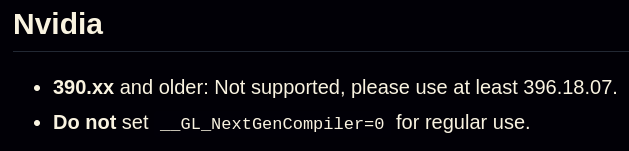
@FuchtelJockel, probably the Nvidia driver bug. Try the latest Nvidia-beta 396.18.11+
See the DXVK minimal driver requirements: https://github.com/doitsujin/dxvk/wiki/Driver-support
 Kerrung
on 17 May 2018
Kerrung
on 17 May 2018
I hope it's obvious why I deleted the last two comments.
Please tets whether these issues still occur with the latest 396.18.11 driver (wich, is more recent than 396.24), especially since that driver contains some tessellation-related fixes. If that doesn't help, there's not much I can do without an apitrace.
Also, please attach log files as a text file next time, that mess is unredable.
 doitsujin
on 17 May 2018
doitsujin
on 17 May 2018
I tried it with the recommended driver version but it hasn't fixed my problem. I exercised the apitracing with some DRM free games (Hellblade and yes I bought it from GoG) and it worked on first try but the DRM in Just Cause prevents me from doing it even after following sambo23 advice. I also tried it on a real windows installation but still no luck with apitrace. I guess that's all i can do.
FuchtelJockel
on 18 May 2018
In that case there's nothing I can do.
doitsujin
on 18 May 2018
  GPU: NVIDIA GTX 750 Ti 2GB
  Driver: 396.18.11
  Wine version: wine-staging 3.8
  DXVK version: 0.52
Invisible water and swimming/sailing are fixed for me.
 pchome
on 23 May 2018
pchome
on 23 May 2018
I can't test it because after reverting to the default driver that ships with my distro the xorg server dies if I update to 396.18.11 (maybe not ready for Xorg 1.20 ). But with the 396.24 driver I still get the same render issues.
FuchtelJockel
on 24 May 2018
added trace file
FuchtelJockel
on 25 May 2018
@FuchtelJockel : 396.24.02 has all fixes from 396.18.x and works with x org 1.20
 pingubot
on 27 May 2018
pingubot
on 27 May 2018
I'm now on 396.24.02 and DXVK 0.53 but I still get the same issues.
@pchome could I get your setting, any workarounds used?
FuchtelJockel
on 27 May 2018
Are you using wine staging? If yes, did you disable the nvenc and nvcuda
DLLs?
FuchtelJockel notifications@github.com schrieb am So., 27. Mai 2018,
23:11:
I'm now on 396.24.02 and DXVK 0.53 but I still get the same issues.
@pchome https://github.com/pchome could I get your setting, any
workarounds used?—
You are receiving this because you commented.
Reply to this email directly, view it on GitHub
https://github.com/doitsujin/dxvk/issues/379#issuecomment-392370712, or mute
the thread
https://github.com/notifications/unsubscribe-auth/Ah9Zc9Qay8ZnCYg0u6iQixcz4zWIxcCLks5t2xaFgaJpZM4UDFpe
.
pingubot
on 27 May 2018
wow after disabling them everything works
thanks
FuchtelJockel
on 27 May 2018
Great, I always disable those cause they can cause issues.. As you also
noticed :)
FuchtelJockel notifications@github.com schrieb am So., 27. Mai 2018,
23:26:
wow after disabling them everything works thanks
—
You are receiving this because you commented.
Reply to this email directly, view it on GitHub
https://github.com/doitsujin/dxvk/issues/379#issuecomment-392374602, or mute
the thread
https://github.com/notifications/unsubscribe-auth/Ah9Zcwv7YgSVRmc83SxVO9ttjfVEVua0ks5t2xoGgaJpZM4UDFpe
.
pingubot
on 27 May 2018
@FuchtelJockel : If things are fixed now 4 you, please go ahead and close the issue :)
pingubot
on 28 May 2018
Sounds like this is fixed.
doitsujin
on 28 May 2018
Related issues
 knuxyl
·
5Comments
knuxyl
·
5Comments
 EnigmaRaptor
·
5Comments
EnigmaRaptor
·
5Comments
 Ahmed-E-86
·
4Comments
Ahmed-E-86
·
4Comments
 artivision
·
4Comments
artivision
·
4Comments
 SzDavidHUN
·
3Comments
SzDavidHUN
·
3Comments
Most helpful comment
Are you using wine staging? If yes, did you disable the nvenc and nvcuda
DLLs?
FuchtelJockel notifications@github.com schrieb am So., 27. Mai 2018,
23:11: