Dxvk: The Crew gets stuck at loading with DXVK
Game stucks at the end of loading - just before showing the map, I guess: this is the static image I get, though I can hear the environment sounds.

I have not managed to collect an apitrace (I've got the latest mingw-compiled version from their website and launched it as in the issue submitting guidelines) of the game running with wined3d; every time, even with --output parameters defined no file would be produced, so only DXVK logs are included.
The game runs fine (well, there are some issues, but wine-d3d ones likelly) without DXVK.
Software information
The Crew (latest version from UPlay, launched using wine TheCrew.exe with UPlay running)
I have copied 32-bit DXVK libs to uplay.exe-containing directory and 64-bit libs to TheCrew.exe-containing directory.
Graphics are like this: everything at Medium, but:
- Textures: High
- Anti-Aliasing: Off
- Ambient Occlusion: Off
- Temporal AA: Off
System information
- GPU: AMD Radeon R7 370 2GB (MSI Armor 2X)
- Driver: AMDGPU @ linux-lqx 4.15.11; Mesa 17.3.7 (RADV) + LLVM 6.0.0
- Wine version: 3.4-staging (Arch's wine-staging-nine built from source)
- DXVK version: master (https://github.com/doitsujin/dxvk/commit/25669099173e1d82484a1538fb559a4b4577c74d)
Apitrace file(s)
- Not available
Log files
 mradermaxlol
All 35 comments
Hm, should I upload more DXVK logs with some of its environment variables enabled for debugging purposes?
mradermaxlol
on 22 Mar 2018
dont know wether this is working for this special case but may its worth a try:
run qps search for the stuck exe file right klick on it and chose continue if available this does it for me with "the witcher 3"
 daschaffert
on 22 Mar 2018
daschaffert
on 22 Mar 2018
Please test with 44d8d6b8c3eaf48fc55de5321b56fce16fd0cbd1, it fixes a regression that was introduced with 0bdae4f9303626e90ca4d8e5d75b017604160835 that would cause lockups in a lot of games.
Also, if you encounter any other issues, please consider using mesa-git as 17.3 is quite broken for a lot of games.
 doitsujin
on 22 Mar 2018
doitsujin
on 22 Mar 2018
@daschaffert what is "qps"?..
@doitsujin alright, will try now and report here. About mesa - yep, I know that it's a crappy release, but I stick to stable releases and 18.0 is only _supposedly_ going to be out tomorrow + the latest 17.3.7 contains fresh Vulkan driver fixes, so the graphics stack here is probably not the main thing to worry about :)
mradermaxlol
on 22 Mar 2018
@doitsujin nope, nothing changed. I'll upload the logs with debugging enabled in the next comment.
mradermaxlol
on 22 Mar 2018
@doitsujin tested with https://github.com/doitsujin/dxvk/commit/44d8d6b8c3eaf48fc55de5321b56fce16fd0cbd1
I have disabled all the staging options I had (csmt, dxva accel & eax) enabled.
env DXVK_DEBUG_LAYERS=1 env DXVK_LOG_LEVEL=debug wine .wine/drive_c/Program\ Files\ \(x86\)/Ubisoft/Ubisoft\ Game\ Launcher/games/The\ Crew\ \(Worldwide\)/TheCrew.exe
TheCrew_d3d11.log
TheCrew_dxgi.log
env DXVK_DEBUG_LAYERS=1 env DXVK_LOG_LEVEL=trace wine .wine/drive_c/Program\ Files\ \(x86\)/Ubisoft/Ubisoft\ Game\ Launcher/games/The\ Crew\ \(Worldwide\)/TheCrew.exe
TheCrew_d3d11.log
TheCrew_dxgi.log
mradermaxlol
on 22 Mar 2018
@mradermaxlol: qps is basicly "ps" with qt-gui you can watch all processes and even "reanimate" stuck processes
daschaffert
on 22 Mar 2018
for me sometimes wine processess get stuck then i use qps leftclick on the process and select continue...
daschaffert
on 22 Mar 2018
kind of linux taskmanager
sorry for beeing "off topic"
daschaffert
on 22 Mar 2018
@mradermaxlol While it's probably not responsible for the issue, 17.3.7 does not contain all the driver fixes for DXVK, and there were quite a few critical issues.
As for the game itself, I can't really debug it without an apitrace and the log files aren't really telling me anything.
BTW, what you are experiencing is not a GPU hang that forces you to reboot, is it?
doitsujin
on 22 Mar 2018
@doitsujin okay, I got it. About the apitrace - could you please guide me through it, maybe I'm doing something wrong? I'll ask about the version I'm using straight away - is a 2017-something version from people.freedesktop.org compiled with MinGW the right one? If yes, how should I get the trace with it?
And nope, I'm not experiencing any GPU hangs, I can easily switch to another virtual desktop and use KSysGuard to terminate the game process.
mradermaxlol
on 22 Mar 2018
I should be able to test with my GTX 1070, would that help at all?
 hcorion
on 22 Mar 2018
hcorion
on 22 Mar 2018
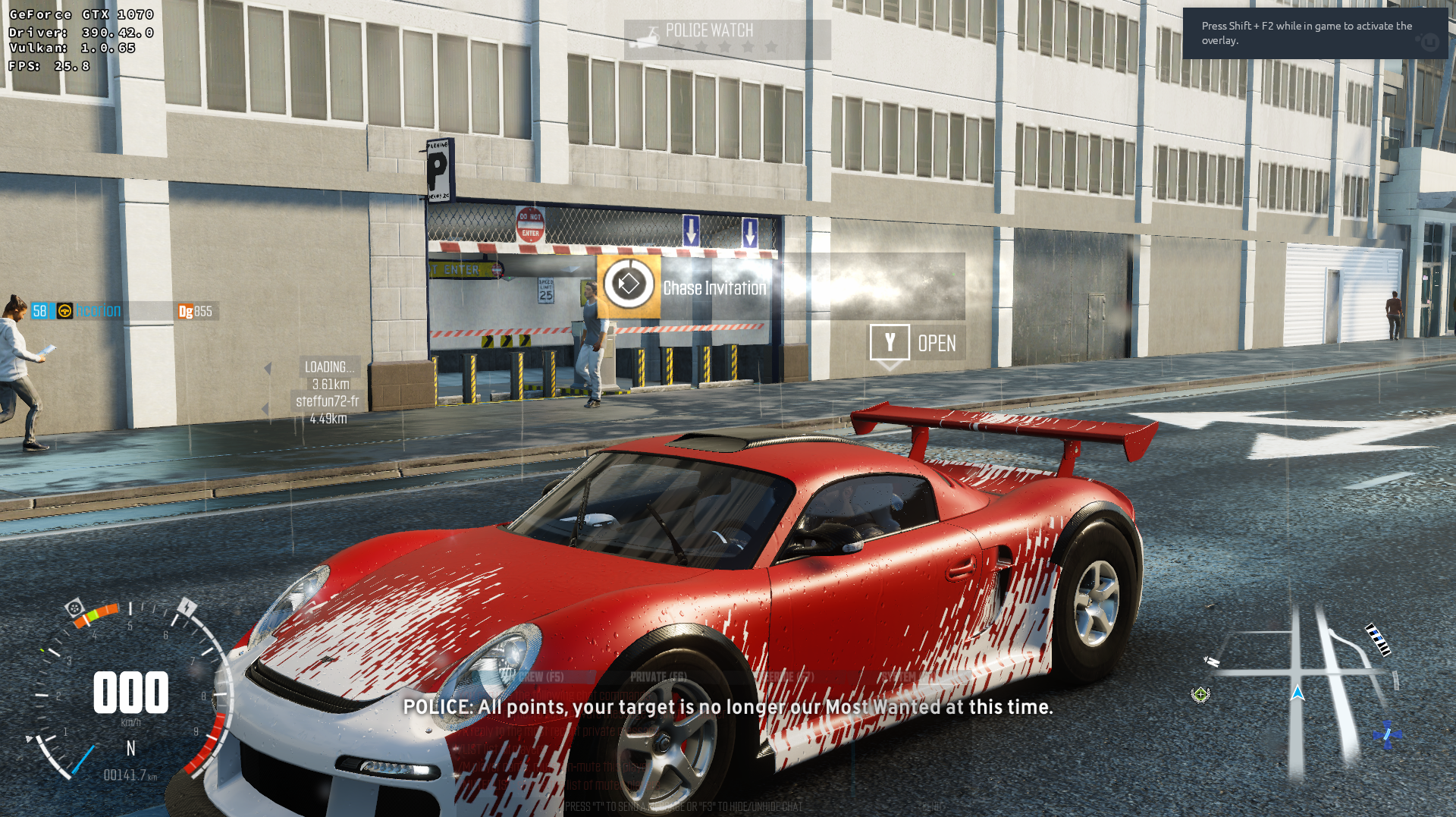
Confirming that it works with my GTX 1070 (looks way better than stock wine too)
hcorion
on 22 Mar 2018
Looks like it may actually be the Vulkan driver issue... Damn :(
Anyway, will try to test with mesa master today, will see if stuff changes.
mradermaxlol
on 23 Mar 2018
@doitsujin tested with mesa master as of 15 minutes ago with DXVK compiled right after mesa - same result, hangs on the loading screen with sound playing.
mradermaxlol
on 23 Mar 2018
Tried to get the trace again with MSVC build of apitrace - still no luck. Is there something wrong with the way I'm running it?
wine apitrace-msvc/x64/bin/apitrace.exe trace -a dxgi .wine/drive_c/Program\ Files\ \(x86\)/Ubisoft/Ubisoft\ Game\ Launcher/games/The\ Crew\ \(Worldwide\)/TheCrew.exe
mradermaxlol
on 23 Mar 2018
@doitsujin nothing new with v0.40 :(
Riding mesa-git and llvm-svn btw.
mradermaxlol
on 25 Mar 2018
@doitsujin still the same hang on https://github.com/doitsujin/dxvk/commit/320cebb8f975434d46ab91987108fe86742ee9a6 with {lib32-,}mesa-18.0.0-3 and llvm-6.0.0-4 + lib32-llvm-6.0.0-1. Wine version in use is wine-gamine-nine 3.6-1.
I will try to test with mesa-git & llvm-svn ASAP and probably report at https://github.com/doitsujin/dxvk/issues/252
mradermaxlol
on 14 Apr 2018
When you try LLVM-svn, please try reverting this commit: https://reviews.llvm.org/D40556
doitsujin
on 14 Apr 2018
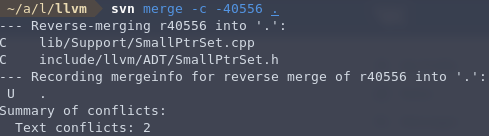
@doitsujin I hope I reverted it the right way :/
mradermaxlol
on 14 Apr 2018
Hum ... Nope.
If you look at the bottom of the page, you'll see which file are modified by the patch.
If fact, you must to revert this patch :
https://reviews.llvm.org/file/data/e6m7q5pp2ypowi34qnw3/PHID-FILE-teyqmcsmmssxhbp7g2cn/D40556.diff
 Odelpasso
on 14 Apr 2018
Odelpasso
on 14 Apr 2018
@berillions ooookay, so should I do svn merge -c -40556 {list of files affected in the patch mentioned} or what? I'm relatively dumb when it's about version control systems :/
mradermaxlol
on 14 Apr 2018
Not an expert on SVN, I'm using the llvm-git mirror since it's more convenient for me.
git revert b0efc4fd6672f27ae2cbf28ef290d25a0da1dc08 in case anyone is using that.
doitsujin
on 14 Apr 2018
Alright, is it possible, then, to initialize a git "repository" with already fetched svn sources pointing to their git mirror to revert the commit? I can't find any Arch packages with llvm using their git mirror, so I'm stuck with editing llvm-svn sources :( (dammit, my brain's dead by now)
@doitsujin or is it possible to create a patch based on the modifications made by git revert {that id} command and upload it here?
mradermaxlol
on 14 Apr 2018
Why don't you just pull the sources from here?
doitsujin
on 14 Apr 2018
Well, I was wondering if there was another way (other than editing the PKGBUILD to use git and comment out/remove svn-specific stuff), but ended up sticking with that repo, yeah. I'll try to compile llvm binaries today and test tomorrow, I guess.
mradermaxlol
on 14 Apr 2018
@mradermaxlol : If you have the commit, you can create a patch by git format-patch -1 SHA and revert it by patch -R -p1 < Your_Patch
0001-AMDGPU-SiFixSGPRCopies-should-not-modify-non-diverge.patch.zip
Odelpasso
on 15 Apr 2018
@doitsujin reported in https://github.com/doitsujin/dxvk/issues/252
mradermaxlol
on 15 Apr 2018
I can confirm the issue on Mesa 18 + wine 3.6-staging-pba + latest DXVK git from today. AMD RX 480 8GB - not a system hang, just the game hangs, I can alt+tab and get out of the process.
Is there any more debugging logs needed? If so, which ones?
 beniwtv
on 25 Apr 2018
beniwtv
on 25 Apr 2018
Logs are pretty much useless. This is looking more and more like the numerous DXGI bugs that have been reported lately.
The main problem with this issue and all the other DXGI-related issues is that I cannot reproduce them locally, but even if I could they would be extremely hard to debug because it's not obvious for what reason a game hangs.
And reasons for that are:
- Side effects caused by DXGI's window management functions are entirely undocumented.
- Because of the convoluted message callback system in Win32, the order in which DXGI executes window-related functions and makes internal state changes visible to the application is actually crucial for some applications to work correctly, but very hard to figure out.
- Some games rely on implementation details, e.g. Dark Souls 3 which falls back to 800x600 if the reported list of display resolutions is not ordered correctly.
This is the kind of stuff we're talking about here. I'm just not able to do anything about these issues unless I can actually reproduce them and at least try to figure out what's wrong.
TL;DR: I won't be able to fix it.
doitsujin
on 25 Apr 2018
Please re-test with 62e4c867ec55da8feda277140cf21c43503aeb43.
doitsujin
on 4 Aug 2018
Works fine for me. (using async build)
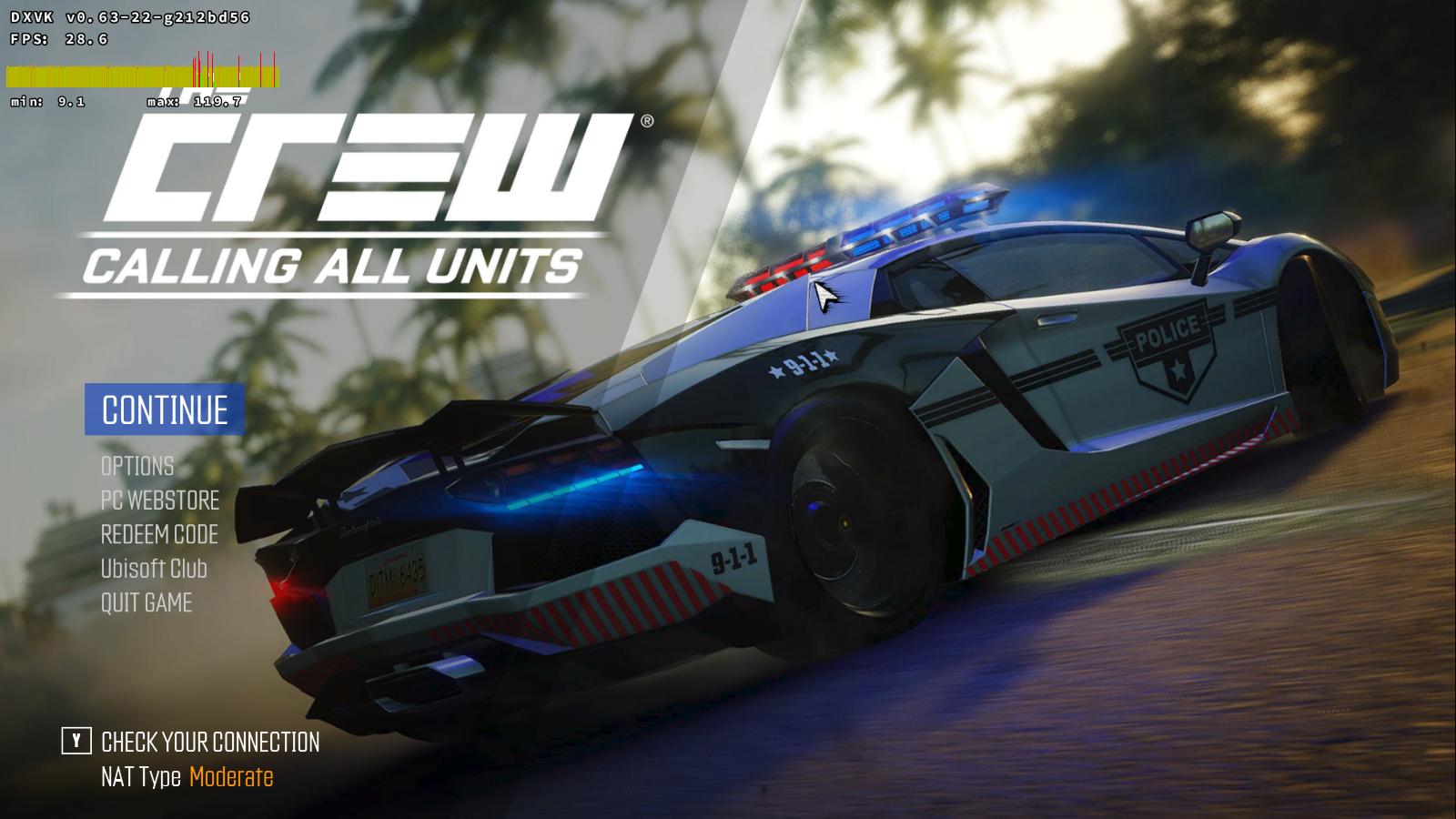
im pretty sure the low fps is just the main menu capped at 30fps
 sambow23
on 6 Aug 2018
sambow23
on 6 Aug 2018
@sambow23 does it work when you enter a game too? Cause it does still freeze for me when loading the game.
beniwtv
on 6 Aug 2018
So just tried with 0.72, and now the game freezes on the very first ("epilepsy" warning) screen of the game. When I click it then goes black, and nothing more happens.
Do you think this is now a new error? Should I gather some logs?
Using Mesa 18.3 + LLVM 8 compiled like ~2 weeks ago.
beniwtv
on 15 Sep 2018
The game's been working for quite a while now, so it's probably a good idea to close this issue :)
mradermaxlol
on 6 Oct 2019
Related issues
 torokati44
·
4Comments
torokati44
·
4Comments
 fls2018
·
4Comments
fls2018
·
4Comments
 7oxicshadow
·
3Comments
7oxicshadow
·
3Comments
 index-0
·
3Comments
index-0
·
3Comments
 jekstrand
·
5Comments
jekstrand
·
5Comments
Most helpful comment
@mradermaxlol : If you have the commit, you can create a patch by
git format-patch -1 SHAand revert it bypatch -R -p1 < Your_Patch0001-AMDGPU-SiFixSGPRCopies-should-not-modify-non-diverge.patch.zip