Duplicati: Unable to restore under Linux (reverse proxy issue)
Environment info
- Duplicati version: 2.0.2.21_canary_2018-03-06
- Operating system: CentOS 7.4.1708
- Backend: Local or HubiC
Description
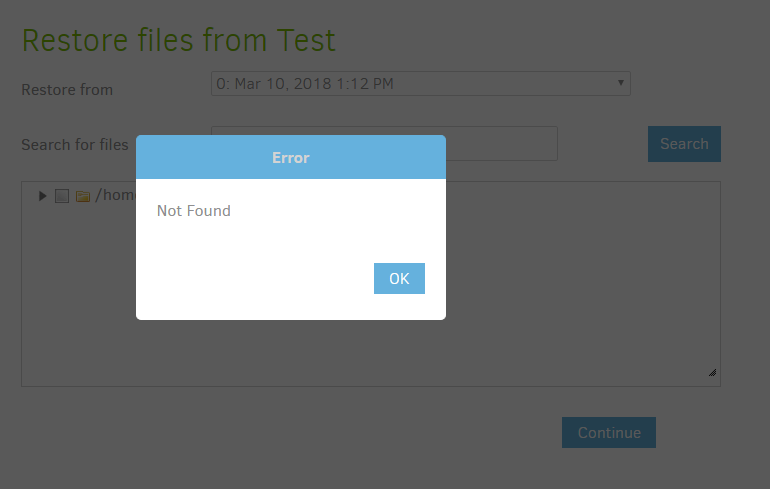
Unable to restore after local or remote (HubiC) backup.
Steps to reproduce
- Select
Restore - Select Local or Remote Backup
- Select
Next
- Actual result:
Error Dialog:Not Found - Expected result:
Restore files list
Screenshots
Debug log
 ethauvin
All 5 comments
Total shot in the dark - Are you using a reverse proxy under nginx or apache?
 Pectojin
on 10 Mar 2018
Pectojin
on 10 Mar 2018
@Pectojin Good aim. Using Apache for SSL. Any suggestions?
ethauvin
on 11 Mar 2018
Pure luck, I discovered this issue on my apache reverse proxy yesterday :)
On the restore page Duplicati is sending the path to the server to tell it which files to list. So on first load it will send something like "show me files and folders in /"
/api/v1/backup/17/files//?prefix-only=false&folder-contents=true&time=2018-03-10T22:08:07+01:00&filter=/
But that doesn't work for URL's, so it's URL encoding the /
api/v1/backup/17/files/%2F?prefix-only=false&folder-contents=true&time=2018-03-10T22%3A08%3A07%2B01%3A00&filter=%2F
Turning / into %2F, but unfortunately Apache reverse proxy is also "smart" like that, so it URL encodes that path once more - Turning %2F into %252F. So suddenly Duplicati is looking for the path %2F instead of /.
The easiest thing is to connect directly instead of through the reverse proxy, but if you want to do it right you need to disable the URL encoding in the reverse proxy.
I haven't actually fixed it on my setup yet, but I think it's something like this: https://serverfault.com/questions/524751/apache-reverse-proxy-encodes-characters
Pectojin
on 11 Mar 2018
You nailed it @Pectojin. 👍
I was able to fix it by adding the following to my Apache proxy configuration:
AllowEncodedSlashes On
My virtual host configuration now reads something like:
    ServerName example.com
    ProxyPreserveHost On
    ProxyRequests off
    ProxyPass / http://127.0.0.1:8200/
    ProxyPassReverse / http://127.0.0.1:8200/
    AllowEncodedSlashes On
Thanks!
ethauvin
on 11 Mar 2018
Ah, cool! Works like a charm on my system as well now 👍
Pectojin
on 11 Mar 2018
Related issues
 Germs2004
·
4Comments
Germs2004
·
4Comments
 Bungeefan
·
5Comments
Bungeefan
·
5Comments
 jonmchan
·
4Comments
jonmchan
·
4Comments
 ConradHughes
·
5Comments
ConradHughes
·
5Comments
 syrys
·
4Comments
syrys
·
4Comments
Most helpful comment
You nailed it @Pectojin. 👍
I was able to fix it by adding the following to my Apache proxy configuration:
My virtual host configuration now reads something like:
Thanks!