I was trying to build on a Raspberry Pi Zero M, and it took a very long time at 11% (hours) and eventually failed; make:
mkdir -p build/release && \
cd build/release && \
cmake      -DBUILD_PARQUET_EXTENSION=TRUE -DCMAKE_BUILD_TYPE=Release ../.. && \
cmake --build .
-- Configuring done
-- Generating done
-- Build files have been written to: /home/pi/git/duckdb/build/release
make[1]: Entering directory '/home/pi/git/duckdb/build/release'
make[2]: Entering directory '/home/pi/git/duckdb/build/release'
make[3]: Entering directory '/home/pi/git/duckdb/build/release'
make[3]: Leaving directory '/home/pi/git/duckdb/build/release'
[  9%] Built target parquet_extension
make[3]: Entering directory '/home/pi/git/duckdb/build/release'
make[3]: Leaving directory '/home/pi/git/duckdb/build/release'
[ 11%] Built target utf8proc
make[3]: Entering directory '/home/pi/git/duckdb/build/release'
make[3]: Leaving directory '/home/pi/git/duckdb/build/release'
make[3]: Entering directory '/home/pi/git/duckdb/build/release'
make[3]: Leaving directory '/home/pi/git/duckdb/build/release'
make[3]: Entering directory '/home/pi/git/duckdb/build/release'
[ 11%] Building CXX object src/optimizer/CMakeFiles/duckdb_optimizer.dir/ub_duckdb_optimizer.cpp.o
c++: fatal error: Killed signal terminated program cc1plus
compilation terminated.
make[3]: *** [src/optimizer/CMakeFiles/duckdb_optimizer.dir/build.make:63: src/optimizer/CMakeFiles/duckdb_optimizer.dir/ub_duckdb_optimizer.cpp.o] Error 1
make[3]: Leaving directory '/home/pi/git/duckdb/build/release'
make[2]: *** [CMakeFiles/Makefile2:467: src/optimizer/CMakeFiles/duckdb_optimizer.dir/all] Error 2
make[2]: Leaving directory '/home/pi/git/duckdb/build/release'
make[1]: *** [Makefile:130: all] Error 2
make[1]: Leaving directory '/home/pi/git/duckdb/build/release'
make: *** [Makefile:103: release] Error 2
Anything that can be done here?
 pepa65
All 22 comments
Your compiler runs out of memory there, which is not that surprising on a Raspberri Pi Zero. Try cross-compiling from a beefier box. In the future, we should also provide those binaries.
 hannesmuehleisen
on 9 Nov 2020
hannesmuehleisen
on 9 Nov 2020
See also #941
hannesmuehleisen
on 9 Nov 2020
Another thing you could try is to disable unity builds like so: DISABLE_UNITY=1 make. It could fix the running out of memory issue in the compiler but will also greatly increase your already massive compilation time ^^
hannesmuehleisen
on 9 Nov 2020
OK, trying while disabling unity builds (what are those??).
What would I need to do to cross-compile, command-wise (toolchain-wise)?
(I looked at #941 but wasn't successful getting the java environment, and then I thought, I shouldn't need that -- I was going to report the os.arch, but that's probably aarch64 anyway, and then that wouldn't help me any further.)
pepa65
on 9 Nov 2020
I tried cross-compiling on my laptop with this multistage Dockerfile:
FROM alpine

RUN apk update -qq && apk upgrade && apk add --no-cache \
    build-base \
    cmake clang clang-dev make gcc g++ libc-dev linux-headers \
    ninja \
    unzip \
    curl

WORKDIR /build

RUN curl -fL https://github.com/cwida/duckdb/archive/v0.2.2.tar.gz -o duckdb.tgz && \
    tar xfz duckdb.tgz --strip-components=1 && \
    rm duckdb.tgz

RUN cmake . -G Ninja

RUN N_CPU=$((`nproc --all`-1)) && \
    echo "Number of CPUs: $N_CPU" && \
    ninja -j $N_CPU

FROM alpine

# add system library required for duckdb cli to run
RUN apk update -qq && apk add --no-cache libstdc++

WORKDIR /usr/local/bin
COPY --from=0 /build/duckdb .
RUN chmod +x duckdb

WORKDIR /data
VOLUME ["/data"]

CMD ["duckdb --help"]
For this you need docker and a cli-plugin (that comes with Docker Desktop) called buildx. I didn't have Docker Desktop (needed only if you're on MacOS or Windows), I had just the docker Community Edition. So I did these commands to set up the required tools for the crossbuild on my laptop:
# use docker and "buildx" cli plugin, to build for linux/arm* and some other archs:
# see https://github.com/docker/buildx

# some commands to set up buildx for a cross build
docker run --privileged --rm tonistiigi/binfmt --install all
docker run --rm --privileged multiarch/qemu-user-static --reset -p yes
sudo systemctl restart docker
export DOCKER_CLI_EXPERIMENTAL=enabled
docker buildx install
docker buildx create --use
The buildx setup above gave support for building for these archs: Platforms: linux/amd64, linux/arm64, linux/riscv64, linux/ppc64le, linux/s390x, linux/386, linux/arm/v7, linux/arm/v6
I was then able to do do the crossbuild for arm/v6, arm/v7 (I think rpi0 uses that?) and amd64, which took more than one hour to complete, but is claimed to do good concurrent builds for the different architectures:
docker buildx build -t mskyttner/duckdb --push --platform=linux/arm/v6,linux/arm/v7,linux/amd64 .
Once the build is complete you can copy out the binary from the resulting image and if the correct version of the libstdc++ is present on the host it should run there too (haven't tried it on rpi0 though, but that is my understanding).
You should be able to run the container without that present, though. But you'd need Docker on the Zero... If you installed Hypriot OS on the Pi Zero (see https://blog.hypriot.com/post/releasing-HypriotOS-1-11/) you should be able to run it with docker run --rm -it ${SLUG} duckdb --help, which would pull the relevant slug from Docker Hub if not already available locally.
The image generated from the build ended up being 25.7MB large (which includes the Alpine base OS with libstdc++ installed and duckdb otherwise pretty bare bones).
 mskyttner
on 9 Nov 2020
mskyttner
on 9 Nov 2020
So I guess the trick would be to use a very old Alpine for the docker image for maximum backwards compatibility.
pepa65
on 9 Nov 2020
Installing Docker on a Pi Zero seems like serious overkill to me.
hannesmuehleisen
on 11 Nov 2020
It would be neat to have a binary that would work on a Pi. I've gotten to 98% when disabling unity on the build, but then I suspect it still errors out on memory on my Zero...
pepa65
on 11 Nov 2020
The Hypriot OS is a minimal Debian OS with a kernel optimized for Docker, for ARM units. The HypriotOS also runs on many other boards besides the Raspberry Pi variants, such as ODROIDs, NVIDIA ShieldTV. Its base is smaller than Rasbian Lite, and not overkill in that sense. I think the overhead is quite small. The stock OS for rpi0, say Raspbian Lite, could also install Docker of course, but it doesn't come included there.
This demo at https://github.com/hypriot/rpi-nano-httpd shows an example with hundreds of containerized instances of lightweight web servers running on one of these units. That tiny application is "statically linked" when built. For those that prefer a as-much-as-possible portable binary over using containers/lightweight virtualization, would it be possible to statically link to the libstdc++ of the correct version and bundle it in the duckdb cli binary that gets built, perhaps through some switches to the make command (-static-libstdc++)?
mskyttner
on 11 Nov 2020
I think a single binary that includes libstdc++ would be a brilliant idea if possible! This would run on almost any OS for the designated architecture.
pepa65
on 11 Nov 2020
Running make with way more swap space ends here:
[ 94%] Linking CXX executable unittest
/usr/bin/ld: sql/parallelism/interquery/CMakeFiles/test_sql_interquery_paralleli
sm.dir/ub_test_sql_interquery_parallelism.cpp.o: in function `____C_A_T_C_H____T
_E_S_T____24()':
ub_test_sql_interquery_parallelism.cpp:(.text+0xc7a0): undefined reference to `_
_atomic_store_8'
/usr/bin/ld: ub_test_sql_interquery_parallelism.cpp:(.text+0xcb1c): undefined r$
ference to `__atomic_load_8'
/usr/bin/ld: ub_test_sql_interquery_parallelism.cpp:(.text+0xcc20): undefined r$
ference to `__atomic_load_8'
/usr/bin/ld: sql/parallelism/interquery/CMakeFiles/test_sql_interquery_parallel$
sm.dir/ub_test_sql_interquery_parallelism.cpp.o: in function `mix_insert_to_pri$
ary_key(duckdb::DuckDB*, std::atomic<unsigned long long>*, unsigned long long)'$
ub_test_sql_interquery_parallelism.cpp:(.text+0x131c4): undefined reference to $
__atomic_fetch_add_8'
/usr/bin/ld: ../src/libduckdb.so: undefined reference to `__atomic_fetch_sub_8'
collect2: error: ld returned 1 exit status
make[3]: *** [test/CMakeFiles/unittest.dir/build.make:117: test/unittest] Error
1
make[3]: Leaving directory '/home/pi/git/duckdb/build/release'
make[2]: *** [CMakeFiles/Makefile2:5147: test/CMakeFiles/unittest.dir/all] Error
 2
make[2]: Leaving directory '/home/pi/git/duckdb/build/release'
make[1]: *** [Makefile:130: all] Error 2
make[1]: Leaving directory '/home/pi/git/duckdb/build/release'
make: *** [Makefile:103: release] Error 2
I am going to try DISABLE_UNITY=1 make next, but it seems this is not a "not enough memory" error, or is it?
pepa65
on 14 Nov 2020
On the Pi Zero with DISABLE_UNITY=1 make:
[ 98%] Building CXX object test/persistence/CMakeFiles/test_persistence.dir/test_sequence_crash.cpp.o
make[3]: Leaving directory '/home/pi/git/duckdb/build/release'
[ 98%] Built target test_persistence
make[3]: Entering directory '/home/pi/git/duckdb/build/release'
make[3]: Leaving directory '/home/pi/git/duckdb/build/release'
make[3]: Entering directory '/home/pi/git/duckdb/build/release'
[ 98%] Linking CXX executable unittest
/usr/bin/ld: sql/parallelism/interquery/CMakeFiles/test_sql_interquery_parallelism.dir/test_concurrent_index.cpp.o: in function `____C_A_T_C_H____T_E_S_T____8()':
test_concurrent_index.cpp:(.text+0x3b6c): undefined reference to `__atomic_store_8'
/usr/bin/ld: test_concurrent_index.cpp:(.text+0x4020): undefined reference to `__atomic_load_8'
/usr/bin/ld: test_concurrent_index.cpp:(.text+0x4174): undefined reference to `__atomic_load_8'
/usr/bin/ld: sql/parallelism/interquery/CMakeFiles/test_sql_interquery_parallelism.dir/test_concurrent_index.cpp.o: in function `mix_insert_to_primary_key(duckdb::DuckDB*, std::atomic<unsigned long long>*, unsigned long long)':
test_concurrent_index.cpp:(.text+0x9aac): undefined reference to `__atomic_fetch_add_8'
/usr/bin/ld: ../src/libduckdb.so: undefined reference to `__atomic_fetch_sub_8'
collect2: error: ld returned 1 exit status
make[3]: *** [test/CMakeFiles/unittest.dir/build.make:191: test/unittest] Error 1
make[3]: Leaving directory '/home/pi/git/duckdb/build/release'
make[2]: *** [CMakeFiles/Makefile2:5147: test/CMakeFiles/unittest.dir/all] Error  2
make[2]: Leaving directory '/home/pi/git/duckdb/build/release'
make[1]: *** [Makefile:130: all] Error 2
make[1]: Leaving directory '/home/pi/git/duckdb/build/release'
make: *** [Makefile:103: release] Error 2
This seems to be an error in building one of the tests. Try skipping the build of those as well by setting the BUILD_UNITTESTS flag to 0 in CMake, e.g. as follows:
mkdir build
cd build
cmake -G "Unix Makefiles" -DBUILD_UNITTESTS=0 -DDISABLE_UNITY=1 ..
make
 Mytherin
on 14 Nov 2020
Mytherin
on 14 Nov 2020
This is after @Mytherin 's instructions, with no unit tests nor unity:
[ 98%] Linking CXX executable test_sqlite3_api_wrapper
/usr/bin/ld: ../../src/libduckdb.so: undefined reference to `__atomic_fetch_sub_8'
/usr/bin/ld: ../../src/libduckdb.so: undefined reference to `__atomic_load_8'
/usr/bin/ld: ../../src/libduckdb.so: undefined reference to `__atomic_store_8'
/usr/bin/ld: ../../src/libduckdb.so: undefined reference to `__atomic_fetch_add_8'
collect2: error: ld returned 1 exit status
make[2]: *** [tools/sqlite3_api_wrapper/CMakeFiles/test_sqlite3_api_wrapper.dir/build.make:91: tools/sqlite3_api_wrapper/test_sqlite3_api_wrapper] Error 1
make[1]: *** [CMakeFiles/Makefile2:6357: tools/sqlite3_api_wrapper/CMakeFiles/test_sqlite3_api_wrapper.dir/all] Error 2
make: *** [Makefile:130: all] Error 2
You could try this cloud build of duckdb CLI to get a arm/v6 binary (see build logs here), but it needs to be extracted from the docker image first, which can be done like this:
# extract binary from image (this doesn't need to happen on the rpi0)
docker cp $(docker create ghcr.io/mskyttner/duckdb-cli-arm:1.0.6@sha256:57f66b46eeec66ba7b8e989964da64af56a5474d15e63bed025d2b8c5a03faf8):/usr/local/bin/duckdb .

# move the duckdb file to your rpi0 Alpine box and run it there
chmod +x duckdb
scp duckdb rpi0:/usr/local/bin
Caveat if you are not running Alpine on the rpi0 is that you probably need musl-armhf support:
$file duckdb
duckdb: ELF 32-bit LSB shared object, ARM, EABI5 version 1 (SYSV), dynamically linked, interpreter /lib/ld-musl-armhf.so.1, with debug_info, not stripped
Running Raspbian, not Alpine...
pepa65
on 18 Nov 2020
@pepa it would be interesting to see if you can get it to run on the rpi0 after installing musl with sudo apt install musl... since it should include that lib/ld-musl-armf.so.1 file. This might work, if musl is available in the raspbian repositories (I think the musl-dev should exist and musl is available in debian, but I haven't tested it on rpi0). If this doesn't work I can try to use a raspbian base in the cloud build and see how that goes.
mskyttner
on 18 Nov 2020
I'm hesitant to try this, as both Zeroes I have access to are "in production". Musl is available in the repos. The thing is, I have no need for duckdb on the Zero at this point, my interest was more academic/curiosity.
pepa65
on 18 Nov 2020
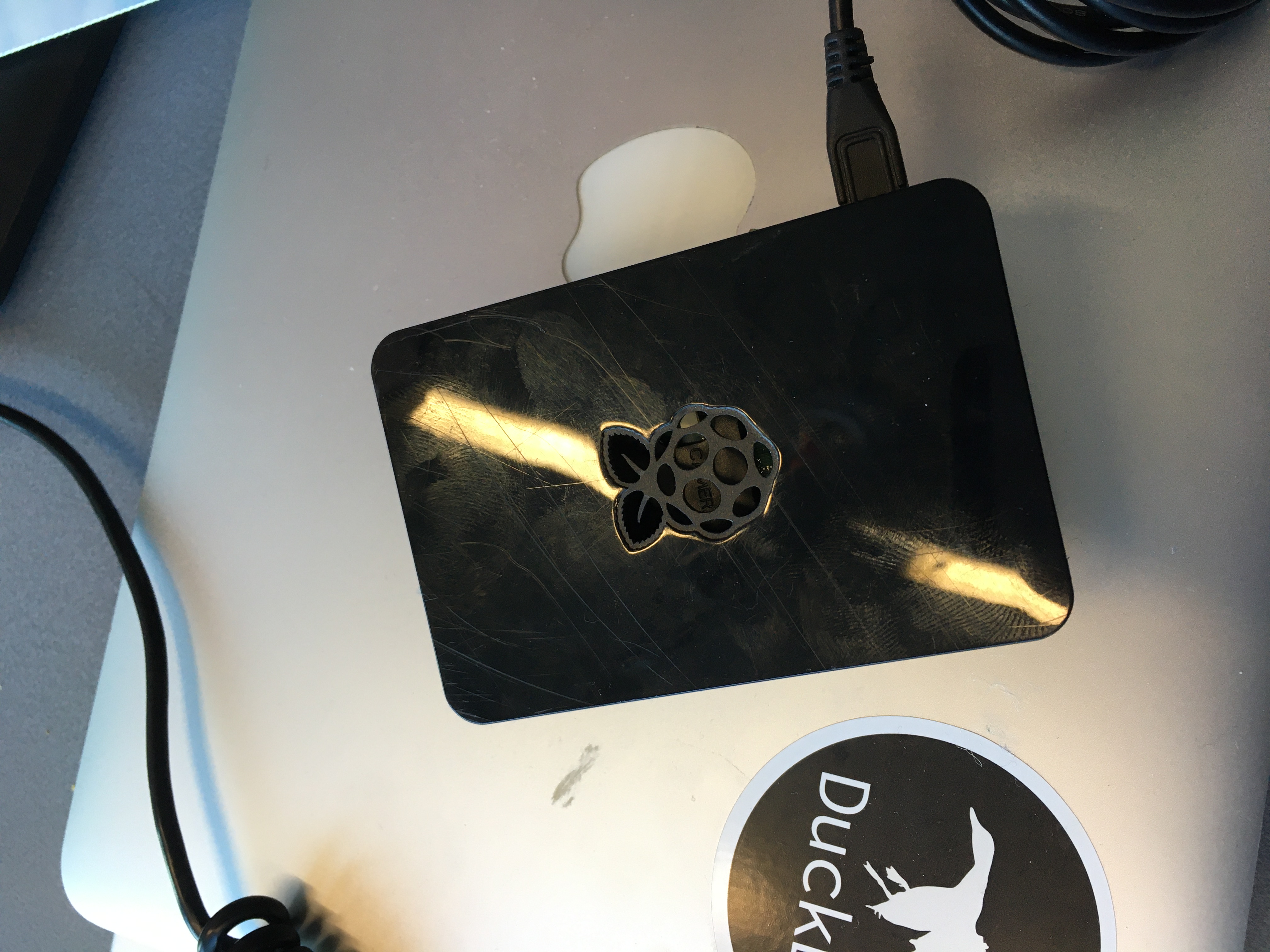
Just for you people I got a Raspberry Pi to get DuckDB to work here ^^
hannesmuehleisen
on 18 Nov 2020
We now build and provide binaries for Raspberry Pi as part of our nightly builds and releases.
hannesmuehleisen
on 23 Nov 2020
CLI build is here: https://github.com/cwida/duckdb/releases/download/master-builds/duckdb_cli-linux-rpi.zip
hannesmuehleisen
on 23 Nov 2020
Confirmed to work on the Pi Zero (W) as well!
pepa65
on 24 Nov 2020
Related issues
Mytherin
·
4Comments
hannesmuehleisen
·
7Comments
hannesmuehleisen
·
6Comments
 Giorgi
·
4Comments
Giorgi
·
4Comments
 DavisVaughan
·
4Comments
DavisVaughan
·
4Comments
Most helpful comment
CLI build is here: https://github.com/cwida/duckdb/releases/download/master-builds/duckdb_cli-linux-rpi.zip