dubbo.application.qosEnable=false don't work
dubbo版本:2.9.0,2.6.0
配置:
>
dubbo.application.qosPort=33333
dubbo.application.qosEnable=false
dubbo.application.qosAcceptForeignIp=false
使用注解注入spring
@Bean
public ApplicationConfig requestApplicationConfig() {
    ApplicationConfig applicationConfig = dubboProperties.getApplication();
    if (applicationConfig == null) {
        applicationConfig = new ApplicationConfig();
    }
    return applicationConfig;
    }
debug显示注入成功
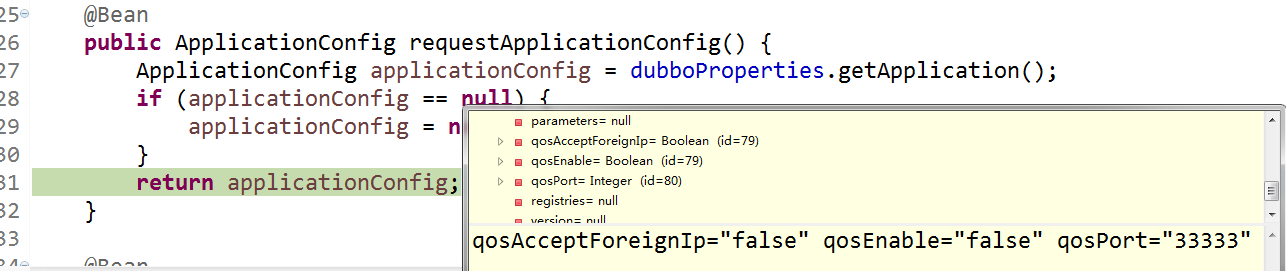
本机IP:192.168.162.30
内网远程IP:192.168.4.214
远程机器Telnet本机结果
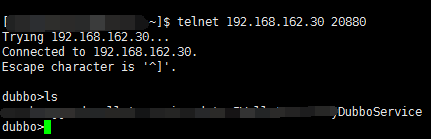
另外,jvm参数加入了qos相关,依然不起作用

 ayhero
All 7 comments
dubbo.application.qos.port=33333
dubbo.application.qos.enable=true/false
In 2.5.9, please use the demo configuration above, i will update the docs later.
 chickenlj
on 29 Jan 2018
chickenlj
on 29 Jan 2018
@chickenlj thx ,but this issue is here,I find the protocol configuration in the docs and see "telnet"

then I change my setting to below pic

but,it just not working like what I configure,so maybe anything I am missing?
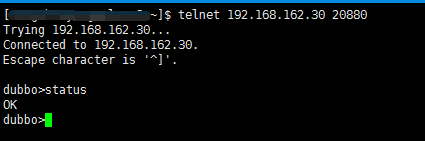
I want to shutdown all telnet in the prod environment,so thx~
ayhero
on 30 Jan 2018
@chickenlj and something else
in version 2.5.9,use confs
dubbo.application.qos.port=33333
dubbo.application.qos.enable=true
I still can not open the qos
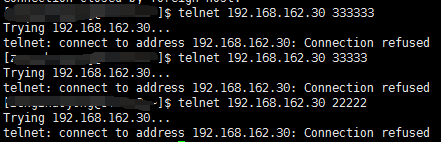
however,the token of service can reject unsafe invoking,so this is my only solution:)
ayhero
on 30 Jan 2018
Sorry, i can't load the pictures at this moment. But be notice there's two telnet ways currently in dubbo: new qos and old telnet.
All configurations works only for new qos.
chickenlj
on 17 Feb 2018
The old telnet can't be closed, though the telnet property is designed for user to configure, it is never used.
I am not sure whether we will continue working on old telnet, because we plan to replace it with the qos module.
chickenlj
on 17 Feb 2018
in version 2.5.9,use confs
dubbo.application.qos.port=33333 dubbo.application.qos.enable=true
I still can not open the qos
Where do you place these properties?
chickenlj
on 17 Feb 2018
As @chickenlj suggested, please use the following properties to disable qos:
dubbo.application.qos.port=33333
dubbo.application.qos.enable=true/false
I am closing this issue now.
 ralf0131
on 16 Jul 2018
ralf0131
on 16 Jul 2018
Related issues
 kekerzzZ
·
3Comments
kekerzzZ
·
3Comments
 yangpancode
·
4Comments
yangpancode
·
4Comments
 luyunfeng
·
3Comments
luyunfeng
·
3Comments
 JerryChin
·
3Comments
JerryChin
·
3Comments
 yiding-he
·
4Comments
yiding-he
·
4Comments
Most helpful comment
dubbo.application.qos.port=33333
dubbo.application.qos.enable=true/false
In 2.5.9, please use the demo configuration above, i will update the docs later.