Druid: Figure out how dictation/emoji menu items work
Not sure whether it fits here, but on Mac the "Quit" entry should be last. While on Mac Rundender it is the 3rd last.

_Originally posted by @kud1ing in https://github.com/linebender/druid/issue_comments/707944931_
 cmyr
cmyr
All 10 comments
Thanks. As noted in the referenced thread, the last two entries should be under the Edit menu.
 kud1ing
on 13 Oct 2020
kud1ing
on 13 Oct 2020
I can reproduce. These two items are dynamically added to our menu by AppKit, and they're putting them in the wrong place; I really don't know much more than that at the moment.
cmyr
on 13 Oct 2020
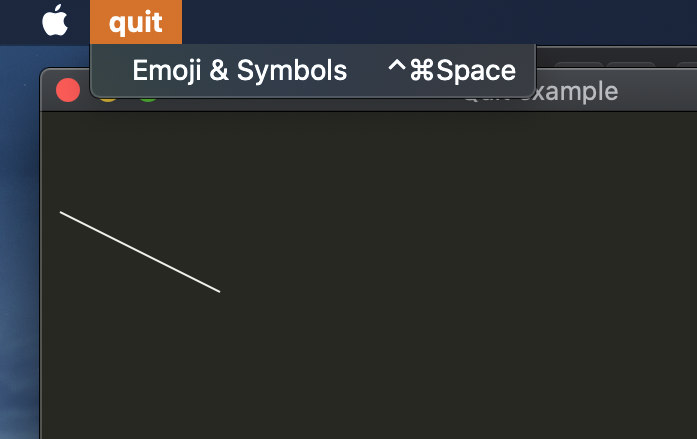
Druid's "quit" example shows this behaviour already (while slightly different):
kud1ing
on 13 Oct 2020
- https://stackoverflow.com/a/30046514 explains how to prevent those menu entries at all
- https://stackoverflow.com/a/21370654 says that those entries are present in
applicationDidFinishLaunching:or later.applicationWillFinishLaunching:would be too early
kud1ing
on 21 Oct 2020
https://blog.rachelbrindle.com/2015/08/14/osx-programming-programmatic-menu-buttons/ says
There are quite a few gotcha’s to adding things to the global menu.
First is that every NSMenuItem and NSMenu you add needs to have the title property set,
otherwise they won’t be visible.
So if i do both:
let () = msg_send![menu.menu, setTitle: menu_item_title];
let () = msg_send![menu_item, setTitle: menu_item_title];
then it does not look too bad (i've added an empty "Edit" menu myself):
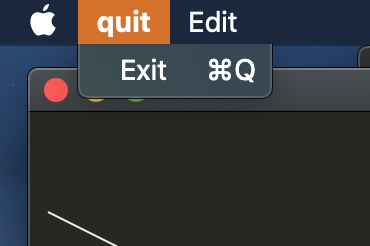
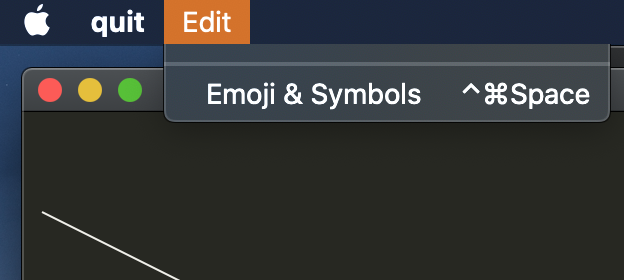
Notice that "Start Dictation ..." is missing, so this solution is not yet perfect.
kud1ing
on 6 Nov 2020
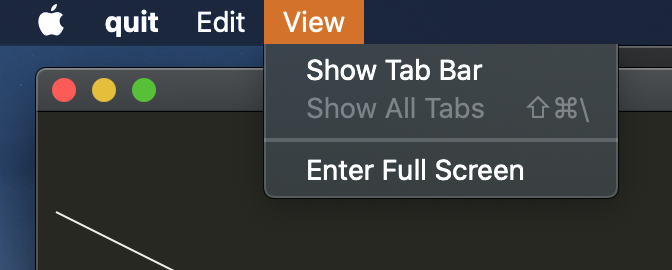
And as a bonus, if you add an empty "View" menu, there are more automagical entries:
kud1ing
on 6 Nov 2020
For reference, here is how Cacao does it:
- https://github.com/ryanmcgrath/cacao/blob/trunk/src/macos/menu/menu.rs
- https://github.com/ryanmcgrath/cacao/blob/trunk/src/macos/menu/item.rs
The difference is that Druid's Menu does not have a title.
kud1ing
on 6 Nov 2020
@cmyr : Oh, you've removed the setting of the menu time title in https://github.com/linebender/druid/commit/e47b335709f17357f79e2232980d713e2a08d56c

Do you remember why?
kud1ing
on 7 Nov 2020
I don't remember exactly, except that I remember there being some weirdness when the top-level menu (which is basically the menubar itself?) had a name? But I did not research this is thoroughly as you are doing.
cmyr
on 8 Nov 2020
In this case, maybe one could just disable that for the main menu, by comparing the menu with NSApplication:: mainMenu().
kud1ing
on 8 Nov 2020
Related issues
 thePalindrome
·
3Comments
thePalindrome
·
3Comments
 MGlolenstine
·
3Comments
MGlolenstine
·
3Comments
 Finnerale
·
3Comments
Finnerale
·
3Comments
 bheisler
·
5Comments
cmyr
·
3Comments
bheisler
·
5Comments
cmyr
·
3Comments