Drasil: Improve Continuously Deployed Web-page
@Mornix has done a great job on the continuously deployed Drasil web-page (https://jacquescarette.github.io/Drasil/). Everything we want is automatically generated and update once a day. The next step is to make the web-page look better.
@danscime can you please make this web-page look better, especially with an external audience in mind. Some suggestions to improve the look of the page are:
- add an introductory blurb at the top
- a description of the contents of each section
- a short blurb describing each of the case studies
- a link back to the Drasil repo
To help with finding the page, we should also have a link to it from the main Drasil repo
Any other ideas you have to make the web-page nicer are most welcome. :smile:
 smiths
All 28 comments
@Mornix which files should I be editing to update the webpage?
 danscime
on 12 Jun 2019
danscime
on 12 Jun 2019
I believe all of that is under code/website, with index.html in there being the leading candidate.
 JacquesCarette
on 12 Jun 2019
JacquesCarette
on 12 Jun 2019
Oh okay, I was looking in the gh-pages branch, but I guess everything there is automated through the code/website folder.
danscime
on 12 Jun 2019
Some useful makefile targets:
make deploy the first time you attempt to generate the website. This will ensure all needed dependencies like PDFs are generated.
On subsequent website builds use make deploy_lite which "just" stages the website assets in the deploy folder.
I wouldn't recommend using make in the code/website folder as that requires passing in variables to certain folders. It is a possibility, but more there for debugging and isolating Hakyll specific build "commands".
 Mornix
on 12 Jun 2019
Mornix
on 12 Jun 2019
Is this information also in, say, the Makefile itself?
JacquesCarette
on 12 Jun 2019
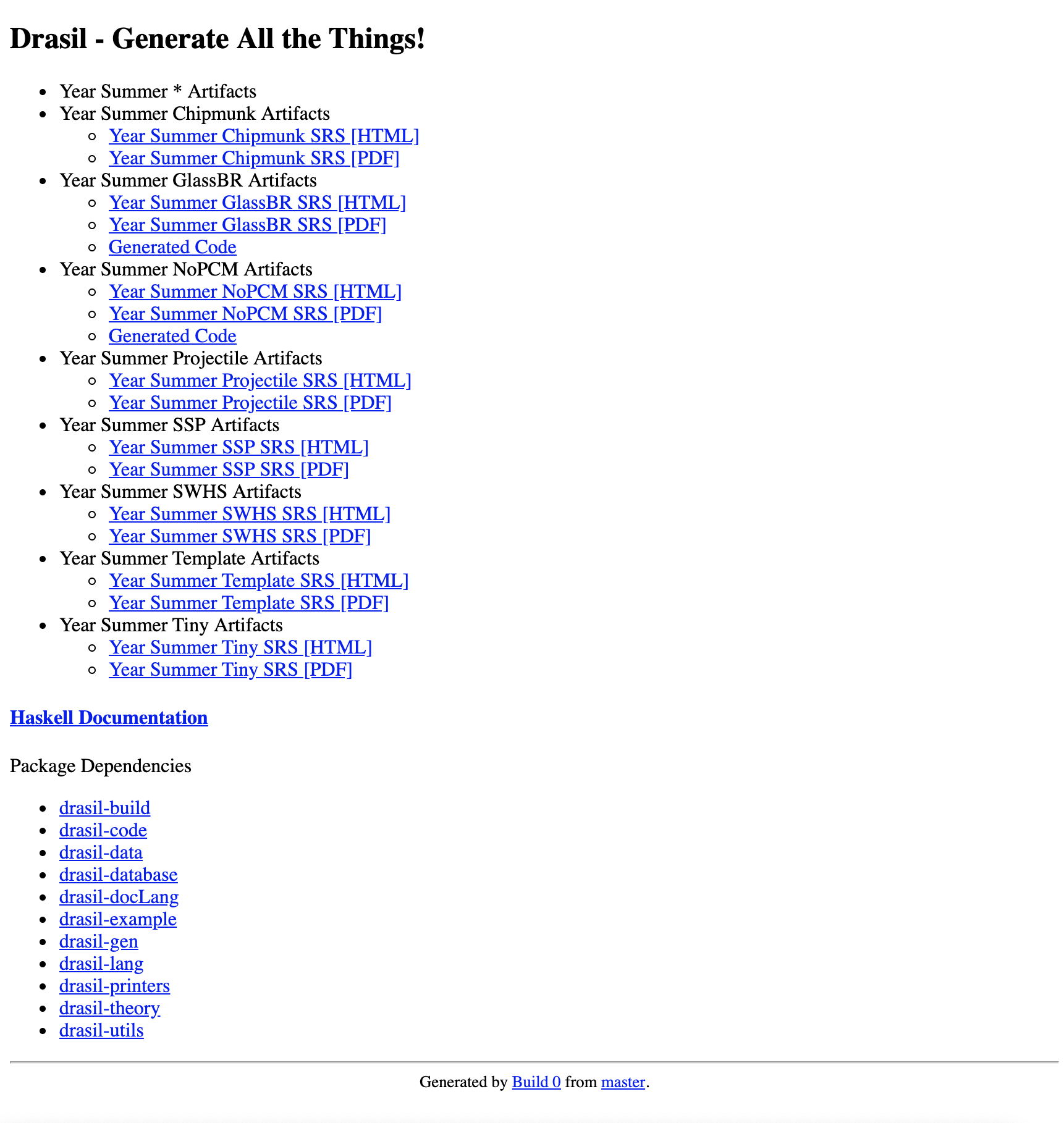
Running make deploy and make deploy_lite return Successful for me, but the resulting site says Year summer before each file, and the website folder does not contain the PDFs or HTML files that the site links to. Is this just my computer, or is this just the current state of the make targets?
danscime
on 14 Jun 2019
"Year Summer" appearing before all example names is a bug in deploy_stage.sh involving missing quotes. This particular issue is addressed in #1564. As for the generated file not properly linking to PDFs and HTML files. That's because the _site folder which Hakyll produces contains any site-specific files. (HTML, CSS, and anything marked "static" or using the copyFileCompiler in Hakyll) The actual completed website is in the deploy folder under code, where after Hakyll generates the latest HTML, it is copied to the deploy folder.
Mornix
on 15 Jun 2019
GitHub marked this as closed. It’s not.
Mornix
on 15 Jun 2019
@smiths Did you have specifics in mind for the blurbs and descriptions for introduction, case studies, and contents?
I can work on them as well, and we can revise them as we see fit.
danscime
on 17 Jun 2019
@danscime, no, I don't have anything specific in mind. We want to keep the blurbs short. The main thing is to explain what is actually be generated and linked to. You should make it clear that this is a CI deploy. Once you write something, assign it to me and @JacquesCarette for review.
smiths
on 17 Jun 2019
Some new ideas via bb9f5c02d67d3e6a626b292ec9dbdc77137ed5f7
danscime
on 17 Jun 2019
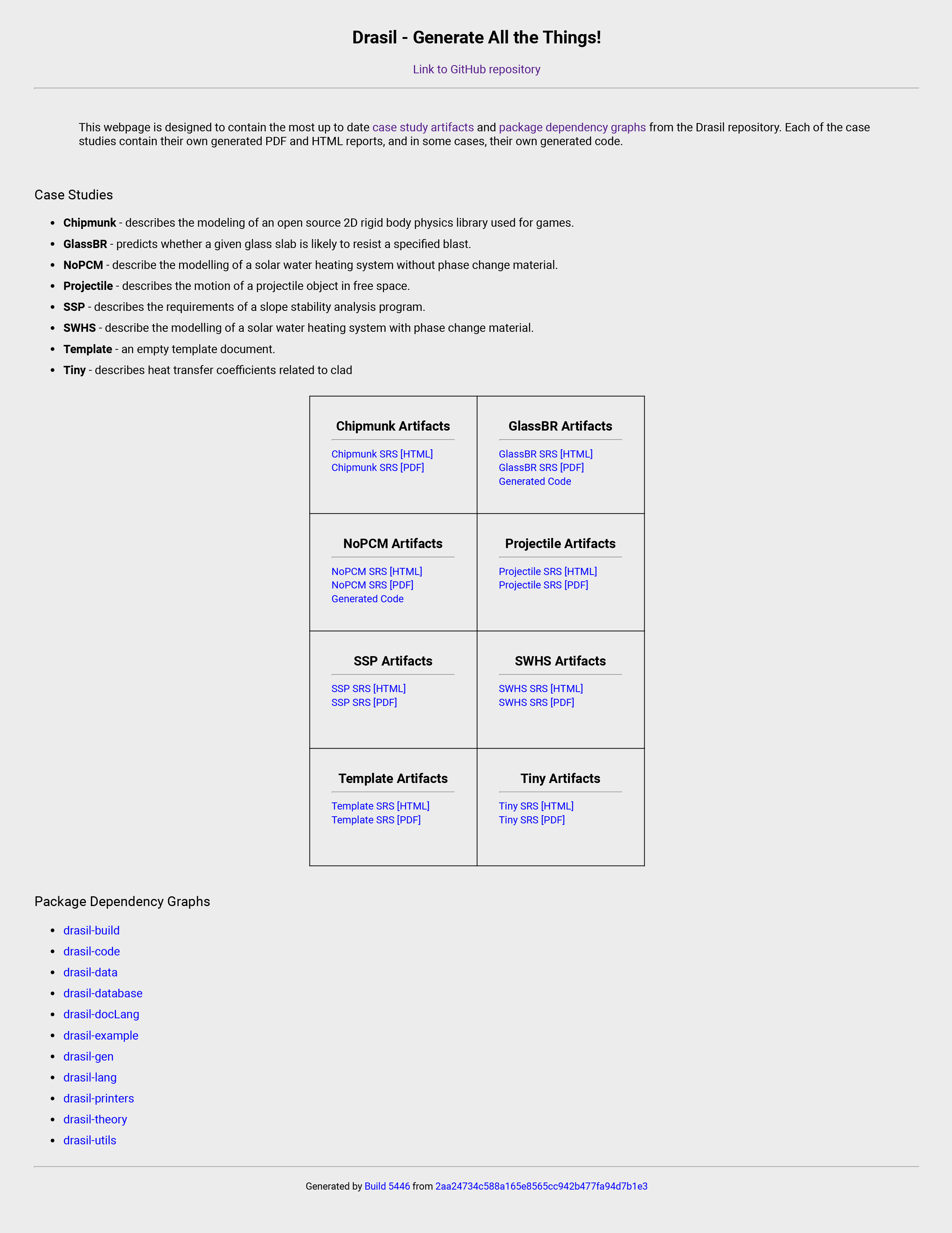
This is the current version of the new site I've created.
danscime
on 17 Jun 2019
@Mornix
So I have my little site, but I am not sure how to transfer these changes to the automated version.
Also, the table (which we may choose to remove in favour of a list) is hardcoded in the sense that it is 2x4. Not sure how we want to go about this.
danscime
on 17 Jun 2019
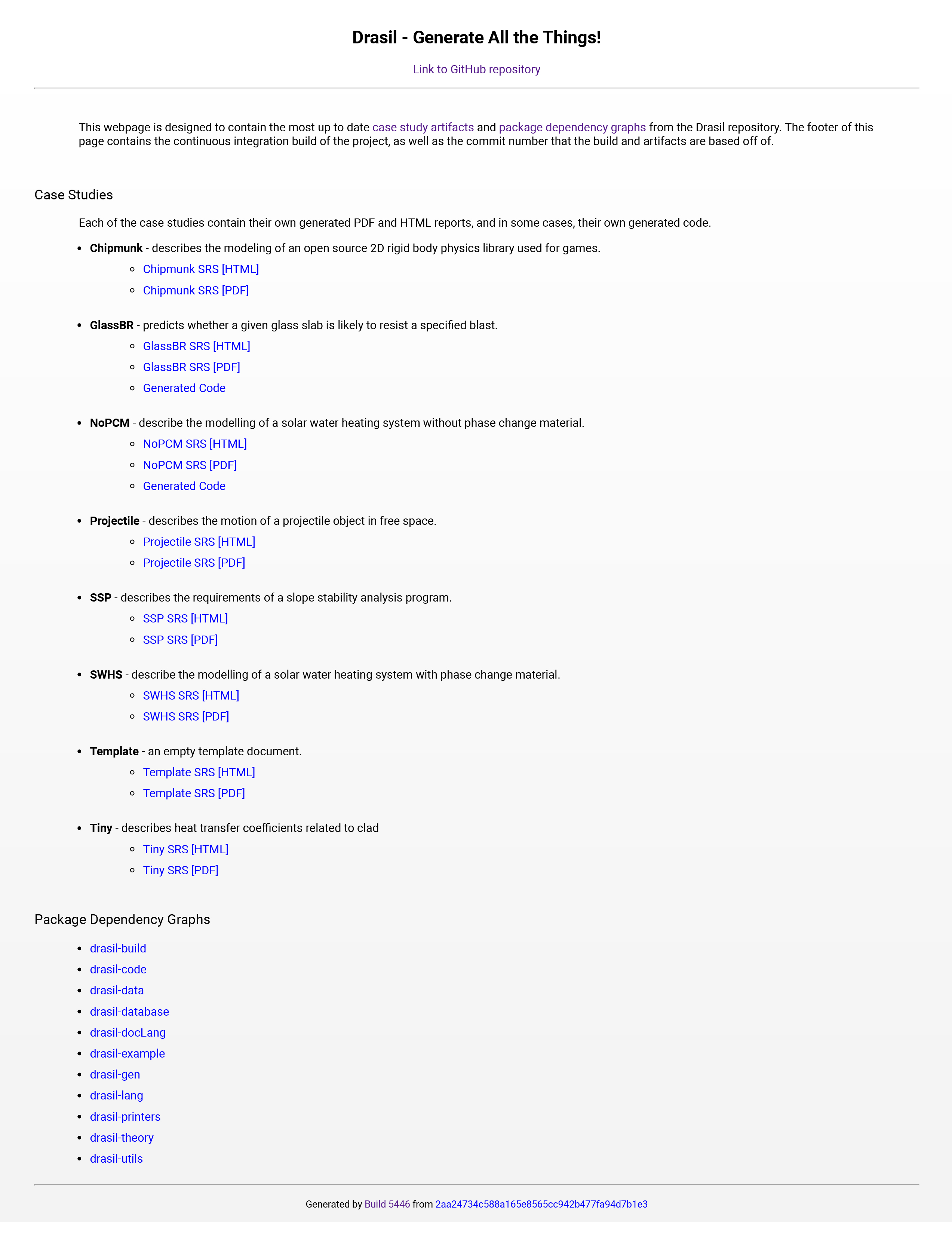
Good start @danscime. Rather than a table of the case study artifacts, could you just list them individually under each case study? You could have your blurb describing the case study, and then links to the relevant documentation for that case study. That way all of the related information would be in the same place.
The generated Haskell documentation seems to be missing?
smiths
on 17 Jun 2019
The documentation isn't show up at this link, so I did not add it to my version.
https://jacquescarette.github.io/Drasil/
I will remove the table.
danscime
on 17 Jun 2019
Next pass of the site: 8b6db6502a75c63ac09d0cdc88b8e05c6bcd162c
danscime
on 17 Jun 2019
@mornix, how can I edit the files to add the description to each example?
danscime
on 17 Jun 2019
What is likely the best course of action is to add a directory along the lines of descriptions which contains a file for each example with the description. Next you likely need to plumb the loading of the description files through site.hs, and expose it in the exampleCtx. Finally, in the index.html inside the website folder should use the new exposed field in the exampleCtx.
Mornix
on 17 Jun 2019
So I've made the descriptions into a separate folder and .txt files, but still not sure how to add the loading of descriptions into the site.hs file.
danscime
on 17 Jun 2019
Nice. Two modifications:
- Foo SRS [HTML, PDF]
(where the links are the words HTML and PDF) - Generated Code (Java, Python, ...)
(ditto)
JacquesCarette
on 17 Jun 2019
@danscime Since these (.txt) files don't get generated into complete web pages, we ignore some of the infrastructure setup by Hakyll and perform file IO and use the directory structure as a way to organize/associate data. The descriptions are actually the first non-generated piece of information being added to the site. The description folder may be subject to change as the deploy evolves, however, for now, if the files inside are formatted as GlassBR.txt then you should be able to follow similar to what is done for src but in another folder.
For context, the links to generated source code are seeded from a file in the deploy folder, which site.hs finds and uses the content as part of the value in the resulting URL.
Mornix
on 18 Jun 2019
@danscime, can you please a dd a little more text to the introduction. Specifically, you can say what the case study artifacts are. Most visitors to our site will not immediately know what SRS stands for. You can have a sentence to say what the acronym is and what the purpose of the document is. We also want a description of what the package dependency graph means.
We should also include a brief blurb about what Drasil is. That is, what does "generate all the things" mean. If you are having trouble with the text @oluowoj should be able to help. She has been giving this some thought in the context of the grant proposal that she is writing.
smiths
on 18 Jun 2019
@oluowoj If you could help, that would be great to have concise and meaningful sentences!
danscime
on 18 Jun 2019
This is what I have so far:
This webpage is designed to contain the most up to date case study artifacts and package dependency graphs from the Drasil repository. The case study artifacts include the Software Requirements Specification (SRS) for the case study, which specifies what the program sets out to achieve, and how it will achieve those goals. The package dependency graphs shows the hierarchy of modules within each package. The footer of this page contains the continuous integration build of the project, as well as the commit number that the build and artifacts are based off of.
danscime
on 18 Jun 2019
This is a good start @danscime. My only suggestion at this time is that you take out the definition of the SRS that says "...and how it will achieve those goals." An SRS is about "what," it isn't supposed to address "how." 😄
smiths
on 21 Jun 2019
I think I may make separate issues for some different changes we want to make in order to keep the issues cleaner and more organized.
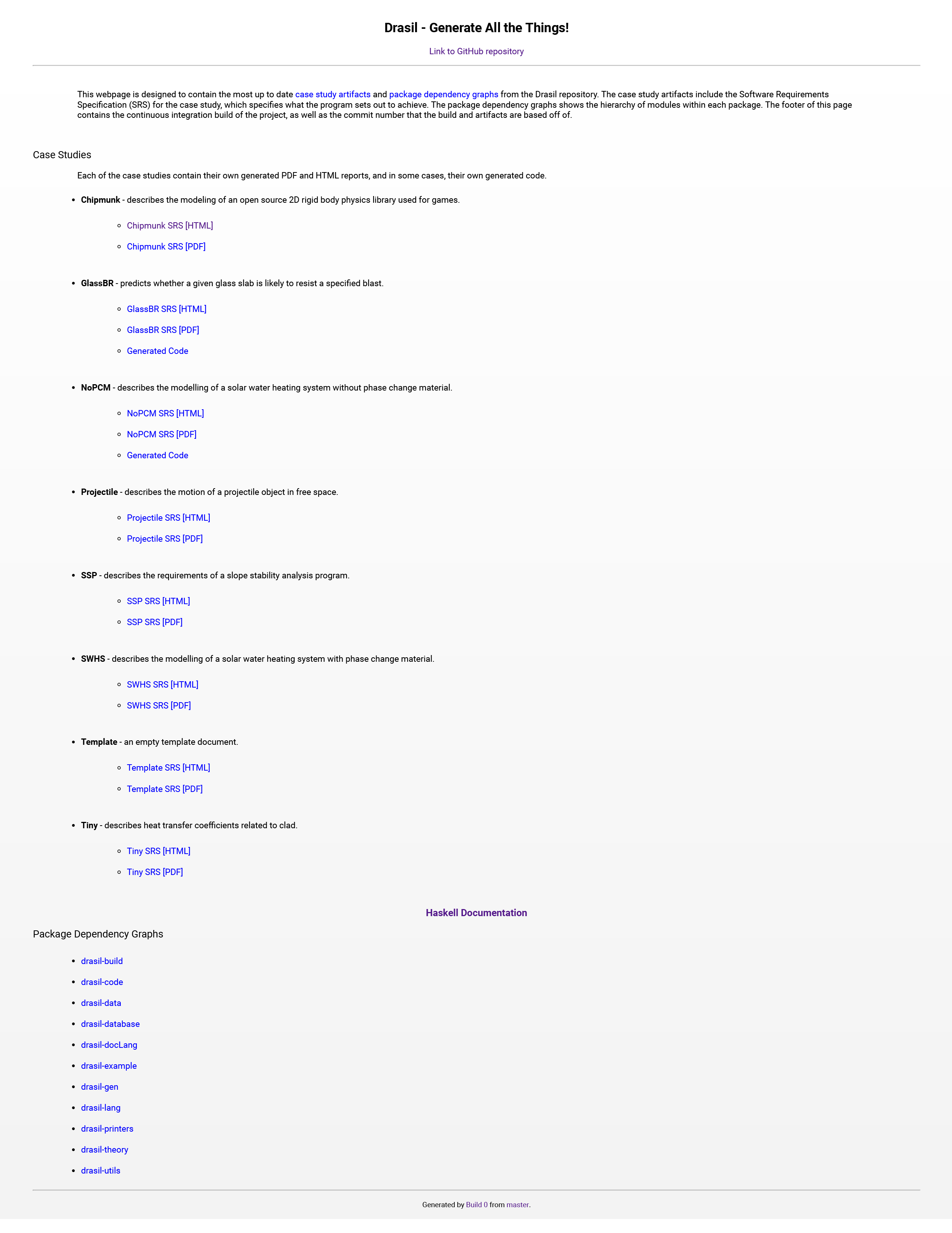
As of right now (91e656af5738458c208c02e9cd393ad6aebf50ce), I have figured out how to add the descriptions to the examples.
danscime
on 21 Jun 2019
Unless I am missing anything, I think we can close this issue in favour of the newly created issues.
danscime
on 21 Jun 2019
I agree. We can close this issue.
smiths
on 21 Jun 2019
Related issues
 samm82
·
3Comments
samm82
·
10Comments
samm82
·
3Comments
samm82
·
3Comments
samm82
·
10Comments
samm82
·
3Comments
 bmaclach
·
13Comments
samm82
·
4Comments
bmaclach
·
13Comments
samm82
·
4Comments