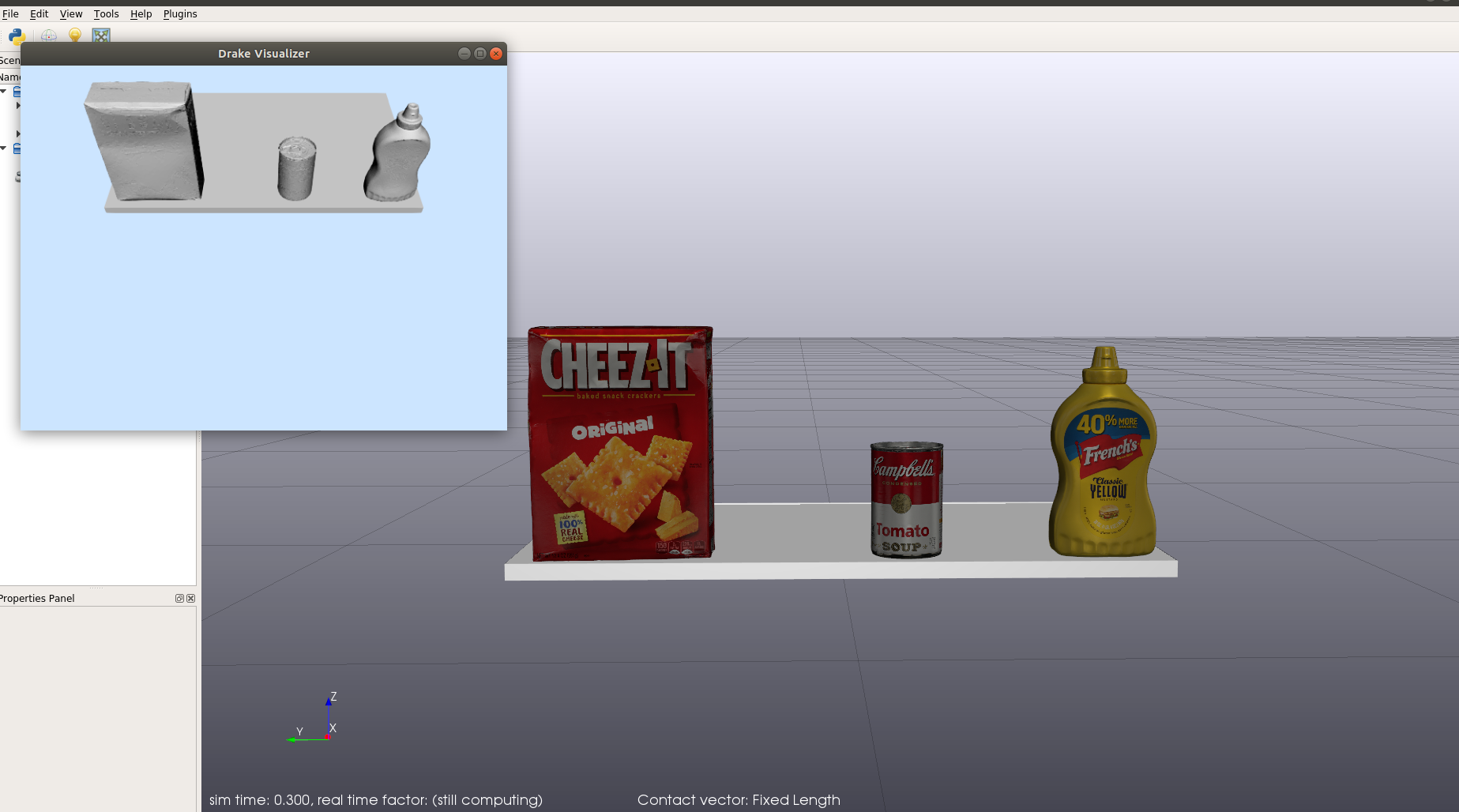
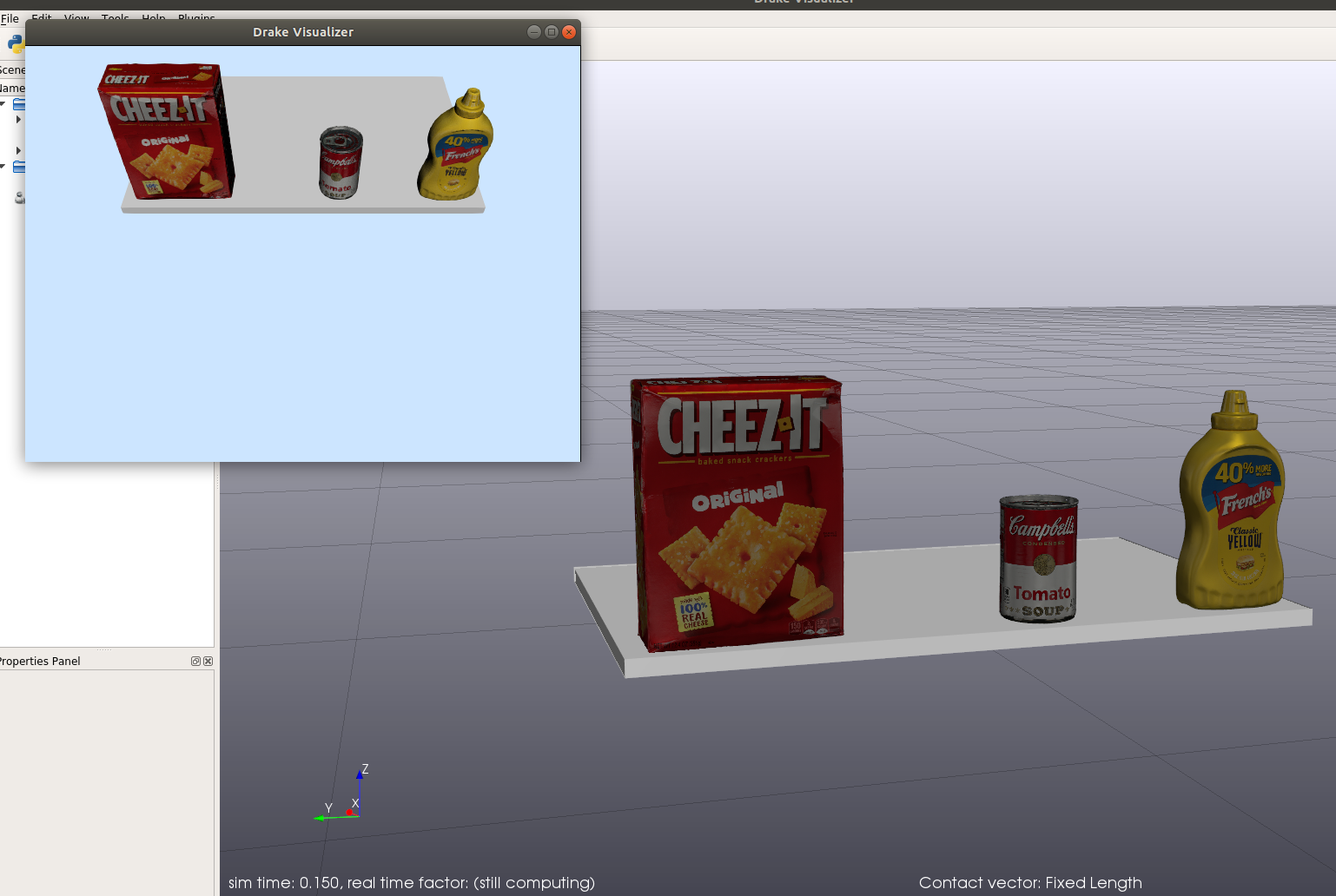
Drake: Drake camera not showing texture.
All 5 comments
Sherm, I don't know who currently owns the renderers (@SeanCurtis-TRI ?) so I'm handing this to you to reassign.
 ggould-tri
on 30 Apr 2020
ggould-tri
on 30 Apr 2020
I can't 100% explain your problem, but I'm 99% sure the problem comes down to a horrible trap that most people fall into. drake_visualzier and the RenderEngine interface handle material specifications very differently.
RenderEngineVtkhas two ways to associate a color texture with an obj file:
- takes the obj name (
my_file.obj) and looks formy_file.png. In this case, your obj is named003_cracker_box_textured_updated.objand your texture is named003_cracker_box_textured.png. - In the SDF if you assign the tag:
<drake:diffuse_map>../meshes/003_cracker_box_texture.png</drake:diffuse_map>
that will explicitly inform the render engine that you want that texture (of arbitrary name) associated with that obj. drake_visualizeractually does a passable job respecting the mtl file and is acquiring the texture association that way.
- takes the obj name (
(This is a known issue and once resources free up RenderEngine will respect the mtl file as well.)
I have a big request. This is a common-enough question that if you could post it in stack overflow with the drake tag, others will be able to benefit from your question and this answer.
P.S. Some notes on your code:
- You don't have to declare both
CameraPropertiesandDepthCameraProperties. If the two sets of properties have identical values for their common properties, then an instance of the latter is an instance of the former. frame_id = world_idonly works by accident.world_idshould be aBodyIndexand frame id should be an instance ofFrameId. What you really want isframe_id = scene_graph.world_frame_id()
 SeanCurtis-TRI
on 30 Apr 2020
SeanCurtis-TRI
on 30 Apr 2020
I just want to upvote Sean's suggestion of putting this question to stack overflow. I have fallen into this trap twice :(.
 huihuaTRI
on 1 May 2020
huihuaTRI
on 1 May 2020
Thanks @SeanCurtis-TRI for the suggestion. Yes this was indeed the thing. I renamed the files and it worked.
Also thanks for the helpful comments about the code. It would have been really helpful if it was mentioned in the documentation under the RGBDSensor or CameraProperties class.
 mjm522
on 1 May 2020
mjm522
on 1 May 2020
To finish resolving this PR, there are two keynotes.
- We need to respect the mtl file. There is already an issue for that #11949.
- Until that happens, the explanation in this issue needs to be discoverable in the documentation (#13314).
With those two topics covered by other issues, I'm closing this one.
SeanCurtis-TRI
on 14 May 2020
Related issues
 palmieri
·
4Comments
palmieri
·
4Comments
 liangfok
·
4Comments
liangfok
·
4Comments
 peteflorence
·
5Comments
peteflorence
·
5Comments
 mitiguy
·
4Comments
mitiguy
·
4Comments
 jwnimmer-tri
·
4Comments
jwnimmer-tri
·
4Comments
Most helpful comment
I can't 100% explain your problem, but I'm 99% sure the problem comes down to a horrible trap that most people fall into.
drake_visualzierand theRenderEngineinterface handle material specifications very differently.RenderEngineVtkhas two ways to associate a color texture with an obj file:my_file.obj) and looks formy_file.png. In this case, your obj is named003_cracker_box_textured_updated.objand your texture is named003_cracker_box_textured.png.<drake:diffuse_map>../meshes/003_cracker_box_texture.png</drake:diffuse_map>that will explicitly inform the render engine that you want that texture (of arbitrary name) associated with that obj.
drake_visualizeractually does a passable job respecting the mtl file and is acquiring the texture association that way.(This is a known issue and once resources free up
RenderEnginewill respect the mtl file as well.)I have a big request. This is a common-enough question that if you could post it in stack overflow with the
draketag, others will be able to benefit from your question and this answer.P.S. Some notes on your code:
CameraPropertiesandDepthCameraProperties. If the two sets of properties have identical values for their common properties, then an instance of the latter is an instance of the former.frame_id = world_idonly works by accident.world_idshould be aBodyIndexand frame id should be an instance ofFrameId. What you really want isframe_id = scene_graph.world_frame_id()