Draft-js: Editor does not scroll when typing on an indented line
Do you want to request a feature or report a bug?
Bug
What is the current behavior?
When typing on a line with a tab character at the beginning, the editor does not scroll when the cursor goes out of view
If the current behavior is a bug, please provide the steps to reproduce and if possible a minimal demo of the problem. You can use this jsfiddle to get started: https://jsfiddle.net/gmertk/e61z7nfa/.
- On a text editor of your choice, create a tab by pressing the tab key and copy it. (You will need it later, since pressing tab on the draftjs example editor just moves your focus)
- Go to the example editor on https://draftjs.org/
- Fill up the editor with enough lines to cause a scrollbar
- On the bottom line, paste a tab. Leave your cursor focused at the end of this line
- Scroll up so that that line is not visible, and start typing on that line. It will not scroll, you cannot see where you're typing
- Remove the tab from that line and repeat step 5. It will scroll
Which versions of Draft.js, and which browser / OS are affected by this issue? Did this work in previous versions of Draft.js?
- Draft.js 0.11.0
- Linux Mint 19
- Did not work on previous versions
Note: While it is bizarre to reproduce this on the example draftjs editor since there isn't a built in way to insert a tab, I initially came across this issue on simplenote-electron (relevant issue) where this issue occurs naturally since pressing tab inserts a tab.
 qualitymanifest
All 5 comments
It looks like the code that is causing this is here.
I think the Chrome issue that that workaround addresses has been fixed. If I comment out this and console.log nativeSelection, the node is in one piece, even with tabs in it. This also restores the correct scrolling behavior.
I've tried this on Chrome, Chromium, and Firefox.
qualitymanifest
on 22 Nov 2019
To verify that I understood the issue that the code I am removing was trying to correct, I went back and tested out my fix with a couple older versions of Chromium.
The comments in the code I am removing mention this Chromium commit as starting the node-splitting problem, and this coincides with Chromium v58. So, I tried my fix with Chromium v59 and v68. I can replicate the node-splitting issue in v59, but cannot replicate it in v68, and the scrolling issue is fixed.
Since Chromium is now on v78, this means that the Chromium versions that required this patch are at least 10 major versions old now, far outside of draft's stated support range, so as far as I can see it can be deleted without issue.
Chromium v59:
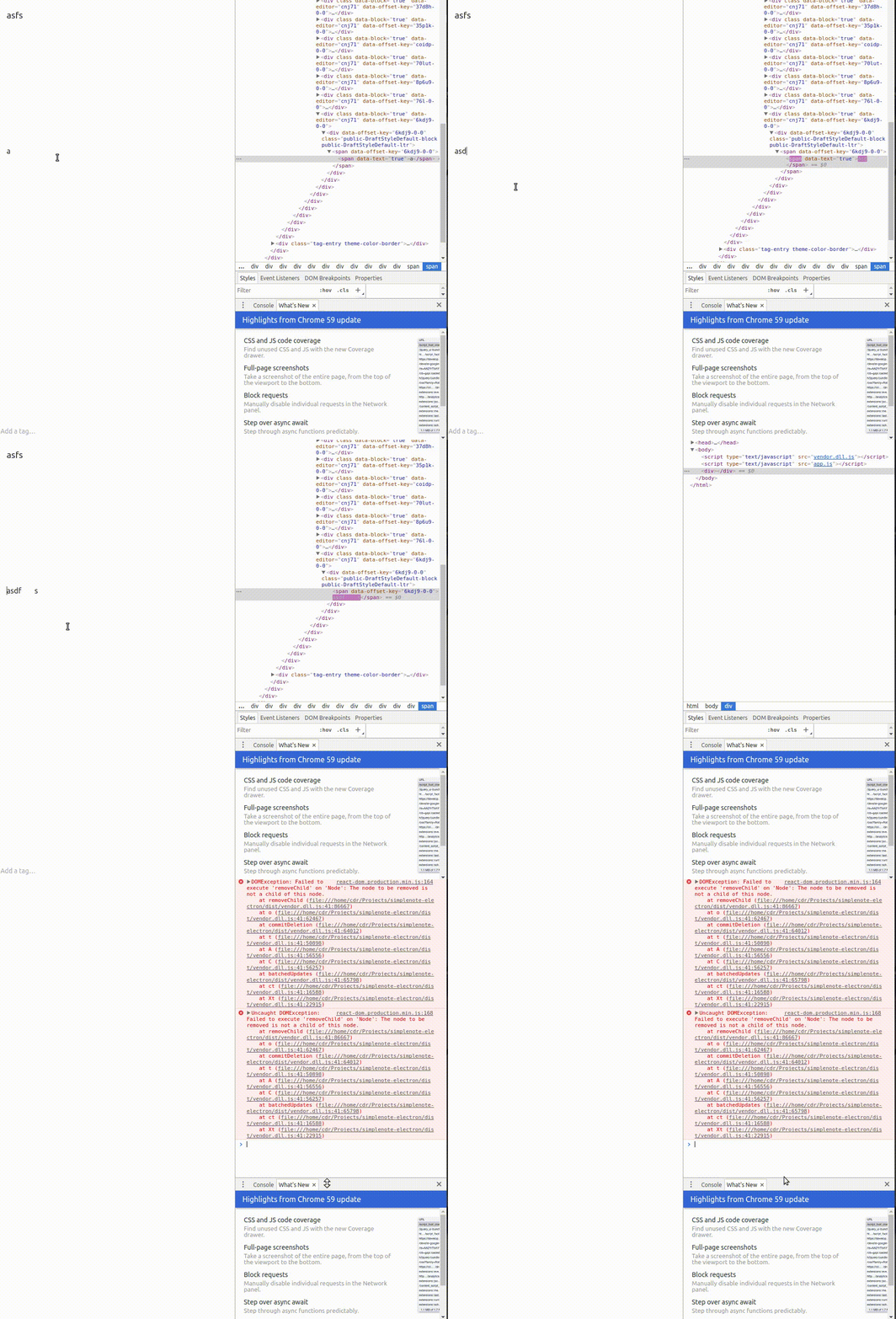
Chromium v68:

qualitymanifest
on 22 Nov 2019
Thanks for the brilliant investigation @qualitymanifest, this is a really high quality bug report and proposed solution 🚀
 claudiopro
on 11 Dec 2019
claudiopro
on 11 Dec 2019
@claudiopro Thanks! Do you know if this will be included in 0.11.4?
qualitymanifest
on 13 Dec 2019
@qualitymanifest should be, yeah. 11.4 will probably come in 2020 since it's holiday season so I suppose a lot of us are already on PTO 😅
 mrkev
on 20 Dec 2019
mrkev
on 20 Dec 2019
Related issues
 hs737
·
3Comments
hs737
·
3Comments
 mvnnn
·
3Comments
mvnnn
·
3Comments
 steviesama
·
3Comments
steviesama
·
3Comments
 joesonw
·
3Comments
joesonw
·
3Comments
 darklightblue
·
3Comments
darklightblue
·
3Comments
Most helpful comment
Thanks for the brilliant investigation @qualitymanifest, this is a really high quality bug report and proposed solution 🚀