Draft-js: Demo Site: Scrolling down and clicking into Textarea jumps viewport to top.
Chrome Version 48.0.2564.109 (64-bit)/Yosemite.
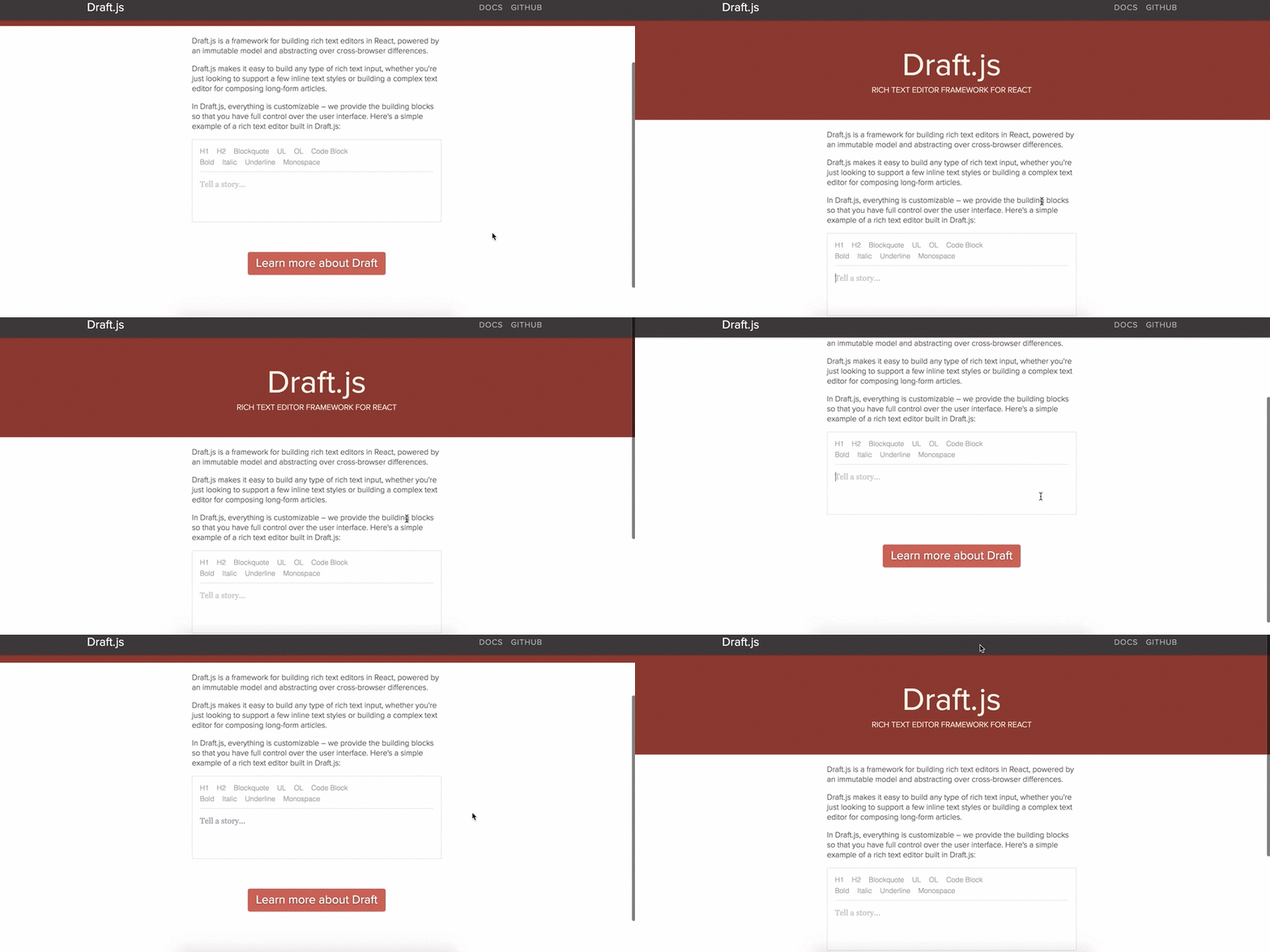
Steps:
1: Scroll down page
2: Click textarea
 thoughtpalette
All 36 comments
Weird. Are you using any browser plugins or extensions?
 hellendag
on 22 Feb 2016
hellendag
on 22 Feb 2016
Just Privacy Badger. Though the behavior is reproducible with or without it enabled. :|
thoughtpalette
on 22 Feb 2016
I don't think I've seen this, and we can't repro it here. Do you see the same issue when focusing a comment input on www.facebook.com?
hellendag
on 22 Feb 2016
I'm using the exact same Chrome version as you and I can't reproduce this.
 tjisousa
on 22 Feb 2016
tjisousa
on 22 Feb 2016
Hmmm. Just tested on an incognito tab with no add-ons and I still have the same behavior.
I'm not able to reproduce this behavior on an FB comment input.
I do however receive some react based console errors/warnings. Probably unrelated.

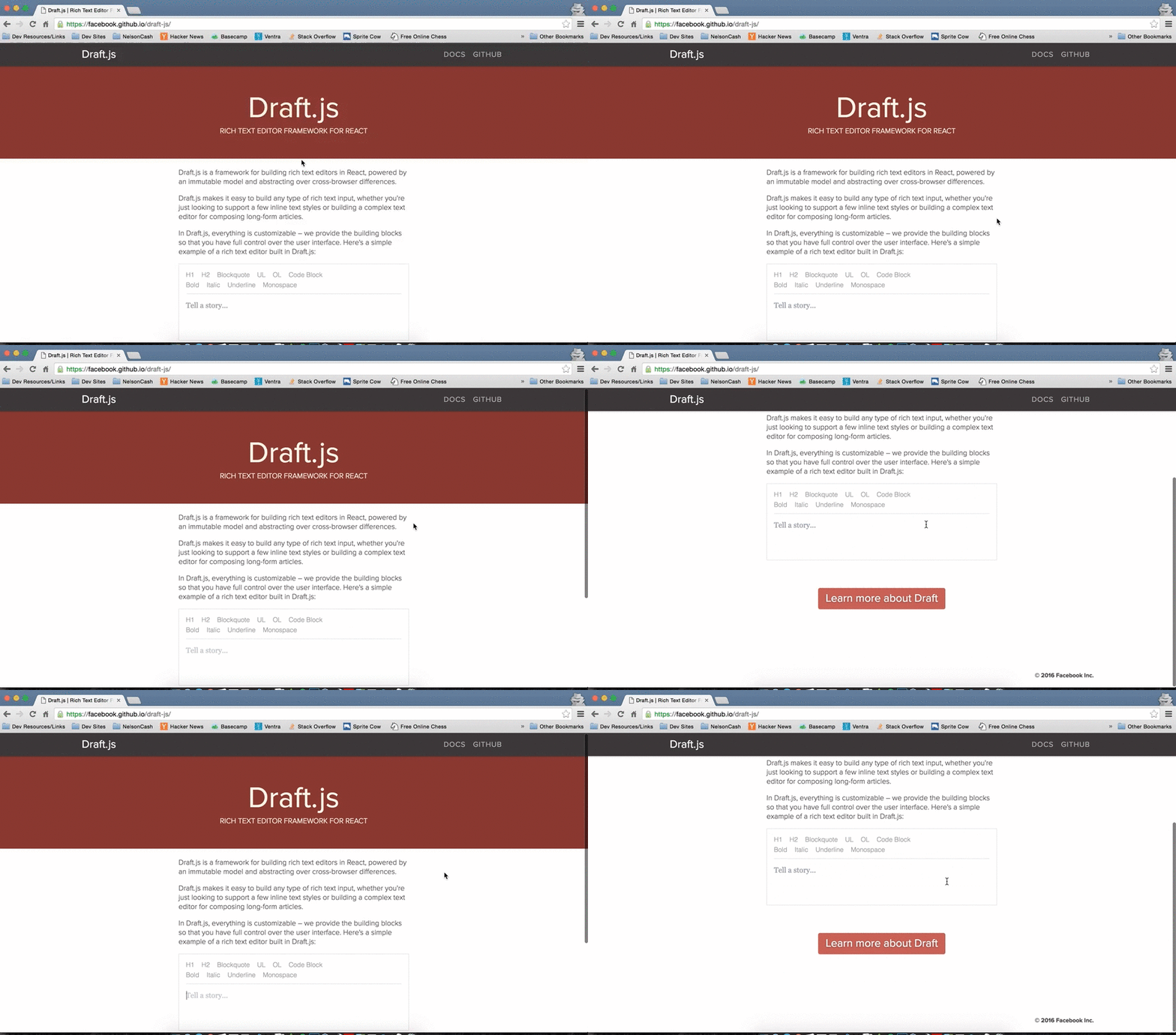
Here's the behavior in an incognito window. Happens whether or not the textarea has focus.
thoughtpalette
on 22 Feb 2016
Seeing similar issues in Safari Mac on the Draft.js site.
- Zoom in on text box (with pinch&zoom, not text size)
- click somewhere to position to the cursor.
Result: Even though the textbox is completely in view, the viewport jumps to left: 0 and some top: 0+scroll(?) offset.
The window size can affect if you can scroll. So depending on if you've scrolled (unzoomed) or not, you might be jumped to the top-left or some lower position based on the scroll..
 ghost
on 24 Feb 2016
ghost
on 24 Feb 2016
works fine for me on Chrome Version 48.0.2564.109 (64-bit) / El Capitan 10.11.3
 knowbody
on 24 Feb 2016
knowbody
on 24 Feb 2016
I'm able to reproduce in Chrome Incognito Version 48.0.2564.103 (64-bit) on OS X El Capitan Version 10.11.1.
Maybe an El Capitan problem? I've noticed a lot of problems with various projects/programs/things since upgrading.
 lolripgg
on 25 Feb 2016
lolripgg
on 25 Feb 2016
I can repro the jump in Safari described by @JaRail with pinch+zoom. Not sure if it's the same issue, but still worth investigating.
Still can't repro the original issue in Chrome. I'm also on El Capitan 10.11.3.
hellendag
on 26 Feb 2016
Also repros in the FB feed!
This is a bigger problem than we may have thought. With pinch & zoom in safari on mac, I am getting some jumping in the main FB feed.
1) Zoom in on post in your feed
2) Click comment box
Result: View is positioned to left:0. Vertical position remains unchanged.
Expected: No change in viewport position
ghost
on 27 Feb 2016
Can also repro FB feed issue with Chrome on mac, same steps as Safari. I could not repro in Firefox Dev Edition as it doesn't seem to support pinch & zoom o_O
ghost
on 27 Feb 2016
Thanks all, this is really helpful.
I'm fairly sure this is related to scroll management during focus, here: https://github.com/facebook/draft-js/blob/master/src/component/base/DraftEditor.react.js#L328
hellendag
on 28 Feb 2016
Tracked down the reason why it fails, and this comes down to fbjs.
What occurs when window is the scrollParent in a webkit browser is that document.body is used for the measurements, where document.documentElement is the right element to check:
This results in an incorrect scroll position:

 bloodyowl
on 29 Feb 2016
bloodyowl
on 29 Feb 2016
just tested, and focus has the expected behaviour in chrome when the isWebkit condition is removed. https://github.com/facebook/fbjs/blob/3df1c679208d405b5996fee684c9527a034e2f01/src/core/dom/getDocumentScrollElement.js#L30
bloodyowl
on 29 Feb 2016
I get this issue on chrome\MAC. To get around it for now I'm using my own version of focus that calls the getUnboundedScrollPosition instead of getScrollPosition.
I can see that the problem area seems to be the following lines.

(Passing in window to the function)

At this point you can see that the value of yMax is going to be 0 which means the value passed back will always be y: 0
Something's not right here but I don't think it's using the correct element for viewport. The document.documentElement is the <html /> element when I think what it should be using here is the <body /> element. Else the clientHeight will always be the same as the scrollHeight.
Created a pull request here.
 AlastairTaft
on 12 Mar 2016
AlastairTaft
on 12 Mar 2016
Can reproduce with ArchLinux Chrome Version 51.0.2687.0 dev (64-bit), but it works with Chromium Version 49.0.2623.110 (64-bit).
Tested on https://facebook.github.io/draft-js/ which atm claims Draft v0.3.0, ReactDOM v0.14.7, React v0.14.7.
Tested on the thing i was working on as well, Draft v0.3.0, ReactDOM v15.0.0-rc.2, React v15.0.0-rc.2, with the same result.
EDIT: Can reproduce Chromium Version 49.0.2623.110 (64-bit) with no extensions (which may or may not be related to React devtools?).
 victorhaggqvist
on 31 Mar 2016
victorhaggqvist
on 31 Mar 2016
@hellendag it's still broken on Chrome 51.0.2704.84 (64-bit) on OSX El Capitan.
 devhero
on 15 Jun 2016
devhero
on 15 Jun 2016
It's works ok for me in Chrome 51.0.2704.84 on OSX El Capitan... weird
 alexeygolev
on 16 Jun 2016
alexeygolev
on 16 Jun 2016
@alexeygolev sorry, I made a mistake. the official draft-js page works correctly, even the examples. Instead, using it with my bundled libraries, even in a polished page, the issue still appear. IMHO it's a combination of libraries but it's complicated to find the match.
devhero
on 16 Jun 2016
Works correctly in production. But if develop in a "localhost://" it happens.
 linzerui
on 16 Jun 2016
linzerui
on 16 Jun 2016
Seeing it in both these editors:
https://facebook.github.io/draft-js/
https://www.draft-js-plugins.com/
On a Chromebook running version 51.0.2704.106. Thankfully not seeing it on Facebook.com, though I've certainly seen plenty of scroll management bugs there in the past.
 appsforartists
on 1 Aug 2016
appsforartists
on 1 Aug 2016
I'm not able to duplicate with Chrome 54.0.2840.59 or Safari 10.0 (12602.1.50.0.10) on either of these pages:
https://facebook.github.io/draft-js/
https://www.draft-js-plugins.com/
Therefore I'm going to close this out.
 tylercraft
on 22 Oct 2016
tylercraft
on 22 Oct 2016
I'm on Ubuntu and I'm seeing the same on Chromium 53.0.2785.143 but not on Chrome 54.0.2840.90
Chromium

Chrome

Two things:
- Why on earth does Chromium behave different from Chrome?
- UA sniffing is bad and you should feel bad. Removing the "isWebkit" hack fixes it in Chromium.
It's also not just when clicking the editable area, but every time you type below the fold. The scrolling alternates between top and bottom.
Here you see me doing nothing but smashing the ENTER key.

 Prinzhorn
on 11 Nov 2016
Prinzhorn
on 11 Nov 2016
This might have to do with the change to ref: it's now recommended to be a function that sets a context value instead of a string.
 dtipson
on 13 Jan 2017
dtipson
on 13 Jan 2017
The problem is fixed for me on Chrome Version 56.0.2924.87 (64-bit) but comes back if chrome://flags Experimental Web Platform features is turned on.
Don't know if that is an issue or not?
ghost
on 14 Feb 2017
I got the same problem. But for my case disabling Experimental Web Platform features solved the problem.
However, I still worry about this potential issue in some browser version
 optimatex
on 11 Jul 2017
optimatex
on 11 Jul 2017
I still can reproduce this issue using Google Chrome Canary Version 61.0.3154.0
 teod
on 12 Jul 2017
teod
on 12 Jul 2017
I got the same problem using Google Chrome Canary Version 62.0.3174.0 (Official Build) Canary (64-bit), but it works fine in Google Chrome Version 59.0.3071.115 (Official Build) (64-bit) and Safari.
And some of my customers feedback they have this problem. We need to reopen this issue @tylercraft
 yujiangshui
on 3 Aug 2017
yujiangshui
on 3 Aug 2017
The bug in Chrome 61 should be fixed if you update your node modules to include fbjs 0.8.15 (just released) as Draft's dependency.
 sophiebits
on 8 Sep 2017
sophiebits
on 8 Sep 2017
(If you do a hard reload on draftjs.org and try again, it should be fixed there.)
sophiebits
on 8 Sep 2017
@sophiebits I tried to include [email protected] in my modules, still experiencing this issue.
EDIT: It didn't worked for me using yarn, npm install did the thing, anyway imho is still faulty, maybe draft.js dependencies should be updated ?
teod
on 8 Sep 2017
yarn upgrade fbjs should do the trick. Otherwise yarn is going to reuse the existing lockfile.
sophiebits
on 8 Sep 2017
Enter is still broken in chrome 61 (stable release cycle), it scrolls to center of editor. As is editorEl.focus() (scrolls to top). Just noticed today.
EDIT: removed node_modules and yarn.lock and hit yarn -> fixed
just yarn upgrade fbjs didnt do anything for me though
 markpradhan
on 15 Sep 2017
markpradhan
on 15 Sep 2017
This error happen when I upgrade to v0.10.1, just downgrade to v0.10.0 and everything work fine :D
 tuan072090
on 29 Sep 2017
tuan072090
on 29 Sep 2017
Make sure you have the following css setting:
html{
height: 100%;
}
If not, the value of window.document.documentElement.clientHeight will be the same as the value of window.document.documentElement.scrollHeight and this is the cause of this bug.
 meirkoen
on 2 Jan 2018
meirkoen
on 2 Jan 2018
I've seen this issue on regular text fields as well - in two different React apps - without any scroll listeners anywhere on the page. Not sure if it happens in non-React apps too; but disabling Experimental Web Features solves the problem for me. Might be a side effect of a Chrome bug?
 fabdrol
on 11 May 2018
fabdrol
on 11 May 2018
Related issues
 eessex
·
3Comments
eessex
·
3Comments
 snaerth
·
3Comments
snaerth
·
3Comments
 steviesama
·
3Comments
steviesama
·
3Comments
 igorpreston
·
3Comments
igorpreston
·
3Comments
 liran319
·
3Comments
liran319
·
3Comments
Most helpful comment
I still can reproduce this issue using Google Chrome Canary Version 61.0.3154.0