Dosbox-x: Hot keys and keys assigned to the mapper do not work
Describe the bug
In mode "cga_mono" or "cga" Host + R key does not work. When you press this combination, DOSBox-X freezes. Also, after assigning a Mono CGA Bright key and saving it, after restarting DOSBox-X, the assigned key combination does not work (it simply is not saved in mapper). Other commands in DOSBox-X assigned to mapper may also not work.
Environment (please complete the following information):
- Windows 10 x64 2004
- DOSBox-X 0.83.2 x64 SDL2
[dosbox]
machine = cga_mono
or
machine = cga
[render]
frameskip = 0
alt render = false
aspect = true
char9 = true
doublescan = false
scaler = advinterp2x forced
xbrz slice = 16
xbrz fixed scale factor = 0
xbrz max scale factor = 0
autofit = true
monochrome_pal = white bright
[vsync]
vsyncmode = on
vsyncrate = 60
[cpu]
cycles = 240
 maximus105
All 18 comments
@maximus105 I just did a quick check. It is not that the keyboard mapper does not work in this case (it does work), but there are apparently some bugs with the graphics reset code for the CGA mode so that when you reset the system the graphics are not being updated in this mode. It may appear like a freeze, but the system itself did not freeze, it is just that the graphics is no longer being updated.
@joncampbell123 You may want to check why the graphics reset code does not work when you try to reboot the guest system (throw int(3)) in CGA mode.
 Wengier
on 25 Jun 2020
Wengier
on 25 Jun 2020
@Wengier Will do. I'm currently implementing the requested feature that MinGW and Mac OS X builds enable SDLnet so that localhost null modem connections are enabled.
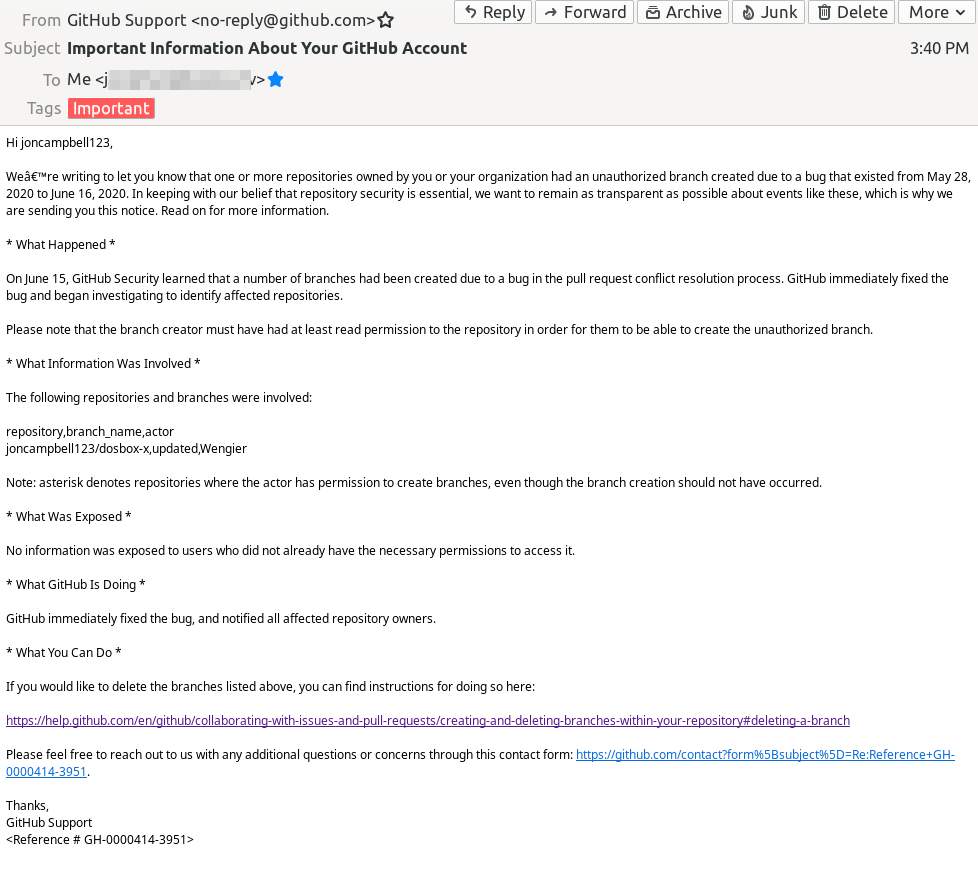
By the way, GitHub just sent me an email saying that you created an unauthorized branch in DOSBox-X because of a bug in the website. That would explain the issues I had merging a pull request that day. You're a hacker, congratulations :laughing:
 joncampbell123
on 25 Jun 2020
joncampbell123
on 25 Jun 2020
@joncampbell123 ??? GitHub said I created an unauthorized branch in DOSBox-X because of a bug in the website? Honestly, I have no idea what this means. I don't even know what "unauthorized branch" it is talking about. Can you describe it in more details for this? Thanks. By the way, I was testing the Git command features in the last a few days myself indeed to get more familiar with it (I was not so familiar with the command-line tools previously for example), perhaps I did something unexpected during this period that I was not aware myself?
Wengier
on 25 Jun 2020
@Wengier Relax, I only called you a hacker in jest :) You or Github probably made a mistake of some kind. It's fine.
joncampbell123
on 25 Jun 2020
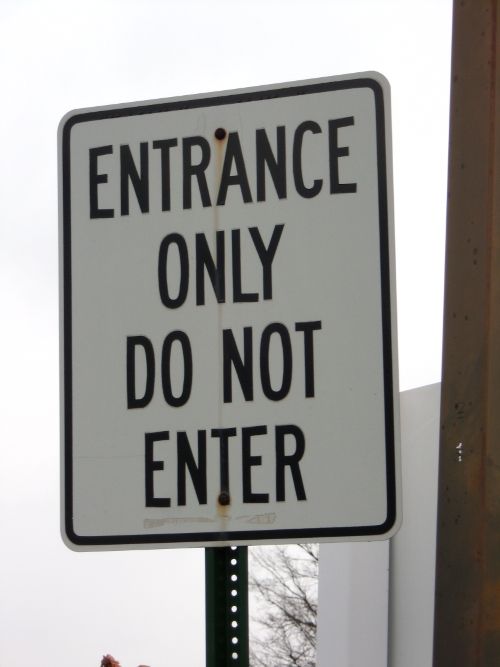
If a branch is unauthorized, who is approving the authorized branches?
@Wengier ... turns out @joncampbell123's been approving your branches thus far. This one must have slipped by. GitHub's bureaucracy needs another auditor :-)
 kcgen
on 25 Jun 2020
kcgen
on 25 Jun 2020
@joncampbell123 So I see what's going on now by looking at the branch called "updated". Last time both @rderooy and I submitted a pull request to fix some issues, and there was a merge conflict because of the fixes to the image detection code (see Issue #1662). As I mentioned there I had tried to resolve the merge conflict myself by using the "Resolve conflicts" button, but unfortunately the "Commit merge" button that appears then did not work from my end, even though I tried multiple times for this. For example, I tried to its option to create a branch named "updated" and then merge, but it still did not work. So apparently this is a bug originated from GitHub, not my fault at all. In fact I was quite angry that the GitHub system did not work for even such a simple function of resolving conflicts. They should blame themselves for this really.
Wengier
on 25 Jun 2020
@Wengier On my end the resolve conflicts button didn't work either. No matter what I did it was "always out of date". The link back to your repository didn't go anywhere. So I had to make the changes manually.
joncampbell123
on 25 Jun 2020
@joncampbell123 That is right - I also saw the error message "out of date" no matter what I did. So it is apparently a bug of GitHub itself, which caused such problems.
Wengier
on 25 Jun 2020
If you ever wanted to know why Mac OS X builds don't have SDLnet enabled... this nonsense is why.
"Ignoring file, building for macOS-x86_64 but attempting to link with file built for macOS-x86_64"
Riiiiight....

joncampbell123
on 25 Jun 2020
Next version of Apple's modified ld might be even more explicit.
ld: warning: link attempted with non-Appstore libraries: SDL2_net, SDL2, zlib, libpng [ignoring]
ld: warning: non-Appstore multimedia libraries will be deprecated as of macOS 10.16: Slobovia
ld: suggestion: migrate to AppleMetal and AppleQuickTime, to ensure uninterrupted support.
ld: suggestion: become a trusted Apple Developer today by activating your membership! See more at https://developer.apple.com/support/purchase-activation/

kcgen
on 25 Jun 2020
Apple: I'm not targeting the app store. If you make it impossible to compile DOSBox-X because SDL isn't in the app store, then I will stop supporting Mac OS X.
@kcgen I hope that's a joke.
joncampbell123
on 25 Jun 2020
I hope that's a joke.
Yup.. let's hope it doesn't come true.
I suppose when the satire looks entirely believable it's a bit hard to laugh at! :smile:
kcgen
on 25 Jun 2020
Fixed it. It helps not to reset the VGA mode to M_ERROR on VGA reset.
joncampbell123
on 25 Jun 2020
In mode "cga_mono" or "cga" Host + R key does not work. When you press this combination, DOSBox-X freezes. Also, after assigning a Mono CGA Bright key and saving it, after restarting DOSBox-X, the assigned key combination does not work (it simply is not saved in mapper).
In version 0.83.3 Host + R now works, and assigning a Mono CGA Bright still does not work. It doesn’t work if you exit completely (CTRL + F9), and then run DOSBox-X.
maximus105
on 2 Jul 2020
@maximus105 Thanks for pointing out that the said issue only appear when you exit completely and then re-run DOSBox-X. I think I have already fixed this in my latest pull request.
Wengier
on 2 Jul 2020
@Wengier And you can still look at the problem https://github.com/joncampbell123/dosbox-x/issues/1523
Maybe it’s possible to fix something?
maximus105
on 3 Jul 2020
@Wengier Also in version 0.83.3 in cga mode, if you assign the keys Inc Hue, Dec Hue, CGA Model, CGA Comp, and then in cga_mono mode, assign the Mono CGA Bright key and vice versa, and then exit completely (CTRL + F9) and then re-run DOSBox-X, these keys ( Inc Hue, Dec Hue, CGA Model, CGA Comp) also will not be saved.
maximus105
on 3 Jul 2020
@maximus105 The shortcuts "Inc Hue, Dec Hue, CGA Model, CGA Comp" are specific to CGA mode, whereas the shortcut "Mono CGA Bright" is specific to CGA_mono mode. When you save the keys in the mapper, it will save all the keys as appeared in the mapper, so keys specific to other modes will be lost. It would be better if you save to a different mapper file instead for the other mode.
Wengier
on 3 Jul 2020
Related issues
 forthrin
·
11Comments
forthrin
·
20Comments
forthrin
·
11Comments
forthrin
·
20Comments
 inukaze
·
8Comments
inukaze
·
8Comments
 whocares0101
·
15Comments
whocares0101
·
15Comments
 Corak667
·
7Comments
Corak667
·
7Comments
Most helpful comment
If you ever wanted to know why Mac OS X builds don't have SDLnet enabled... this nonsense is why.
"Ignoring file, building for macOS-x86_64 but attempting to link with file built for macOS-x86_64"
Riiiiight....
