Dosbox-staging: Immediately stops responding and crashes on Windows 7
I extracted the latest stable zip (both 64-bit and 32-bit), and ran dosbox.exe. It showed the DBS logo and then stopped responding.
 bryc
bryc
All 5 comments
Thanks for the report @bryc ,
Does the console window stay open after the GUI closes? If so, would you be able to copy and paste any log output it produces before closing?
I don't have access to my Windows VM right now, but it might either relate to Visual Studio 2019 using a built target that (might) not be Windows 7-compatible; or it might relate to the as-built instruction-set versus that supported by your processor (which CPU are you using?).
Does an earlier 0.75.0 binary run on your system?
Ref -- https://docs.microsoft.com/en-us/visualstudio/releases/2019/compatibility#developWindows
 kcgen
on 14 Sep 2020
kcgen
on 14 Sep 2020
@bryc What CPU do you use?
 dreamer
on 14 Sep 2020
dreamer
on 14 Sep 2020
What CPU do you use?
Intel i7-3770
Does the console window stay open after the GUI closes? If so, would you be able to copy and paste any log output it produces before closing?
Let me clarify, the GUI doesn't close; I guess 'freeze' is more accurate, it stops responding and then it asks to terminate, and I say yes. The CMD window closes along with it in this case.
Here is a capture of what actually happens: https://i.imgur.com/HMkA8Mm.mp4. It appears to actually unfreeze after a few seconds, so it just 'hangs'. But it's still unacceptable, this ~20 second hang occurs even when auto-launching a game.
I don't have this problem in any other DOSBox port.
Does an earlier 0.75.0 binary run on your system?
dosbox-staging-windows-v0.75.0 hangs in the same way.
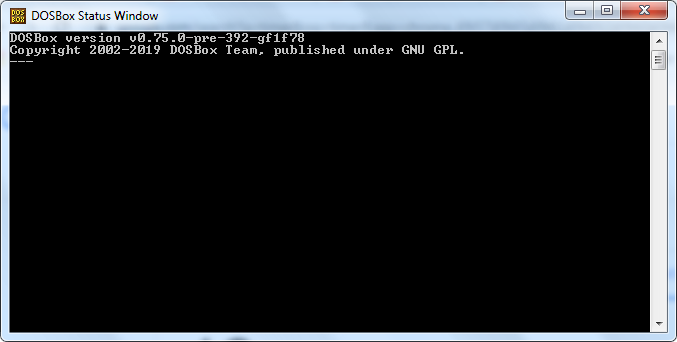
I also tried pre-release. It opens the CMD window and remains like this for 24 seconds before the splash screen opens:
bryc
on 14 Sep 2020
Intel i7-3770
I happen to own exactly the same CPU :) (but I use mostly Linux and test on Windows 10). We can rule out the SSE 4.2 incompatibility then.
Areas, that might be suspect right now are:
1) your antivirus flagging dosbox-staging as false-positive threat (perhaps due to dynamic recompiler being used).
2) your GPU or GPU drivers having an issue with OpenGL or GLSL shaders (what GPU and driver versions do you use?)
3) Some other external software disrupting the operation (do you use any external overlay software to display FPS or frametime graphs for example?)
4) Some input device causing problems for mapper - do you have any joysticks, steering wheels, controllers, etc attached? Did you try to remap the controls in any way?
I think we'll need to prepare dedicated debug build with more logs to figure out what's happening exactly, but until then we can try to rule out GPU/GPU driver issue; open C:\Users\USERNAME\AppData\Local\DOSBox\dosbox-staging.conf and change output line to:
output = texture
And repeat test using 0.75.1 version. (Leave texture_renderer in auto).
dreamer
on 14 Sep 2020
- No real-time antivirus is running
- GPU is GTX 1050 Ti, drivers last updated May
- Had two controllers connected via USB at the time, removing them did nothing.
- No FPS overlay software.
output = texture had no effect.
However, the issue seemed to resolve itself after I updated (and closed/reopened) Google Chrome, which in effect cleaned up a lot of memory leaks; My RAM usage was 70% and dropped down to 18%. I also closed a bunch of Explorer windows and other programs.
Perhaps it is some sort of conflict regarding system resources / RAM / virtual memory.
Also, I had similar 'uncharacteristic delay' in another program, which was resolved as well, Project64 (n64 emulator) while loading a game, it would hang on "initializing plugins" before starting the game. So might be related to OpenGL/D3D initialization or something?
So IMO this is not an issue central to DBS, so I will close it.
bryc
on 15 Sep 2020
Related issues
kcgen
·
6Comments
 tiagotarifa
·
5Comments
tiagotarifa
·
5Comments
 datapackrat
·
4Comments
datapackrat
·
4Comments
 okias
·
4Comments
okias
·
4Comments
 nemo93
·
3Comments
nemo93
·
3Comments