Doom-emacs: Doom theme not getting setup in latest develop | missing function
Observed behavior
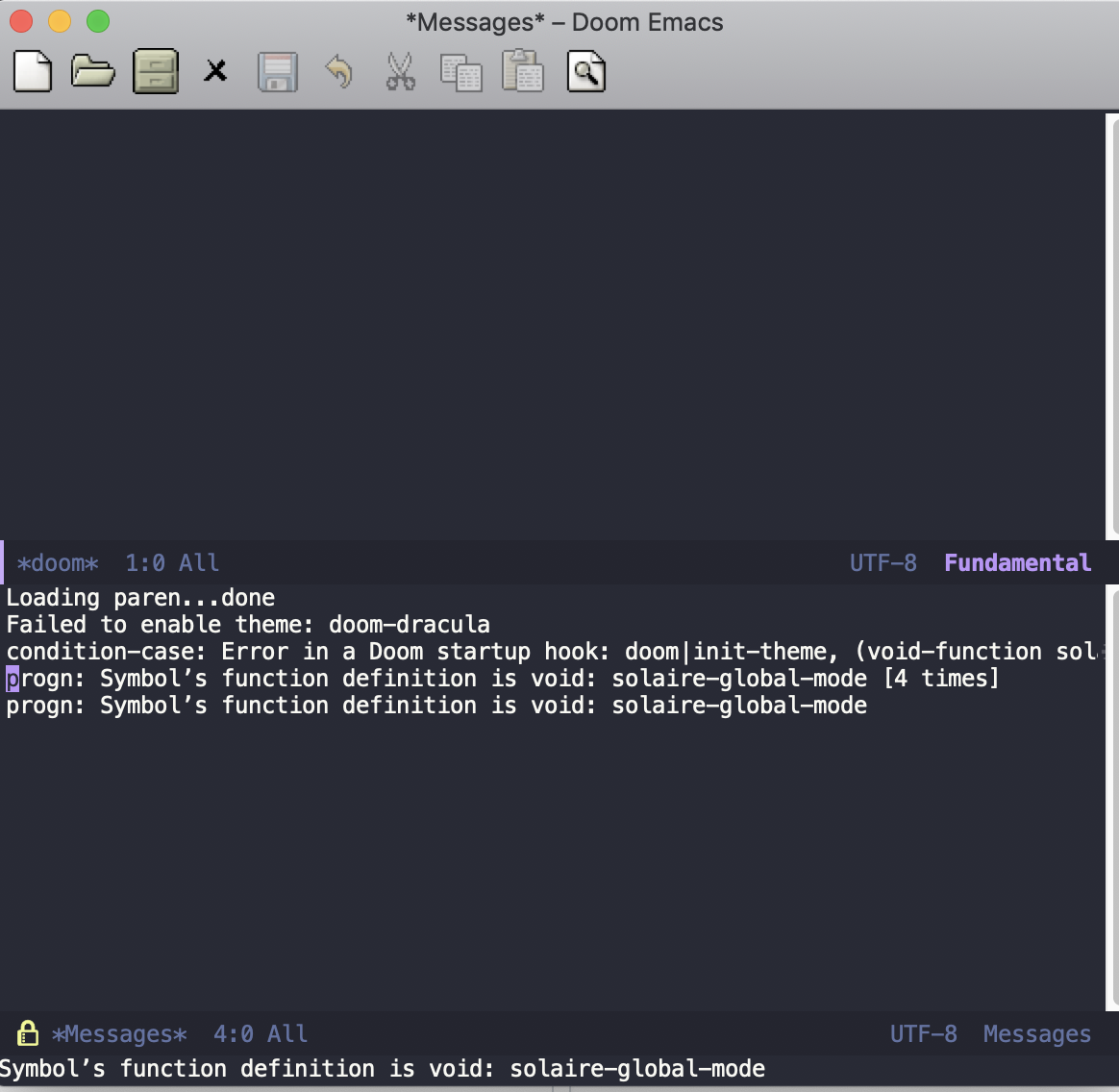
doom is not able to set the theme correctly in the latest develop (869758e8f5ed677a0f1ceec9a9fd275e1ce5905d)
On start we see the message:
progn: Symbol’s function definition is void: solaire-global-mode
Expected behavior
Doom opens normally. no error message and theme setup properly
Steps to reproduce
- Rebase develop to latest origin/develop
- restart emacs
System information
Click to expand
```
- OS: darwin (x86_64-apple-darwin14.5.0)
- Emacs: 26.1 (May 31, 2018)
- Doom: 2.0.9 (develop 562aa5b67771b99cffb6396e17a321e6321bcae5)
- Graphic display: t (daemon: nil)
- System features: NOTIFY ACL GNUTLS LIBXML2 ZLIB TOOLKIT_SCROLL_BARS NS MODULES THREADS
- Details:
elisp
elc count: 0
uname -a:  Darwin Baljeets-MacBook-Pro.local 18.2.0 Darwin Kernel Version 18.2.0: Mon Nov 12 20:24:46 PST 2018; root:xnu-4903.231.4~2/RELEASE_X86_64 x86_64
modules:   (:feature debugger eval (evil +everywhere) file-templates (lookup +docsets) snippets spellcheck syntax-checker workspaces :completion company helm :ui doom doom-dashboard doom-modeline doom-quit evil-goggles hl-todo nav-flash treemacs (popup +all +defaults) pretty-code vc-gutter vi-tilde-fringe window-select :editor format multiple-cursors rotate-text :emacs dired ediff electric hideshow imenu term vc :tools editorconfig gist magit pdf :lang data elixir emacs-lisp go javascript ledger markdown (org +attach +babel +capture +export +present) plantuml python rest (sh +fish) :app write :config literate (default +bindings +evil-commands))
packages:  n/a
exec-path: (/Library/Frameworks/Python.framework/Versions/3.7/bin/ /usr/local/bin/ /usr/bin/ /bin/ /usr/sbin/ /sbin/ ~/bin/ /Library/TeX/texbin/ /usr/local/go/bin/ /opt/X11/bin/ /Applications/Emacs.app/Contents/MacOS/bin-x86_64-10_10/ /Applications/Emacs.app/Contents/MacOS/libexec-x86_64-10_10/ /Applications/Emacs.app/Contents/MacOS/libexec/)
 baljeet
All 6 comments
This works if i comment the following:
(solaire-global-mode +1)
in modules/ui/doom/config.el
baljeet
on 28 Dec 2018
I'm guessing this has to do with this commit: https://github.com/hlissner/emacs-solaire-mode/commit/620df5a1d3d7e780af87079d2a43edf11a7ad5d2
And not having the most up to date solaire-mode package. I did re-make my doom-emacs config though, so I'm not sure what else has to happen.
 powellc
on 28 Dec 2018
powellc
on 28 Dec 2018
And not having the most up to date solaire-mode package.
Assuming it has to do with packages not being up to date, you could try running bin/doom upgrade && bin/doom update from your .emacs.d directory. That should upgrade doom, as well as update your packages.
Fair warning, there's an issue with one of the packages upstream, so you'll likely have to do the fix in https://github.com/hlissner/doom-emacs/issues/1080 to fix that one when you update.
 CodyWilson
on 28 Dec 2018
CodyWilson
on 28 Dec 2018
Yep ... strangely I hadn't realized bin/doom/update existed and always figured pulling the latest develop and re-making updated doom. Nice to know how upgrade packages now :)
powellc
on 28 Dec 2018
I ought to add that this did fix this issue for me AND I did not run into the other bug you mentioned. Thanks @CodyWilson !
powellc
on 28 Dec 2018
@CodyWilson @powellc bin/doom upgrade && bin/doom update worked for me as well. I also had to apply the fix mentioned in 1080.
But it probably means this is a non-issue. We should use bin/doom commands for updating and upgrading rather than rebasing. Hence closing.
baljeet
on 28 Dec 2018
Related issues
 idoo
·
3Comments
idoo
·
3Comments
 driftcrow
·
3Comments
driftcrow
·
3Comments
 gueorgui
·
3Comments
gueorgui
·
3Comments
 rgrinberg
·
3Comments
rgrinberg
·
3Comments
 waymondo
·
3Comments
waymondo
·
3Comments
Most helpful comment
Assuming it has to do with packages not being up to date, you could try running
bin/doom upgrade && bin/doom updatefrom your.emacs.ddirectory. That should upgrade doom, as well as update your packages.Fair warning, there's an issue with one of the packages upstream, so you'll likely have to do the fix in https://github.com/hlissner/doom-emacs/issues/1080 to fix that one when you update.