Doom-emacs: Problems with setting pyenv version automatically (develop branch)
First, I'm really enjoying Doom, so thanks for all your work on it!
Observed behavior
When I load a project which has a particular python version set using a .python-version file in the project directory, that version of python is not loaded as expected. The modeline reports "Python 2.7.14" instead of "Python 3.6.5".
If I execute :!pyenv version within emacs, it reports:
"2.7.14 (set by PYENV_VERSION environment variable)"
This suggests to me that it is somehow getting a pyenv shell version, but I haven't set one. Using this command in a terminal returns "pyenv: no shell-specific version configured". echo $PYENV_VERSION is blank.
pyenv version in a terminal outside emacs reports (correctly) 3.6.5. In addition, I have the pyenv global set to 3.6.5, so this should be loaded unless I'm in a directory where I specify a different version.
Expected behavior
The modeline should report the correct pyenv version (either the version set in pyenv global, or a directory-specific version from a .python-version file.
Steps to reproduce
- Open a python file in Doom
- Modeline reports incorrect pyenv version
- M-x run-python results in an error as a consequence, because I don't have iPython installed for 2.7.14 python.
System information
Click to expand
- OS: darwin (x86_64-apple-darwin17.5.0)
- Emacs: 26.1 (Jun 12, 2018)
- Doom: 2.0.9 (develop 5e9f74c269706fd840e76523555ed648a12bdab1)
- Graphic display: t (daemon: nil)
- System features: JPEG RSVG IMAGEMAGICK NOTIFY ACL GNUTLS LIBXML2 ZLIB TOOLKIT_SCROLL_BARS NS MODULES THREADS LCMS2
- Details:
  ```elisp
  elc count: 0
  uname -a:  Darwin serenity 17.6.0 Darwin Kernel Version 17.6.0: Tue May  8 15:22:16 PDT 2018; root:xnu-4570.61.1~1/RELEASE_X86_64 x86_64
  modules:   (:feature (evil +everywhere) file-templates (lookup +devdocs +docsets) snippets spellcheck (syntax-checker +childframe) workspaces :completion (ivy +fuzzy +childframe) :ui doom-dashboard doom-modeline doom-quit evil-goggles hl-todo nav-flash neotree (popup +all +defaults) vc-gutter vi-tilde-fringe window-select :editor :emacs ediff electric eshell imenu term vc :tools ein macos magit :lang emacs-lisp latex markdown (org +attach +babel +capture +export +present +ipython) (python +conda) sh web :config)
  packages:  n/a
  exec-path: (/usr/local/bin/ /usr/bin/ /bin/ /usr/sbin/ /sbin/ /opt/X11/bin/ /Library/TeX/texbin/ /usr/local/Cellar/emacs-plus/26.1/libexec/emacs/26.1/x86_64-apple-darwin17.5.0/)
  ```
Thanks!
 bsag
bsag
All 33 comments
If you run Emacs in MacOS, and if you launch Emacs from Dock, you might have the exact same problem that I had. MacOS did some strange thing to the environment variables when you launch from Dock or LaunchPad, such that $PATH is not synchronized with your real shell.
My current workaround is create script under /usr/local/bin, which content is:
#!/usr/bin/env zsh
(/usr/local/Cellar/emacs-mac/emacs-26.1-z-mac-7.1/Emacs.app/Contents/MacOS/Emacs "$@") &
You need to update this script according to your own setup, like the shell you are using and where you have emacs installed. But this way generally solve the $PATH issue.
 liujoey
on 2 Jul 2018
liujoey
on 2 Jul 2018
I was running Emacs from Alfred, so effectively the same as launching from the Dock or LaunchPad. However, using the script you provided launches Emacs fine, but doesn't solve the pyenv problem I had, unfortunately. I just get the same results that I got above. Within emacs, (getenv PATH) gives me the same path I have in the shell (including the pyenv shims path). It's a bit baffling!
bsag
on 3 Jul 2018
@bsag Could you tell me if the +python-current-version variable contains the correct version?
 hlissner
on 3 Jul 2018
hlissner
on 3 Jul 2018
No, it returns:
"2.7.14"
In that directory, there's a .python_version file that specifies the "photo2hugo", and running python --version in that directory in the terminal returns "Python 3.6.5".
pyenv global is also 3.6.5
I do have 2.7.14 as one of the python versions available to pyenv, but it's not activated in any of my environments as far as I know.
Thanks for investigating!
bsag
on 3 Jul 2018
Hi I also met the same issue.
And +python-current-version returns nil while +python-pyenv-versions returns 3.6.5.
Notes that it works well under emacs --nw but it goes wrong launch GUI under OSX 10.13
 Yanbo
on 6 Jul 2018
Yanbo
on 6 Jul 2018
I've pushed a potential fix for this. So long as pyenv's shims directory is in your PATH (and exec-path, by extension), +python-current-version should contain the current version. Please update and let me know if that is the case.
hlissner
on 6 Jul 2018
Hi hlissner, thanks for the update.
After updating , it still doesn't work as expecting, and I have
- +python-current-versions returns
Its value is "2.7.15" (while +python-pyenv-versions returns 3.6.5)
Local in buffer bigpydir.py(my files); global value is nil
Automatically becomes buffer-local when set
2.>echo $PATH
/Users/yanbo/.pyenv/shims:/Users/yanbo/.jenv/shims:/Users/yanbo/.jenv/bin:/usr/local/sbin:/usr/local/bin:/usr/sbin:/usr/bin:/sbin:/bin:/usr/games:/usr/local/games:/Users/yanbo/.composer/vendor/bin:/Users/yanbo/.rvm/bin
Yanbo
on 7 Jul 2018
Hi @hlissner, I'm afraid I had the same experience as @Yanbo. It still doesn't work, and even weirder, I now don't seem to have +python-current-version available to M-x. I tried commenting out the python line in my init.el to uninstall and then reinstall it, to make sure that something hadn't got messed up, but I still don't have +python-current-version.
For what it's worth, I also tried out installing pyenv-mode. That works as expected: I can use M-x pyenv-mode-set to choose from my available pyenv python versions, and the snippet at the bottom of the readme to automatically switch to the pyenv env named the same as my project when switching to a project. The modeline text stays at Python 2.7.14, but the correct version of python is loaded when using run-python, running a REPL, and when you query the pyenv version with :!pyenv version.
bsag
on 7 Jul 2018
Hmm, curious. Now it is working...sort of.
As part of trying to debug some problems I had when running an R REPL through ESS when I had launched Emacs as an emacsclient, I added these lines to my .config.el:
(require 'exec-path-from-shell)
(exec-path-from-shell-initialize)
That meant that ESS could find my R binary, and when I happened to launch a python-based workspace, I found that the modeline was now reporting the correct pyenv version, and the Python REPL launched properly. However auto-completion is not working, and I get the following error message frequently:
Shell native completion is disabled, using fallback
Server error: TypeError("__init__() got an unexpected keyword argument 'environment'",)
Something to do with the language server maybe, but I do have python-language-server (v 0.17.1) installed in that virtual environment. Anyway, progress I think!
bsag
on 8 Jul 2018
@bsag Have you been using Emacs through the daemon all this time? That would explain a lot, because Doom uses exec-path-from-shell, but only in GUI sessions (not daemon or terminal sessions, because those are expected to have been started from a sane shell environment, which, in hindsight, isn't true for the daemon on MacOS, unless it was started manually via emacs --daemon, rather than through launchctl or brew services).
_Without_ those exec-path-from-shell lines in your config, and if you start the daemon via emacs --daemon, is the correct pyenv version detected?
hlissner
on 8 Jul 2018
I've just tried what you suggest, and it doesn't report the correct pyenv when running from emacs --daemon.
Anyway, running it NOT through the GUI is a recent thing I've been trying (I should have explained). When I originally reported it, I was running straight from the GUI (i.e. launching the Emacs.app that homebrew installs). This showed the incorrect pyenv version.
Then I was tinkering this weekend, and decided to try using the launchctl service provided by brew. As you point out, it doesn't set the path properly, so I found I had to use those lines to get it to recognise the path, which did seem to (partially, at least, though something about the environment is broken in ways I don't understand).
bsag
on 8 Jul 2018
I'm having the same issue. +1
 Emiller88
on 10 Jul 2018
Emiller88
on 10 Jul 2018
I've made headway in the lang/python module; pyenv, pyvenv and pipenv support are in and conda support was improved. How version/env info is shown in the mode-line was rewritten. And Doom has changed its philosophy for interacting with your pyenv/pyvenv/conda environments.
The old way: Doom would try to guess the correct env whenever you start python-mode.
The new way: env/version switching is now done manually and globally, via M-x and the commands provided by the pyenv-mode, pyvenv and conda Emacs plugins:
- pyenv:
pyenv-mode-setandpyenv-mode-unset - pyvenv:
pyvenv-activateandpyvenv-deactivate - conda:
conda-env-activateandconda-env-deactivate - pipenv:
pipenv-activateandpipenv-deactivate(EDIT)
Why the change: trying to "guess" the correct env is error prone. The plugins forcibly manipulate the Emacs process environment, which taint the results of any external process created from Emacs. It is too unpredictable, and Emacs doesn't have any notion of "buffer local envvars".
This may be frustrating for people looking at python files across different projects with different requirements/envs, but its behavior is much more predictable this way.
EDIT: The only exception to all this is pipenv. The python version in the modeline does take the current pipenv env into account (and doesn't need to set or read any envvars to do so). So pipenv gets first-class support.
This should effectively resolve this issue, but it could use more testing.
hlissner
on 4 Aug 2018
Oh, and forgot to mention, the lang/python also now has the following module flags to enable these (or other) features:
+pyenv+pyvenv+conda+ipython
hlissner
on 4 Aug 2018
Excellent, that works! However, when I pyenv-mode-set another pyenv version (e.g. 3.6.5), it activates that environment correctly but still leaves the modeline showing Python 2.7.14, as well as the correct pyenv version. Since it works correctly, this is fine - just a bit confusing.
Thanks for fixing it!
bsag
on 4 Aug 2018
Hi, I just installed doom-emacs (from neovim) recently so excuse my lack of knowledge of Emacs in general.
I am trying to get my project (in Python) to detect my pipenv environment correctly.
I noticed at the above you mentioned that:
- pyenv: pyenv-mode-set and pyenv-mode-unset
- pyvenv: pyvenv-activate and pyvenv-deactivate
- conda: conda-env-activate and conda-env-deactivate
But how about pipenv? When I ran :pipenv-activate , I only receive the following output:
Finished pipenv --venv
When I try to look at code definition (through SPC c d), it still says Nothing "No definitions found".
Did i miss anything?
Thanks.
 rezmuh
on 11 Aug 2018
rezmuh
on 11 Aug 2018
The only thing I could make finding code definitions to work is if I run:
:pythonic-activate RET /path/to/virtualenv/ RET
However, it's quite annoying for pipenv users as the path for virtualenv in pipenv typically is in a different directory than the project itself.
rezmuh
on 11 Aug 2018
@rezmuh Did you mean M-x pipenv-activate? Because :pipenv is not a real ex command (it may work, but not the way you might think).
hlissner
on 11 Aug 2018
@hlissner I tried multiple ways.
First I did it only with :pipenv-activate then I did it with M-x pipenv-activate as well as SPC : pipenv-activate
But the output was the same which is Finished pipenv --venv as seen below:
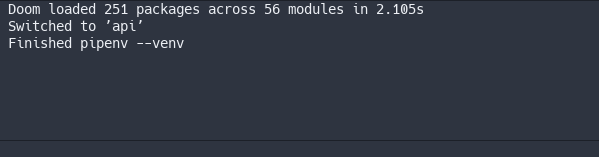
Then code definitions were still not available
rezmuh
on 12 Aug 2018
@hlissner python-mode does not seem to work unless I install system-wide python3, I'm using pyenv and it does not detect nor activate python-mode unless I install python3. I have python3 on pyenv and it's the global version set for my user account. I'm not sure if this is a bug or just a fluke from my bad config.
Before installing: python3
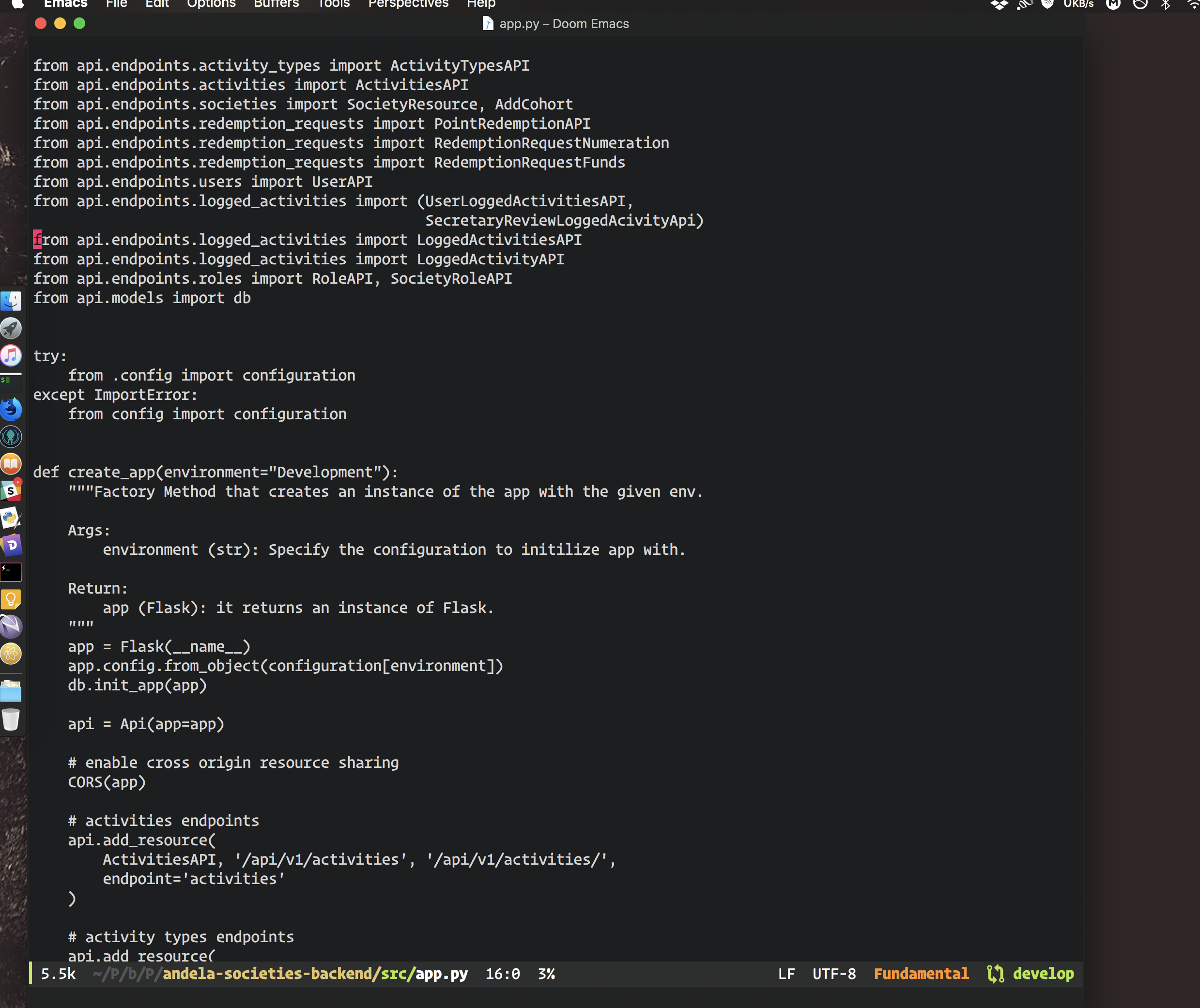
After installing: python3 brew install python3

 georgreen
on 13 Aug 2018
georgreen
on 13 Aug 2018
@georgreen Could you check your *Messages* for error or warning messages (you can open it with SPC h e) when you open python-mode without python3 installed?
hlissner
on 13 Aug 2018
@hlissner
For some reason, that key combo doesn't work, but I saw some message complaining about pipenv not being found on my path. It's available in my python3 shim though.

spc h m work though

pipenv and python
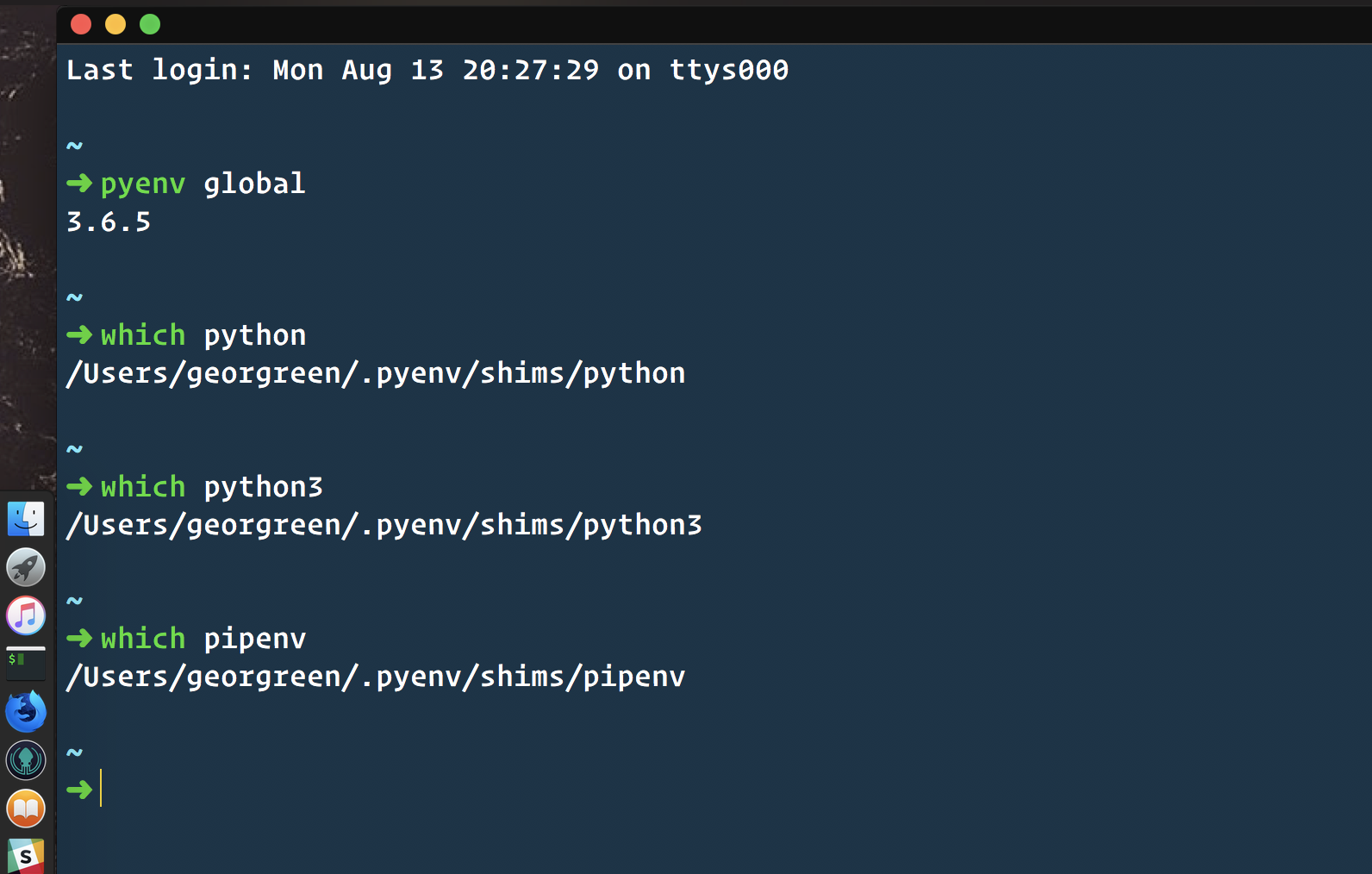
When I try to toggle it manually using m-x python-mode: pipenv not found on your path shows up.
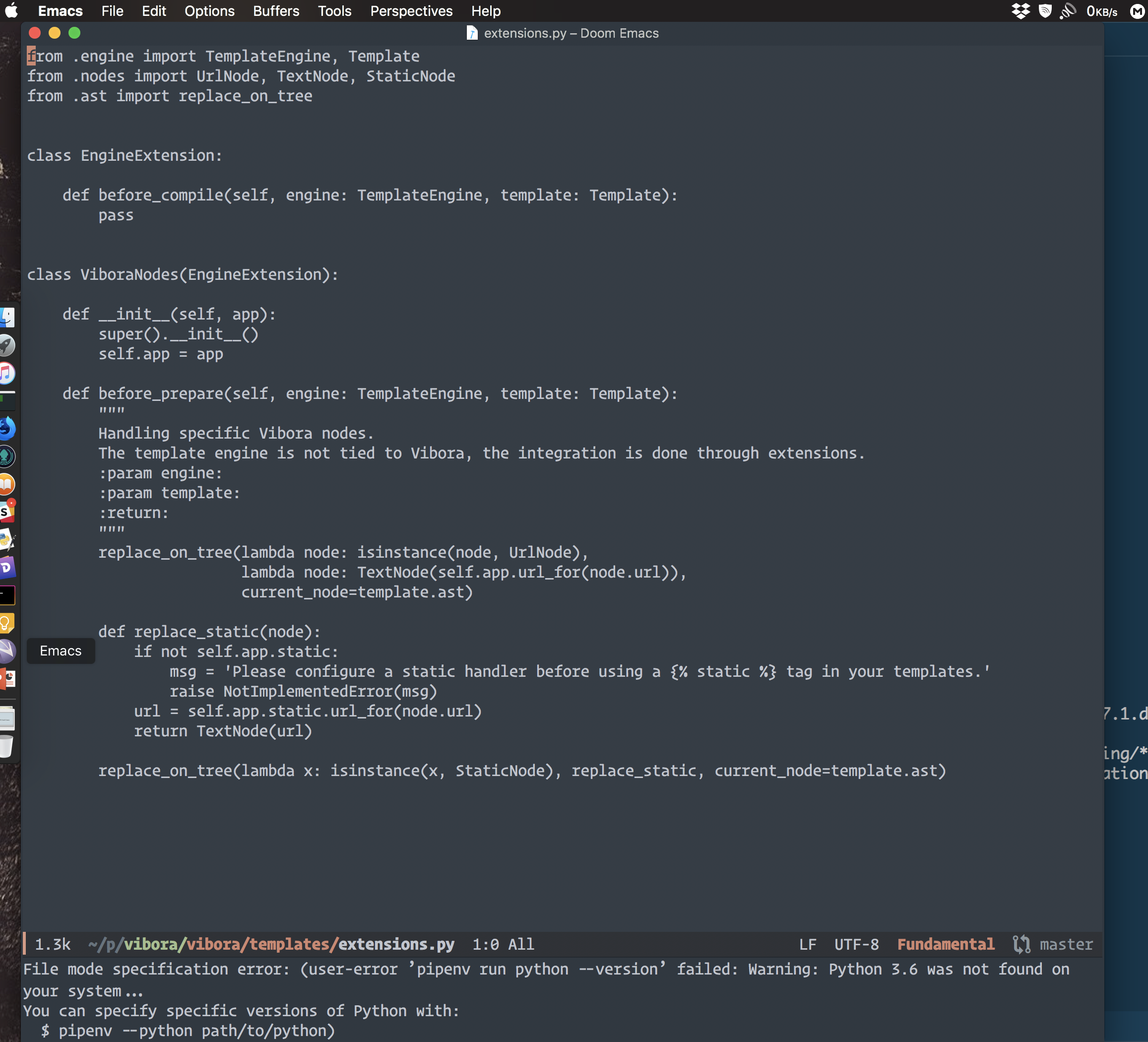
In some projects python-mode just fails to load.
georgreen
on 13 Aug 2018
I suspect you need to add ~/.pyenv/shims to your PATH within your ~/.profile file.
export PATH=~/.pyenv/shims:$PATH
 rphillips
on 13 Aug 2018
rphillips
on 13 Aug 2018
@rphillips my path has that already.
georgreen
on 14 Aug 2018
@hlissner Starting emacs via terminal with the virtual env enabled seems to solve this.


From this, I think it's conclusive that it's a path issue.
georgreen
on 14 Aug 2018
@hlissner Fixed :sweat_smile:, please discard all my concerns I found the problem to be with how ZSH was loading my env variables. All I had to do is load them correctly via .profil or .zshenv for this case, everything works perfectly as it should. I think this applies to the rest of the thread if your path is being set use .bash_profile, .profile or .zshenvso that emacs can pick the correct path(I had my env in zshrc which seems to be the cause of all that unexpected behavior) , If you are not up to that then start your emacs from the terminal i.e emacs .
georgreen
on 17 Aug 2018
@georgreen No problem! You are correct. .zshrc is only read in interactive zsh sessions, while .zshenv is read in all sessions, interactive or otherwise. When launching GUI Emacs on MacOS, Doom opens a non-interactive shell to scrape your shell environment from (to be copied into Emacs). This is the correct behavior, albeit a common source of confusion.
However, when I pyenv-mode-set another pyenv version (e.g. 3.6.5), it activates that environment correctly but still leaves the modeline showing Python 2.7.14, as well as the correct pyenv version.
@bsag By any chance, is that a pipenv project? Your version in the modeline should respect pyenv-installed pythons, but will consult pipenv first if the current buffer is a pipenv project.
Also, what OS are you on? If you're on Linux, how do you launch Emacs?
hlissner
on 19 Aug 2018
@hlissner No, I don't have pipenv installed. However, it sounds like I might have the same issue as @georgreen in that I'm not setting the env variables in the right place. I'll fix that. Actually this is a very useful thing to learn, so thank you!
bsag
on 29 Aug 2018
So here's a bit of a conundrum. Hopefully, it's an easy fix.
I did a fresh install of os X Mojave just because and installed python3 via pyenv and pyenv via homebrew. I followed the very useful instructions in this thread to get python 3 to be recognized by DOOM. I put the relevant lines in the .zshenv file so that DOOM picked it up and I have the correct path with the pyenv shims in front.

Here is my .zshenv file
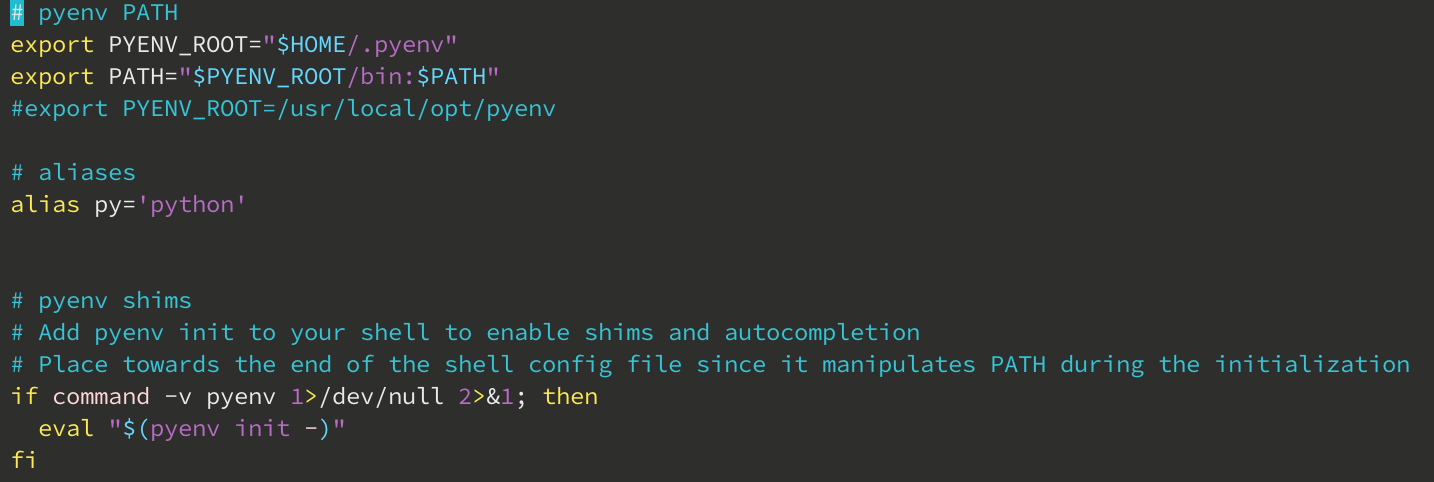
Everything was working great for a while until I started a new project. Of course, I cannot say that starting the new project created this issue but I also cannot think of anything else that changed. Now when I open a python file I get the default system python version 2.7.10 seen here:

As you can see, I only have the latest Python3 installed via pyenv

If anyone has any suggestions I'd be very grateful!
 EHaake
on 28 Feb 2019
EHaake
on 28 Feb 2019
similar problem to the person above. pipenv, once activated, launches the right version of the interpreter. However just running SPC-: run-python gives me 2.7.15 for some reason.
basically the pyenv global is not respected.
happy to provide more info on my setup if needed.
 finnkauski
on 11 Mar 2019
finnkauski
on 11 Mar 2019
@finnkauski I solved my issue by following the instructions here.
I simply placed the following line in the ~/.doom.d/config.el file
(setq python-shell-interpreter "python3"
      flycheck-python-pycompile-executable "python3")
Hope that helps!
EHaake
on 18 Mar 2019
Hi,
I'm using doom-emacs (from Spacemacs hybrid) on Buster. My session has proper PATH and more using systemd environment variables. I use pyenv and poetry. I used to bridge with Emacs by putting VIRTUAL_ENV in .venv file and pyenv version in .python-version file. Actually, it point to the same since a venv is in pyenv versions. In doom-emacs, it looks like neither are read, doom-emacs keeps using system python3 (3.7.3) while system default is 2.7.16.
My .doom.d/init.el:
       (python
        +pyenv)          ; beautiful is better than ugly
Any clue to have Doom to assign python version according to pyenv version ?
Regards,
 bersace
on 19 Sep 2019
bersace
on 19 Sep 2019
Running :!pyenv version returns correct value.
bersace
on 20 Sep 2019
Related issues
 driftcrow
·
3Comments
driftcrow
·
3Comments
 benjaminbauer
·
3Comments
benjaminbauer
·
3Comments
 gueorgui
·
3Comments
gueorgui
·
3Comments
 rassie
·
3Comments
rassie
·
3Comments
 ashiklom
·
3Comments
ashiklom
·
3Comments
Most helpful comment
I suspect you need to add ~/.pyenv/shims to your PATH within your ~/.profile file.