Dolibarr: Miss first line in new page (propal)
Hi, I've a problem with Dolibarr 11.0.4 (was same with 11.0.3), when I generate my propal in PDF and there is more that one page, all next pages have the first line in transparant or don't exist. I have see some issues about that (pdf_standard.modules.php) but nothing work. Somepeople have this a solution about that? I'had try to generate PDF with another template but same problem. I give you some screenshot.. Thx for your reply.
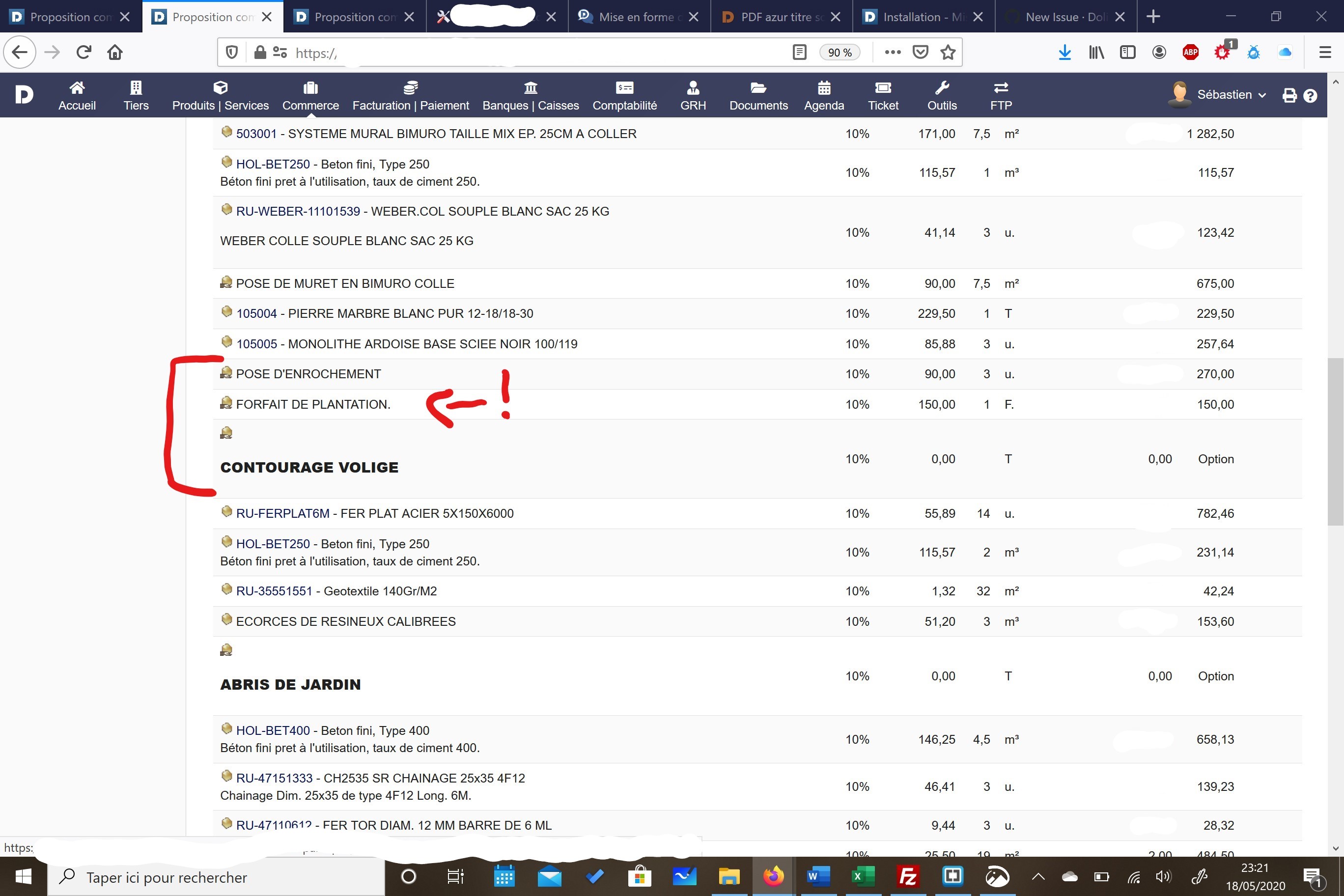
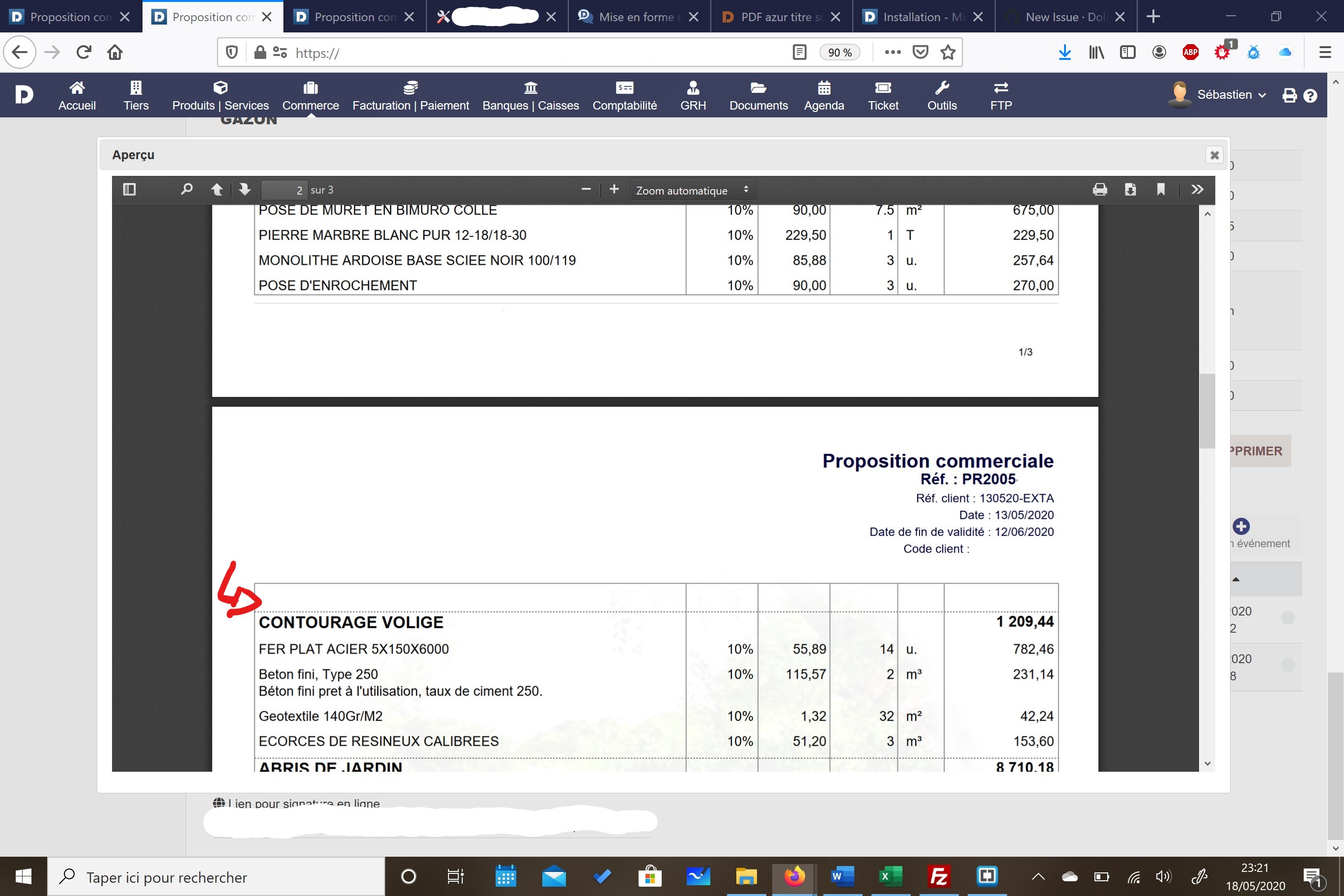
 loundor
All 7 comments
Can you update to v12 and see if the problem persists?
 egils-consulting
on 7 Aug 2020
egils-consulting
on 7 Aug 2020
Hi thx for your reply. I do the update to v12 and always the same. I had try to change the template, but nothing work.The first line is here but in white. I see some post about that and try that but don't work..
loundor
on 8 Aug 2020
What is the PDF model you're using ? If it's the standard "azur" model that's definitely a big, if it's another, this concerns the developer of the model you're using. If you generate with the azur model you also have the issue ?
 atm-maxime
on 8 Aug 2020
atm-maxime
on 8 Aug 2020
Hello, I tried with azure, and it's the same problem. I have more template/model, and always same problem. I report picture later..
loundor
on 8 Aug 2020
Seems to me that the model you're using has been customized. Your "titles" are displayed differently than a standard option line.
atm-maxime
on 8 Aug 2020
Seems to me that the model you're using has been customized. Your "titles" are displayed differently than a standard option line.
Yes right but with azure model (original file) the problem is here. I will add some screenshots the next days with original model.
loundor
on 9 Aug 2020
Hello you should use the ATM module "sub total" to display differently the lines and group/ungroup the lines as desired ;)
 BebZ
on 10 Aug 2020
BebZ
on 10 Aug 2020
Related issues
 jrgonzalezrios
·
4Comments
jrgonzalezrios
·
4Comments
 Sylvain089
·
4Comments
Sylvain089
·
4Comments
 truefriend-cz
·
5Comments
truefriend-cz
·
5Comments
 asolslk
·
4Comments
asolslk
·
4Comments
 dolibarr95
·
5Comments
dolibarr95
·
5Comments