Docz: Body doesn't turn into dark when dark mode is selected
Bug Report
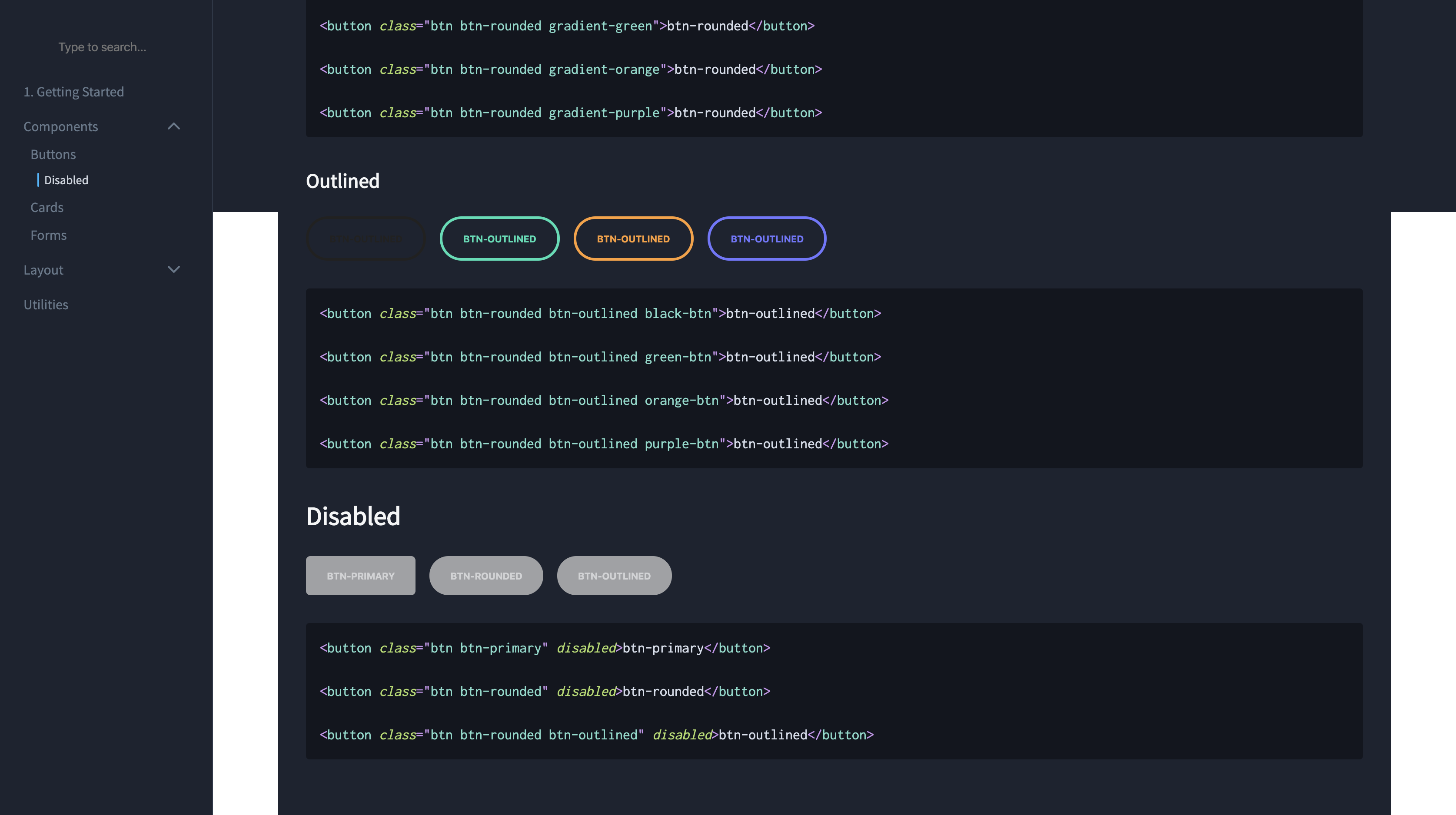
Body doesn't turn black when it's turned on
To Reproduce
https://github.com/smakosh/unnamed-website
Expected behavior
This shouldn't happen, background has to be dark
Environment
- docz version:
2.0.0-rc.68 - OS: macOS Catalina
- Node/npm version:
12.13.0
 smakosh
All 7 comments
Hey @smakosh
Could try updating to the latest docz version :
yarn add docz@next
I think this was fixed here https://github.com/doczjs/docz/releases/tag/v2.0.0-rc.72
 rakannimer
on 18 Nov 2019
rakannimer
on 18 Nov 2019
Nope the issue is still occurring
docz version:
2.0.0-rc.75
smakosh
on 18 Nov 2019
Hey @smakosh
Which browser are you seeing this behavior in ?
Looks like it's working as expected on chrome, firefox and brave on my end when I open https://unnamed.smakosh.com/buttons#disabled .
rakannimer
on 19 Nov 2019
I'm on Chrome, macBook Pro 15"
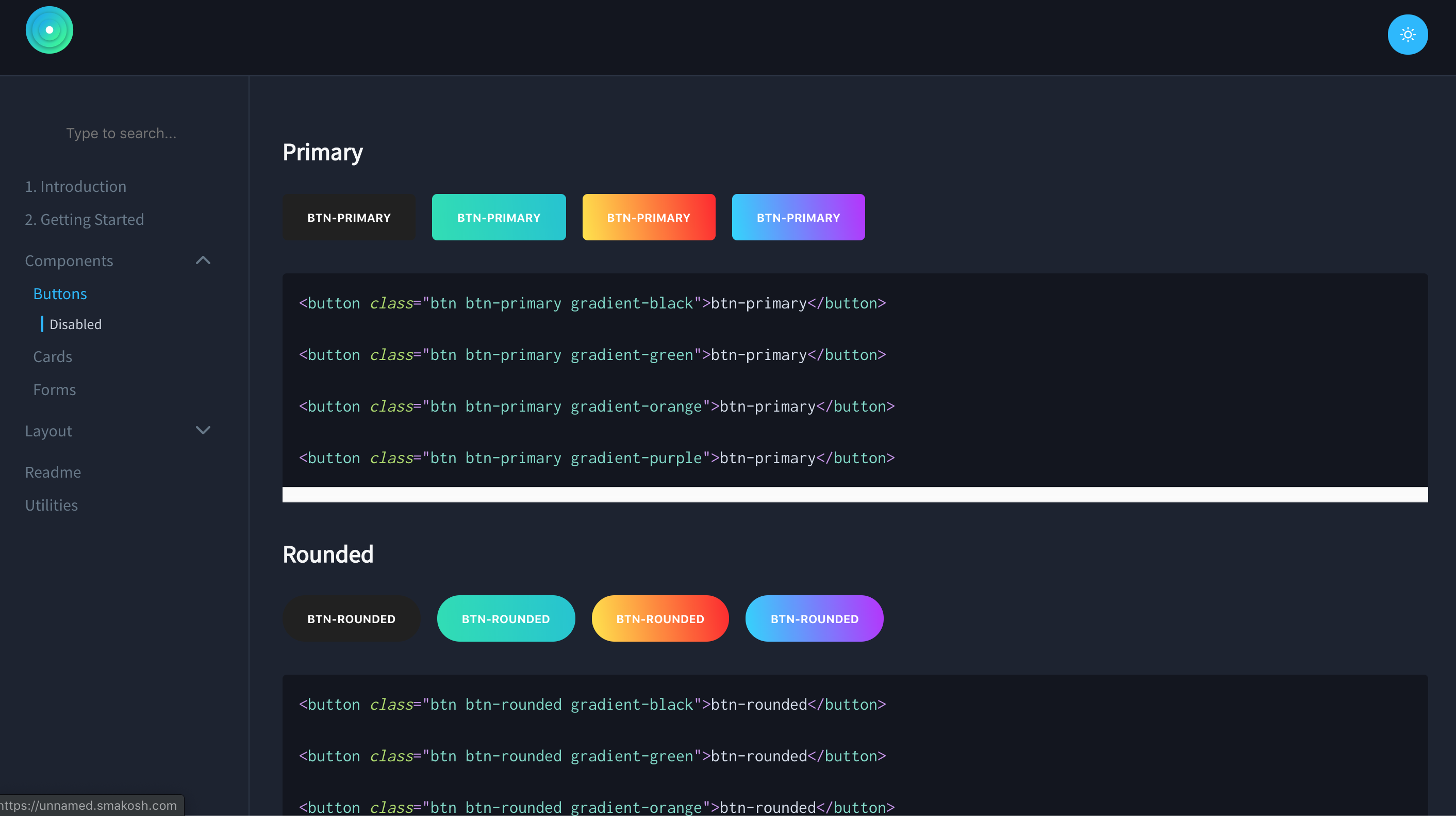
You can see the white box on the screenshot you took
smakosh
on 19 Nov 2019
Ok so you're talking about the additional line of whitespace to the Code component NOT the issue you referenced at first 👍
rakannimer
on 19 Nov 2019
This looks like it's related to the custom css you added here : https://github.com/smakosh/unnamed-website/blob/master/src/gatsby-theme-docz/main.css#L80
The overflow:scroll is creating an un-necessary scroll bar.
You can also use the Playground to make your docs more interactive instead of duplicating the code, once for rendering and another time for display :
+ import { Playground } from 'docz'
+ <Playground>
<button class="btn btn-primary gradient-black">btn-primary</button>
<button class="btn btn-primary gradient-green">btn-primary</button>
<button class="btn btn-primary gradient-orange">btn-primary</button>
<button class="btn btn-primary gradient-purple">btn-primary</button>
+ <Playground>

- ```html
- <button class="btn btn-primary gradient-black">btn-primary</button>

- <button class="btn btn-primary gradient-green">btn-primary</button>

- <button class="btn btn-primary gradient-orange">btn-primary</button>

- <button class="btn btn-primary gradient-purple">btn-primary</button>
- ```
Oh I see, thanks @rakannimer!
smakosh
on 19 Nov 2019
Related issues
 albinekb
·
3Comments
albinekb
·
3Comments
 regrettably
·
3Comments
regrettably
·
3Comments
 koddr
·
3Comments
koddr
·
3Comments
 mquandalle
·
3Comments
mquandalle
·
3Comments
 fenbka
·
3Comments
fenbka
·
3Comments