Docz: Crash when importing `index.tsx` from `index.mdx`
Bug Report
Describe the bug
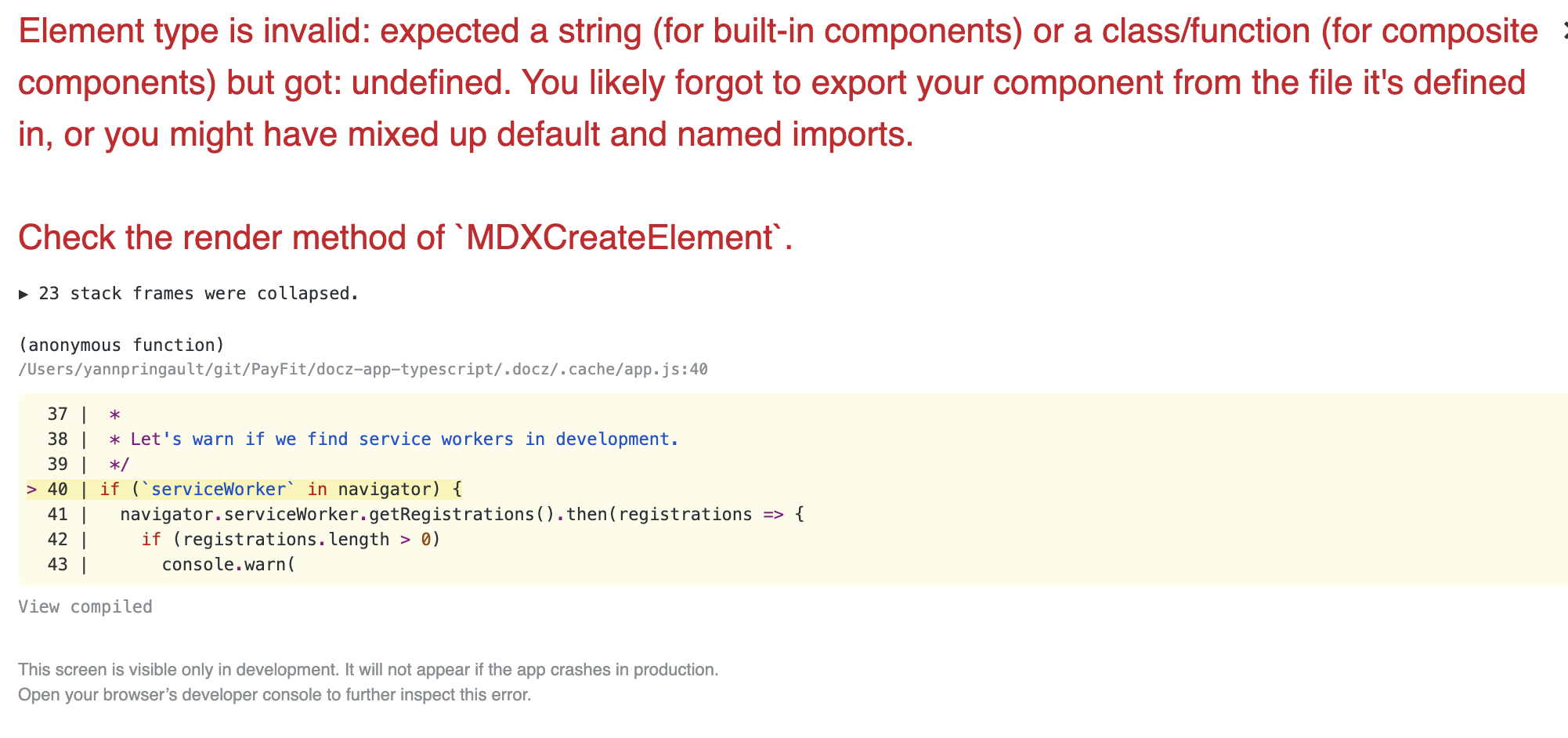
When importing a component from a index.tsx file in a index.mdx at the same location, it crashes with:
Element type is invalid: expected a string (for built-in components) or a class/function (for composite components) but got: undefined. You likely forgot to export your component from the file it's defined in, or you might have mixed up default and named imports.
To Reproduce
$ npx create-docz-app docz-app-typescript --example typescript- Create a random exported component in the file
src/index.tsx(either named export or default export) - Change
src/index.mdxto
import Component from './'
// or
import { Component } from './'

<Component />
- Run
npm run docz dev - See error in browser
Expected behavior
It should render the component without any error.
PS: it works fine with javascript files, the error occurs for TS only.
Environment
- docz version: v2.0.0-rc.53
- OS: OSX 10.14.6
- Node/npm version: Node v10 / npm v6
Additional context/Screenshots
 Kerumen
All 3 comments
Hi! Sounds like you’ve imported your component as a default export, while it’s only available as a named export.
If you change the import to read import { Component } from ‘./‘, you should be good 👌
 selbekk
on 7 Oct 2019
selbekk
on 7 Oct 2019
@selbekk Both doesn't work. I'll add this in the issue.
It seems the conflict comes from the "common" name, index. If I rename one of the 2 files to something else, it works.
Kerumen
on 7 Oct 2019
Hm, interesting. Looks like .mdx "takes presedence" over .tsx. This is probably due to the fact that Docz specifies the markdown plugin before the typescript plugin. If you specify the full ./index.tsx, it works though :)
selbekk
on 7 Oct 2019
Related issues
 colshacol
·
23Comments
colshacol
·
23Comments
 molebox
·
40Comments
molebox
·
40Comments
 lorenzorapetti
·
31Comments
lorenzorapetti
·
31Comments
 mzedeler
·
31Comments
mzedeler
·
31Comments
 robjac
·
41Comments
robjac
·
41Comments
Most helpful comment
Hm, interesting. Looks like
.mdx"takes presedence" over.tsx. This is probably due to the fact that Docz specifies the markdown plugin before the typescript plugin. If you specify the full./index.tsx, it works though :)