Images are inserted with a skew that scaling doesn't _quite_ fix.
For example, I am trying to insert this original image:

It is inserted like this (sorry for the German UI, but you can see the original rectangular image of 4,87 x 14,39 cm has been skewed to a square of 2,65 cm):
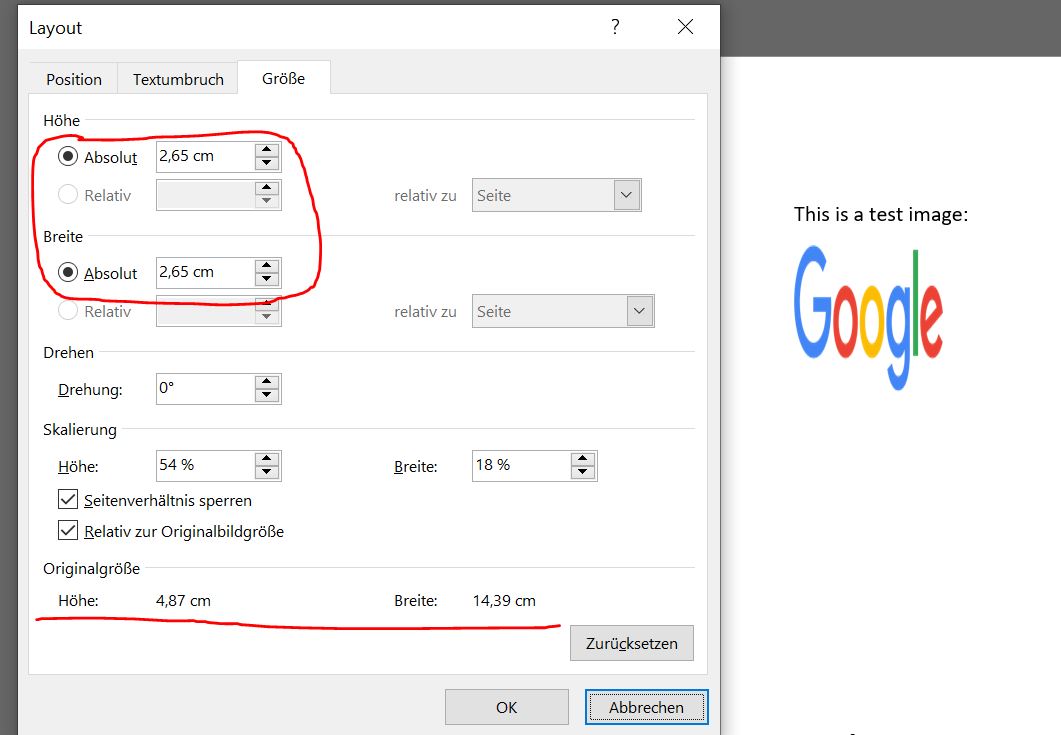
If I scale it, for instance scale(3, 1), the image is still shown skewed, but you can see from the image dialog that the size has been correctly scaled:
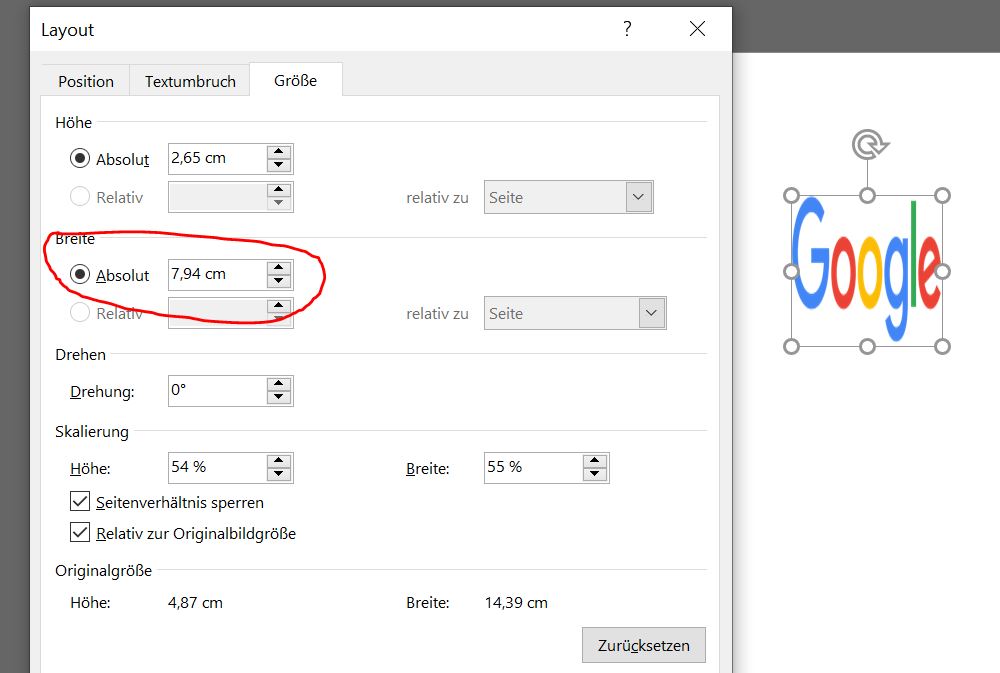
At this point, if I click OK in this dialog, the setting kicks in and the image will be shown scaled correctly.
 acgrama
All 2 comments
Yes this is expected and deliberate behavoir
all images are default 100 x 100
it is up to you to specify the dimensions
it is incredibly difficult to deduce the dimensions of an image based on raw buffer data
until that is resolved, it will be 100 x 100 by default
 dolanmiu
on 6 Mar 2019
dolanmiu
on 6 Mar 2019
Thanks for the explanation!
acgrama
on 6 Mar 2019
Related issues
 liquidslr
·
4Comments
liquidslr
·
4Comments
 uldcra
·
3Comments
uldcra
·
3Comments
 barberousse
·
5Comments
barberousse
·
5Comments
 iainfreestone
·
3Comments
iainfreestone
·
3Comments
 efx
·
5Comments
efx
·
5Comments
Most helpful comment
Yes this is expected and deliberate behavoir
all images are default 100 x 100
it is up to you to specify the dimensions
it is incredibly difficult to deduce the dimensions of an image based on raw buffer data
until that is resolved, it will be 100 x 100 by default