Docusaurus: Blog Mode: Disable or modify the date prefixes `/blog/2020/08/01/title-slug`.
🚀 Feature
For blog mode in Docusaurus V2, there should be a clean way to turn off the calendar date section within the URL path for each blog post, enabling more creative documentation use cases. In our own case we've built a "help center" (knowledge base) that would benefit from disabling the path prefix.
example.com/blog/2020/08/18/title-slug ==> example.com/blog/title-slug
Have you read the [Contributing Guidelines on issues]
Yes
Motivation
See help.getwisdom.io for a live example.
example.com/2020/08/18/title-slug ==> example.com/title-slug
Pitch
Docusaurus has a great blog framework with a tagging system and related tag list pages (/tags/) that in some ways make it a more powerful documentation approach to using docs with a sidebar. We are using the "blog mode" for Help Center like documentation, however each blog entry has a calendar entry time that doesn't provide benefit:
- Aesthetics are poor in this case
- Semantics are not relevant, given that for us, these posts should be frequently updated (evergreen).
Currently, saving a markdown file without the filename date prefix appears to just default to UTC date instead of no date within the URL path.
Candidate Interfaces:
Possible Interfaces:
- string
path_prefix: string prefix.
nulldefaulting to current date/blog/2020/08/01/title-slug''empty string produces no prefix (special case to not produce/blog//title-slug)string1/string2produces/blog/string1/string2/title-slug
- boolean
path_prefix: Config to disable URL path prefix (currently calendar date) - function in
docusaurus.config.jsthat sets the string prefix for each blog article(blog) => 'level1/level2';. - Stop defaulting to UTC time if the file name is not prefixed with date.
 jagracey
All 5 comments
Yes you are right we need a way to have better control of blog slugs.
I tried this:
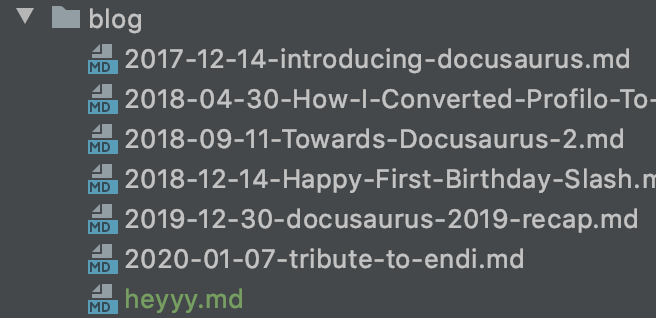
And the URL was this: http://localhost:3000/blog/2020/08/11/heyyy. In such case we'd rather simply not adding the date to the URL at all.
Using markdown files without dates in filenames should be supported and not produce weird issues likes this.
We need a retrocompatible solution, and I'd be fine with 2 options:
- frontmatter slug
- boolean option to remove the date from the URL, and opt-out of this legacy behavior (not useful to provide custom path prefix, because there's already a routeBasePath option anyway...)
Note: when using slugs, we should not prefix the slug of the user with a date. If they wants a date, they'll add it to the slug.
In the long term we should encourage users to only use slugs and move out of this legacy url scheme
Someone wants to work on this?
 slorber
on 11 Aug 2020
slorber
on 11 Aug 2020
I'll be working on this 🙂
 JeanMarcSaad
on 11 Aug 2020
JeanMarcSaad
on 11 Aug 2020
Hello @slorber
So after delving into the code, turns out this is already supported.
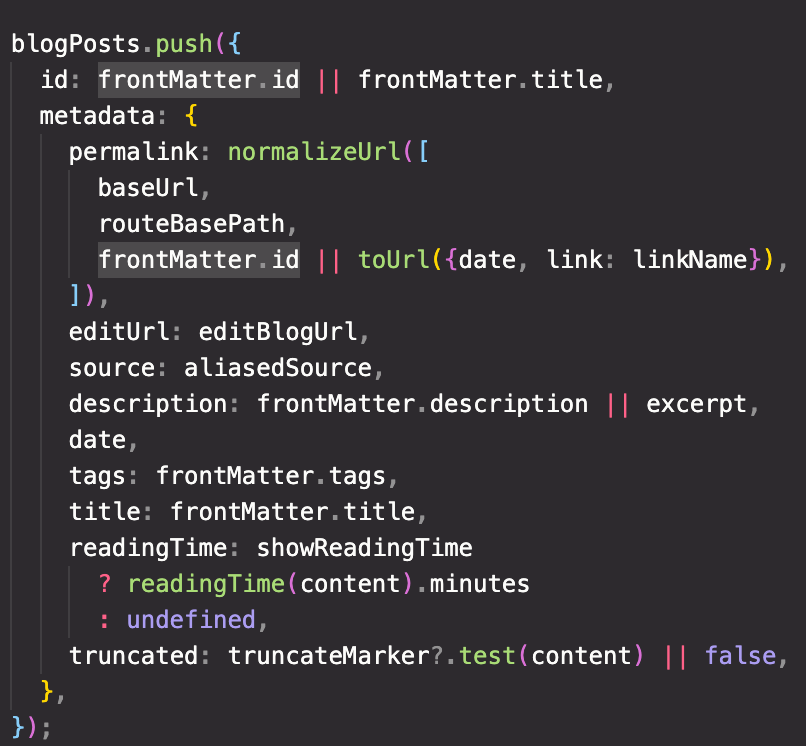
In this block of code in docusaurus-plugin-content-blog/blogUtils.ts,
if frontmatter.id is defined, it will use it as the only slug and not append the date to the url path.
I tried:
This blog structure
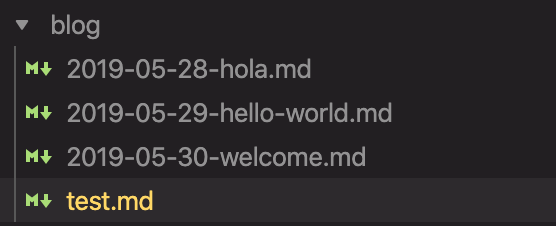
and this test.md
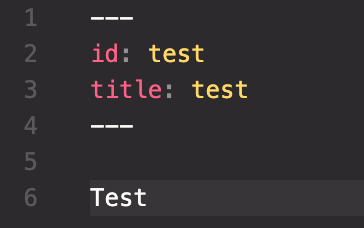
And the url was available at http://localhost:3000/blog/test
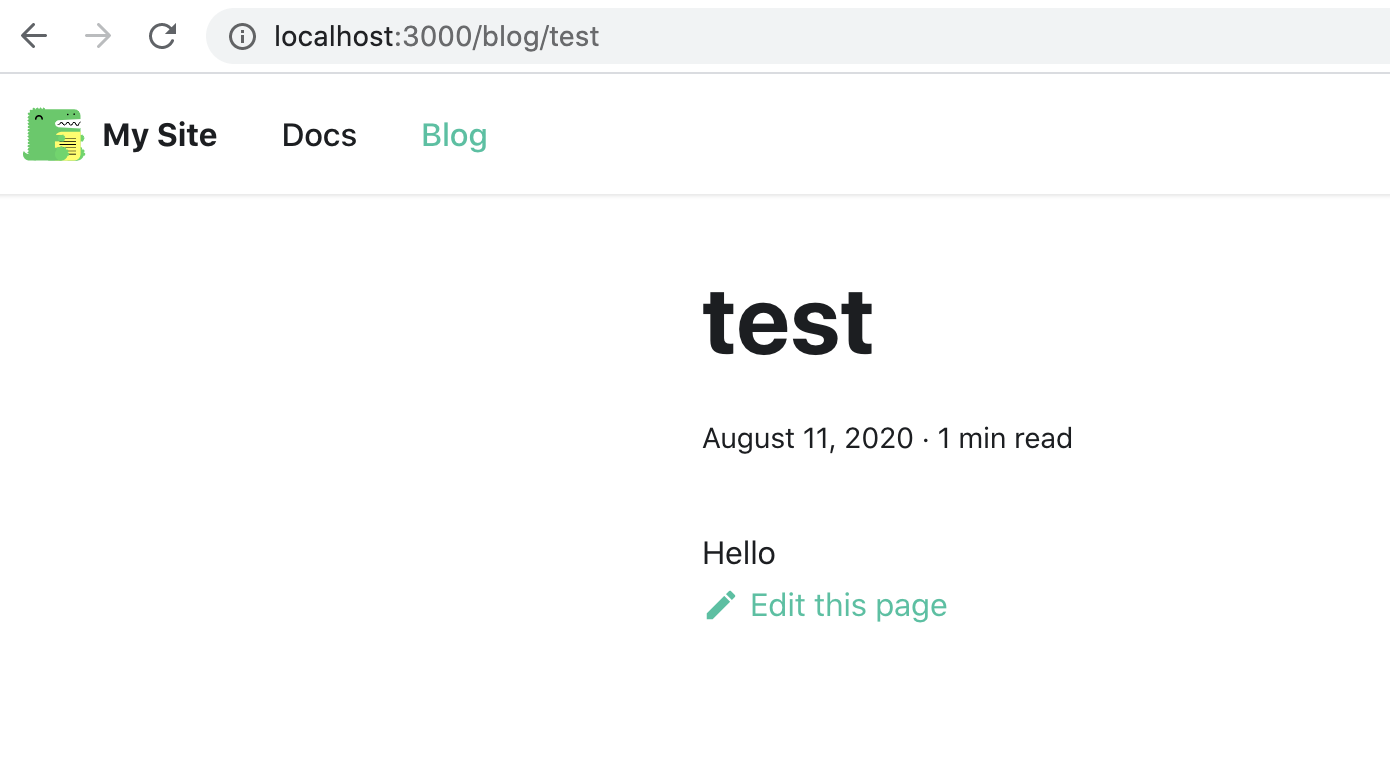
This feature in not documented though, and no mention of id frontmatter is present in the blog docs.
Do you think I should go forward with:
- Renaming id to slug
- Updating the documentation to include this new frontmatter key
JeanMarcSaad
on 12 Aug 2020
Yes we should:
- rename id to slug (add a warning for users using frontmatter.id)
- document slug frontmatter
- fix the date parsing logic that use current date as a default pathname prefix when filename is
test.mdx: it should just lead to/blog/testunless user is using slug frontmatter
Thanks
slorber
on 12 Aug 2020
Fixed by #3284
slorber
on 1 Oct 2020
Related issues
 muuvmuuv
·
3Comments
muuvmuuv
·
3Comments
 lex111
·
3Comments
lex111
·
3Comments
 JoelMarcey
·
3Comments
JoelMarcey
·
3Comments
 philipmjohnson
·
3Comments
philipmjohnson
·
3Comments
 microbouji
·
3Comments
microbouji
·
3Comments